Confidence
in every hour.

Imminently Attendance Management plans work, captures time and interprets awards, enterprise agreements and policies on a single Legal Reasoning Platform. Each shift is checked for coverage, qualifications and availability as it is placed on the roster, and the engine interprets the timesheet as time is entered and calculates the pay sent to payroll.

Imminently AwardsImminently Timesheets, includes AwardsImminently Rosters, includes Awards

Attendance Management is Awards, Timesheets and Rosters together. Awards is also available on its own.

On TechnologyOne?Attendance Management for TechnologyOne customers
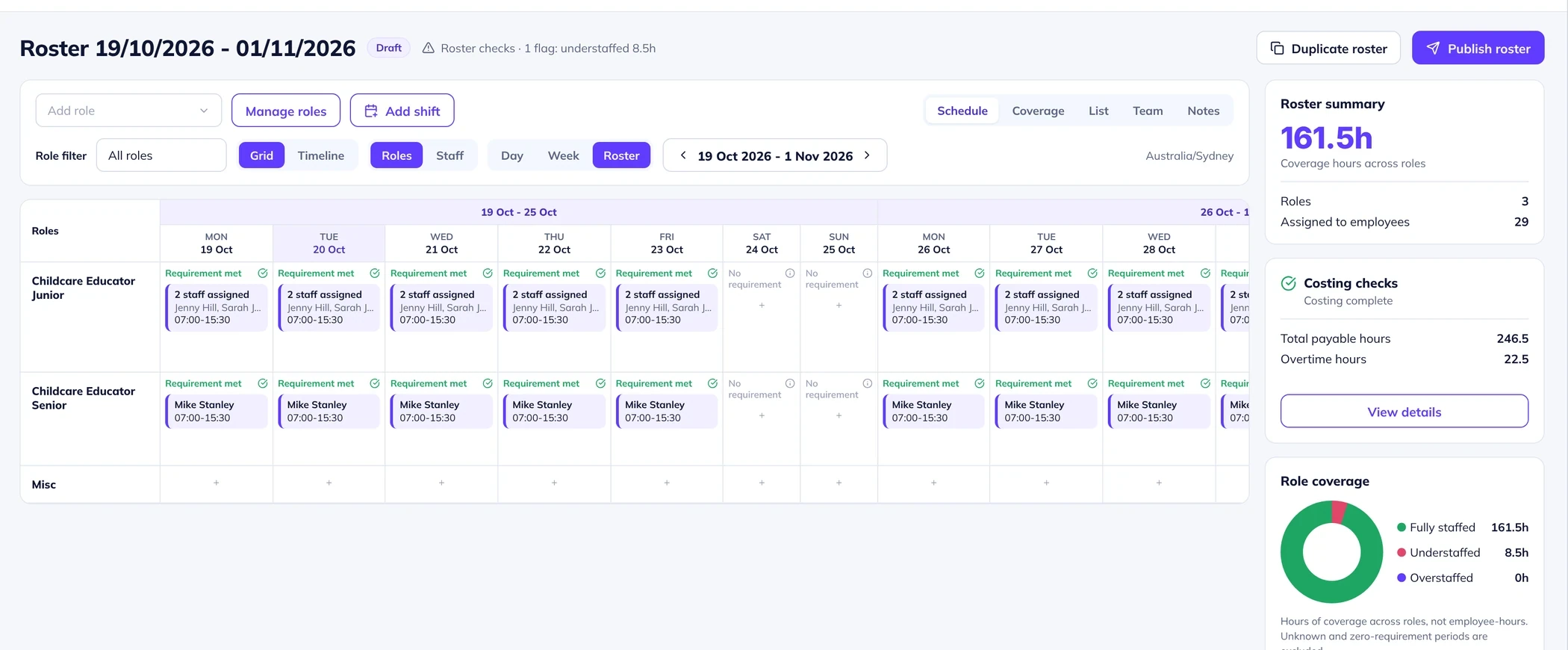
Imminently Rosters · two-week roster by roleOur product’s two-week roster by role, ready to publish: each day shows whether the staffing requirement is met, with one flag for 8.5 understaffed hours, and the summary’s coverage hours, payable and overtime hours and role coverage
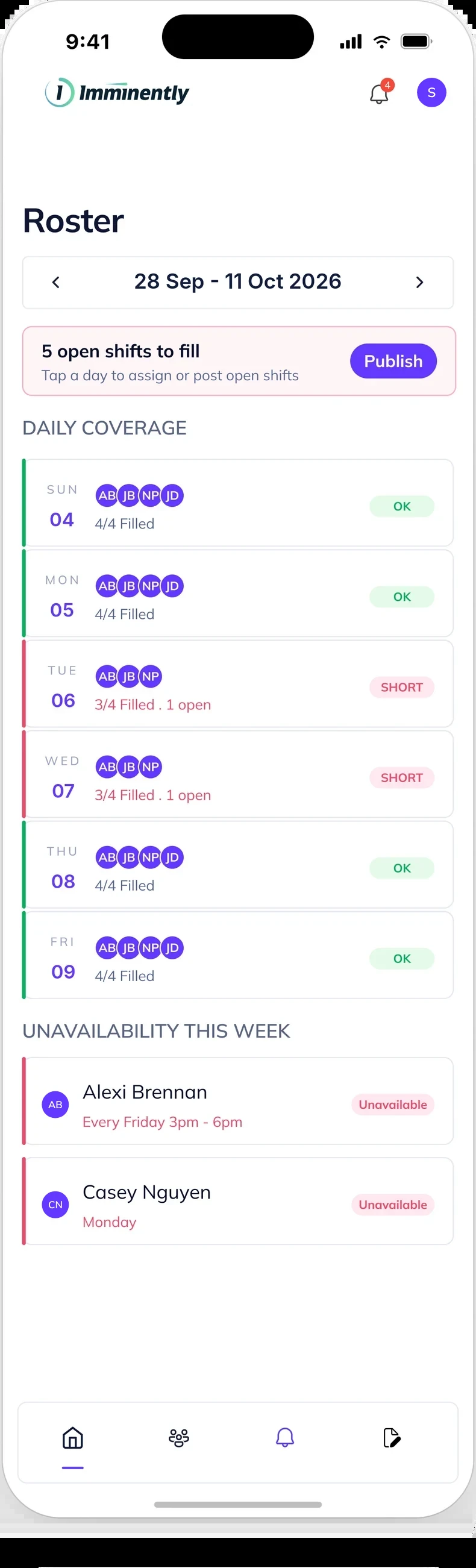
Manager roster: open shifts to fill with publish, daily coverage marked OK or short, and unavailability this week
Our product’s two-week roster by role, with each day’s staffing requirement checked, and the manager’s roster on the Imminently app.
In use at
  • Queensland University of Technology (QUT)Higher education
  • James Cook University (JCU)Higher education
  • City of KarrathaLocal government
  • City of SalisburyLocal government
  • Central Coast CouncilLocal government
  • City of RydeLocal government
Overview

Three modules.
One Legal Reasoning Platform.

Imminently Attendance Management is one product with three modules: Awards, Timesheets and Rosters. Timesheets includes Awards. Rosters includes Awards. Awards is also available on its own.

OfferingWhat is includedTypical starting point
Imminently AwardsInterpretation of awards, agreements and policies, with decision reports. Available on its own.An existing front end that can supply the facts and consume the results.
Imminently TimesheetsTimesheets with Imminently Awards included.Capture actual work with real-time entitlement feedback and approvals.
Imminently RostersRosters with Imminently Awards included.Plan work, with coverage and qualifications checked before publication.
Imminently Attendance ManagementImminently Awards, Imminently Timesheets and Imminently Rosters together.The connected process from planned work to approved pay.
Every flow, step by step

A working week,
screen by screen.

Six flows through our product, from clocking in on the phone to the timesheets payroll checks before the pay run. Each shows whose screen it is and what happens at every step. Each site can be set up to the way its people work: a shared kiosk where people arrive together, room check-ins, identity checks for new starters or reminders before a certification lapses are the kinds of arrangements that can be configured with you.

Staff · on the phone

Clock in and out on the phone.

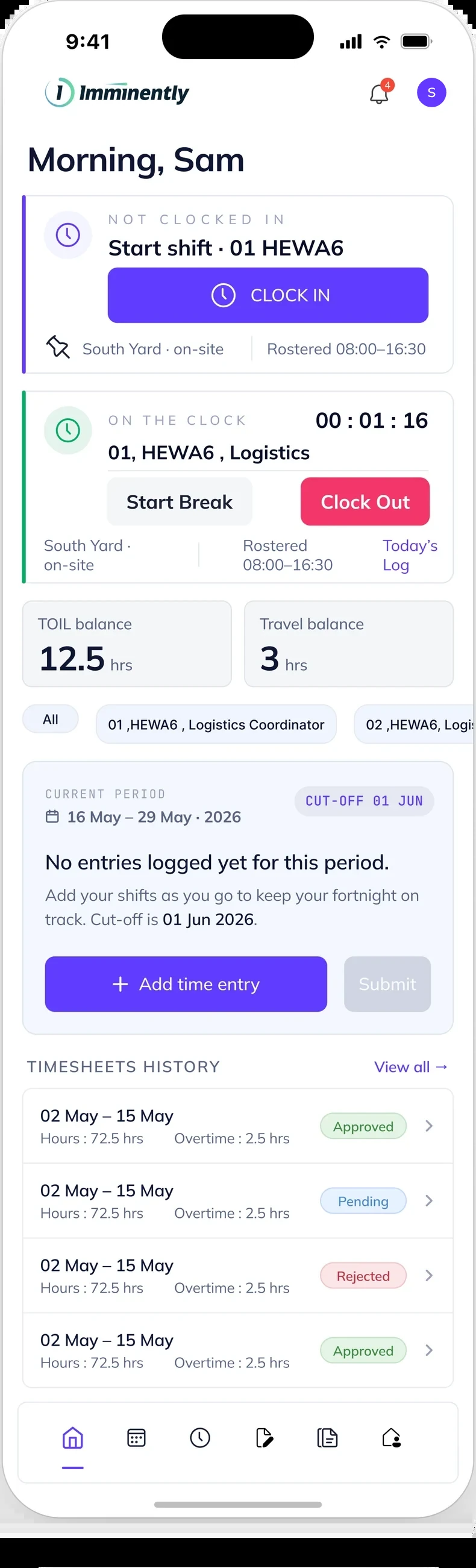
The Imminently app, on iOS and Android, opens on the rostered shift. Staff clock in by the method the site’s policy allows, start and end breaks, and see the hours for the period before the timesheet is submitted.

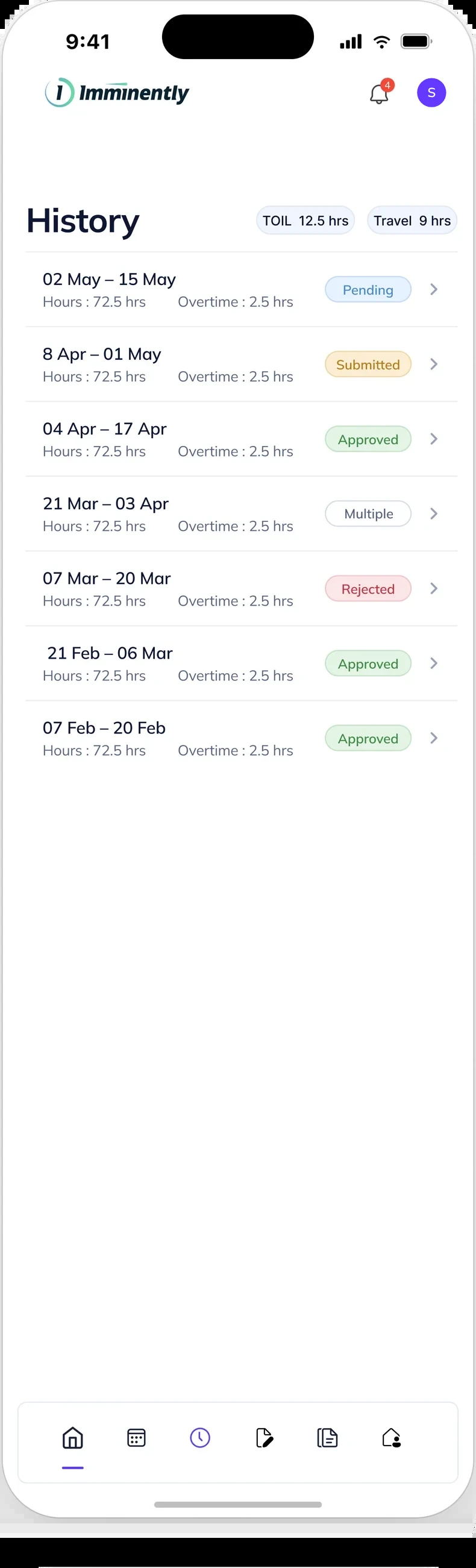
Employee home: clock in for the rostered shift, on the clock with start break and clock out, time off in lieu and travel balances, current period with cut-off and timesheet history
01Today’s shiftThe rostered shift, the site and the hours, with one Clock In button.
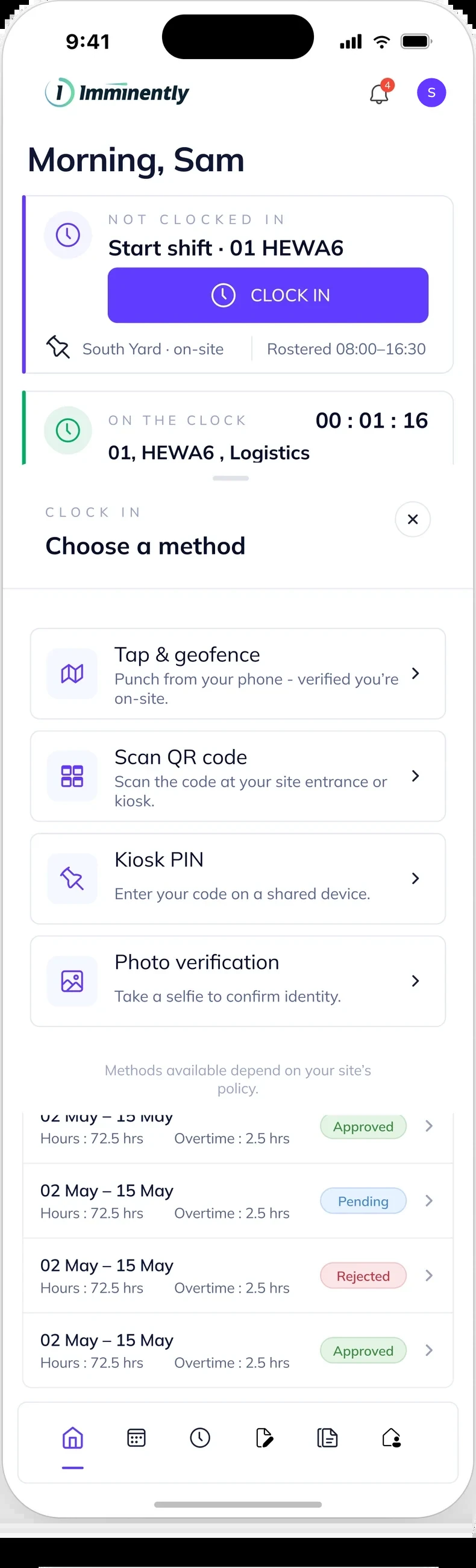
Choose a clock-in method: the methods offered depend on the site’s policy, such as tap and geofence, a QR code or photo verification
02Choose a methodGeofence, QR code or photo, as the site’s policy allows; a shared kiosk can be configured with you.
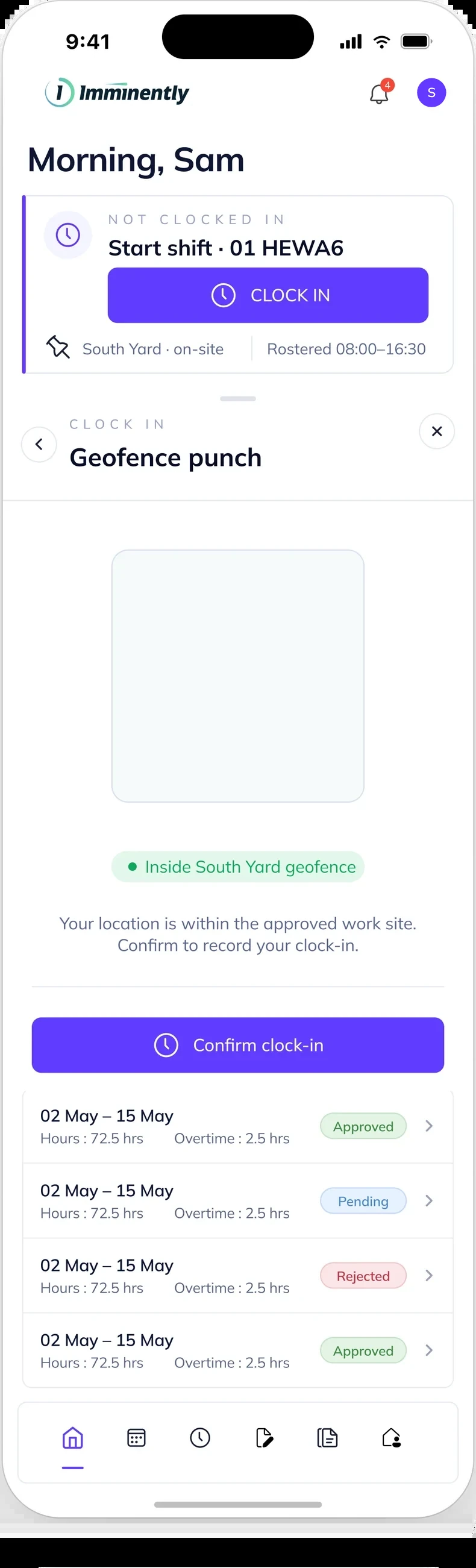
Geofence punch: the phone shows the person inside the site’s geofence, with confirm clock-in
03Inside the geofenceThe phone shows the person inside the site’s geofence before the clock-in is confirmed.
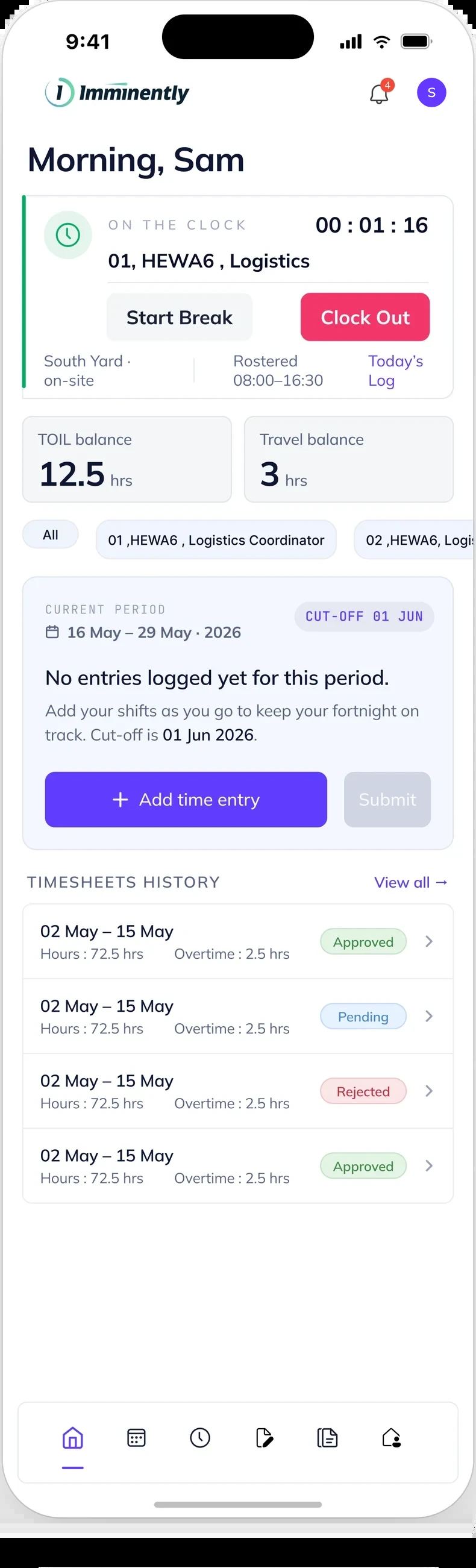
On the clock: the timer, start break and clock out, the site and the rostered hours, and the current period
04On the clockThe timer counts time worked. Start Break and Clock Out sit side by side.
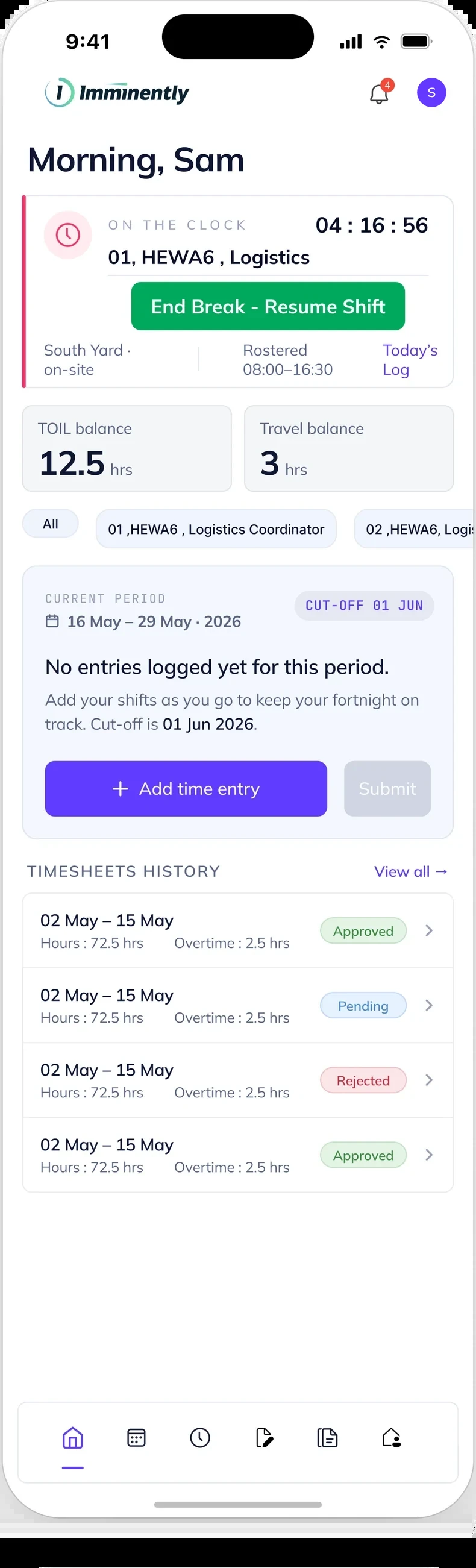
On a break, with end break and resume shift
05On a breakEnd the break and resume the shift.
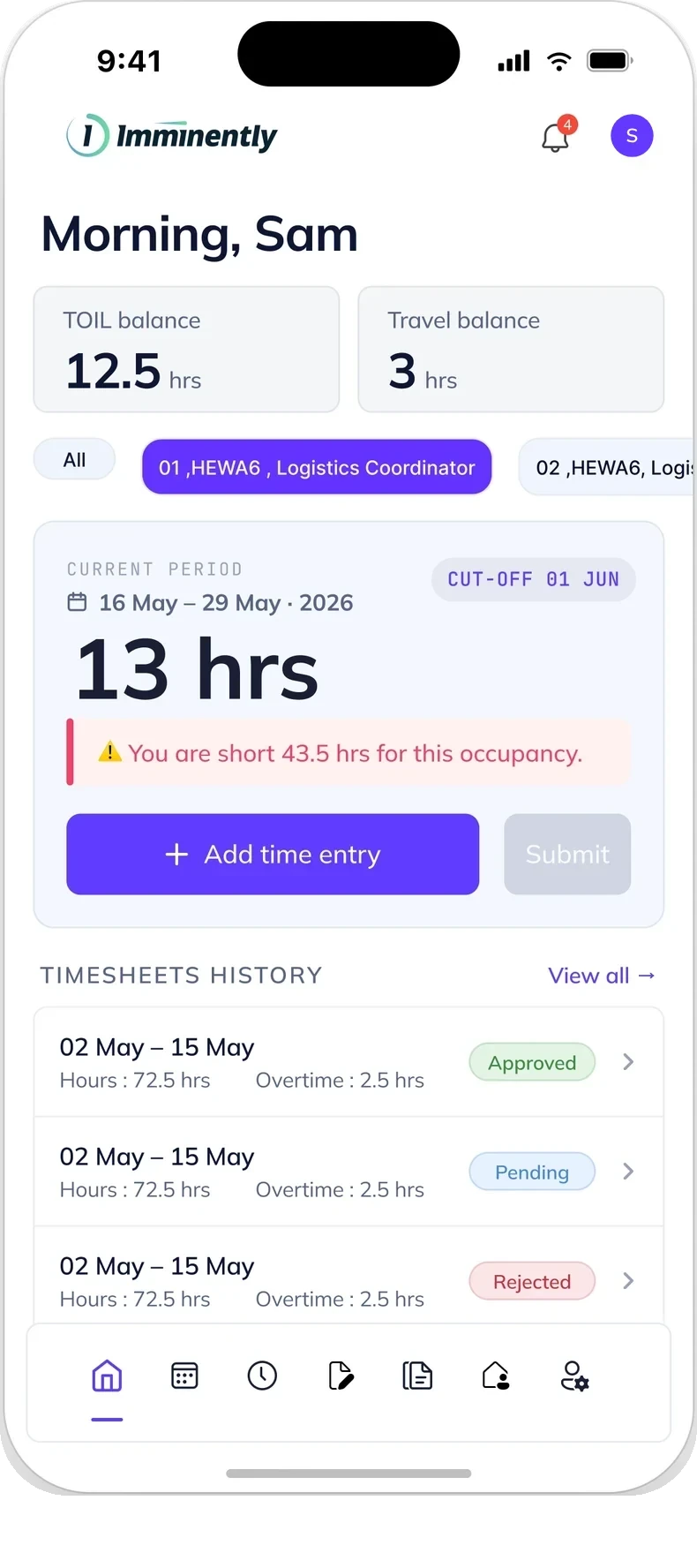
Home after entries: hours this period and the shortfall for the position, with add time entry
06The hours so farHours this period, and any shortfall for the position, before the timesheet is submitted.

People and sites shown are examples.

Manager · our product’s roster

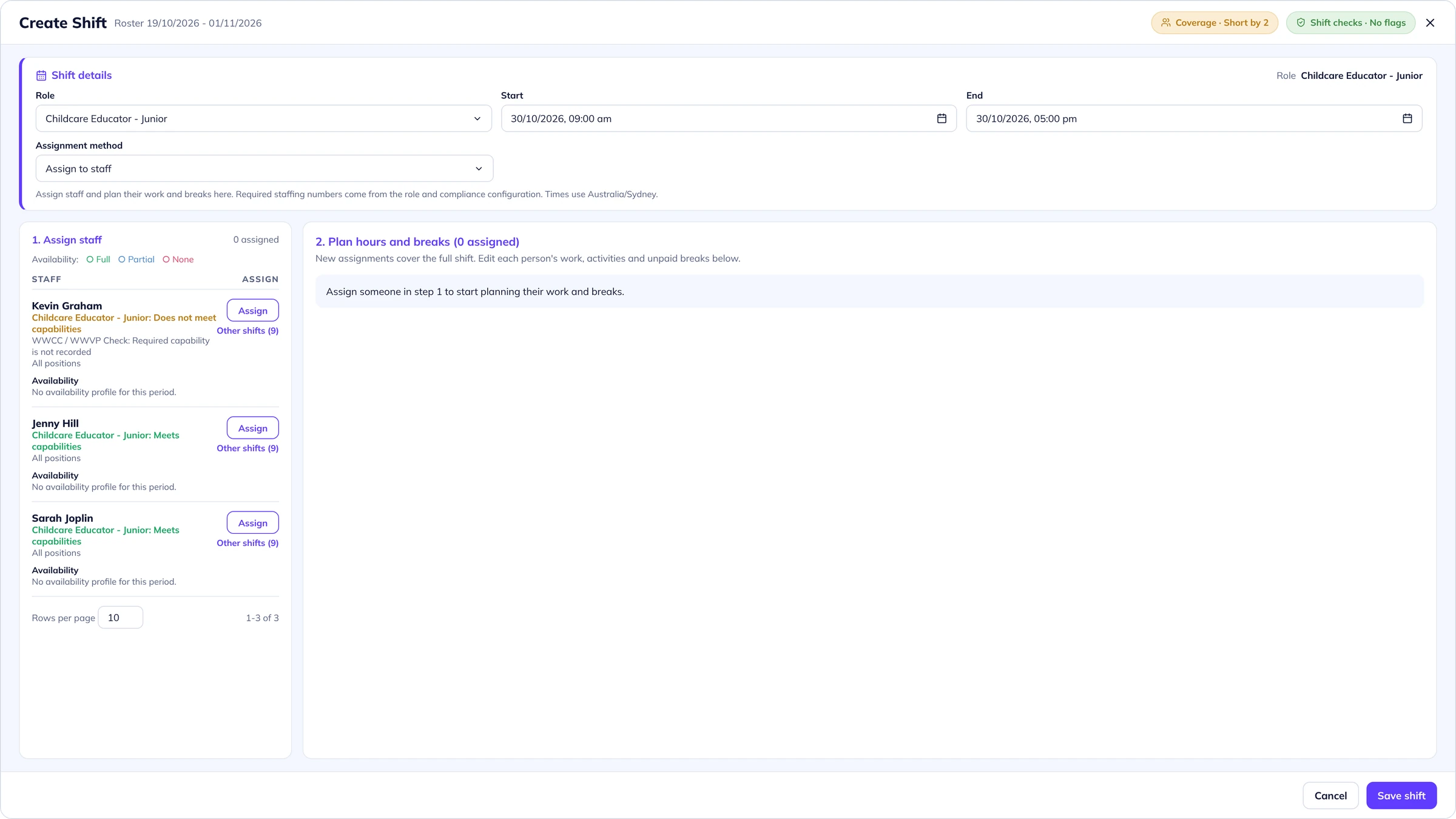
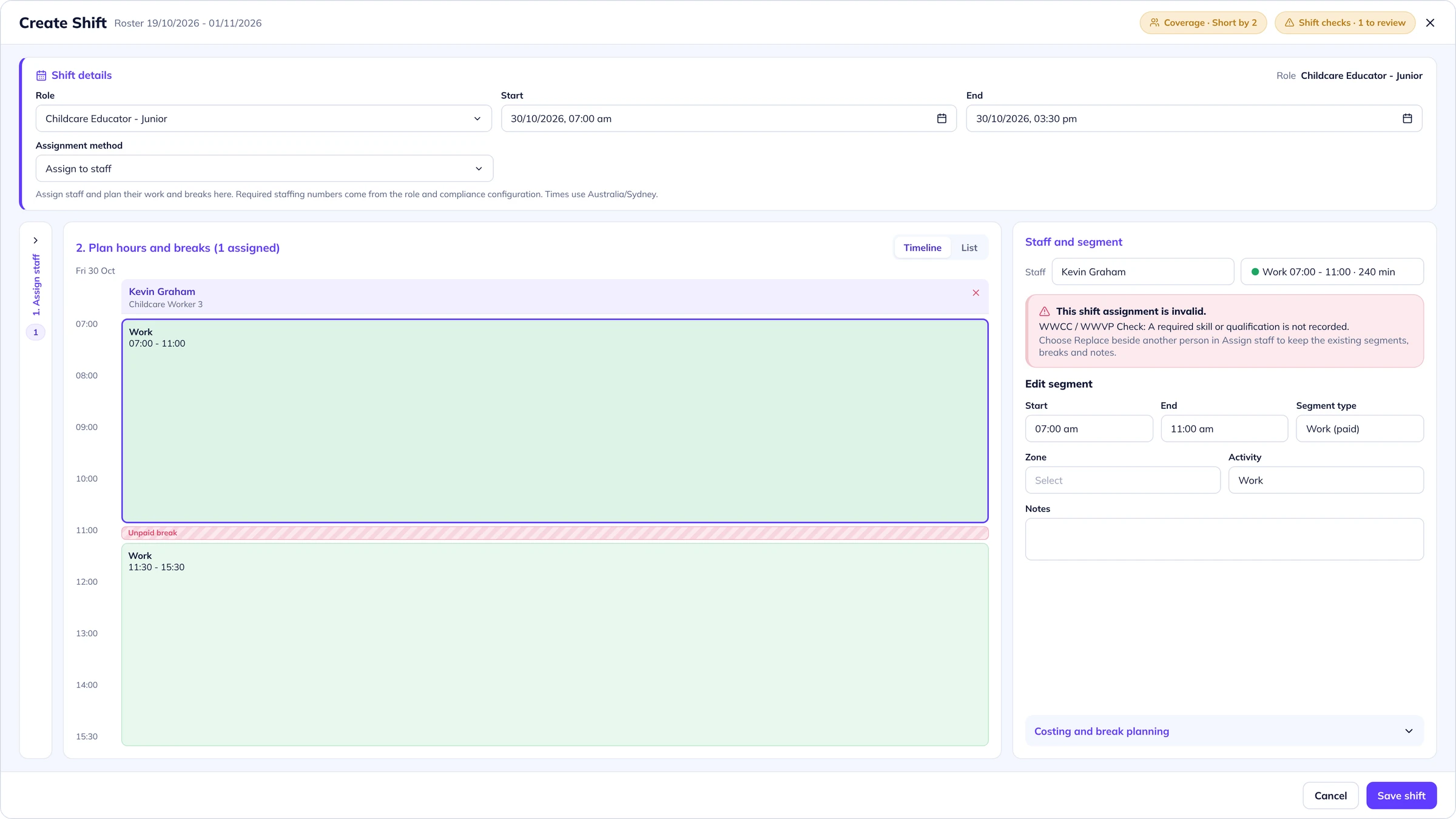
Fill a short shift, with only qualified staff.

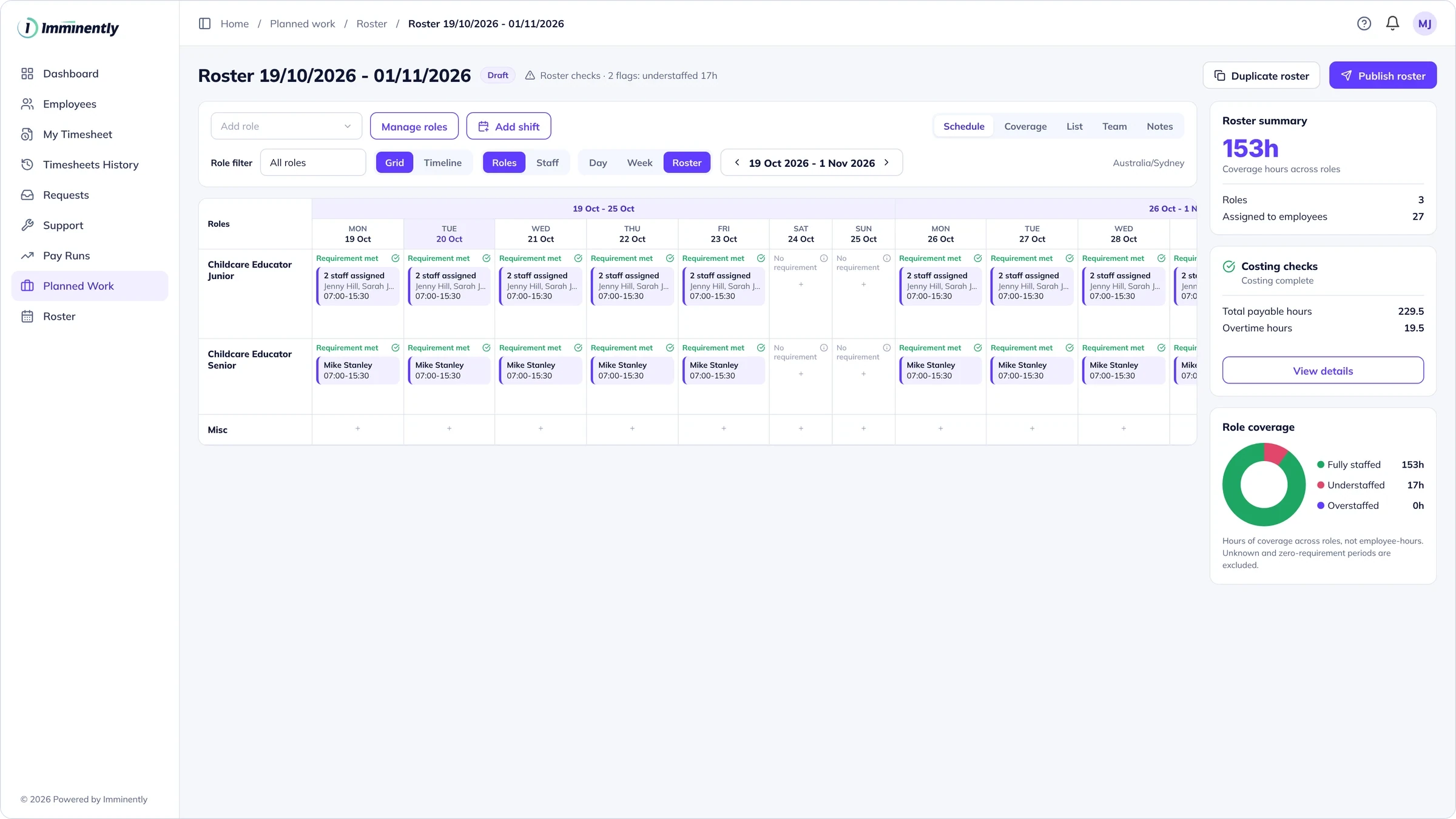
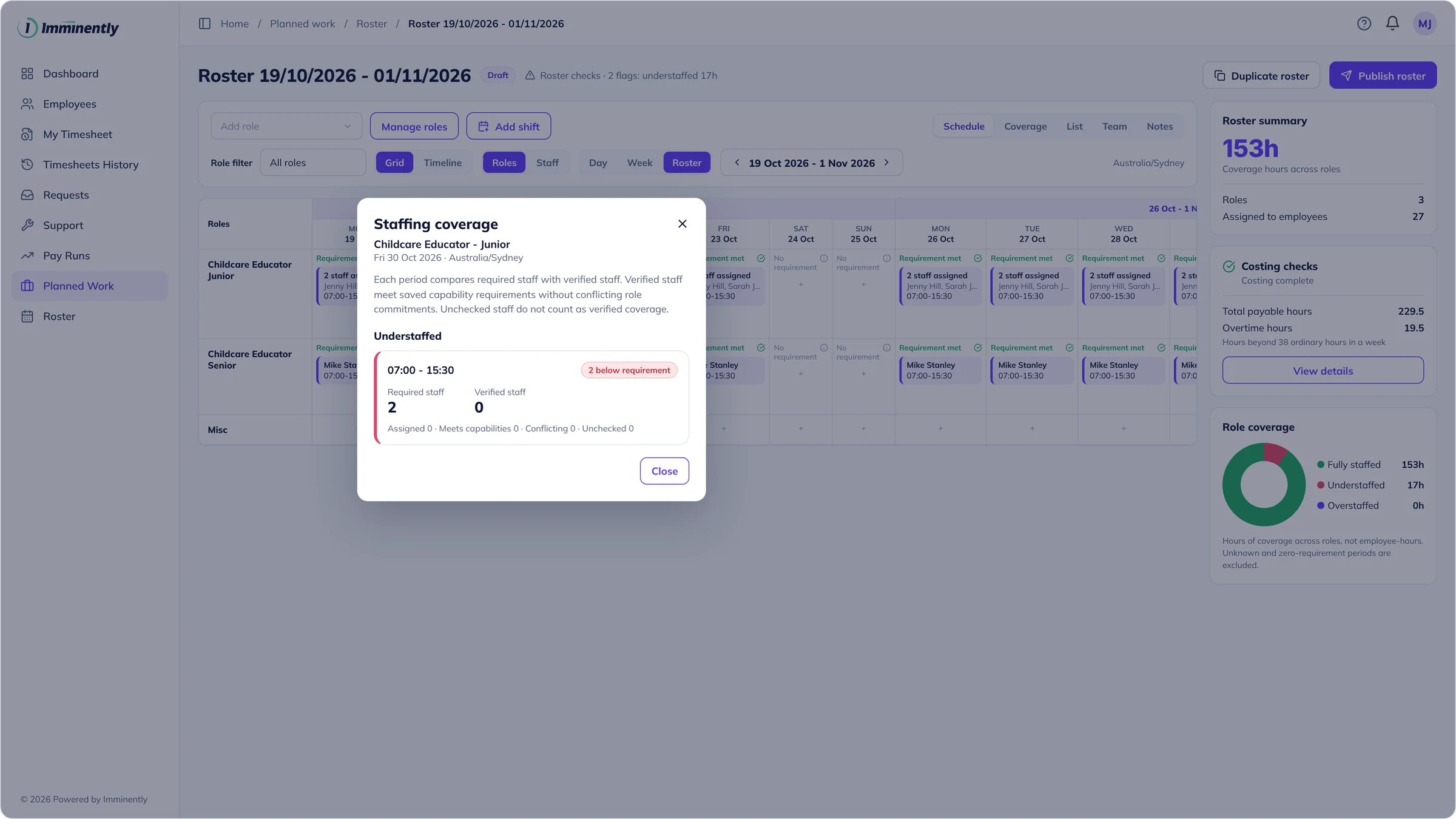
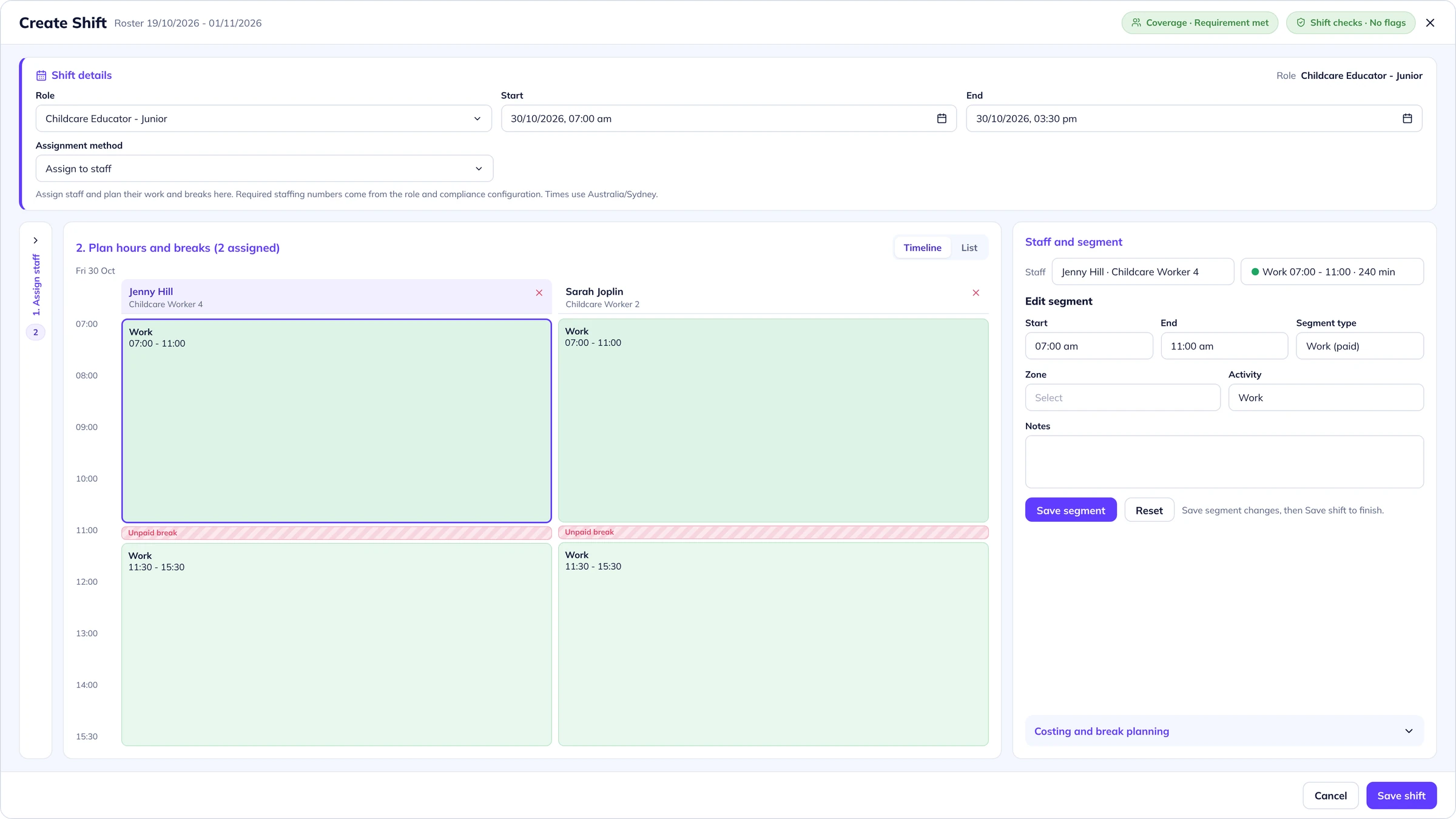
A two-week draft roster by role. Coverage is checked against the staff each role requires and the capabilities they must hold, so an unqualified assignment is flagged as invalid before the shift is saved.

01 / 05
Imminently Rosters · two-week rosterTwo-week draft roster by role with each day marked requirement met or understaffed, and a summary of shift hours, payable hours, overtime and coverage
Step 01 of 05

Each day shows whether the requirement is met.

A two-week draft roster by role. Friday 30 October is understaffed. The summary shows shift hours, payable hours, overtime and role coverage.

Our product’s roster. People and roles shown are examples.

Staff and manager · on the phone

Claim and drop, with the manager in the loop.

Each person sees their own shifts and can confirm an assigned shift, or accept or decline it. They claim open shifts they are eligible for or release a shift with a reason, and the manager sees a short day and its open shift. A swap follows below, step by step, on our product’s current screens.

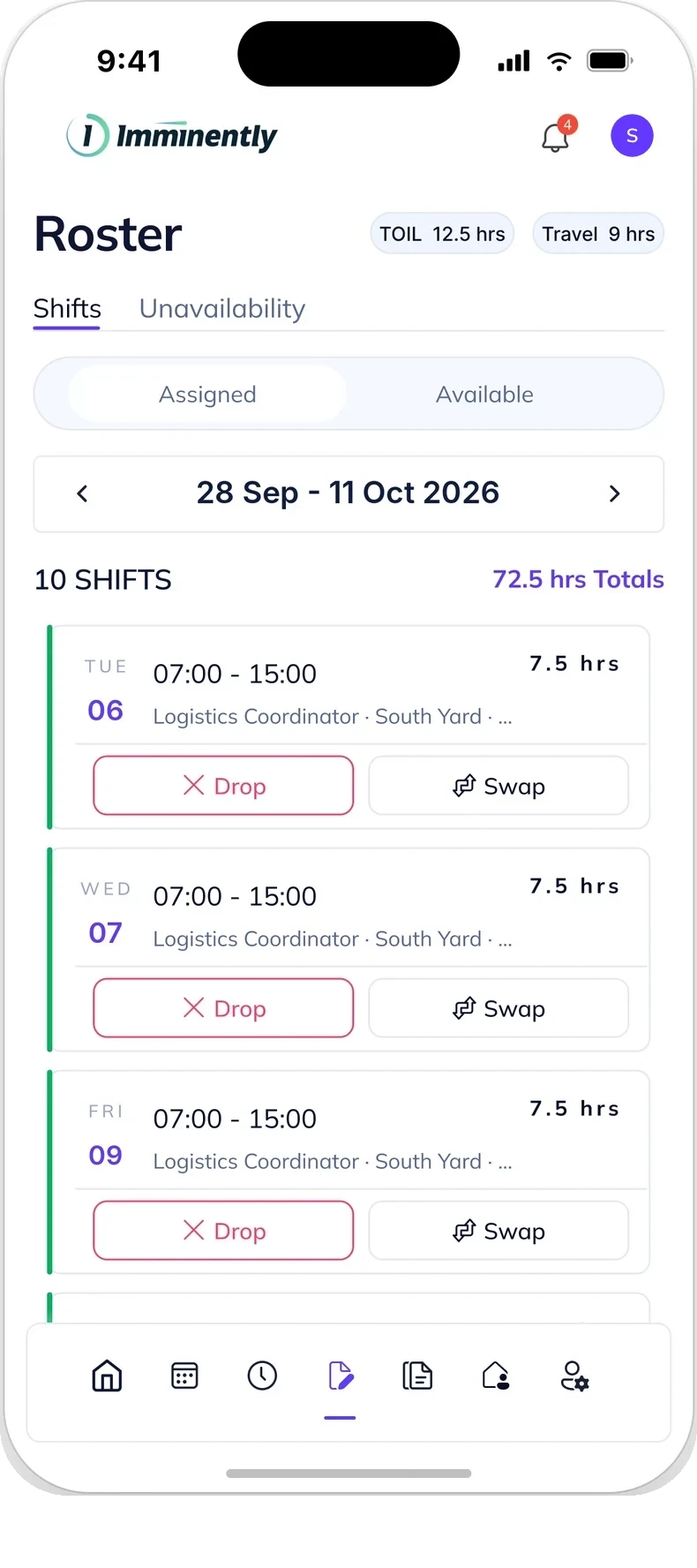
Employee roster: assigned shifts for the period, each with drop and swap
01EmployeeMy shiftsAssigned shifts for the period, each with drop and swap.
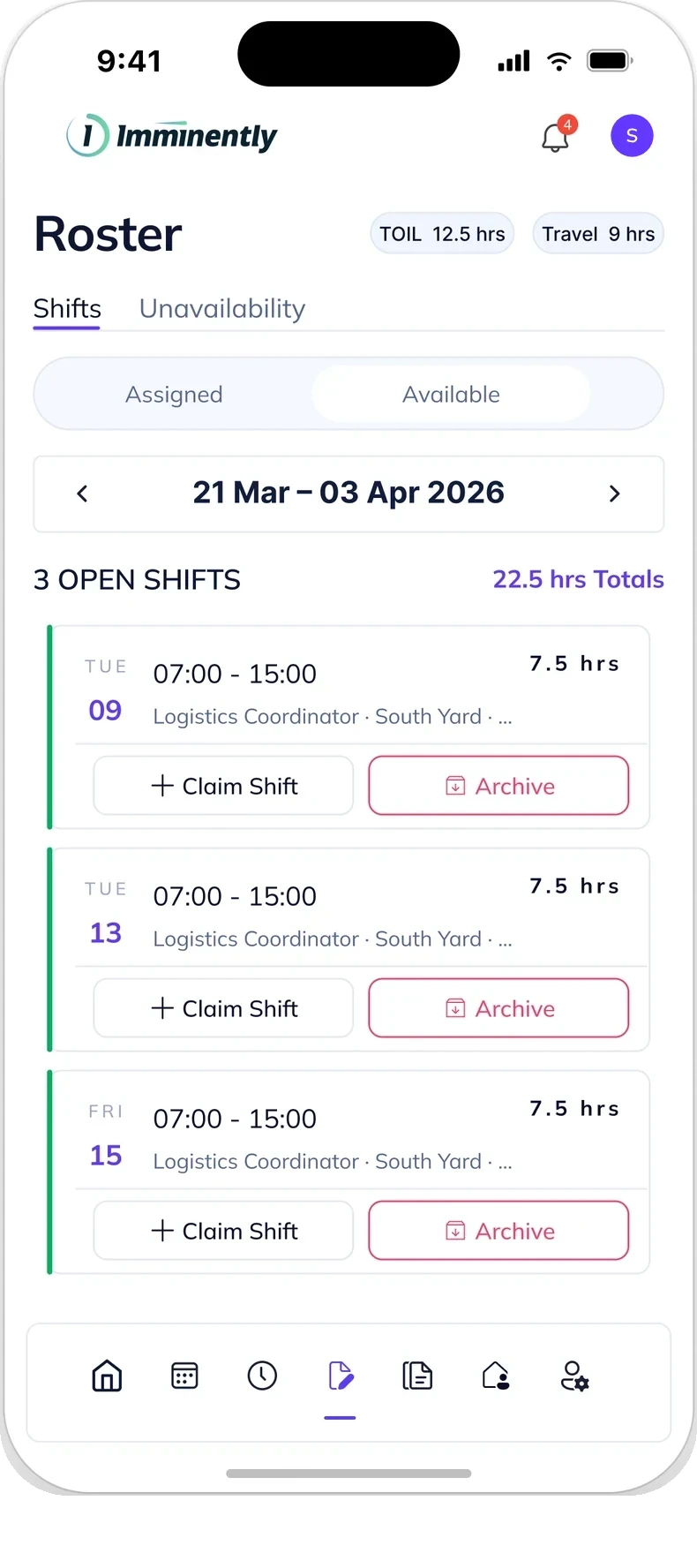
Open shifts the employee can claim
02EmployeeClaim an open shiftOpen shifts the person is eligible to claim.
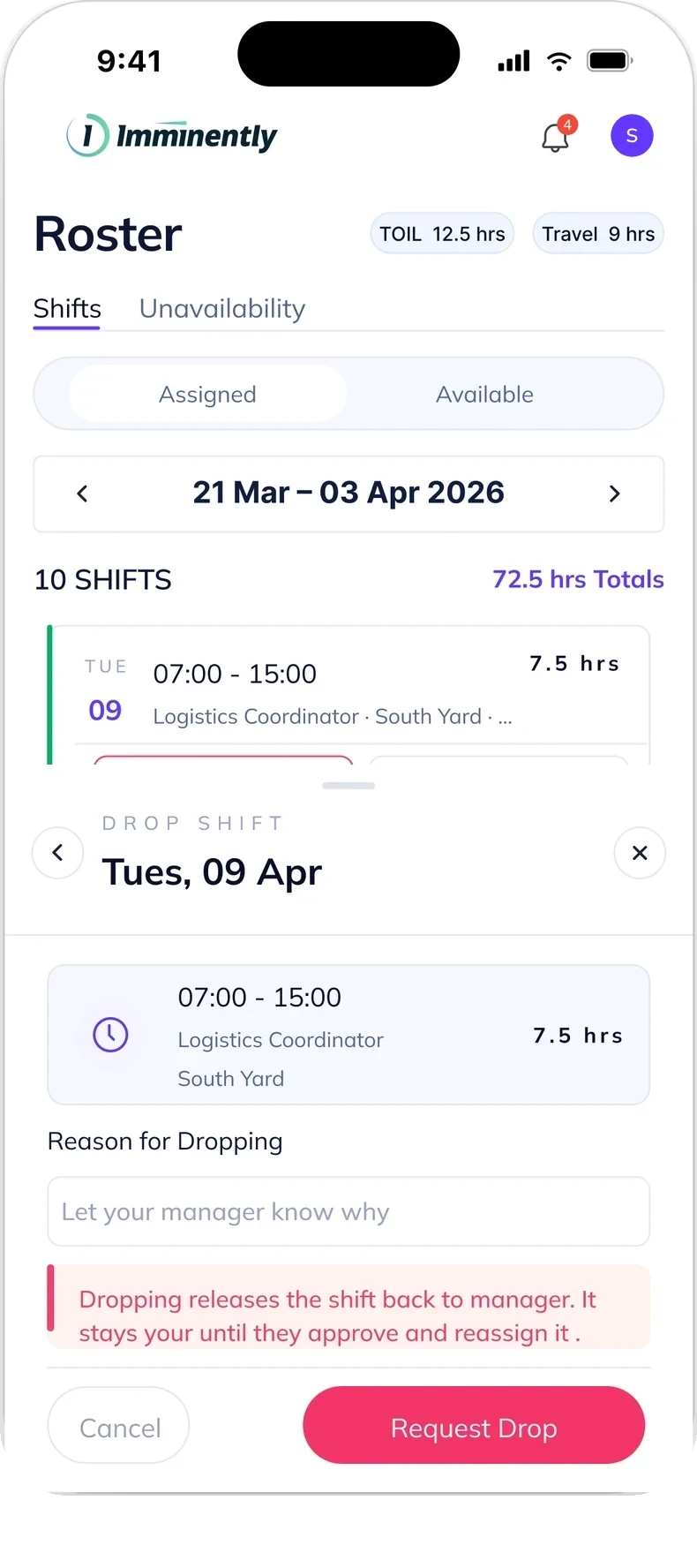
Drop a shift with a reason: it stays the employee’s until the manager approves and reassigns it
03EmployeeDrop with a reasonIt stays theirs until the manager approves and reassigns it.
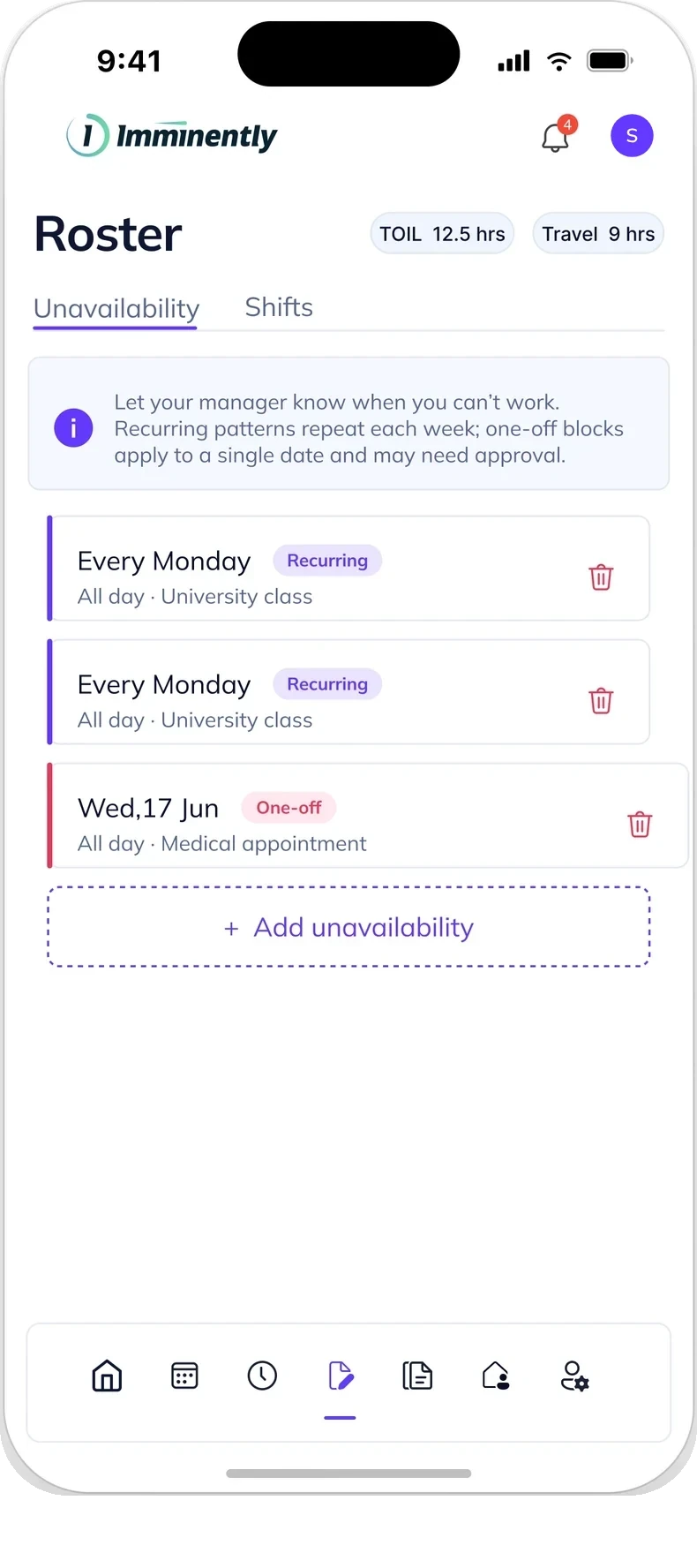
Unavailability: recurring and one-off blocks the manager sees when rostering
04EmployeeUnavailabilityRecurring and one-off blocks the manager sees when rostering.
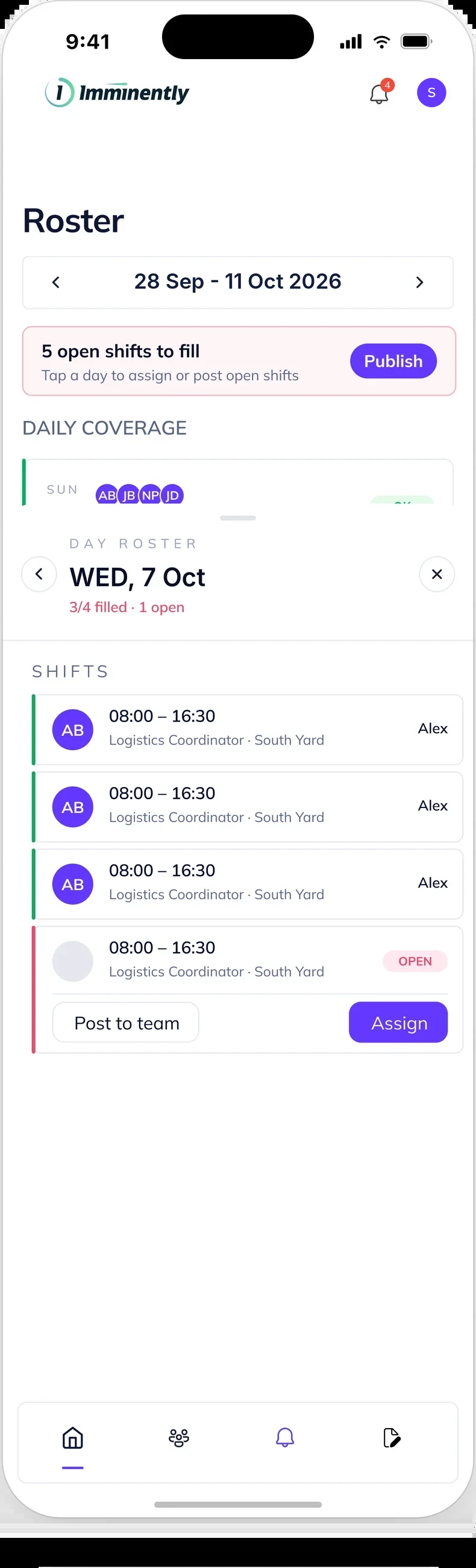
A short day opened: its shifts and an open shift, with post to team and assign
05ManagerA short dayThe manager sees the short day and its open shift, to post or assign.

People, shifts and locations shown are examples.

Manager, employee and colleague · our product’s roster

Publish, then swap, with the manager in the loop.

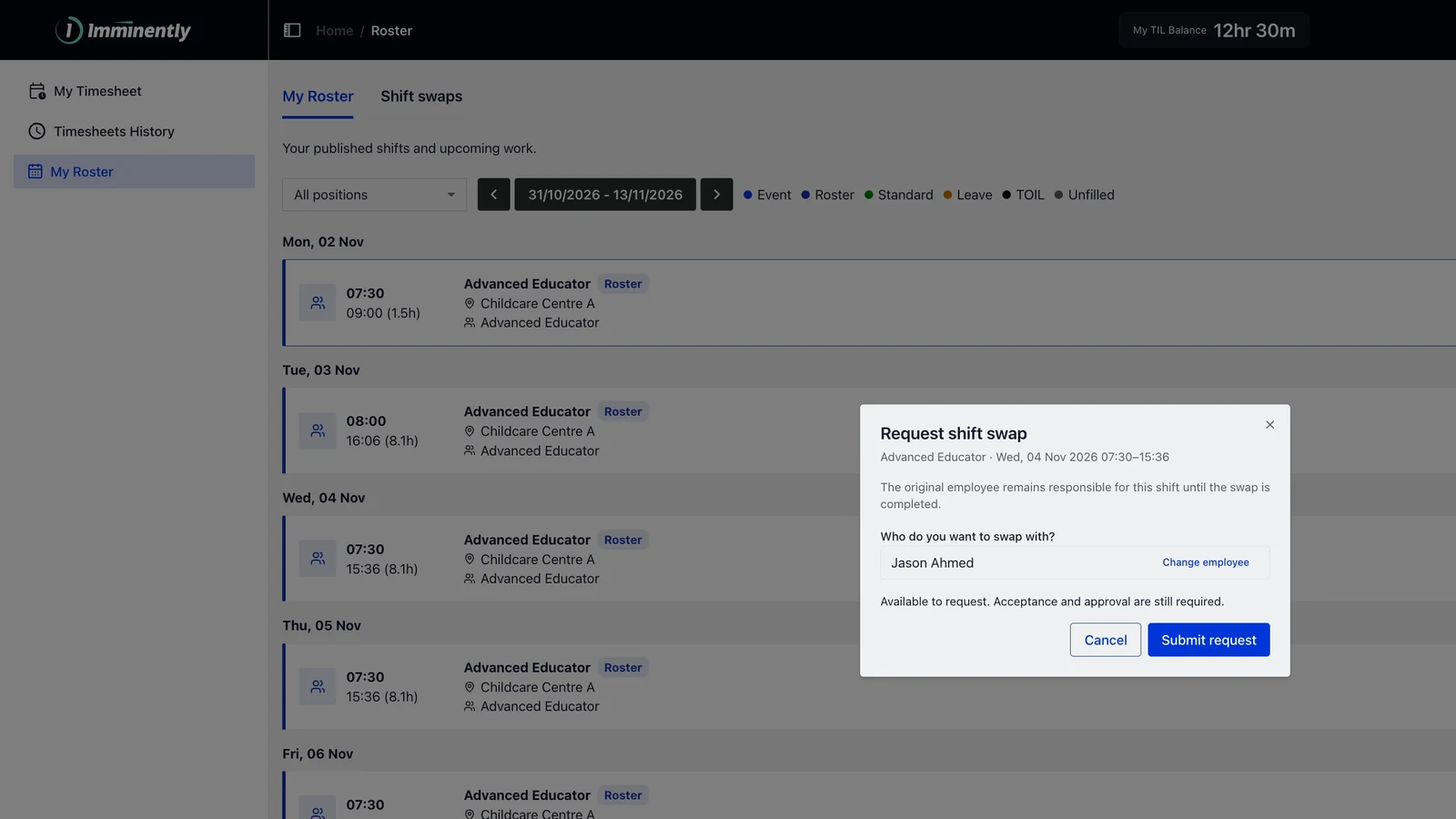
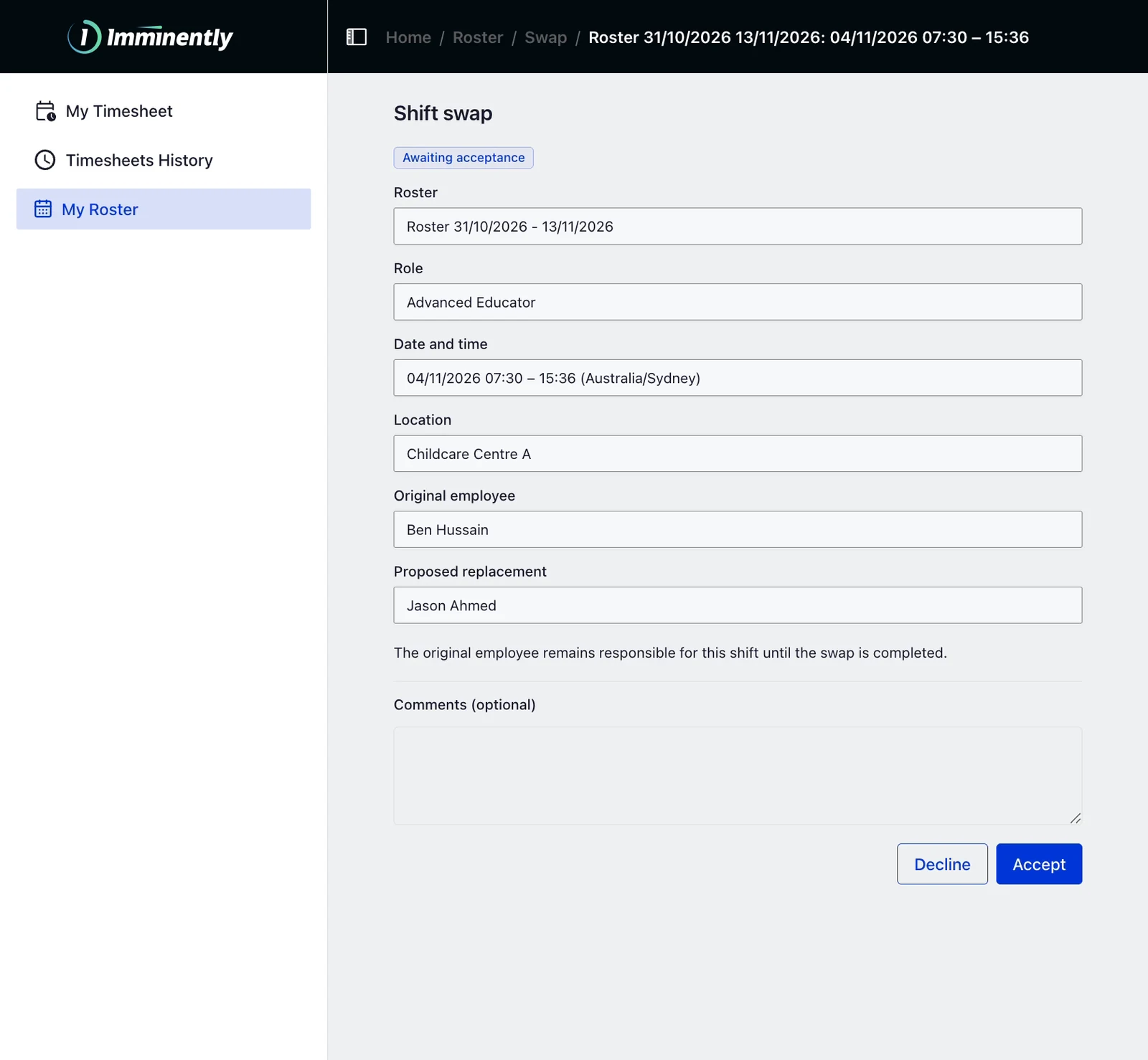
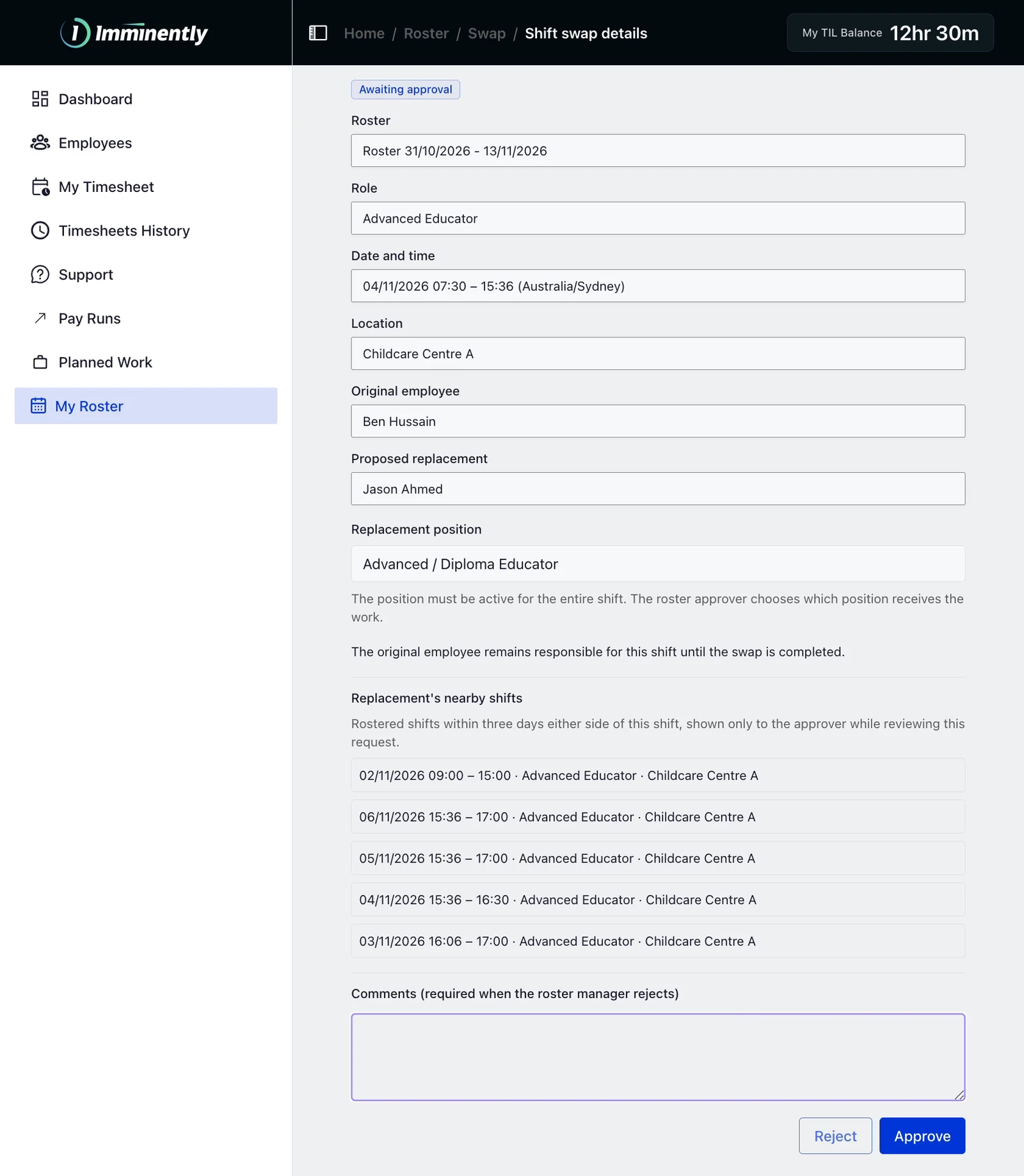
The roster is published with any warning answered. An employee then asks a colleague to take a shift, the colleague accepts or declines on their own screen, and nothing changes until the manager approves.

01 / 04
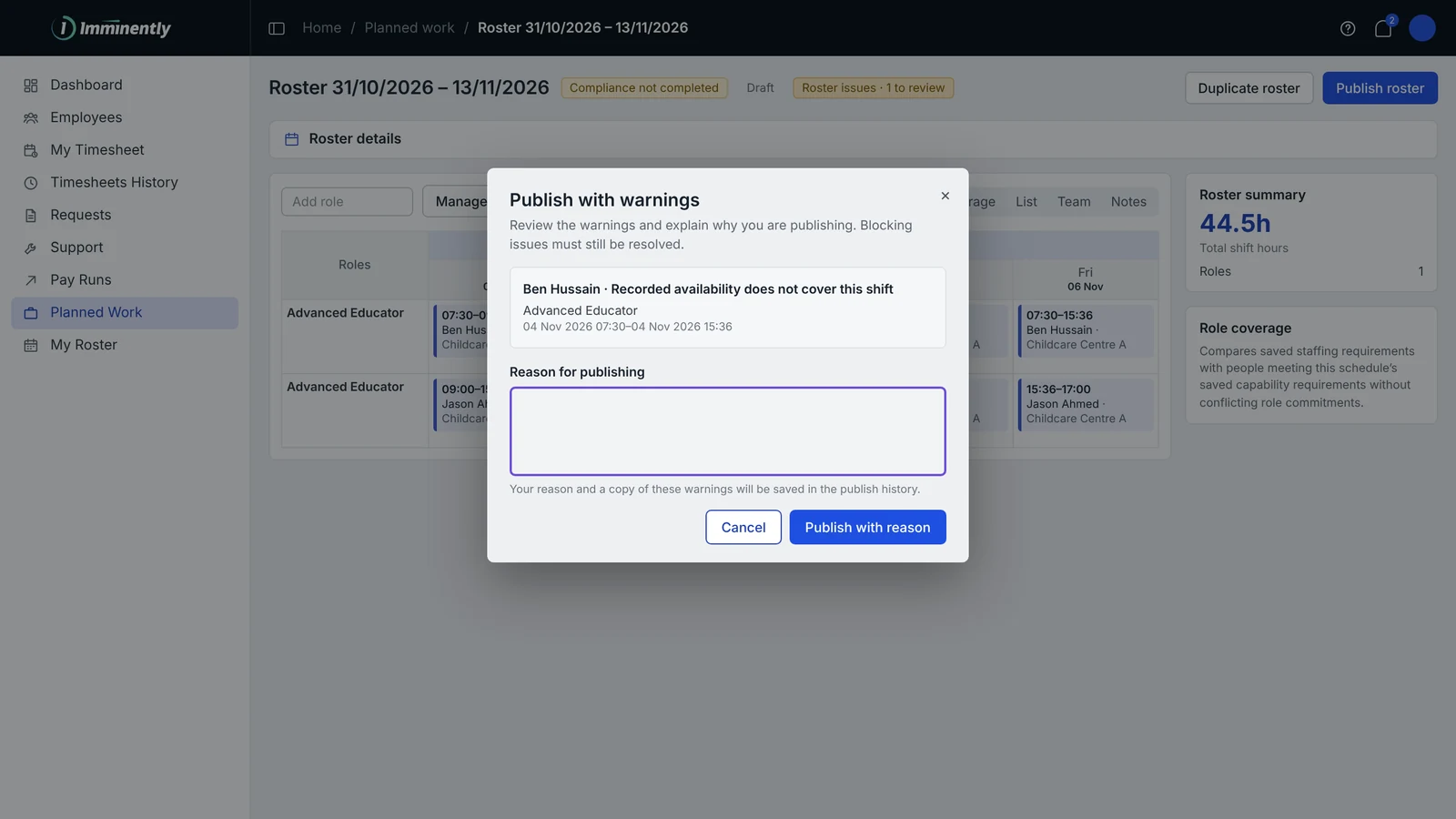
Imminently Rosters · publish with warningsPublish with warnings in our product: the roster is a draft with compliance not completed and one roster issue to review; the dialog lists Ben Hussain, recorded availability does not cover this shift, Advanced Educator, 4 November 2026 07:30 to 15:36, with a reason for publishing to give, the note that the reason and a copy of the warnings are saved in the publish history, and Cancel or Publish with reason
Step 01 of 04 · Manager

Publish, with any warning answered.

Before the roster goes out, the manager sees what is still to review. Here Ben’s recorded availability does not cover Wednesday’s shift, so publishing asks for a reason. The reason and a copy of the warning are saved in the publish history, and blocking issues must still be resolved.

Our product’s roster. People, shifts and locations shown are examples.

Staff and manager · leave and requests

Leave and requests, with the evidence attached.

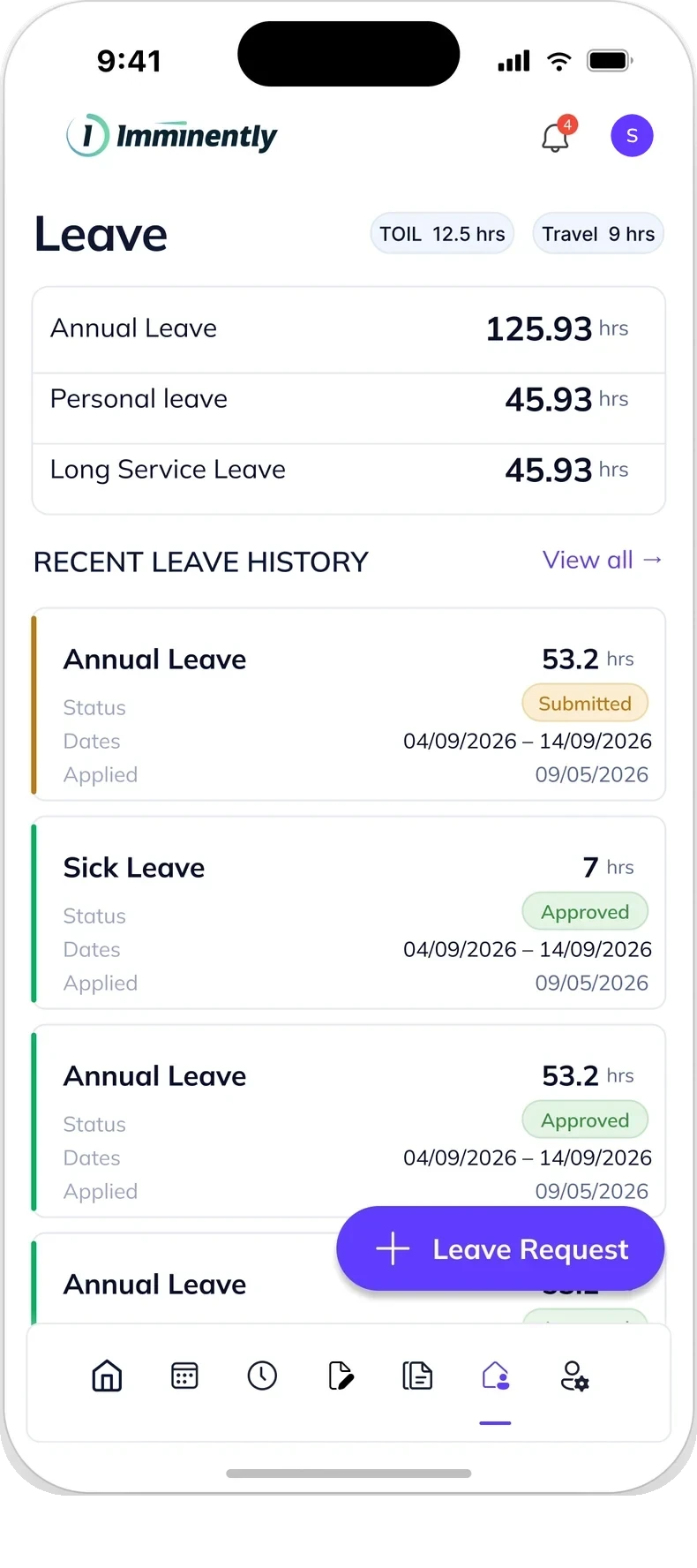
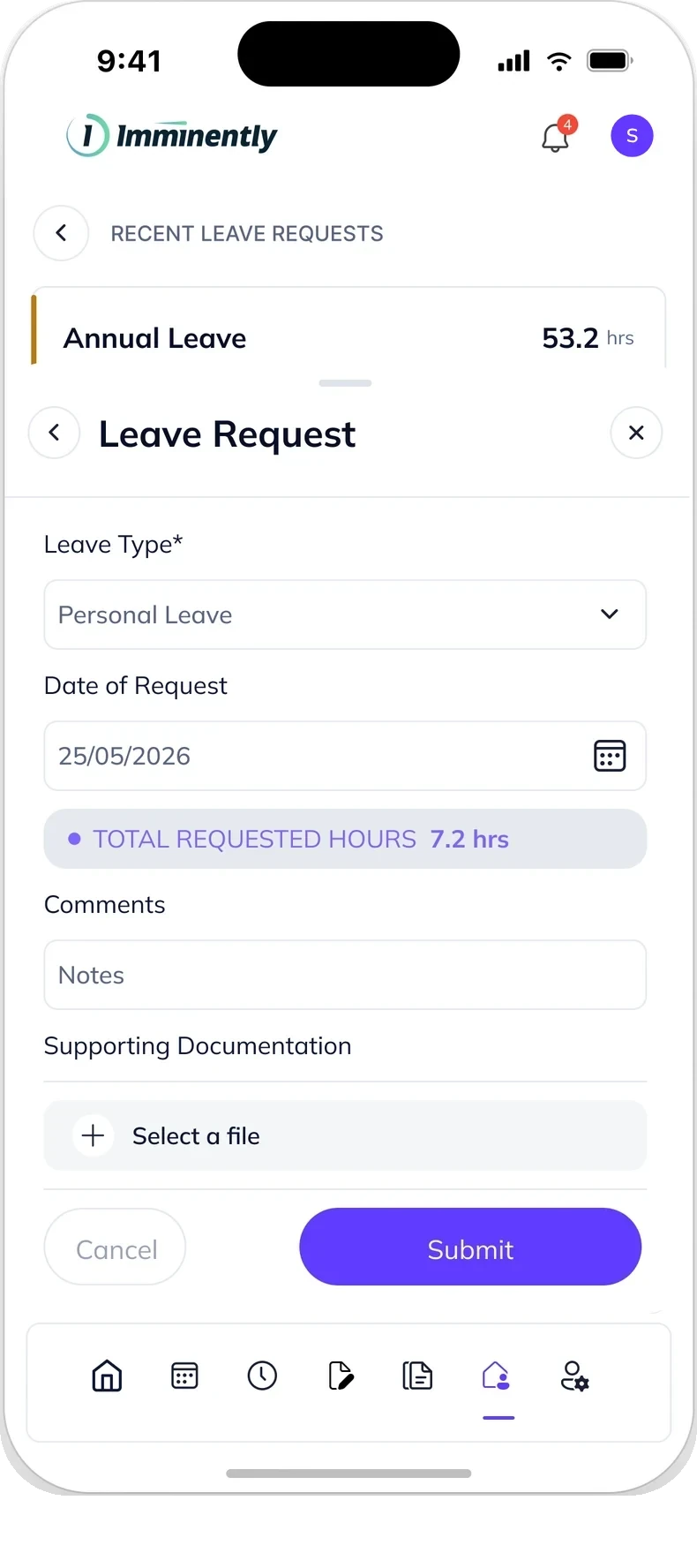
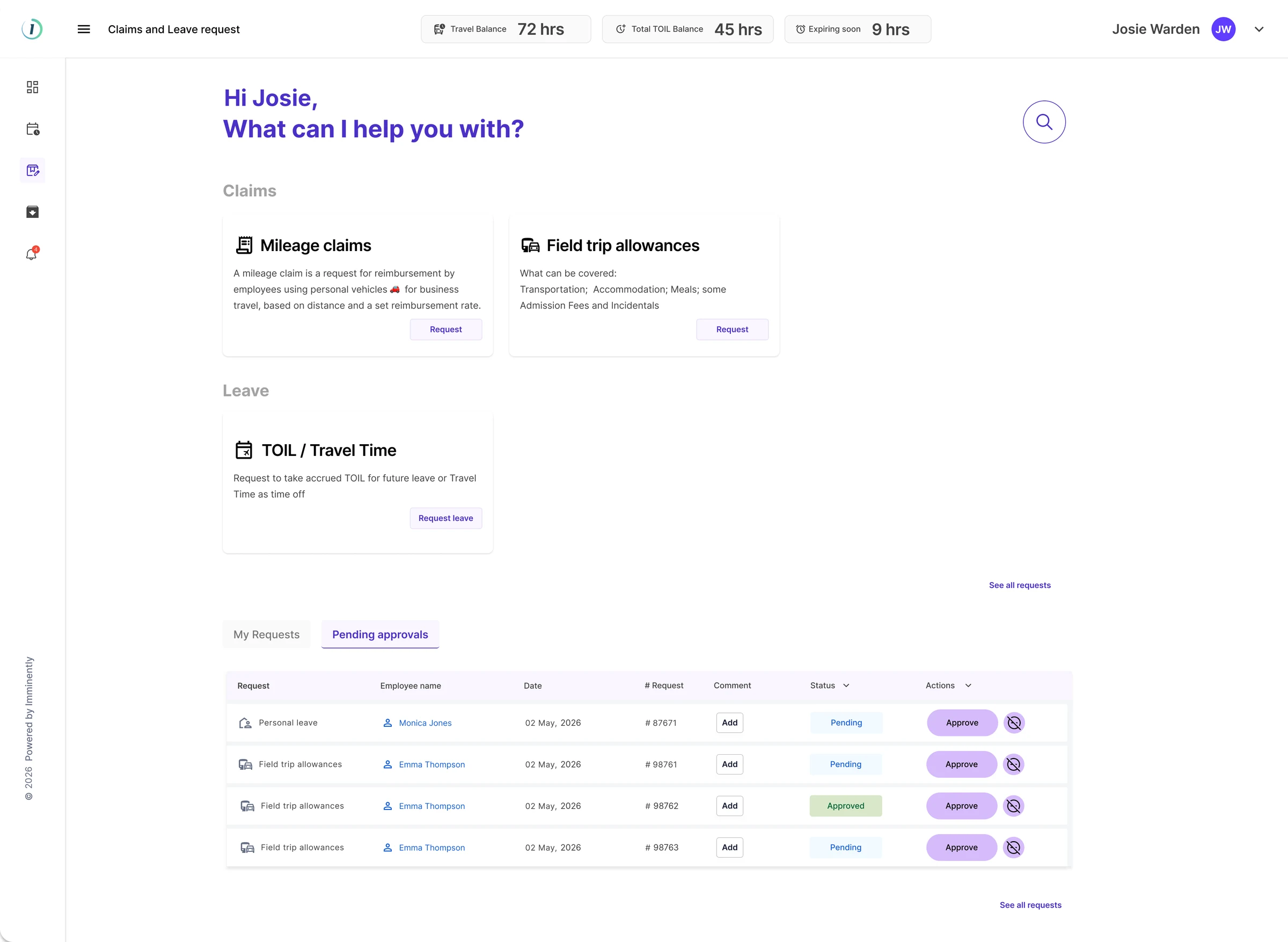
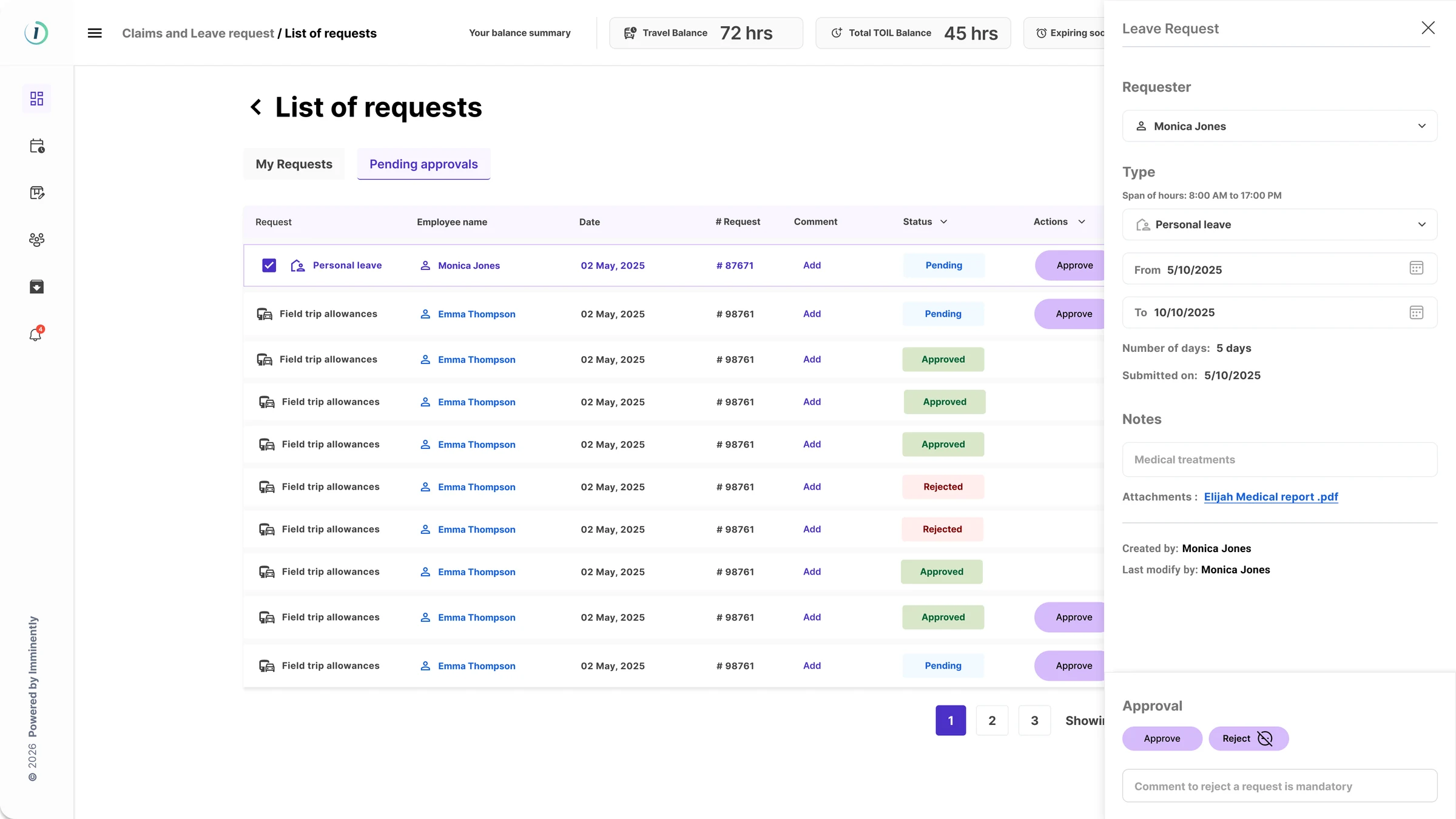
Balances, leave, claims and time off in lieu in one place, on the phone or at a desk. The approver sees the request with its attachment and must give a reason to reject.

01 / 04
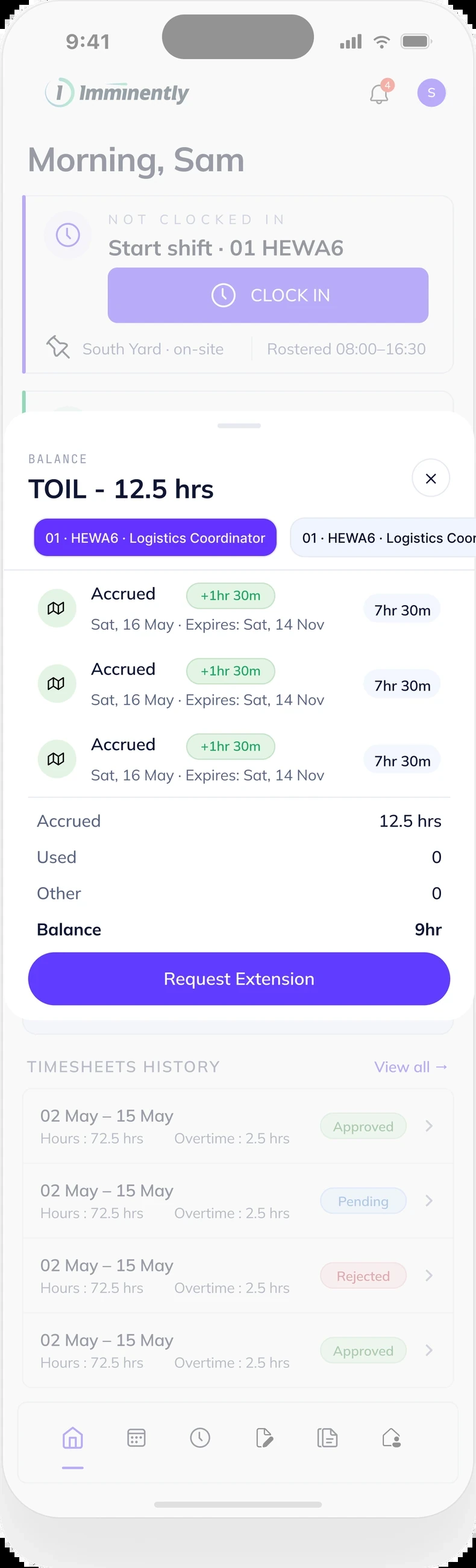
Leave balances and recent leave history with status
Leave request: type, dates, hours requested, comments and supporting documents
Step 01 of 04 · Employee

Know the balance, then ask.

Leave balances and recent history, then a request with its type, dates, hours, comments and supporting documents.

People, balances and requests shown are examples.

Manager and payroll · before the pay run

Approve the work, then check every timesheet.

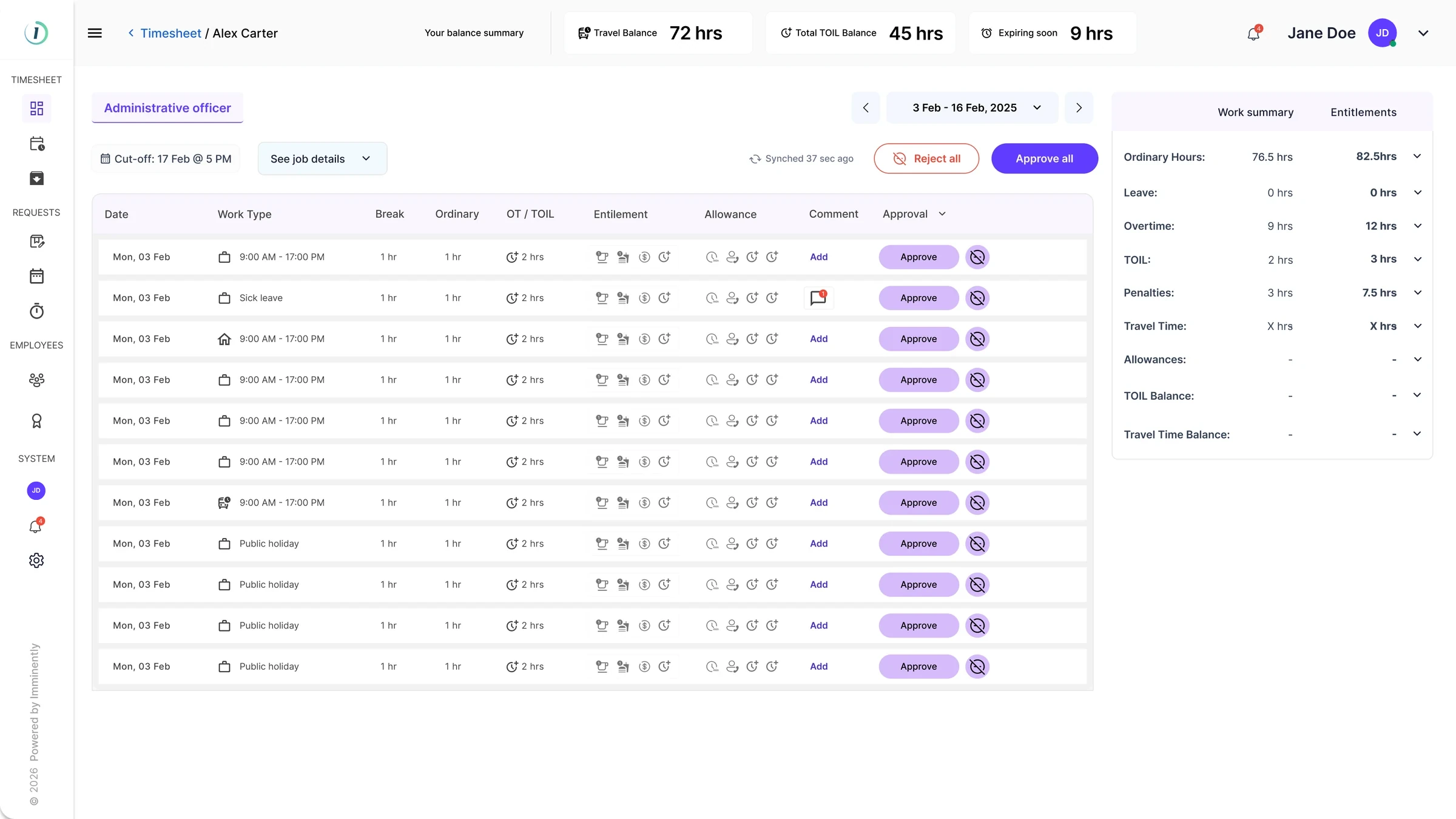
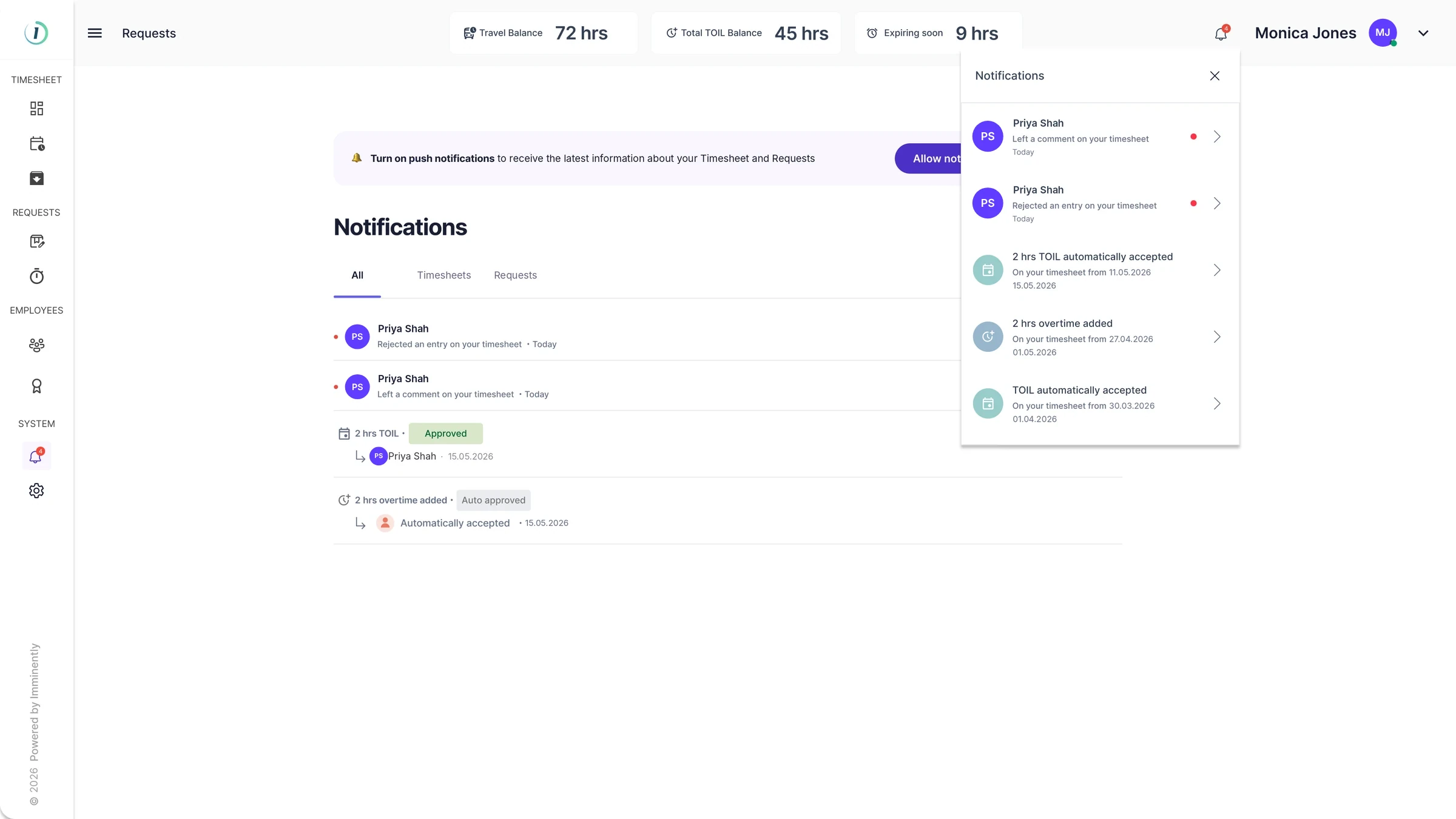
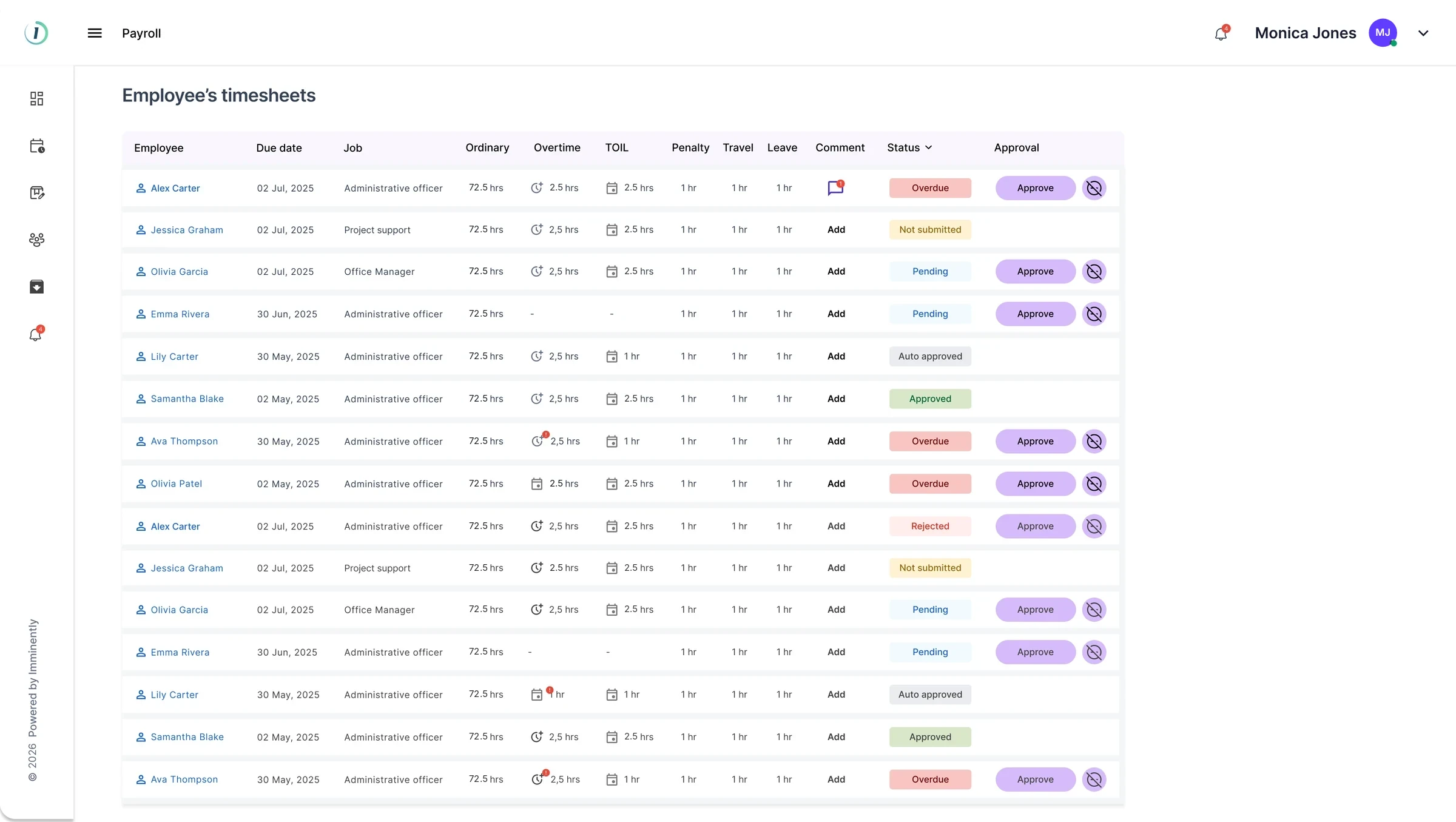
Managers approve line by line with the entitlements beside each entry. Staff are told what was accepted. Payroll sees every timesheet’s status for the period before the pay run.

01 / 04
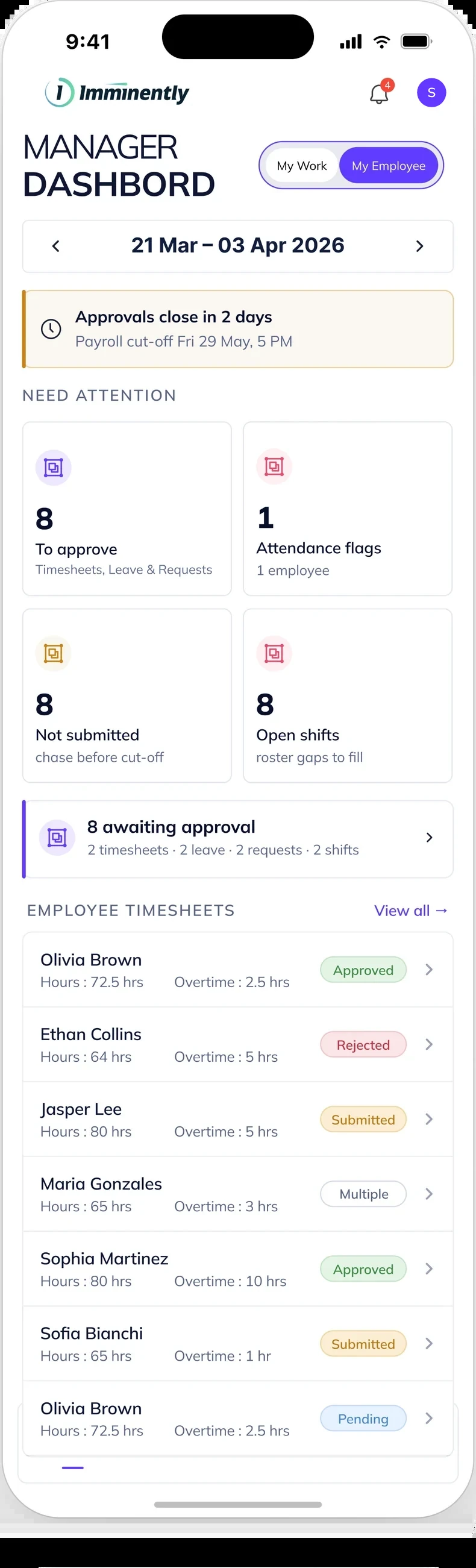
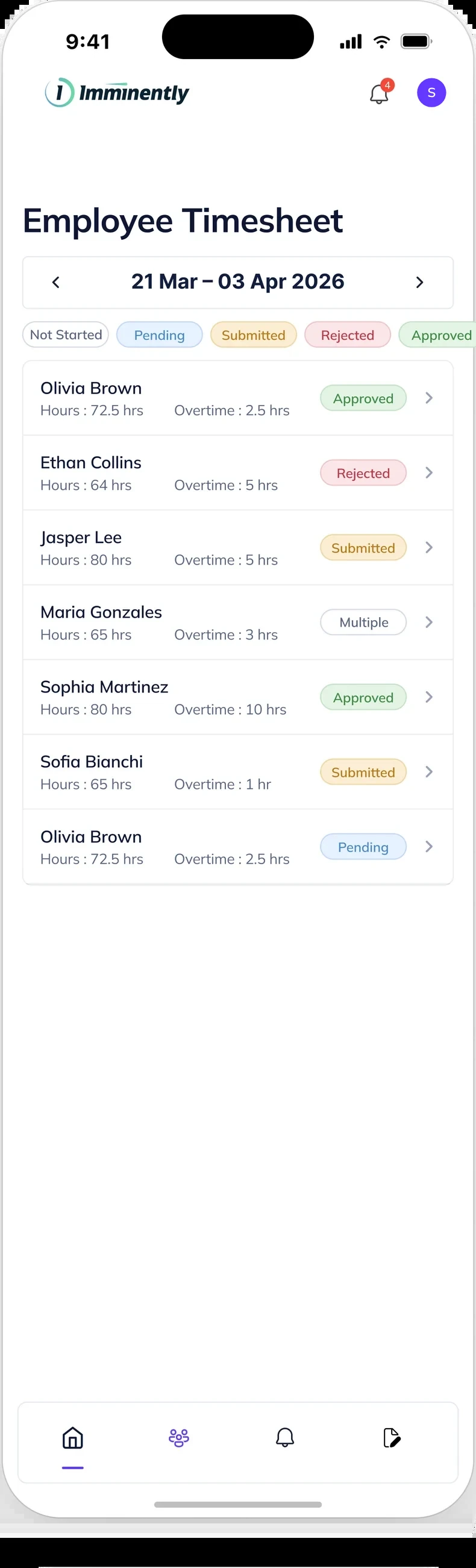
Manager dashboard: approvals closing, items to approve, attendance flags, timesheets not submitted, open shifts and employee timesheets with status
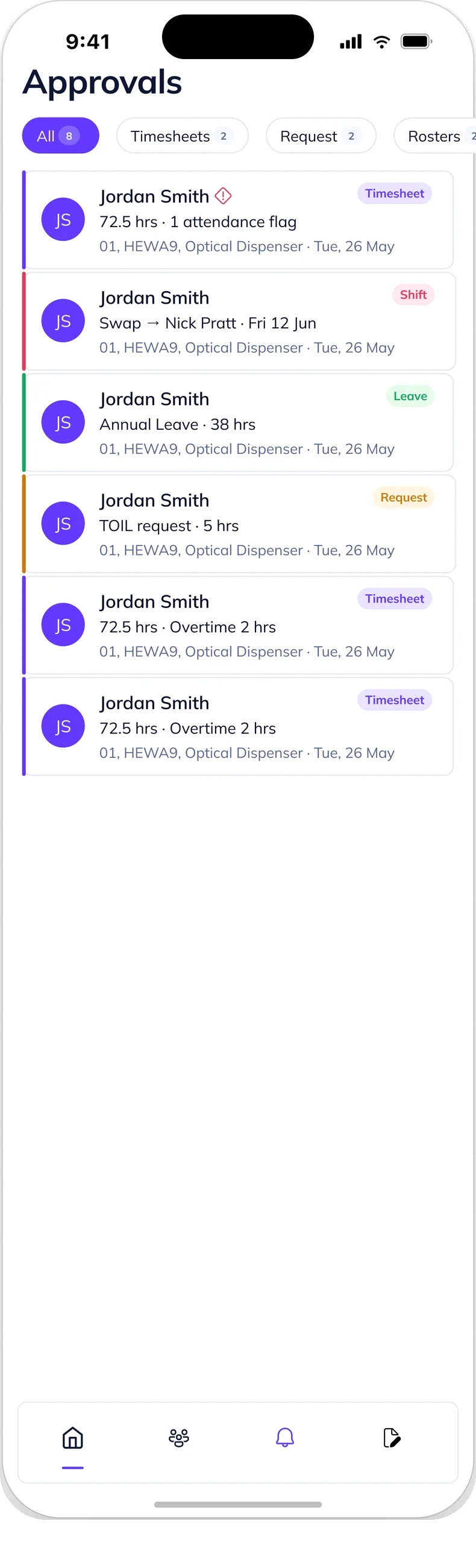
Approvals inbox across timesheets, requests, rosters and leave: attendance flags, swaps, leave, time off in lieu and overtime
Step 01 of 04 · Manager

What needs a decision, wherever the manager is.

The manager’s dashboard shows what closes soon, what to approve and attendance flags. One inbox holds timesheets, requests, roster changes and leave.

People, hours and amounts shown are examples.

Staff and manager · flexibility by agreement

Flexible hours, within the agreement.

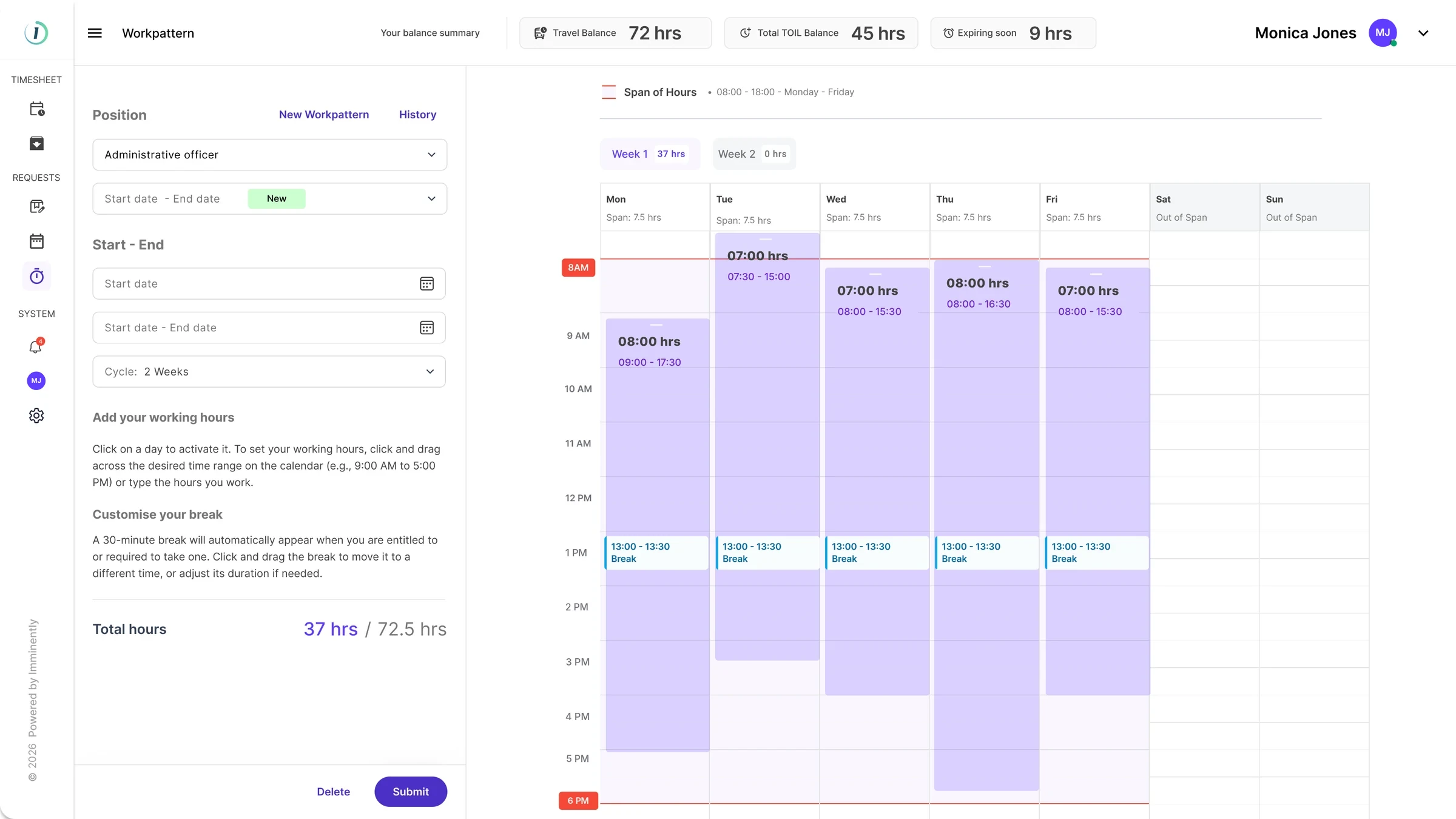
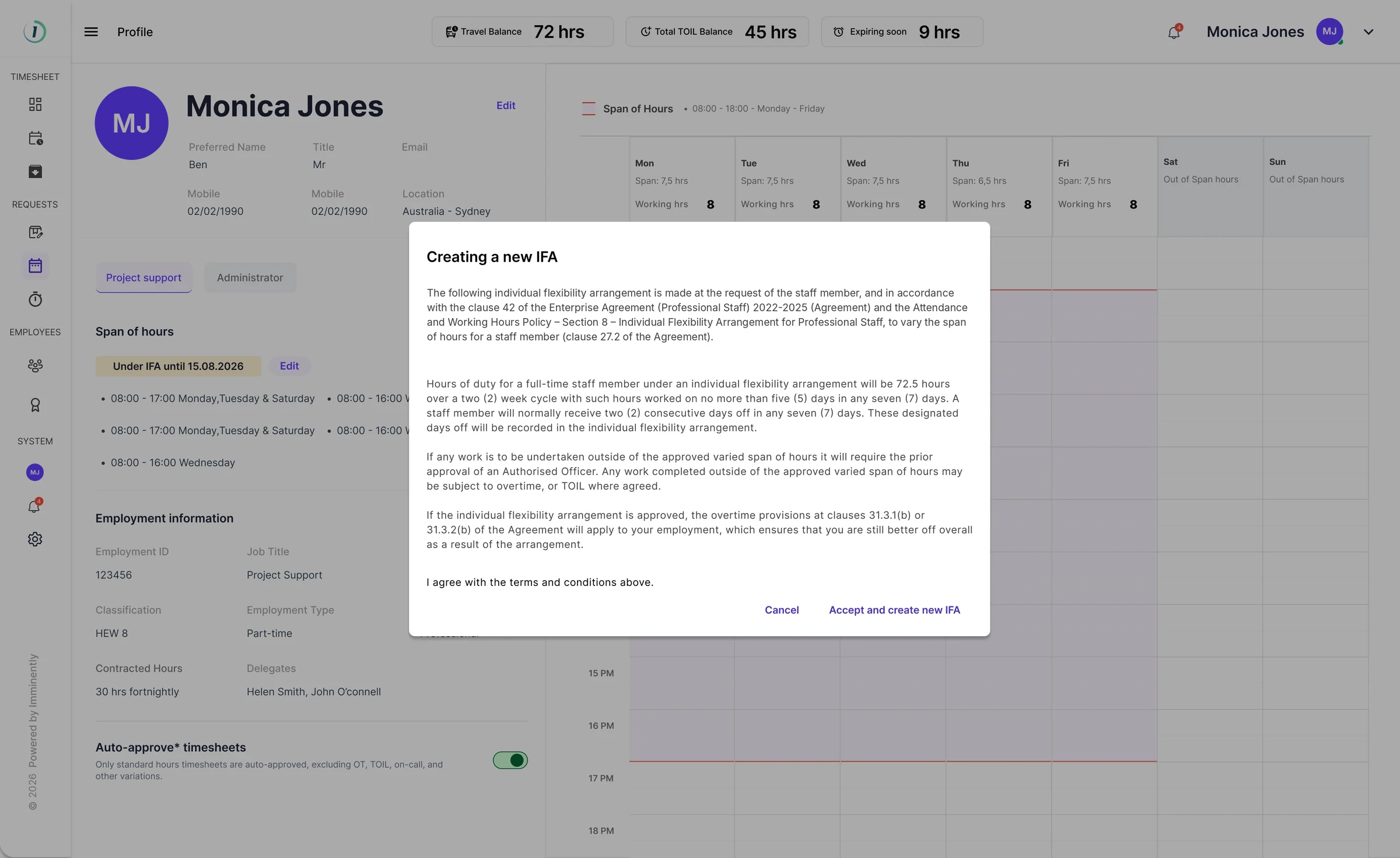
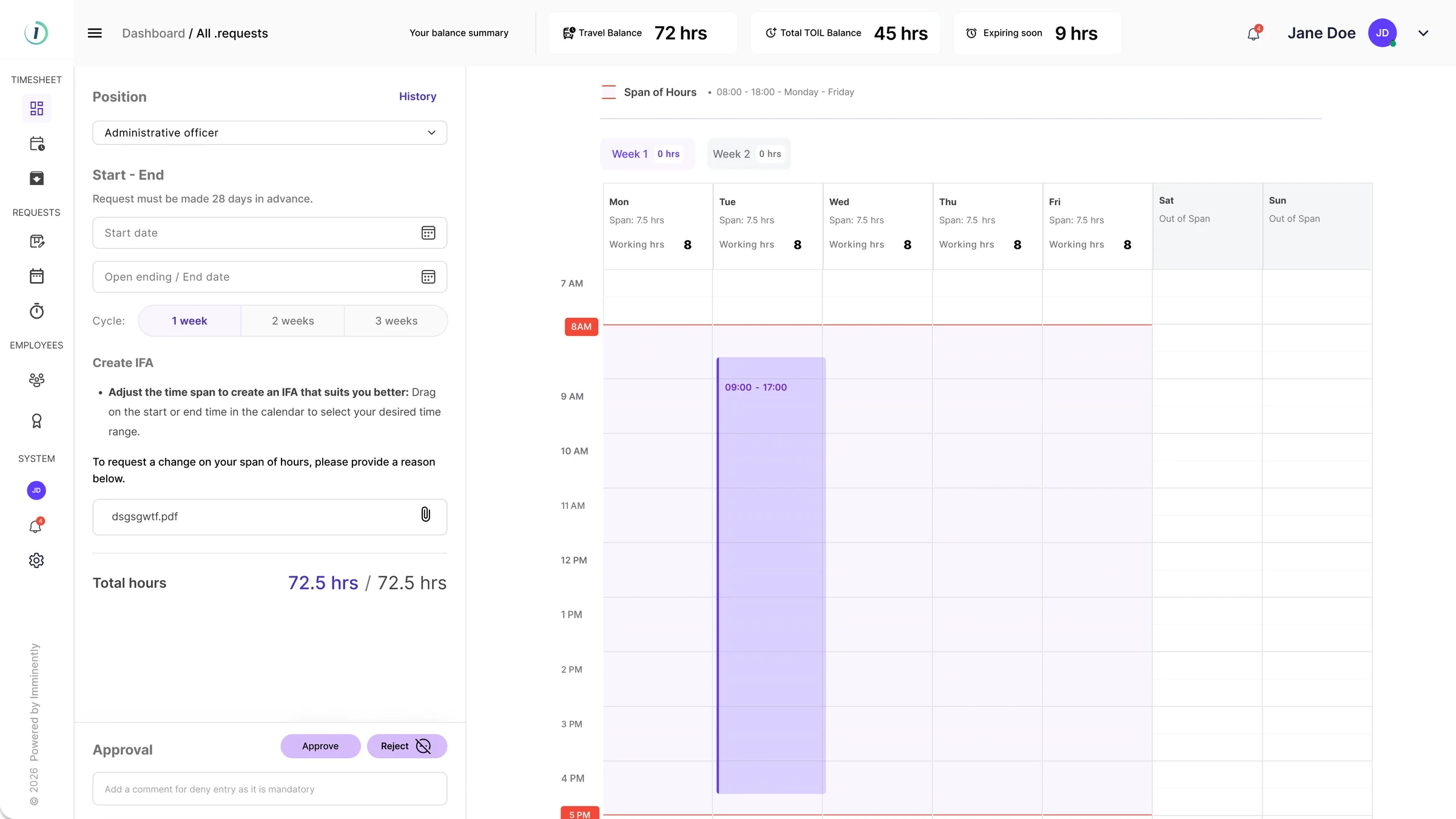
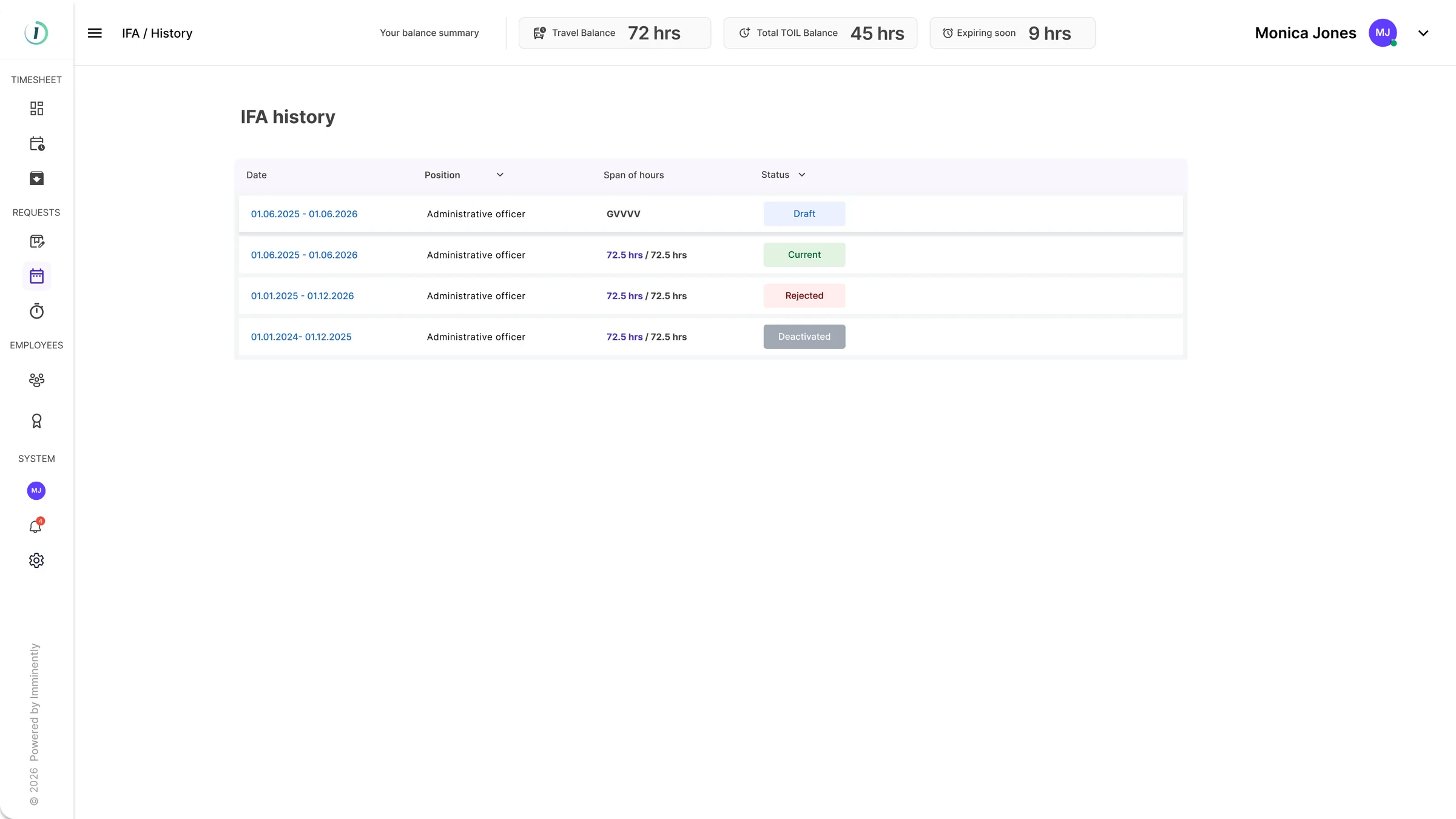
An individual flexibility arrangement varies a person’s span of hours over a one, two or three week cycle. The hours are drawn on a calendar, totalled against the requirement and accepted under the agreement’s own conditions before the manager decides.

01 / 05
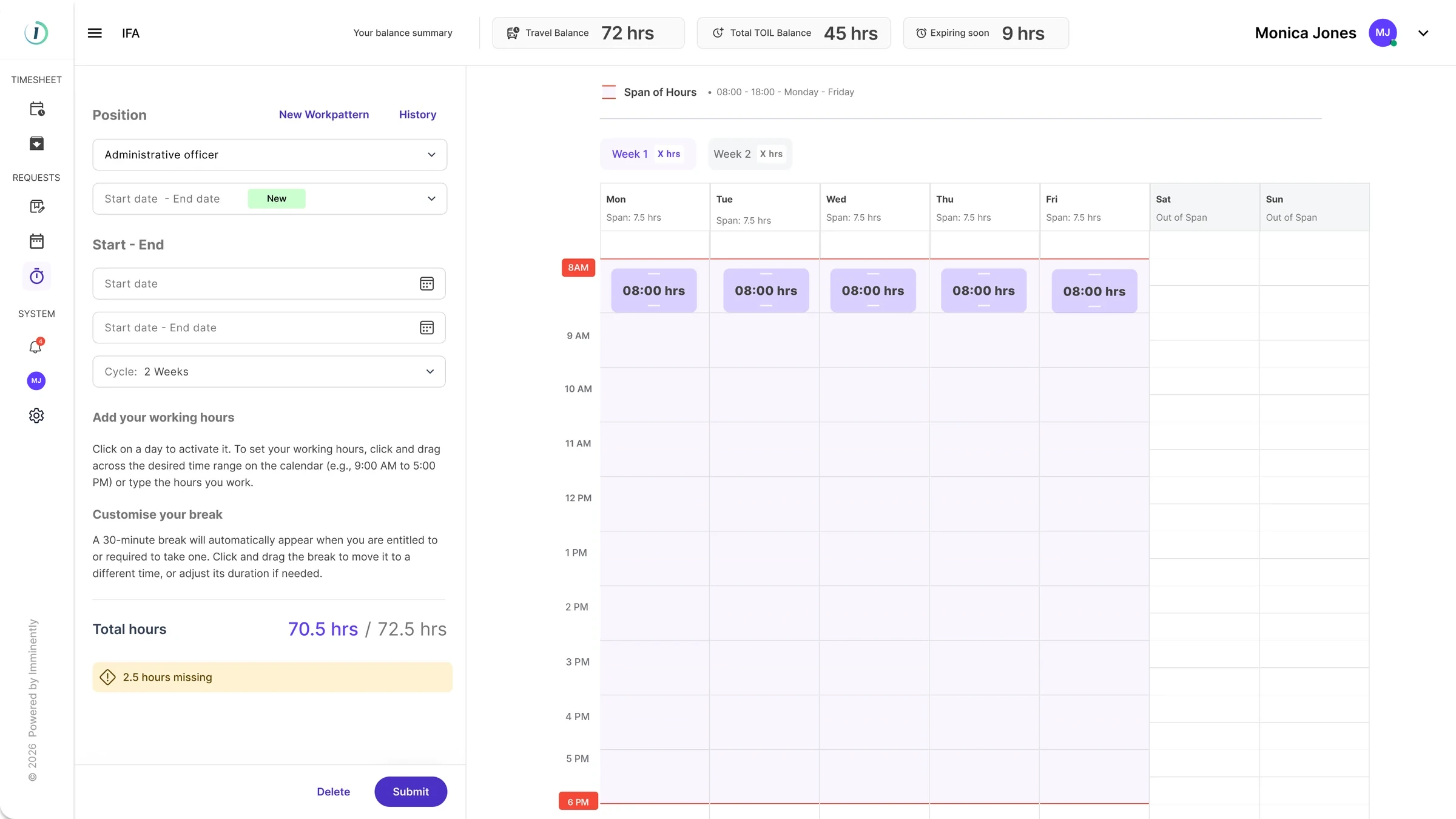
Imminently Timesheets · work patternWork pattern: working hours dragged onto a two-week calendar with breaks
Step 01 of 05 · Employee

Drag the working hours onto the cycle.

The employee sets out a varied span of hours by dragging blocks on a calendar, with breaks added automatically where the agreement requires them.

People, positions and hours shown are examples.

In the live product

Timesheets,
as customers use them.

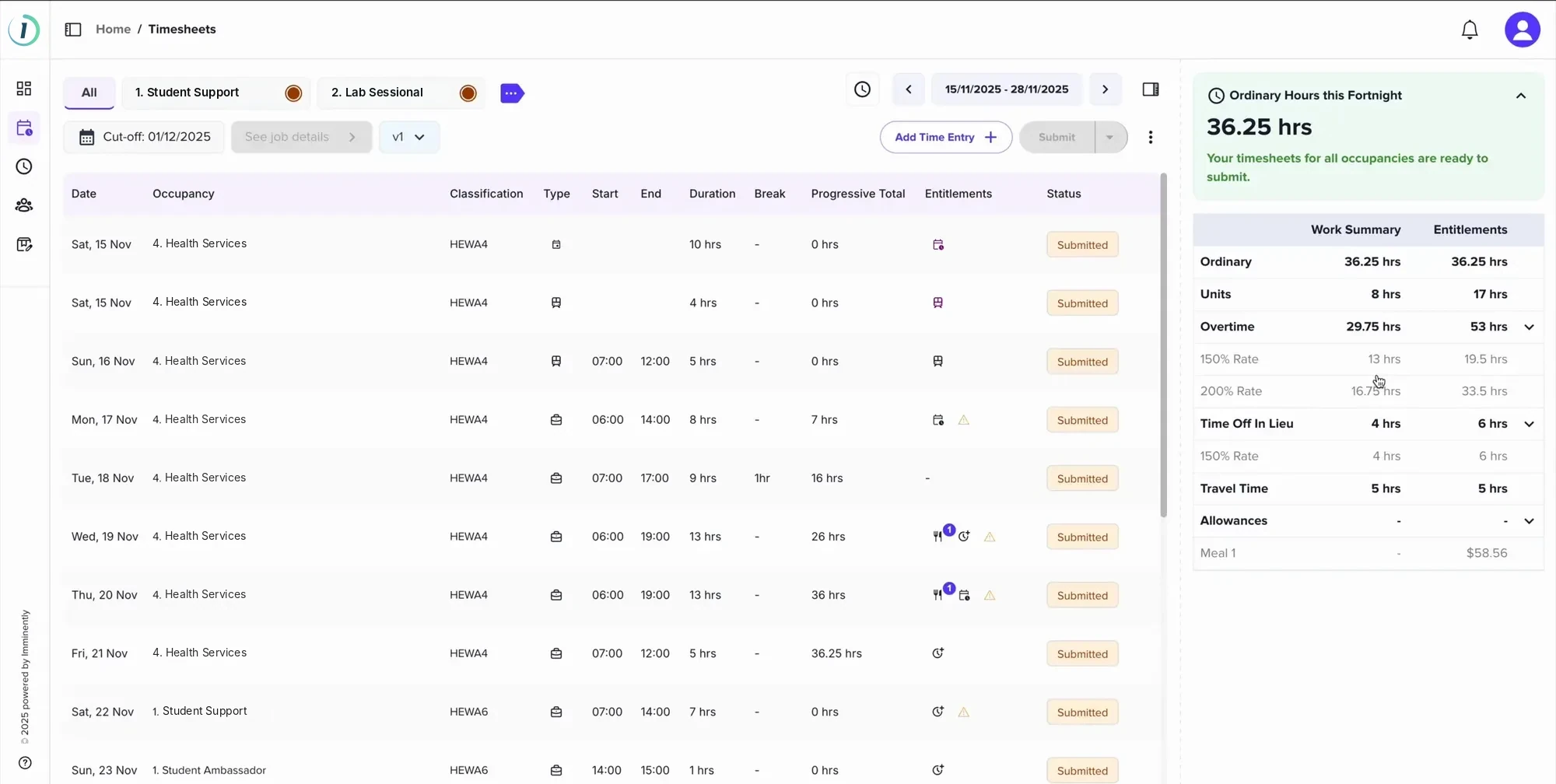
Live product views from a higher education configuration, with guided steps and full-screen inspection.

Inside Imminently Timesheets01 / 05
Inside Imminently Timesheets · See the period
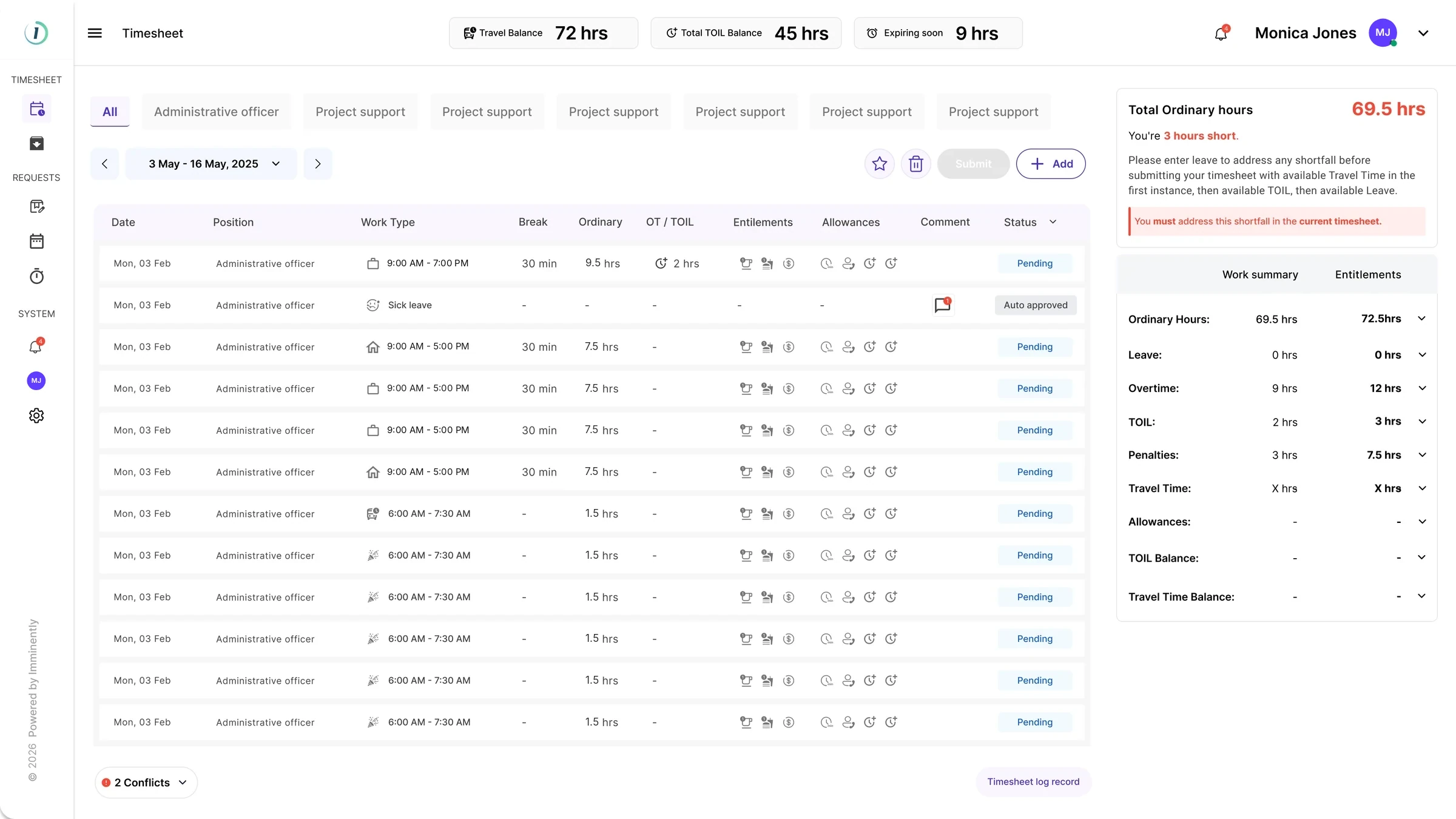
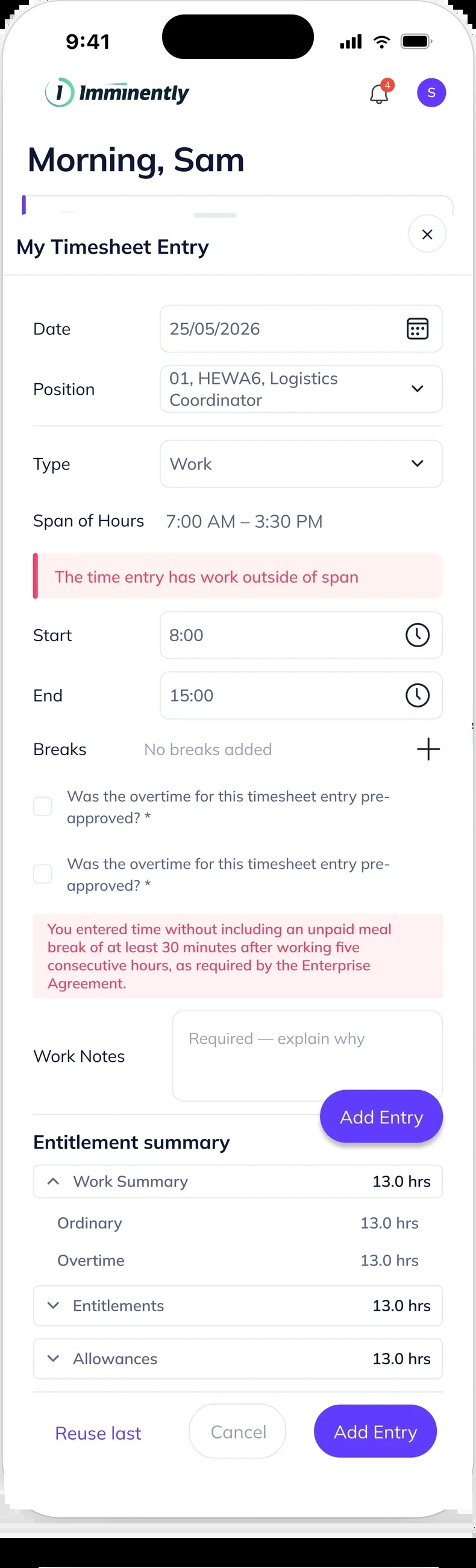
Timesheet for two concurrent jobs with entries, statuses and an entitlement summary ready to submit

One working record, with each job in context.

Move between the jobs a person holds while keeping the interpreted summary beside the recorded work. The job relationship stays part of the calculation.

Period · jobs · entitlement summary

Names and figures are examples.

From planned work to approved pay

One engine at every point
that matters.

One rules engine supports all three stages, so what is rostered and approved is what is paid.

01 · Plan

Roster

Build the roster around demand, people and instrument conditions, with coverage and qualifications checked before publication.

02 · Capture

Timesheet

The published roster pre-fills the timesheet. Staff confirm actual work and see entitlements as they enter time.

03 · Review

Approval

Deviations, claims and exceptions reach the responsible manager with the interpreted outcome.

04 · Pay

Payroll

Approved, interpreted pay lines go to payroll, and the evidence behind them is kept.

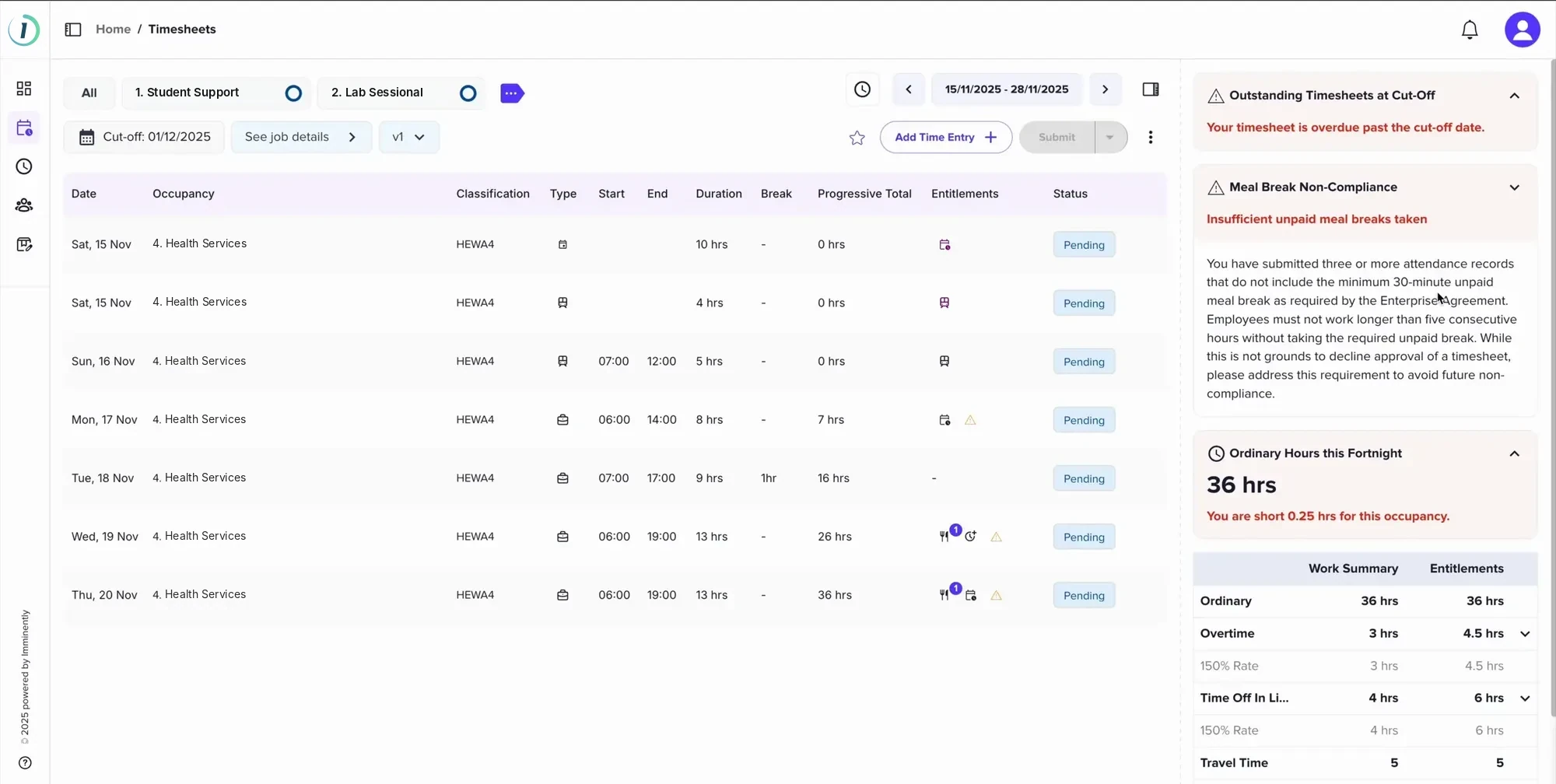
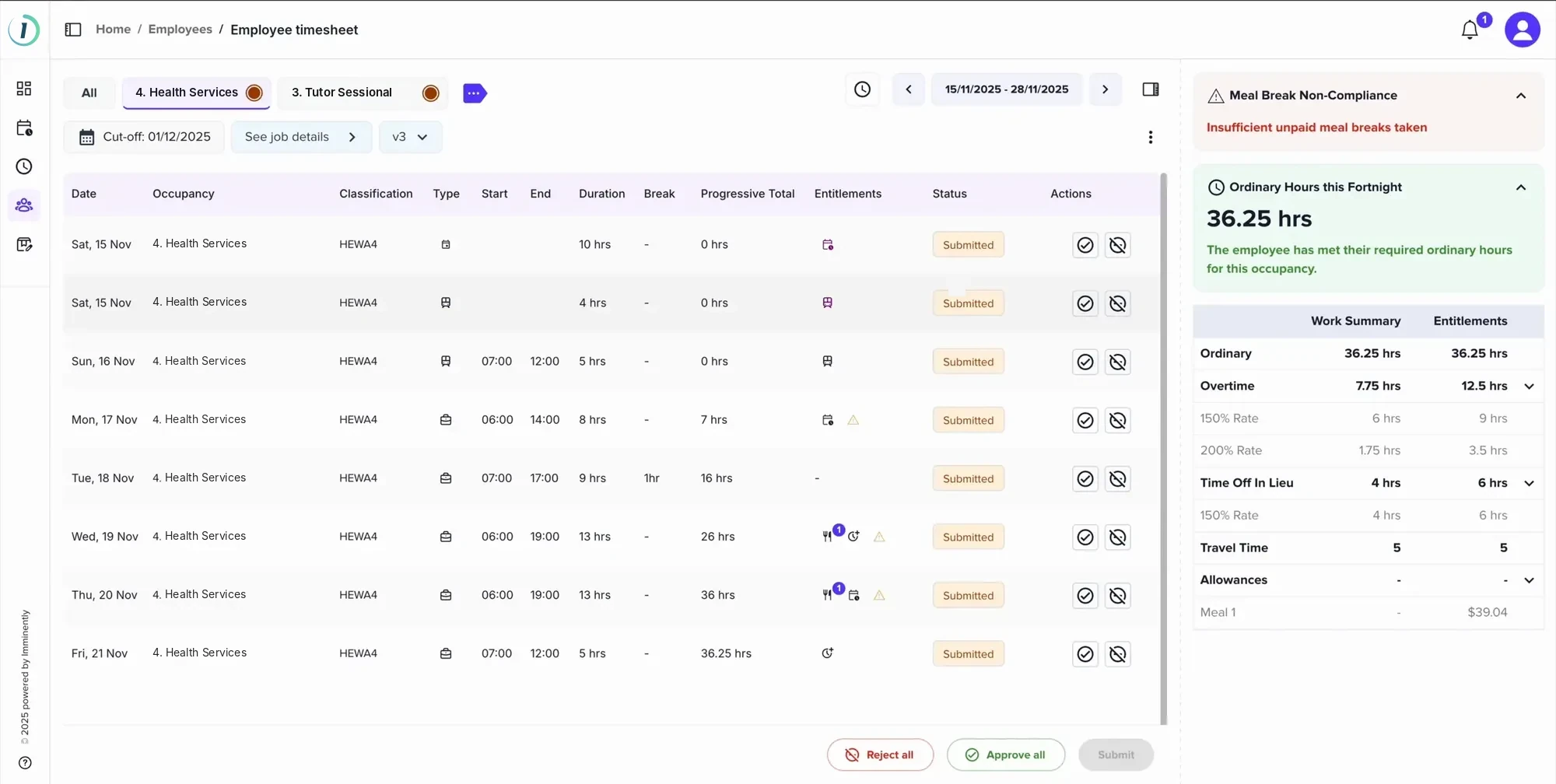
Imminently Timesheets · manager review
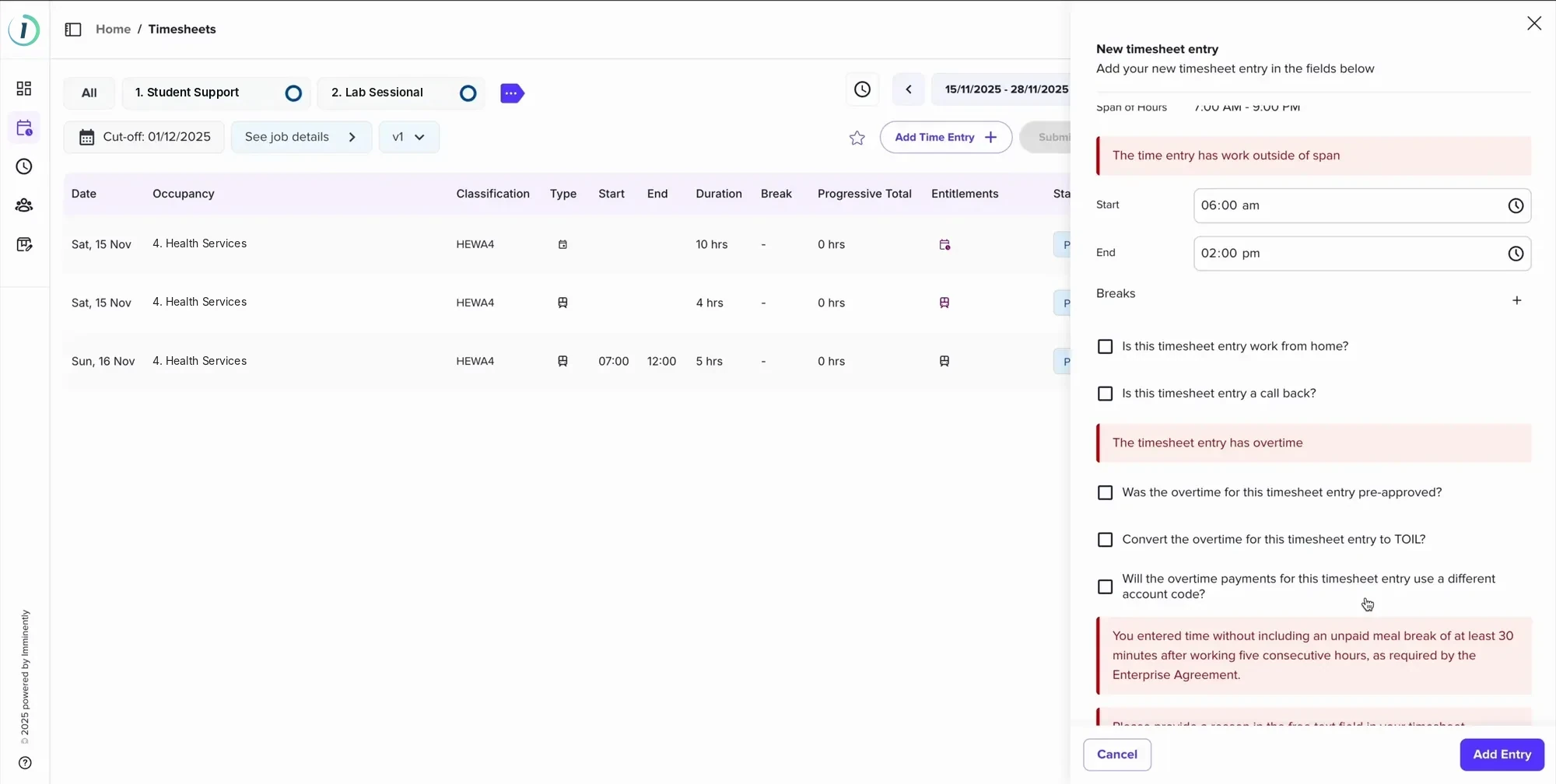
Manager view of an employee timesheet with entries, the meal break non-compliance alert, ordinary hours for the fortnight and the entitlement summary
The manager sees every entry with its entitlements, and the alerts the agreement raises beside them.

Live product views from a higher education configuration.

The difference is in the reasoning

Go beyond
an unexplained number.

The Imminently Legal Reasoning Platform applies the instrument, the employment context and date-effective rules to determine ordinary time, overtime, penalties, allowances and higher duties. Decision reports connect each outcome to the facts, the conditions evaluated and the source provisions.

  • Instruments digitised from their source text
  • Date-effective rules for back pay and corrections
  • Entitlements across concurrent appointments
  • Scenario and regression testing for every release
  • Ongoing in-scope instrument maintenance

Read more on the Security & assurance page

For every part of the process

Clarity for employees.
Control for the people accountable.

Imminently Timesheets · claims and leave
An employee’s claims and leave home: balances, requests and their status
Employee roster: assigned shifts for the period, each with drop and swap

Know the work. Understand the entitlement.

Published rosters, time capture and visible balances help staff take part in the process, on their phone or at a desk.

  • See their own shifts, then swap or drop with the manager approving
  • Clock in against the rostered shift, with breaks and entitlements shown
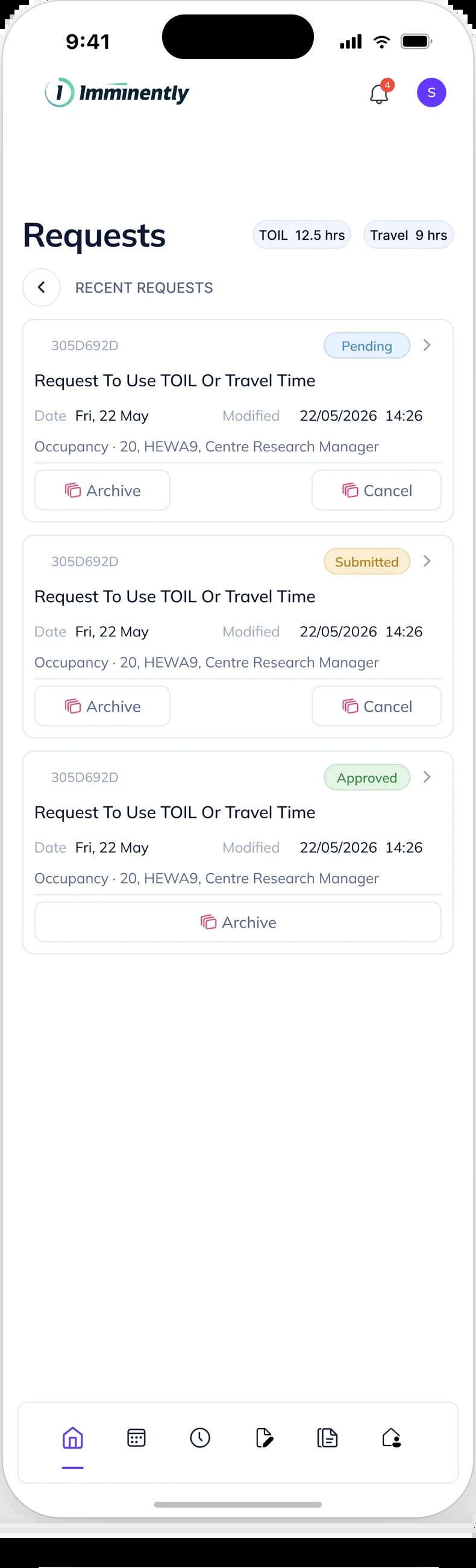
  • Request time off in lieu or travel time, and see each balance

For employees

Integration

Augment your systems.
Keep them standard.

Your HR and payroll systems stay the systems of record, with no custom code in them. TechnologyOne customers connect through the certified adapter: people, positions, work patterns and approved leave come in, each record checked and dated records applied from their effective date, and approved pay codes go back, each traced to its rule. Other HR and payroll systems, including third-party payroll services, connect through your integration platform, real-time and batch APIs, event messaging or secure file exchange.

On TechnologyOne?Attendance Management for TechnologyOne customers
Services as Software · Attendance Management

We do not sell software
and leave you to make it work.

One accountable service covers our product, a best-practice deployment for your sector with your awards and enterprise agreements pre-loaded, the implementation, and keeping every in-scope instrument current as it changes. A change of instrument (an award or agreement varied, or a new or replacement agreement) is part of the service, not a change request.

Services as Software

The instruments are part
of the software outcome.

Configuration, testing, integration and maintenance are defined in the service scope. Support includes award and enterprise agreement updates.

Common questions

The practical detail.

Which modules can we use?

Imminently Rosters, Timesheets and Awards are available together or separately. Rosters and Timesheets each include Awards. The scope is agreed around your operating model and systems.

Does Imminently replace our payroll system?

No. Attendance Management plans work, captures time and interprets it, then sends approved pay components to payroll. Your HR and payroll systems keep their system-of-record responsibilities.

Is it workforce management?

It is deliberately attendance management: rosters, timesheets and award interpretation. Leave is handled lightly, for example time off in lieu and travel time. HR records and full leave management stay in your HR system.

Can employees and managers use it on mobile?

Yes. Staff clock in, see their shifts, claim, swap and drop, and request leave in the Imminently app; managers approve from the same app. Each person sees only what their configured permissions allow.

Is AI interpreting our agreements?

No. Interpretation uses deterministic legal reasoning. The same facts and effective rule version produce the same outcome.

How is it offered?

As Services as Software: our product, the implementation and every change to your in-scope instruments, delivered as one service shaped around your organisation.
More questions answered

See it in your context
Bring your most complex working week.

See how your instruments, work patterns and payroll fit together in Imminently.