Common roster features
Roster visualisations, creation, shift swapping and automatic timesheet population.
Plan coverage with each role’s staffing requirement and each person’s qualifications and availability checked as each shift is placed. Publish a versioned roster, let staff claim, swap and drop shifts on the phone, and carry the plan straight into the timesheet.
Imminently Rosters includes Imminently Awards. With Imminently Timesheets it is Imminently Attendance Management. The common roster features are built once, and archetype modules are tailored to each use case.
Your awards, agreements and policies applied by the same Legal Reasoning Platform, with the clause behind each outcome.
Explore AwardsThe lifecyclePlan, check, publish, confirm, swap and vary, from the plan to the work.
See howRoster checksCoverage, capabilities, availability, leave and hours, checked on the roster before it is published.
See howThe Imminently appStaff see, claim, swap and drop shifts; managers fill short days, publish and approve.
See howArchetype modulesCommon roster features built once, with modules tailored to each archetype, its users and the law.
See howCapabilitiesRoster models, templates, coverage, events, publishing, variations, notifications and delegations.
See the detailEleven steps, one rules engine. Each shift is checked for coverage, qualifications and availability as it is placed on the roster, and the engine interprets the timesheet as time is entered and calculates the pay sent to payroll.
Each step is a different screen. Coverage against each role’s requirement and the checks on each person are in view before anything is saved, and the plan carries straight into the timesheet.
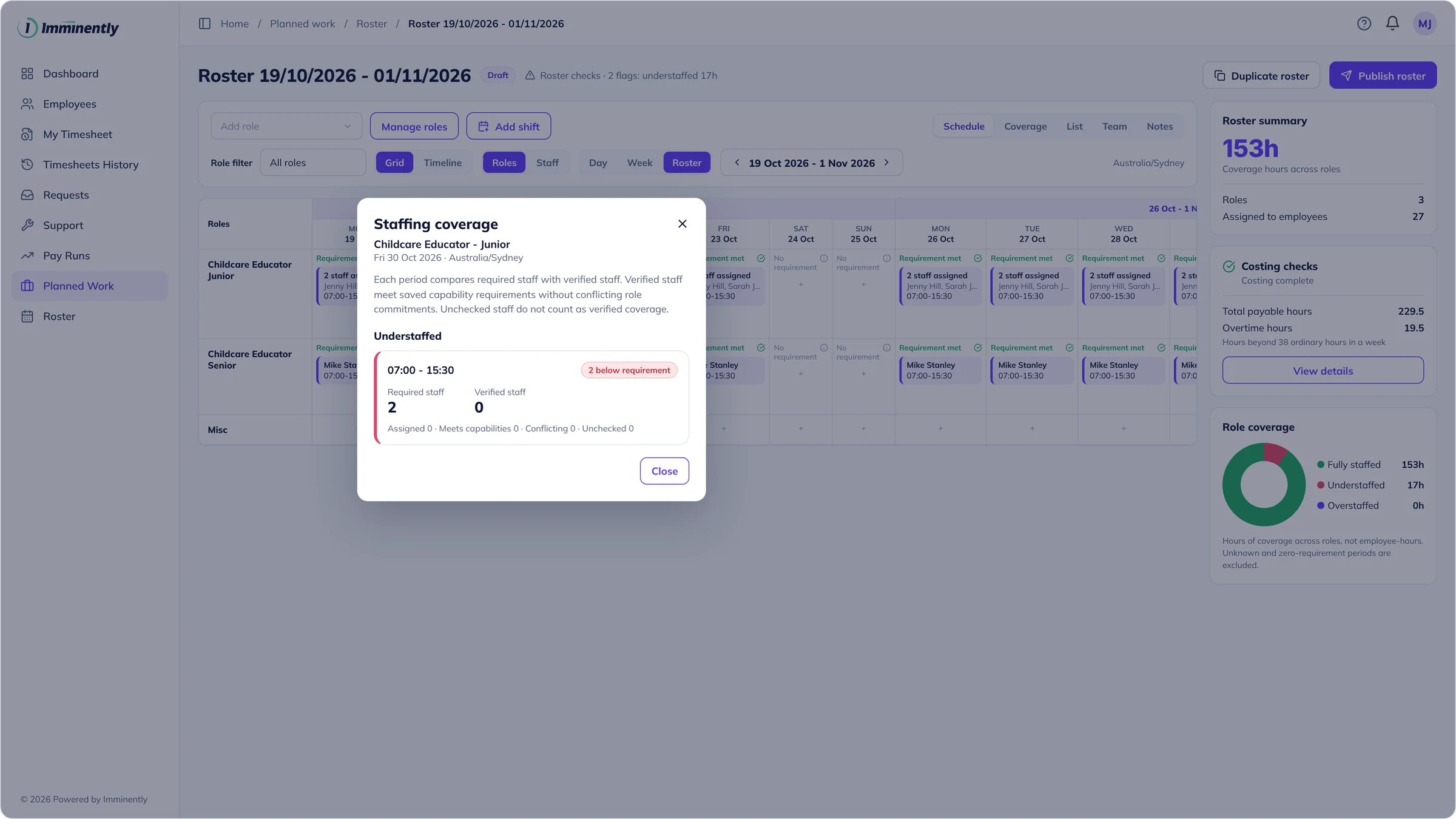
Each day shows whether each role’s staffing requirement is met. Open a short day to see why: here two staff are required for the junior role from 07:00 to 15:30 and none is verified. Verified staff hold the role’s required capabilities without a conflicting role commitment.
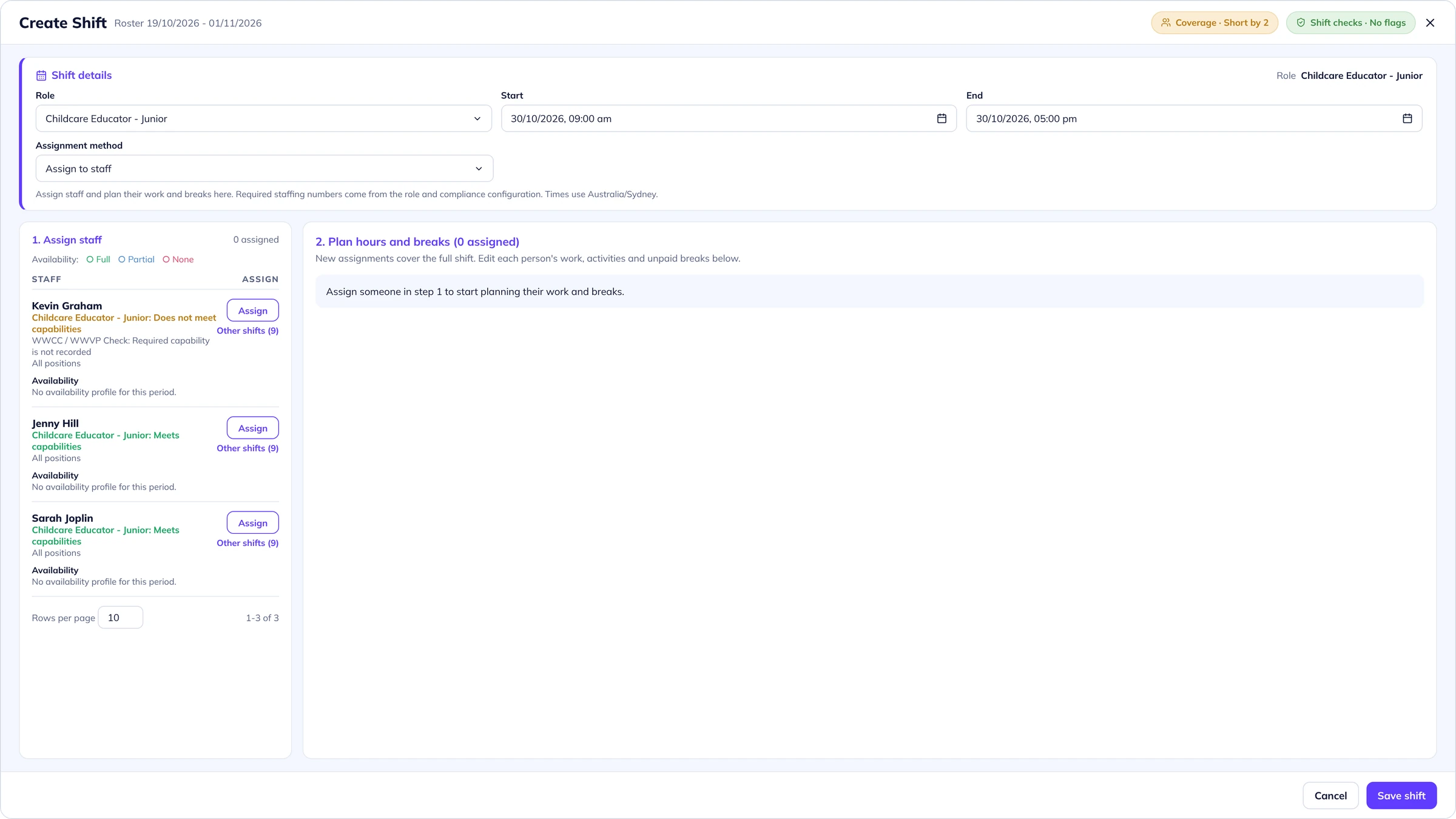
Create Shift for the role. Each person is shown as meeting or not meeting the role’s required capabilities, with any missing check named, beside their availability for the period. The required staffing comes from the role and compliance configuration.
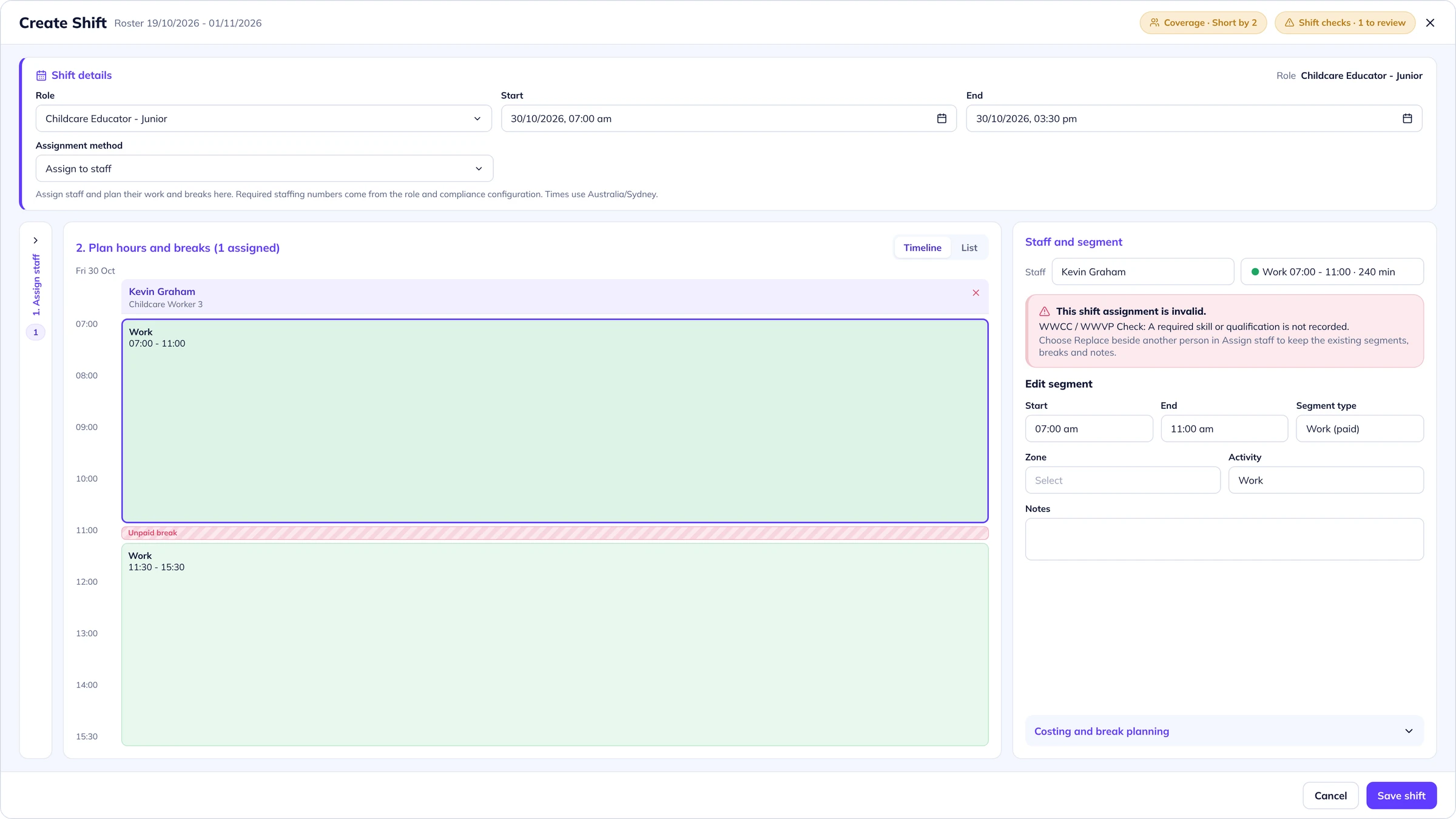
Assigning someone without a recorded Working with Children Check flags the assignment as invalid before the shift is saved, with the way to fix it: replace the person and keep the planned work, breaks and notes.
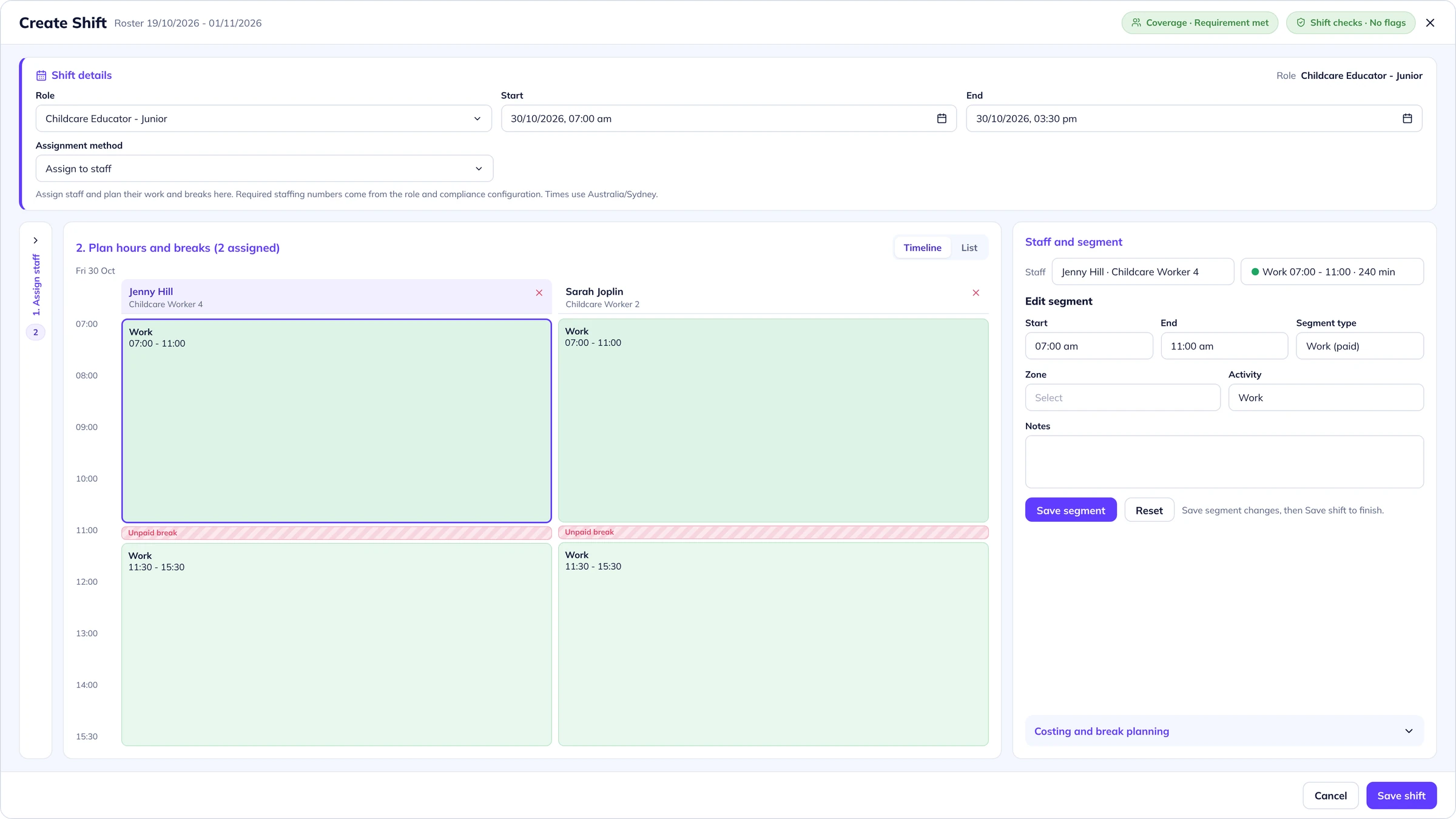
Two qualified staff are assigned. Work segments and the unpaid break are planned on a timeline, and the coverage and shift checks now show the requirement met with no flags.
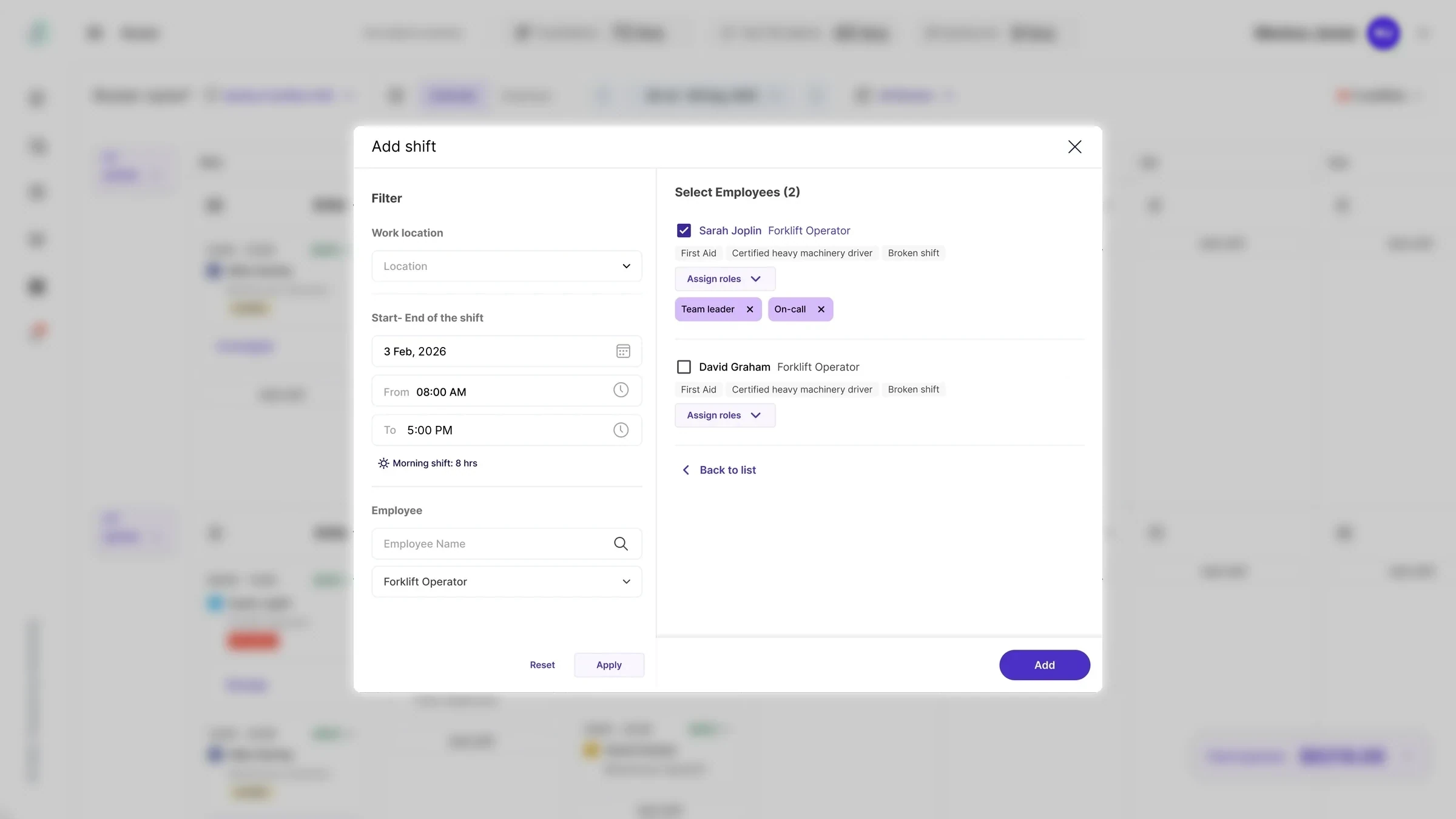
A person can carry a role on the shift, such as team leader or on call, and the roles show on them before the shift is added.
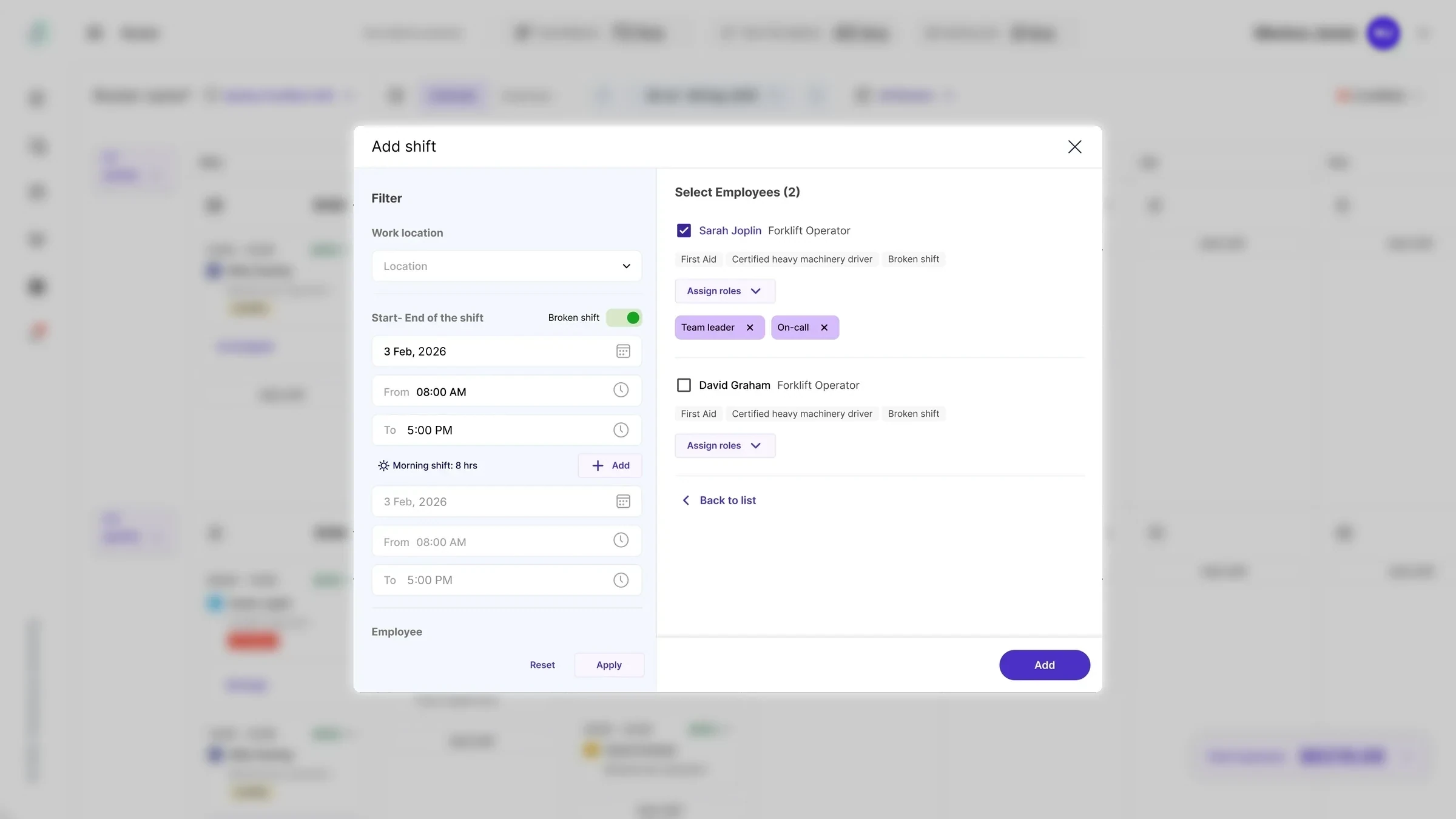
A broken shift is switched on as the shift is added, and a second span of hours is added to the same shift.
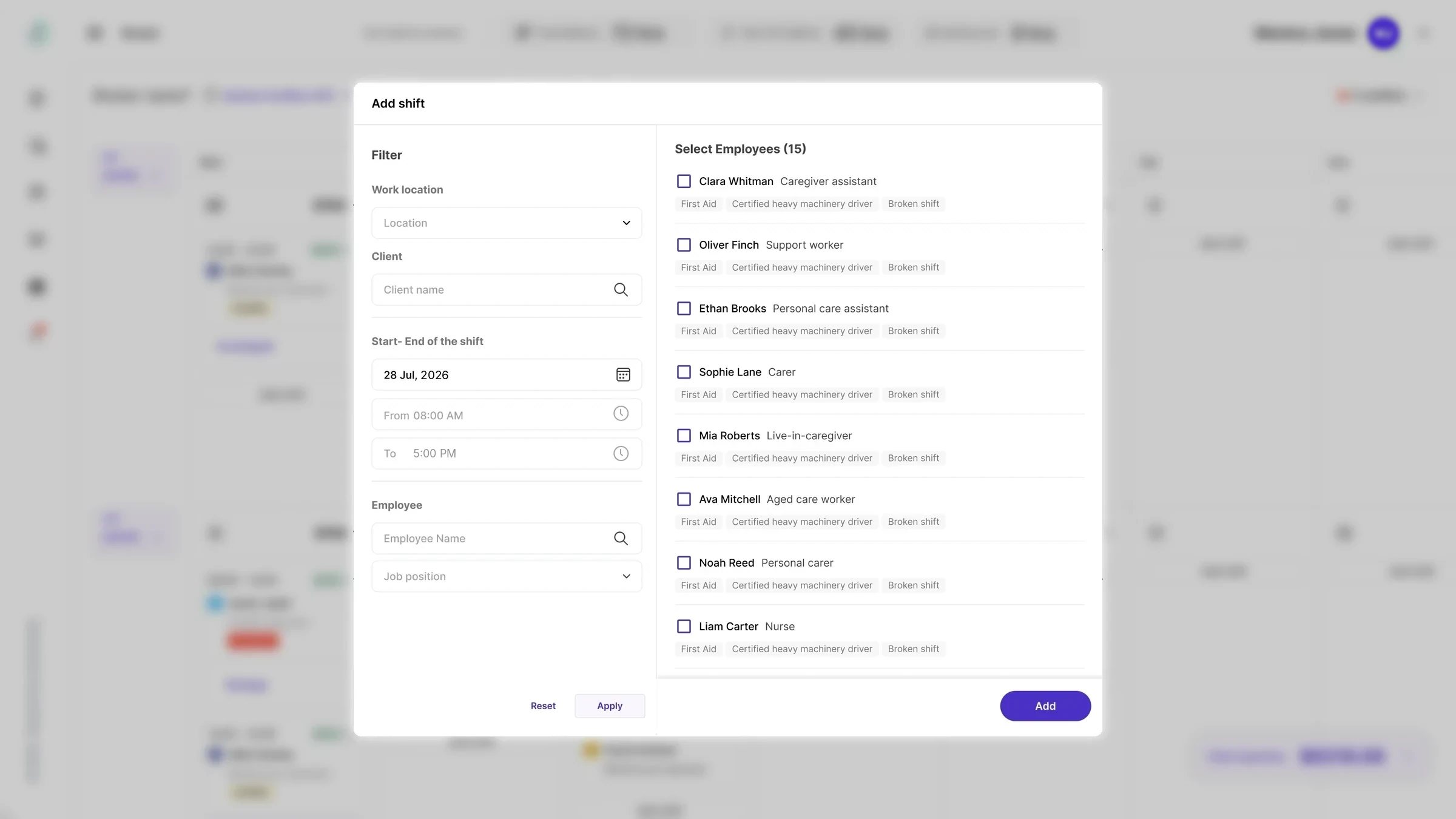
For care settings, a sleep-over shift for a client is filled from the care workers with the right skills.
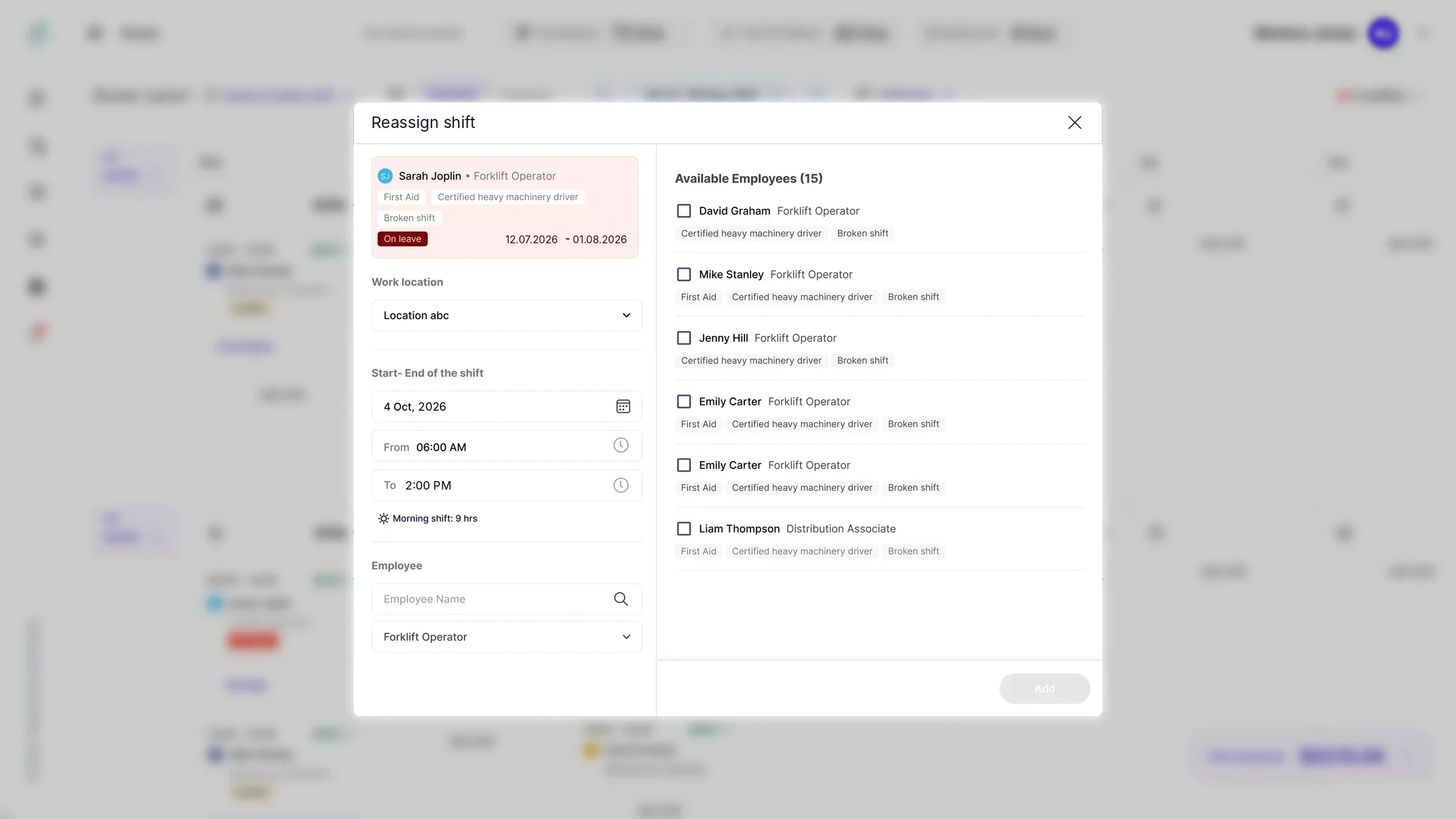
A shift whose employee is on leave is reassigned to available staff with the right skills.
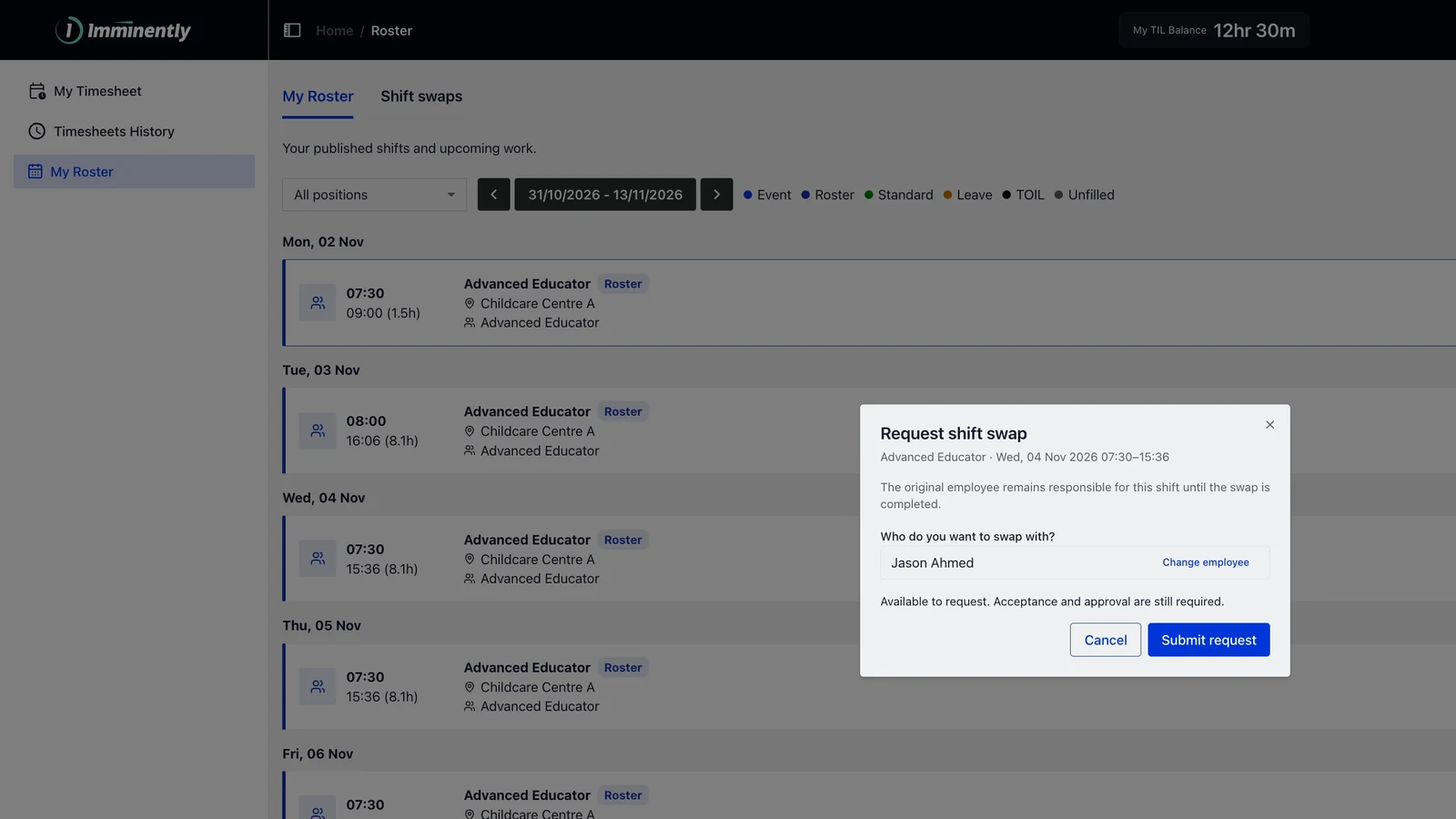
From their own roster, the employee asks a colleague to take the shift. The request says plainly that the original employee stays responsible until the swap is completed, and that the colleague’s acceptance and the manager’s approval are still required.
A change to a published shift is notified to the staff affected. Re-validation against the instrument and the coverage rules, notice windows and the routing of short-notice changes are configured in the deployment for each instrument.
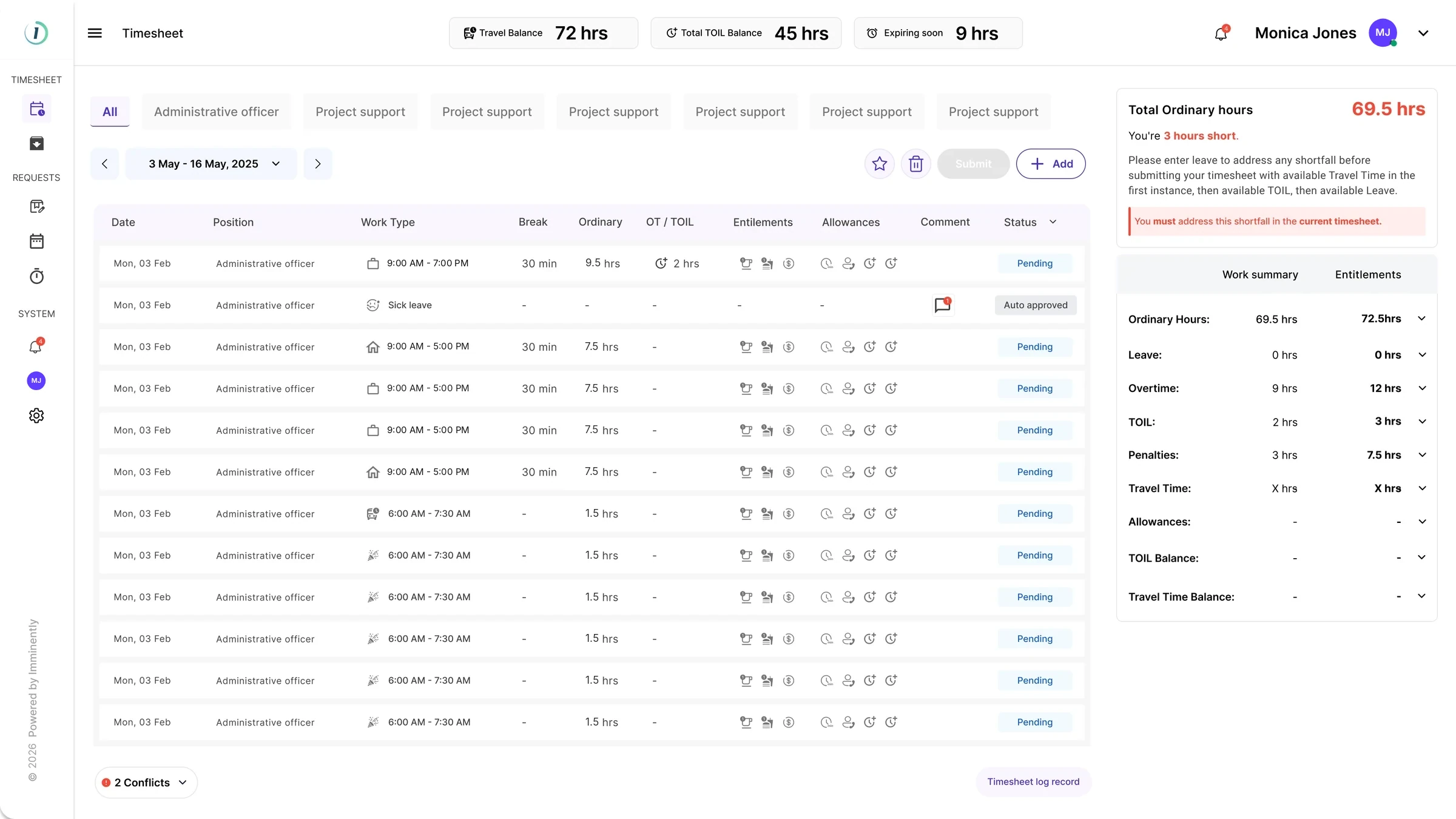
Staff confirm entries as planned, edit actual start and finish times, or remove entries they did not attend. Variations from the roster are highlighted with their pay impact.
Names and locations are examples. Notice windows, approvals and available actions depend on the instrument and configuration.
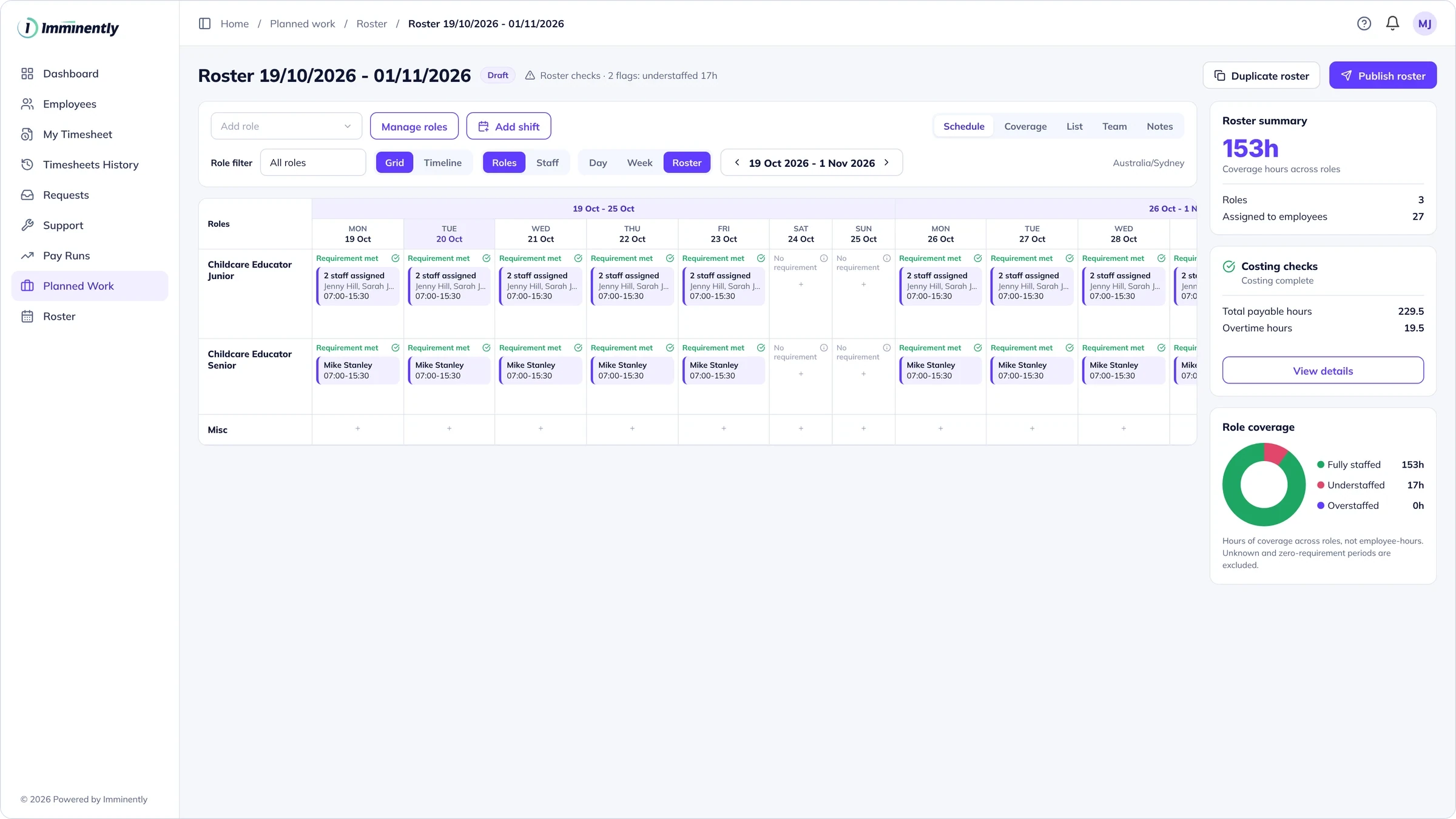
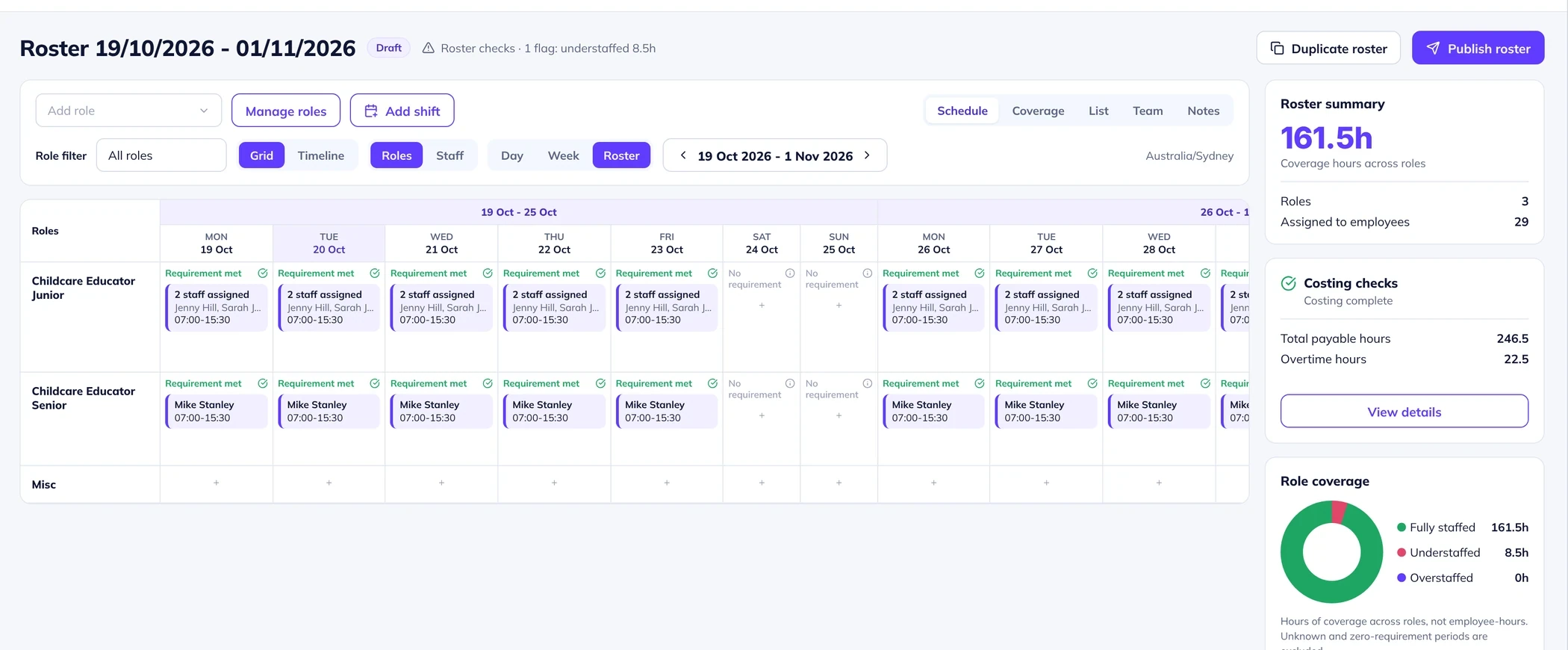
Start with the roster period, roles and required shifts. The schedule brings planned work into one operational view, with each day marked against the role’s staffing requirement and the shift, payable and overtime hours totalled.
Coverage by role and day shows where the requirement is met and where it is short before publication. Role requirements determine the coverage picture.
Coverage is checked against the staff each role requires and the capabilities they must hold. An assignment that lacks a required check is flagged as invalid before the shift is saved, and the roster is published when the gaps are filled.
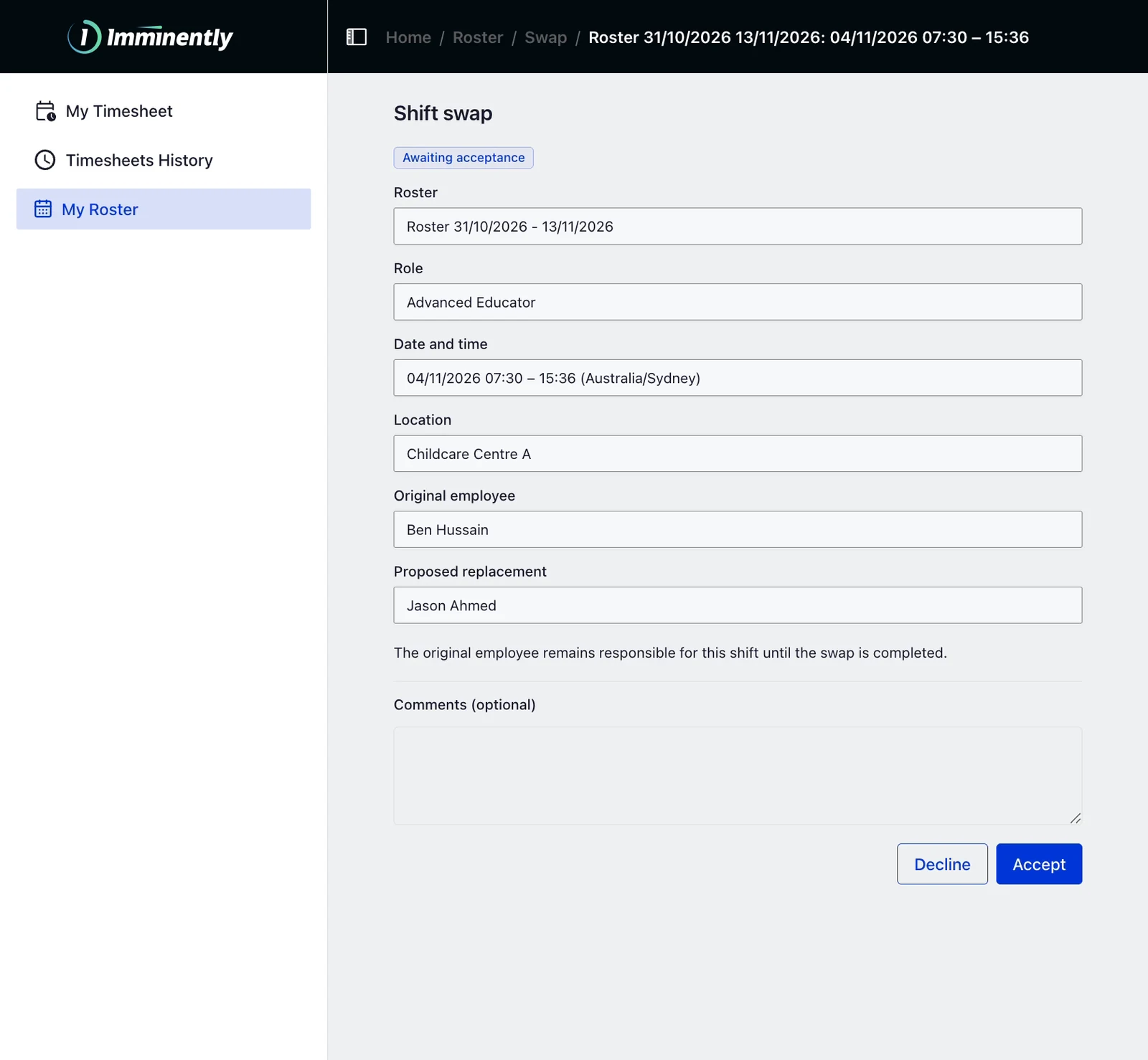
An employee asks a colleague to take a shift. The colleague accepts or declines on their own screen, and nothing changes until the manager approves. The original employee stays responsible for the shift until the swap is completed.
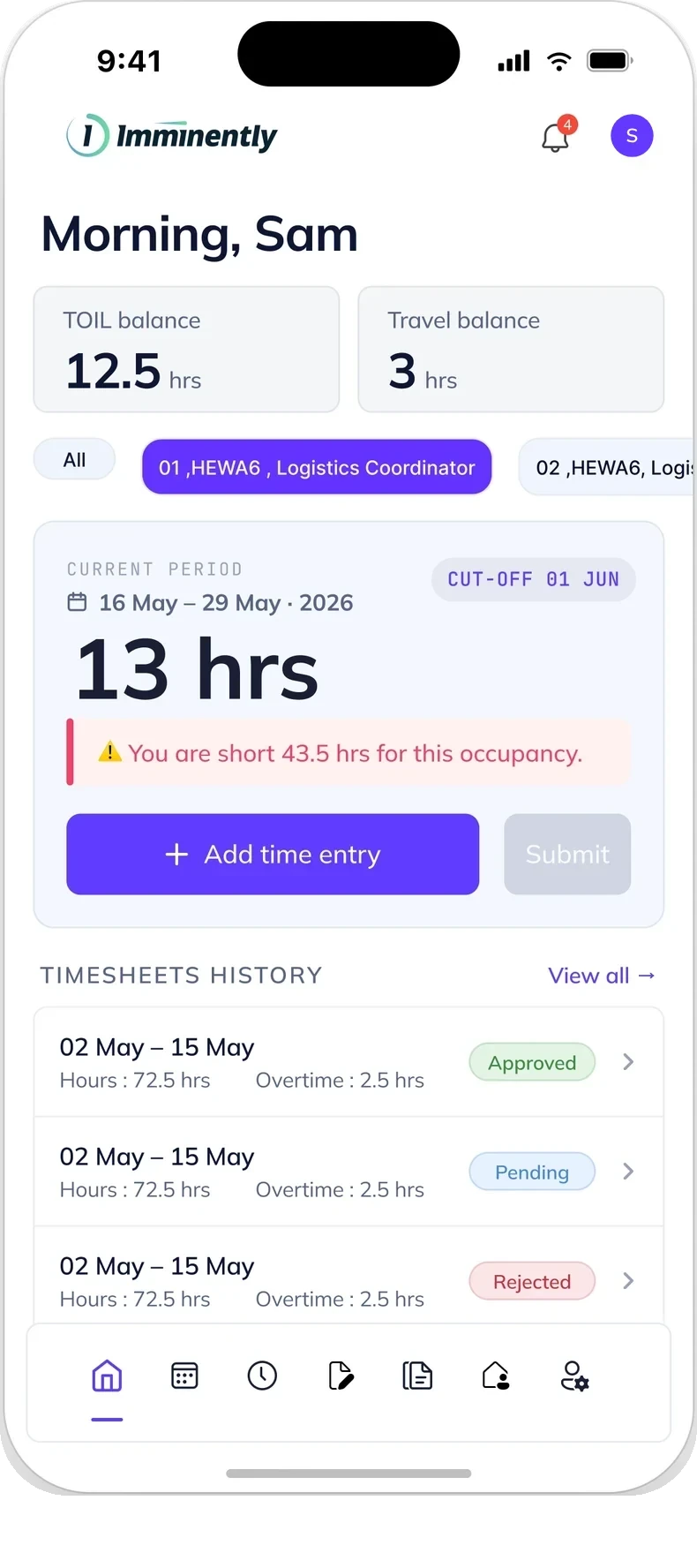
Employees record what actually happened against the rostered work, and see the hours for the period and any shortfall before the timesheet is submitted. Managers review any difference from the plan.
Names, locations and amounts are examples.
The checks run on the roster itself, as each shift is placed and before the roster is published.
Staff see their shifts, claim open shifts, swap, drop and set their unavailability. Managers fill short days, publish, and approve swaps and drops within their delegations.
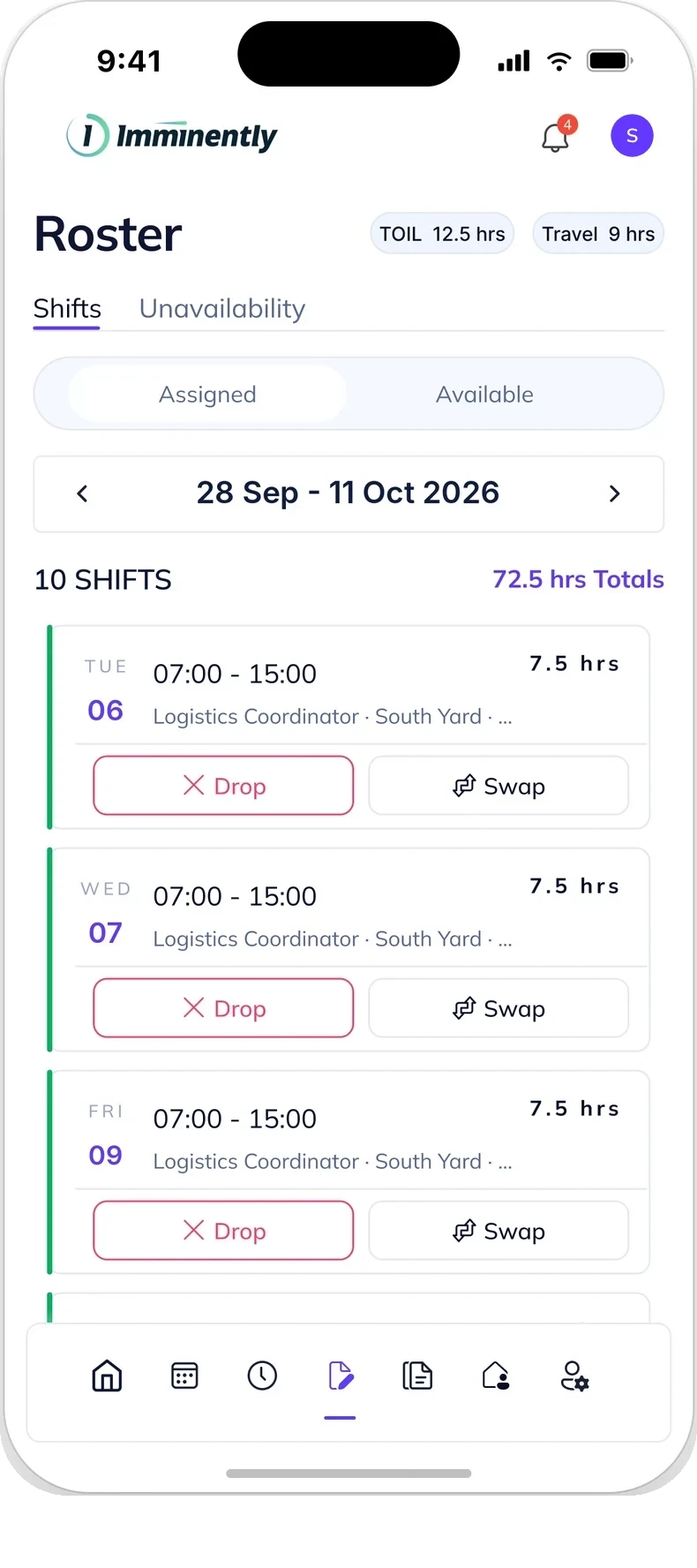
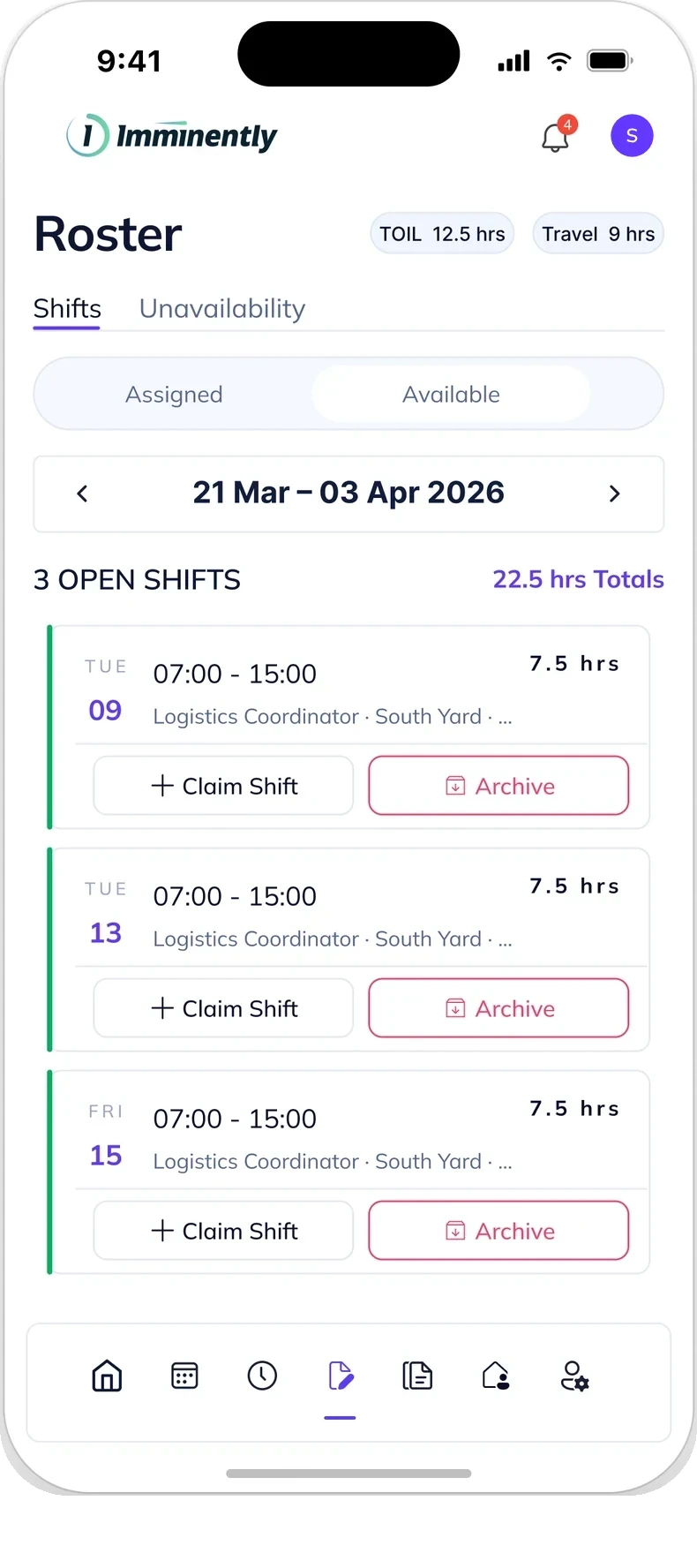
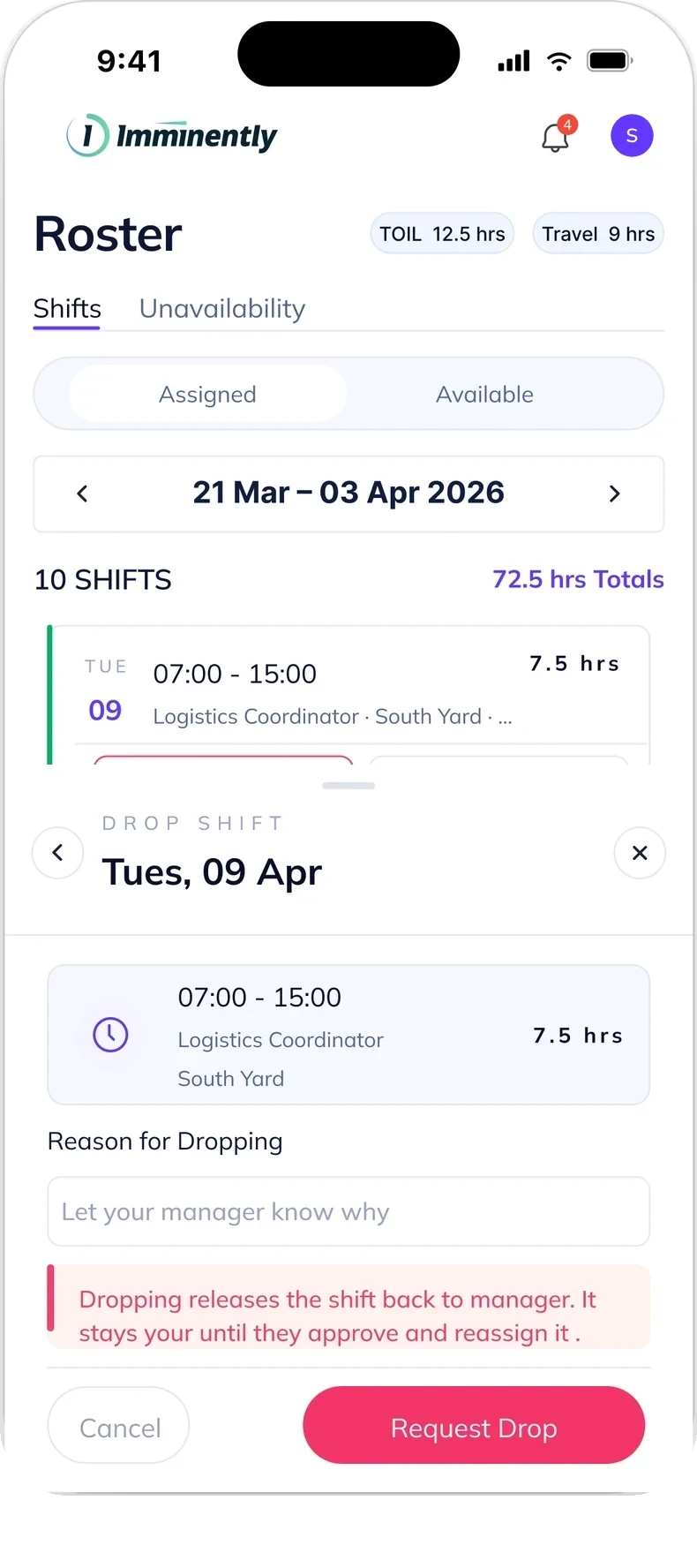
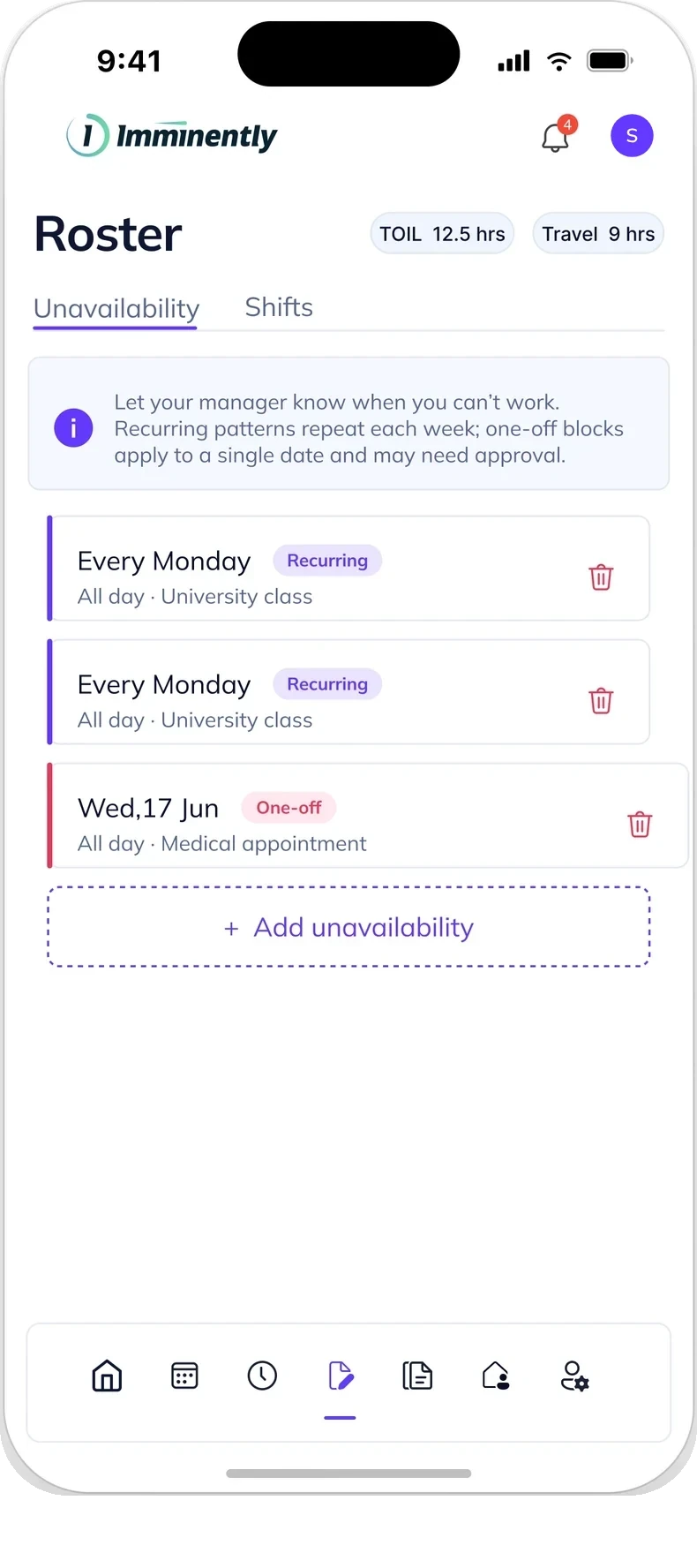
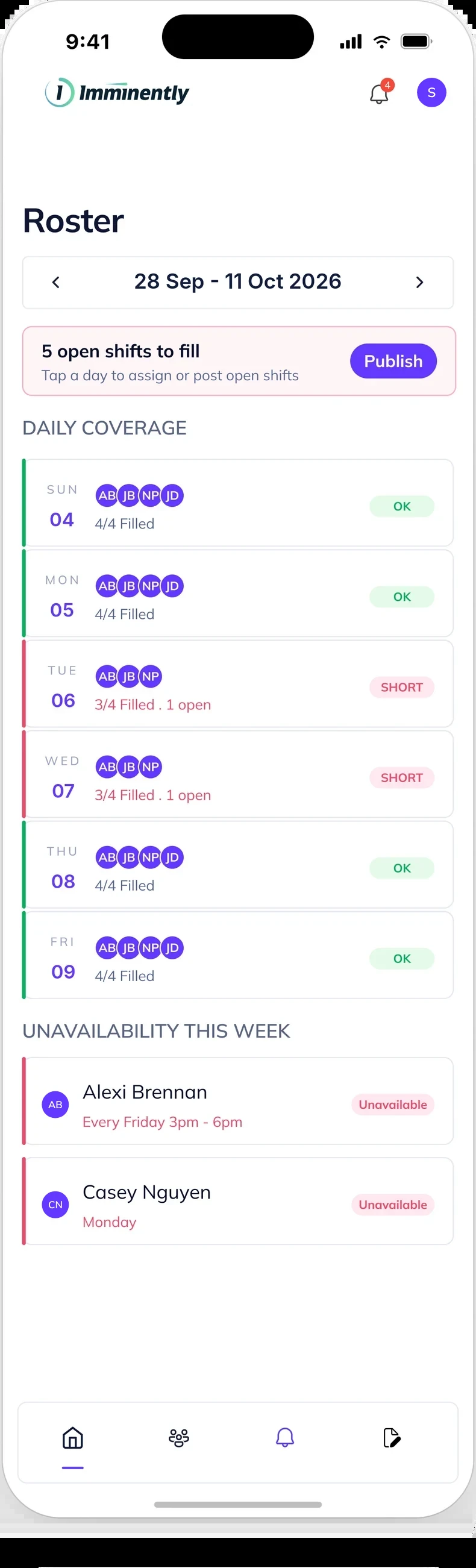
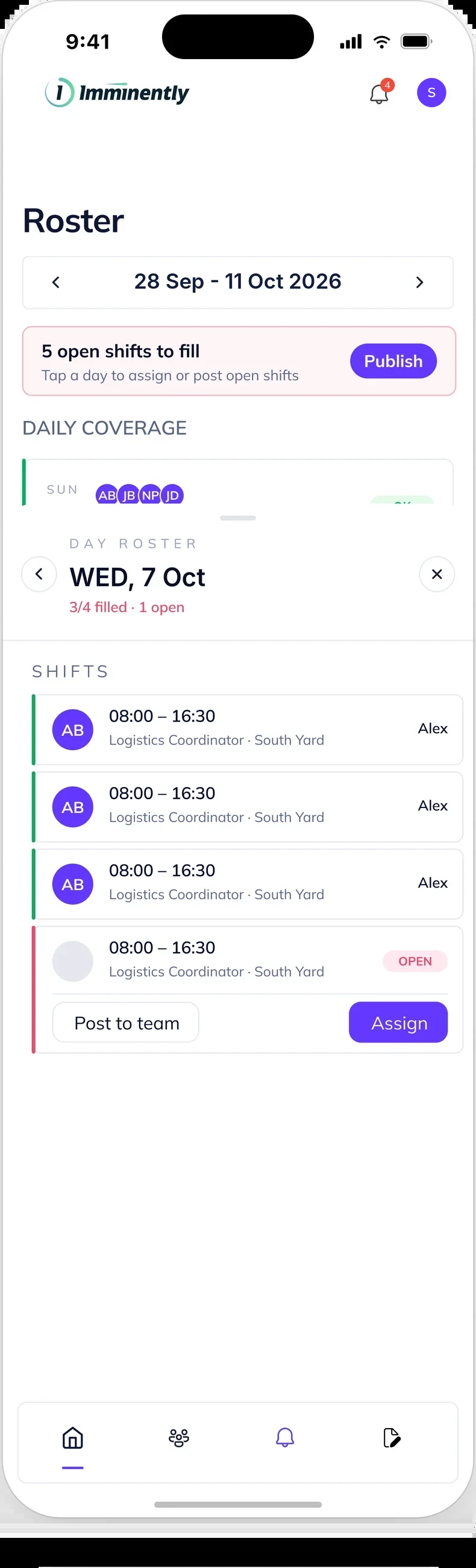
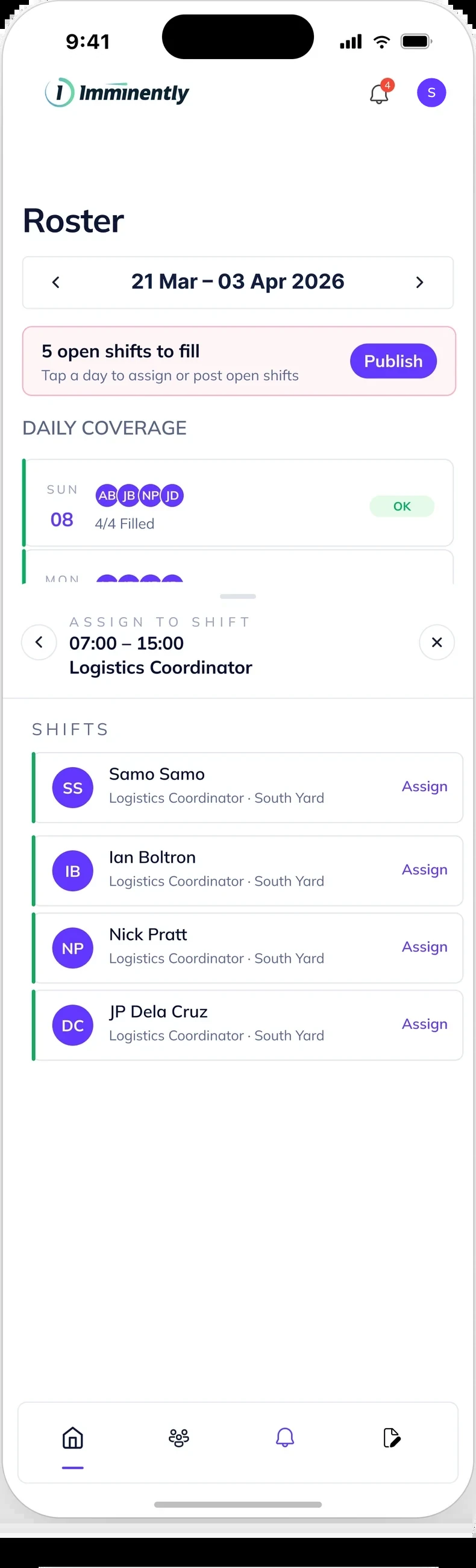
The Imminently mobile app.
Each capability is configured for the organisation’s instruments and operating model.
A roster model per service, location and roster type. Repeating multi-week cycles (one to four weeks or more) place each employee on a line and offset, and staff can rotate between duties, services and locations.
A template library per role, location and roster type holding start and finish times, meal-break placement, activity, required role and headcount. Spans of hours are set by award function so shifts outside the span carry the right penalty.
Fixed minimums, ratio-driven demand (for example educator-to-child ratios), supervision plans and opening-hours demand per service, location and time slice. These are configured in the deployment, and each day’s coverage is shown on the roster as met, understaffed or overstaffed.
Multi-week builder with drag-and-assign, copy, bulk edit and roll-forward of the next cycle. Day, week, fortnight, multi-week and full-cycle views.
Each shift is checked as it is placed: coverage against each role’s staffing requirement, and each person against the role’s required capabilities, with an assignment that fails a check flagged before the shift is saved. Other award, agreement and policy rules for the roster, such as meal breaks, maximum hours, rest between shifts, averaging periods and fatigue limits, are configured in the deployment from your instruments. The roster summary totals payable hours and overtime hours.
Leave, availability, credentials and qualifications are shown as each person is assigned. Eligibility from hours to date, and casual and permanent precedence for public holiday and overtime offers, are configured in the deployment from your instruments.
Plan one-off events such as festivals, fetes and civic occasions alongside business-as-usual rosters: define the roles and shifts each event needs, fill them from eligible staff across services and see the coverage against what the event requires before publishing.
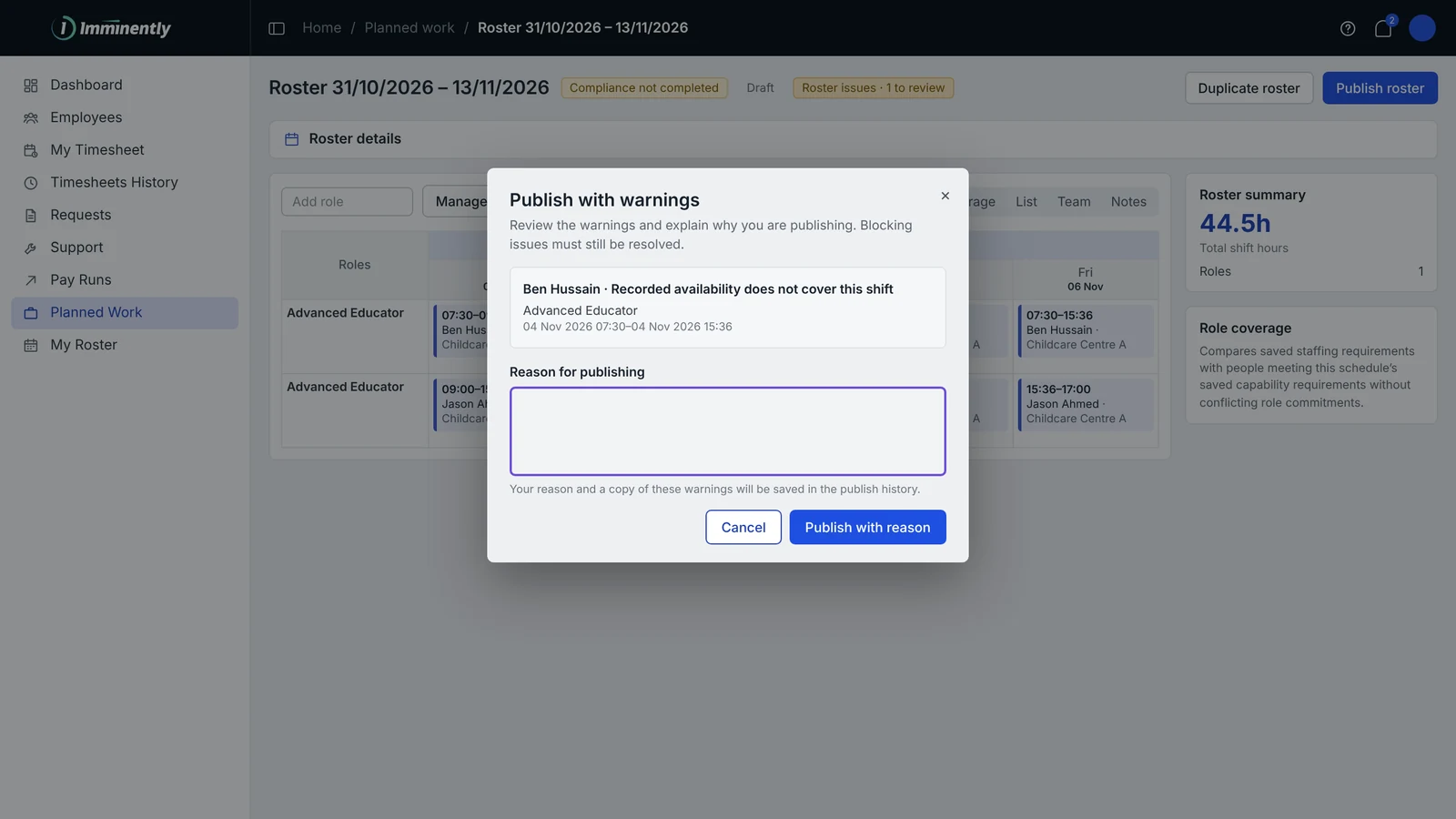
Publishing checks that every active shift is assigned and every assignment is valid. A roster with gaps or issues is published only with a reason, saved with a copy of the warnings in the publish history. Each publication is a versioned, time-stamped, immutable record, with a configurable publication horizon. Drafts stay hidden from staff, and sign-off is separate from publishing.
Changes after publication are notified to the staff affected. Re-validation against the instrument, notice windows and the routing of short-notice changes for approval or employee agreement are configured in the deployment for each instrument. Leave approved against a published shift alerts the roster manager.
Consultation records for changes to regular rosters or ordinary hours, where an instrument requires them, are configured in the deployment.
On mobile, staff view published and upcoming rosters, on-call periods and leave; maintain recurring availability and one-off unavailability; confirm, accept or decline their assigned shifts and offers; bid for open shifts; and propose swaps.
Staff are notified on publication, withdrawal (with the reason) and every change to their shifts. Optional acknowledgement shows who has not read a change, and notifications can respect right-to-disconnect rules.
Delegations applied from your HR system of record, scoped by roster and site. Acting and higher-duties assignments recorded in HR grant matching rostering and approval rights for the period.
A current and forward view of who is available, who is on leave, how rosters are covered and how much capacity remains, for every employee and every job they hold.
Coverage, understaffed and invalid-assignment flags, overrides and rostered hours, with an exportable audit trail of who changed what, when and why.
Generic roster functionality rarely meets the legal, operational and user needs of every use case. Imminently builds the common roster features once, then tailors rostering modules to each archetype, its users and the law.
Roster visualisations, creation, shift swapping and automatic timesheet population.
Features and configuration tailored to each archetype, for example care settings where staff ratios, qualifications and accurate pay all matter.
Archetypes are defined with customers from their use cases, such as filling a critical position when the plan is disrupted.
The value comes from keeping the planned work, actual facts, instrument model and payroll hand-off connected.
Capture the facts and review interpreted outcomes.
ExploreInterpret awards, agreements and policies, with Pay Validation for payroll in every mode.
ExploreConnect the systems that own your people, jobs and payroll, through the certified adapter, APIs, the SDK, ETL or event messaging.
ExploreNo. The roster describes planned work. It pre-fills the timesheet, where staff confirm or amend the actual work that is interpreted and approved.
Staff propose swaps and bid for open shifts in the mobile app. The swap is offered to colleagues with matching skills and approved within the configured delegations; any instrument rules for swaps are configured in the deployment.
The change is notified to the staff affected. Re-validation against the instrument, notice windows and the routing of short-notice changes for approval or employee agreement are configured in the deployment for each instrument.
Imminently Rosters includes Imminently Awards. Add the Timesheets module for all three modules of Imminently Attendance Management.
Bring your instruments, a representative roster period and the changes your teams handle today.