Residential aged care
A registered nurse on site and on duty at all times, care minute targets per resident, and active and inactive sleepovers.
- Registered nurse cover
- Care minutes
- Sleepovers
Care runs day and night across residences, clients’ homes and centres: sleepovers, broken shifts, travel between visits, registered nurses on every shift and ratios in every room. Our product rosters qualified people to the right work and applies the award to what they actually did.
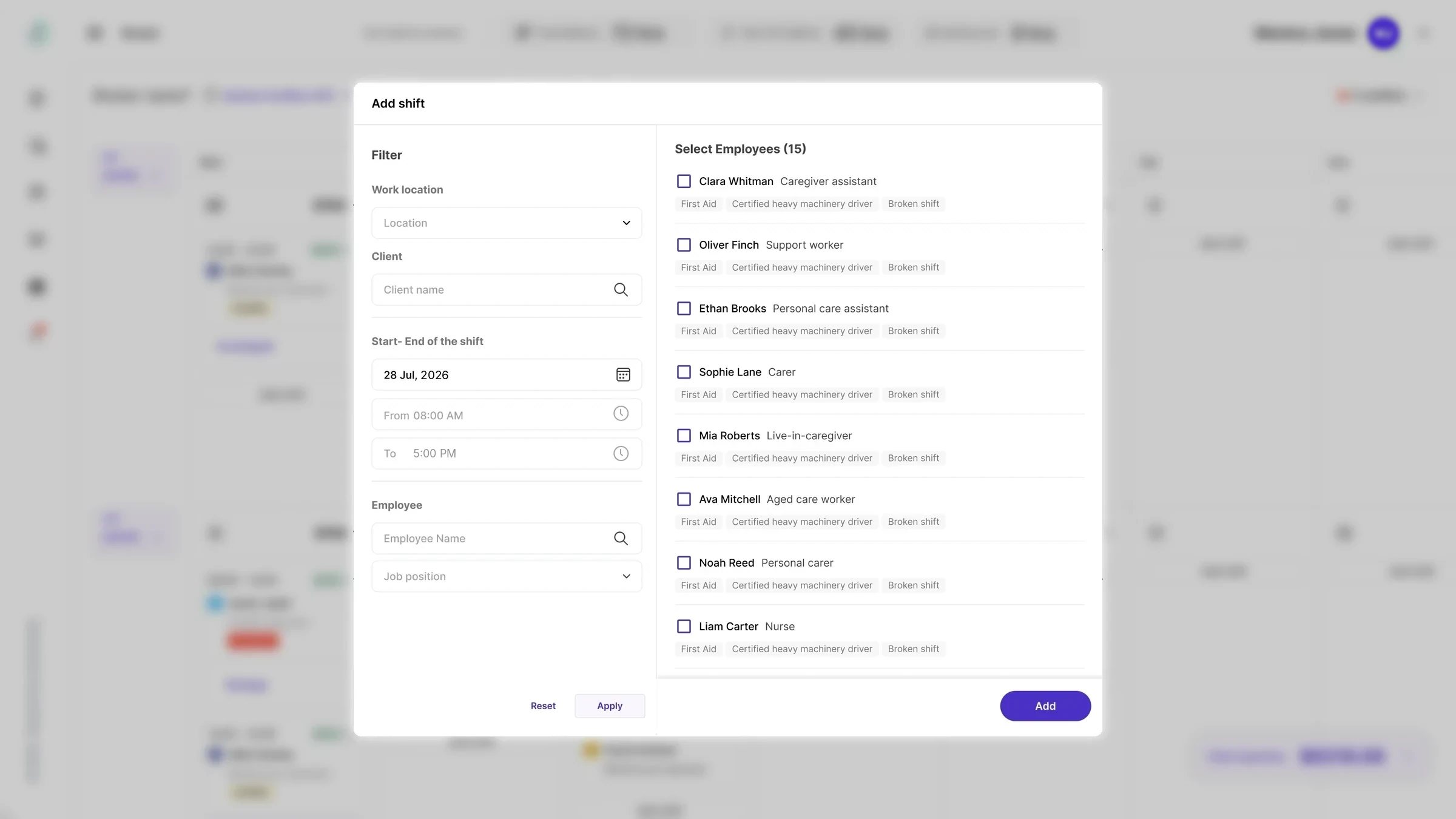
Every care setting has its own pattern of work and its own rules about who may do it.
A registered nurse on site and on duty at all times, care minute targets per resident, and active and inactive sleepovers.
Visits across clients’ homes with travel between them, lone-work controls, worker screening and continuity of carer.
Rostering around the clock with active and inactive sleepovers and broken shifts.
Educator-to-child ratios by age group, a qualification mix, an early childhood teacher by service size, a responsible person and first aid on every shift.
Registered and enrolled nurses and allied health staff, whose professional registration decides who counts toward a requirement.
Care is largely in the federal system, under awards for social, community, home care and disability services, aged care, nursing and children’s services, often with enterprise agreements over them. Council-run care follows the council’s own award. The hardest provisions are the ones that turn on the shape of the shift.
What it providesA shift worked in two or more periods, with limits on the overall span and an allowance for each break.
What makes it hardThe span and the number of breaks decide the payment, not the hours.
What our product doesEach span of a broken shift is recorded, and the span limit and allowance are applied.
What it providesAn allowance for a sleepover, with work performed during it paid separately.
What makes it hardAn active disturbance turns part of the sleepover into paid work.
What our product doesRecords the sleepover and any work during it, and applies the allowance and the payment for the work.
What it providesTime travelling between clients treated as work, with vehicle allowances where staff use their own car.
What makes it hardTravel sits between visits, not inside them.
What our product doesCaptures the travel and the kilometres, and applies time and allowance as the award requires.
What it providesAfternoon, night, weekend and public holiday penalties by when the shift is worked.
What makes it hardA shift that crosses midnight or a public holiday changes penalty mid-way.
What our product doesSplits the shift where the penalty changes and applies each penalty to the hours it covers.
What it providesMinimum payments for short shifts and a minimum break between shifts.
What makes it hardA short-notice change can create both a minimum payment and a breach.
What our product doesApplies the minimum payment for a short shift; a roster check for the break between shifts is configured in the deployment.
What it providesWho may count toward a nurse, ratio or qualification requirement.
What makes it hardAn unregistered or unchecked person cannot fill the requirement, even if present.
What our product doesHolds registrations and checks with expiry dates, and flags as invalid any assignment that does not qualify.
Clinical records, client billing and funding systems keep their own responsibilities. Our product handles the workforce: who is rostered, what they worked and what the award says they are paid.
TodayPaid from what the timesheet says, with disturbances and spans pieced together later.
With our productEach span and each disturbance recorded as it happens, and the award applied to them.
TodayFilled by whoever answers, then checked for qualifications.
With our productEach person is checked against the shift’s required qualifications as they are assigned, with their availability shown, and an assignment that does not qualify is flagged.
TodayA lapsed registration found at audit.
With our productRegistrations and checks held with expiry dates, with an assignment flagged as invalid where a required check is not recorded.
TodayNo record of why a shift was paid as it was.
With our productA determination report for every work period, linked to the clauses relied on.
Roles on each shift, a broken shift, leave covered by a qualified worker, and the care worker’s own day on the phone.
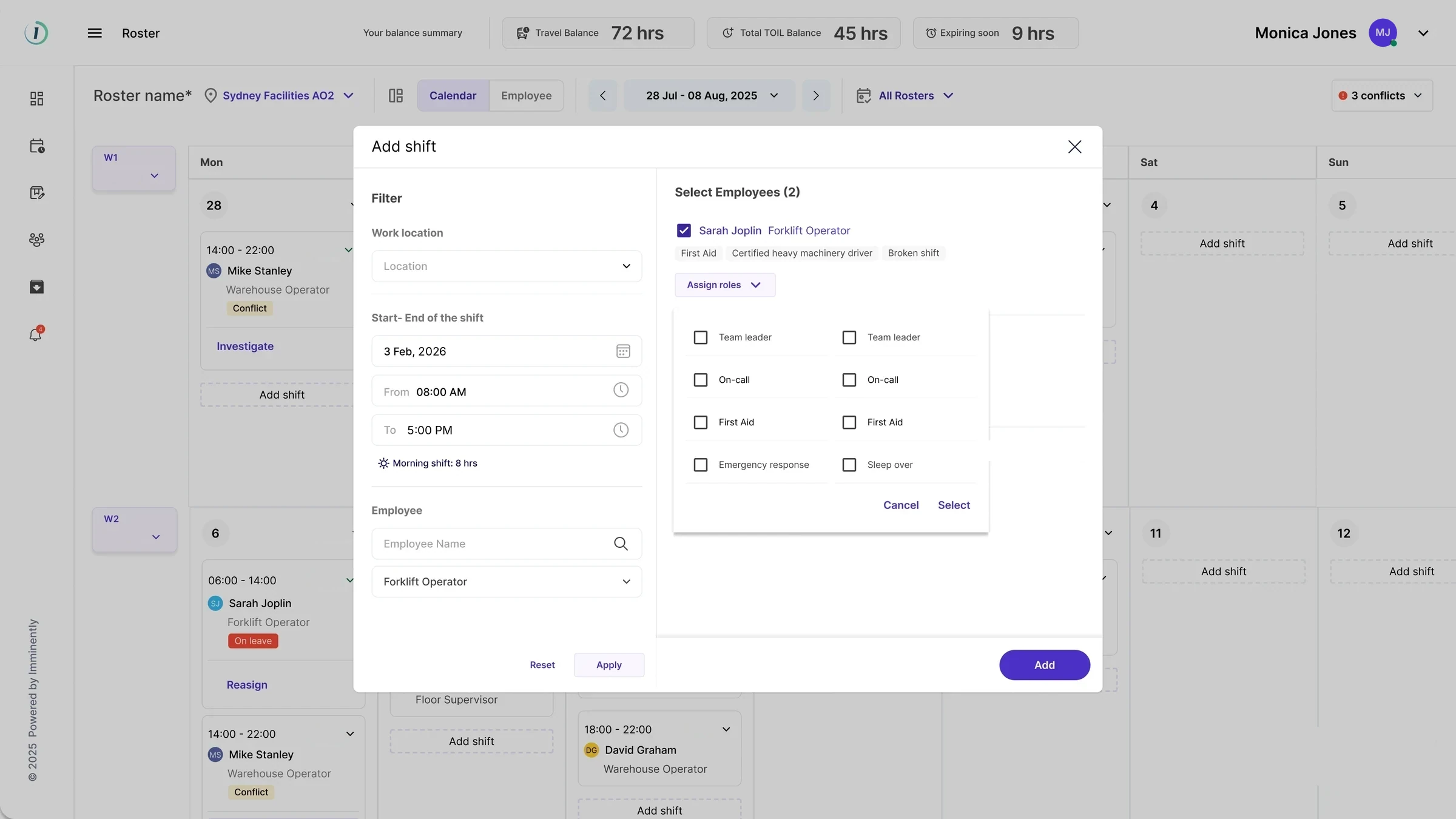
Each person on a shift can carry a role, such as team leader, on call, first aid, emergency response or sleepover, so the roster shows who holds each responsibility.
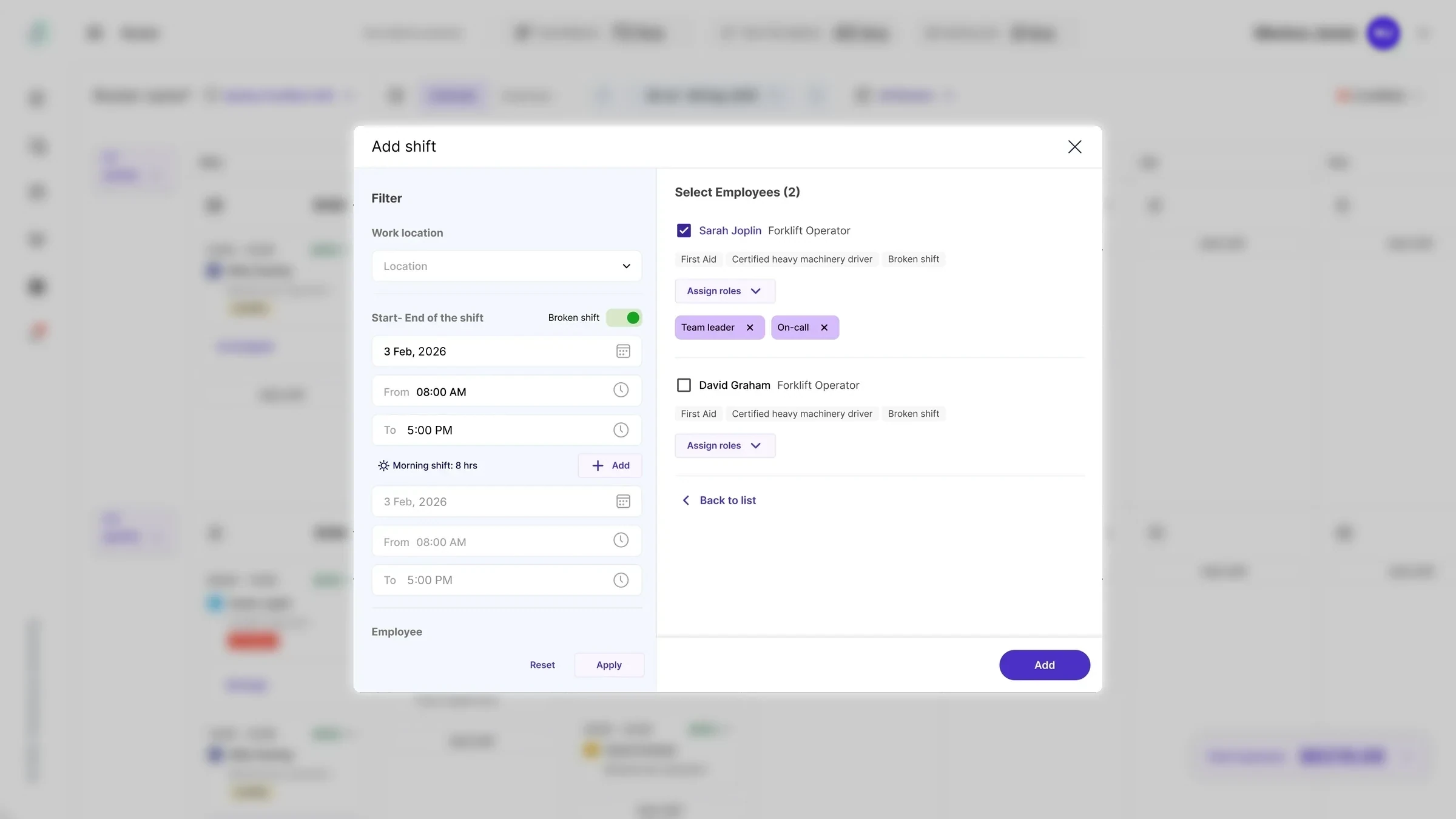
A broken shift is switched on as the shift is added, and a second span of hours is added to the same shift, so the span and the break can be applied.
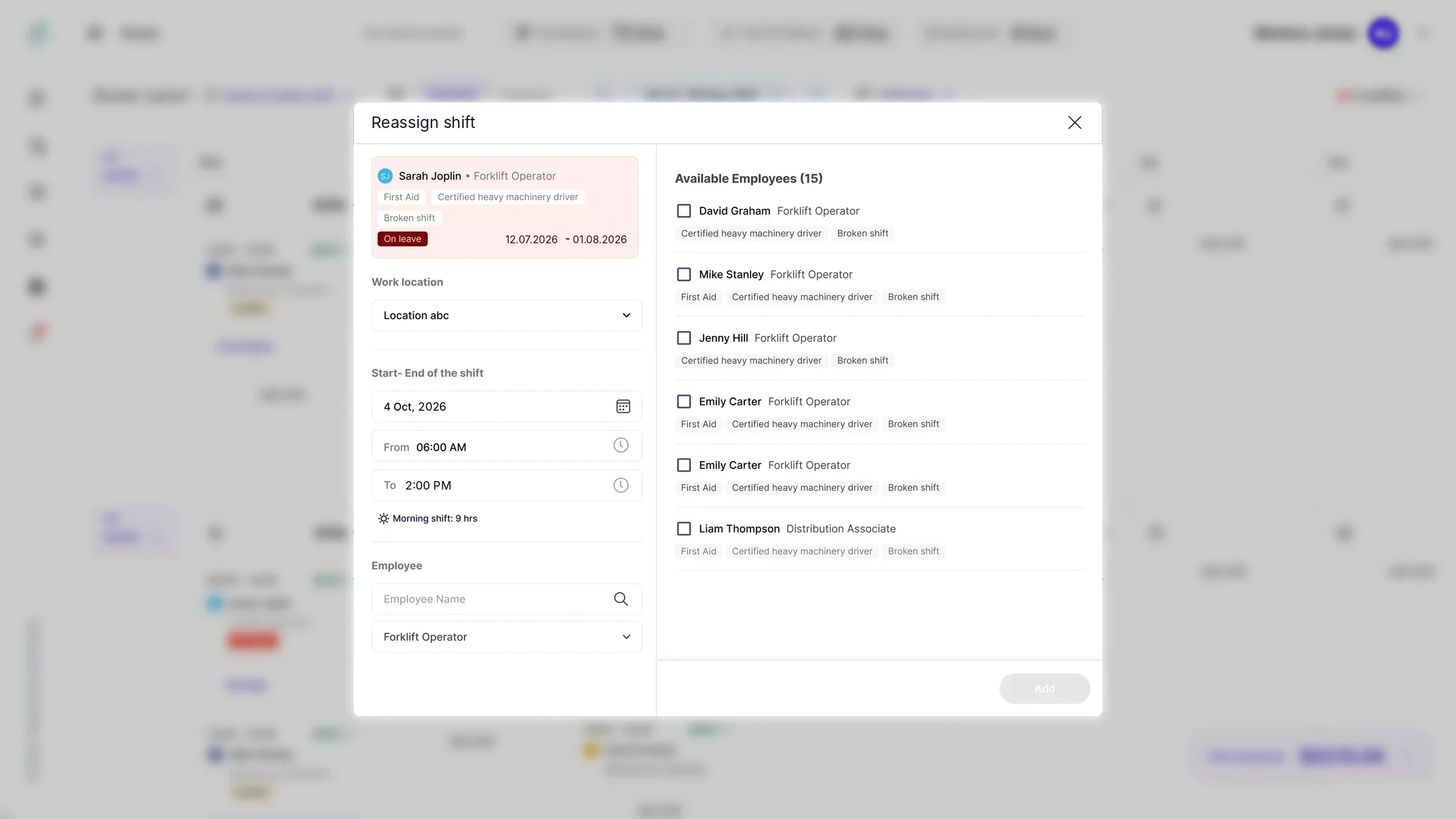
A shift whose worker is on leave is reassigned to available staff with the right skills.
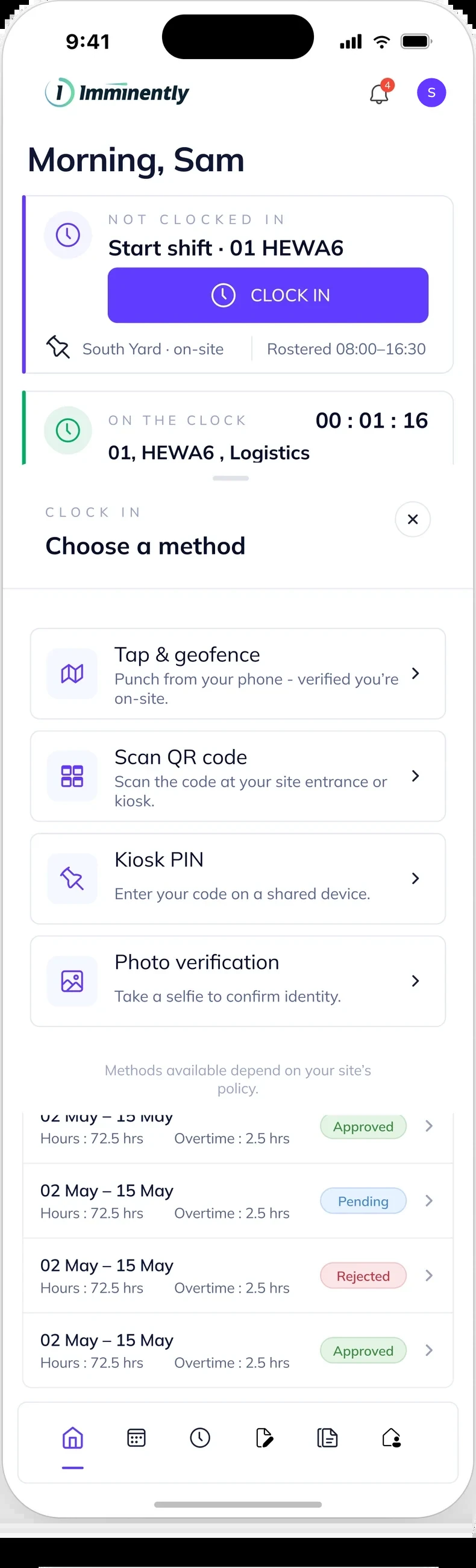
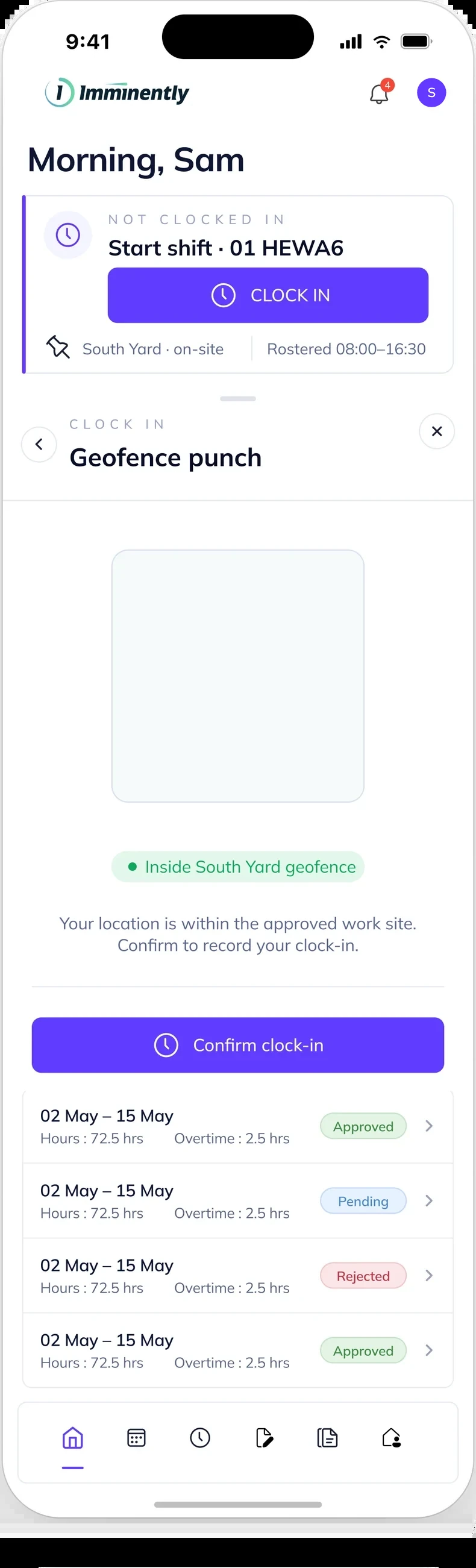
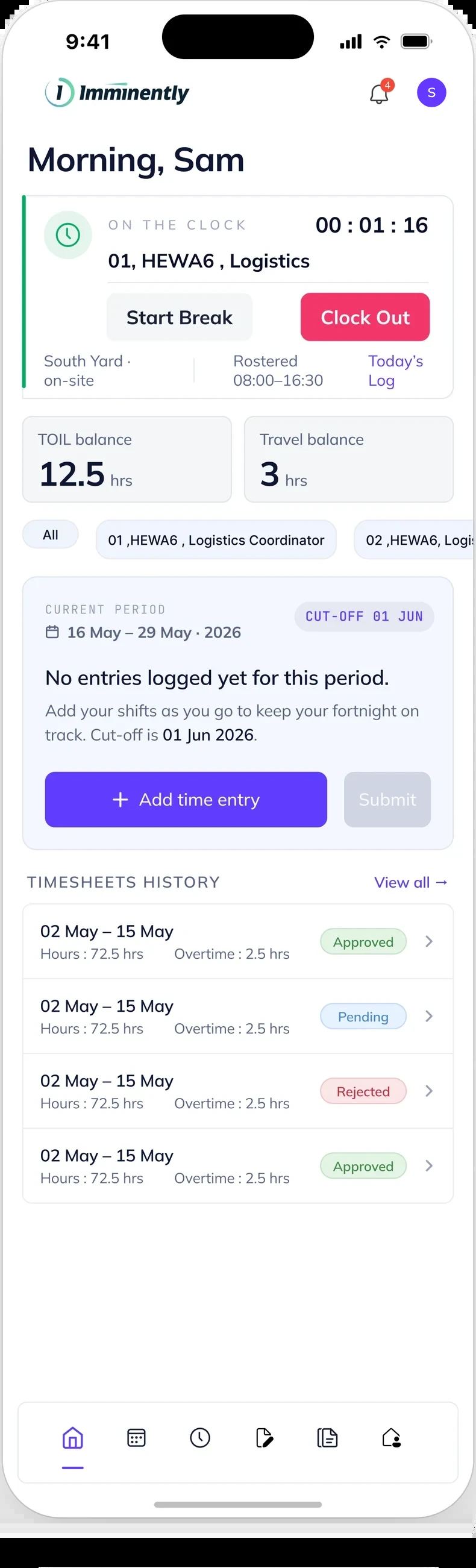
At a client’s home or a residence, the care worker clocks in on their own phone by the method the site’s policy allows, here inside the site’s geofence.
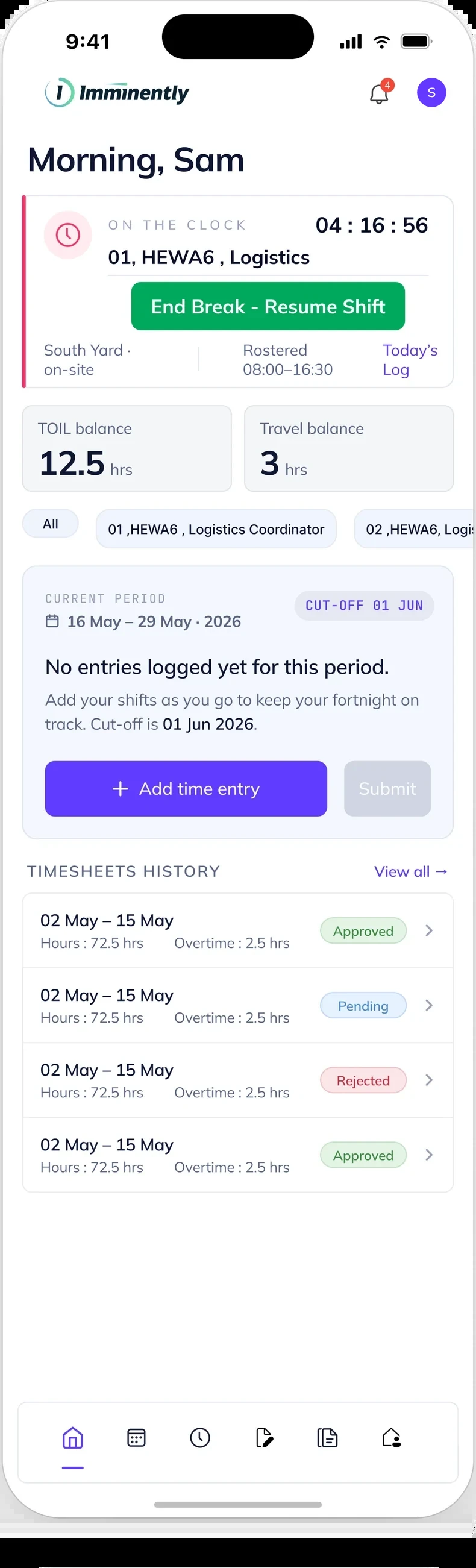
The care worker starts the break in the app, then ends it and resumes the shift.
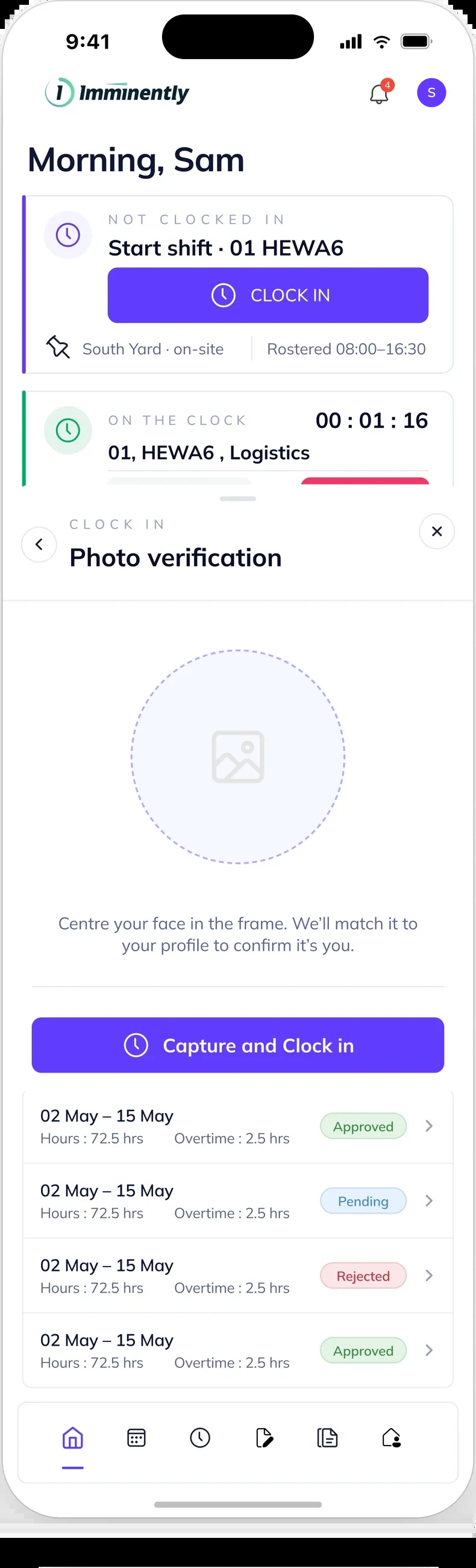
Where the site’s policy requires it, the clock-in is confirmed with a photo matched to the care worker’s profile.
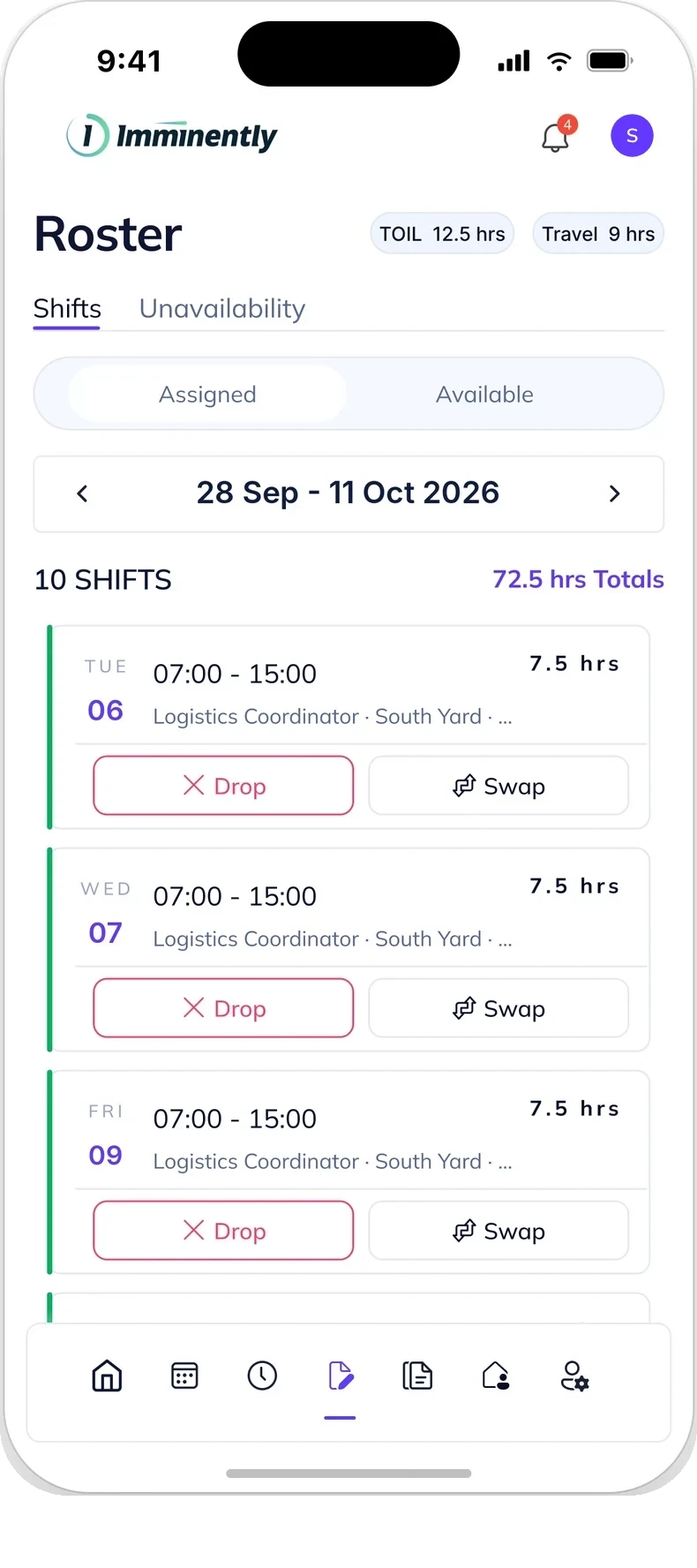
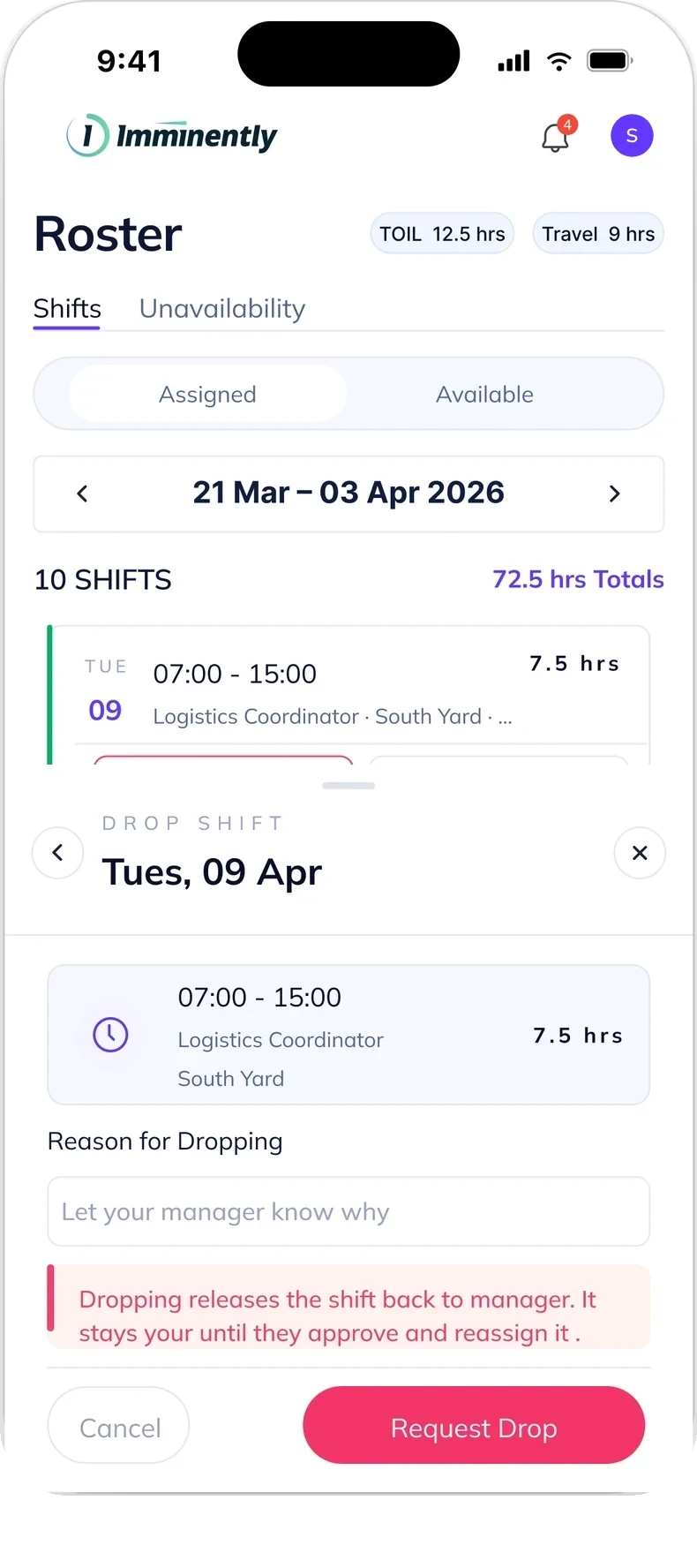
A care worker who cannot work a shift asks to drop it with a reason. It stays theirs until the manager approves and reassigns it.
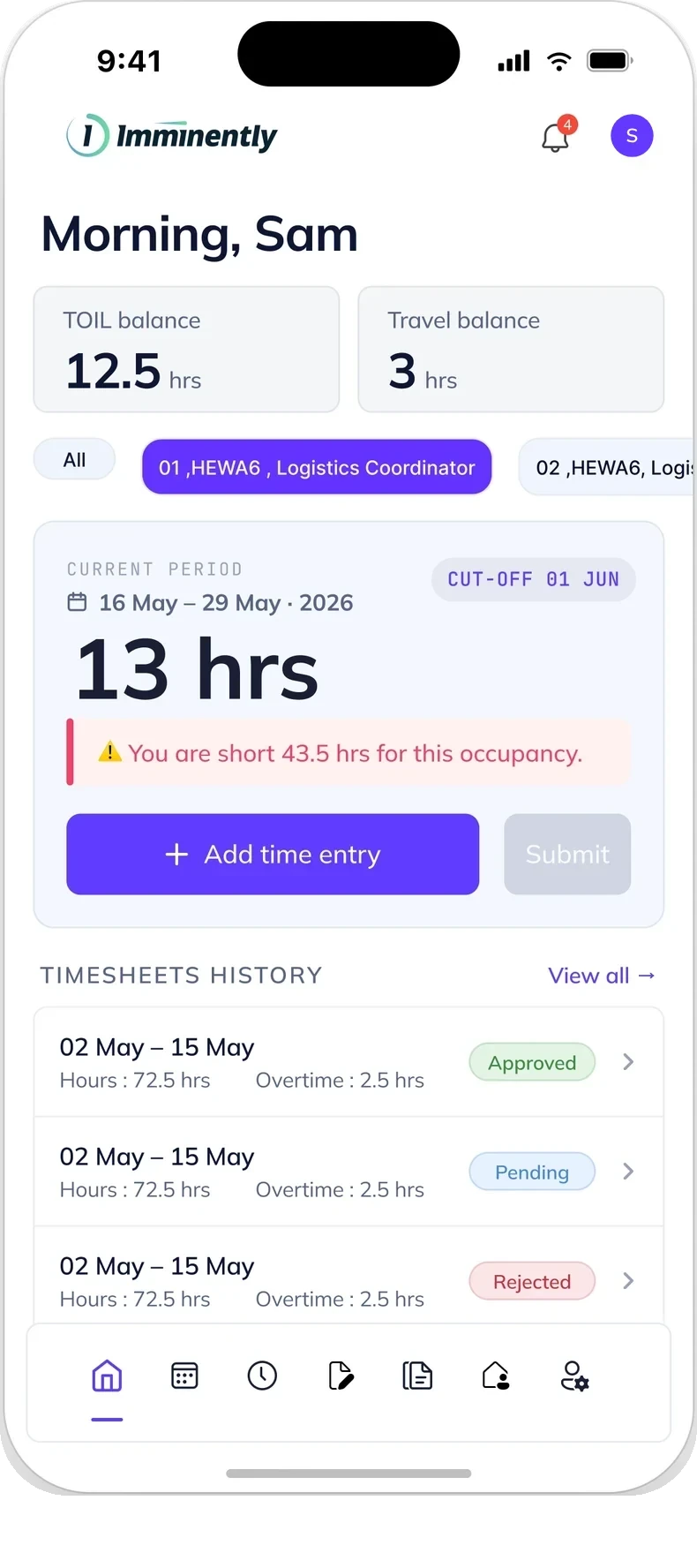
The care worker sees the hours logged for the period and any shortfall for the position, and adds or submits entries before the cut-off.
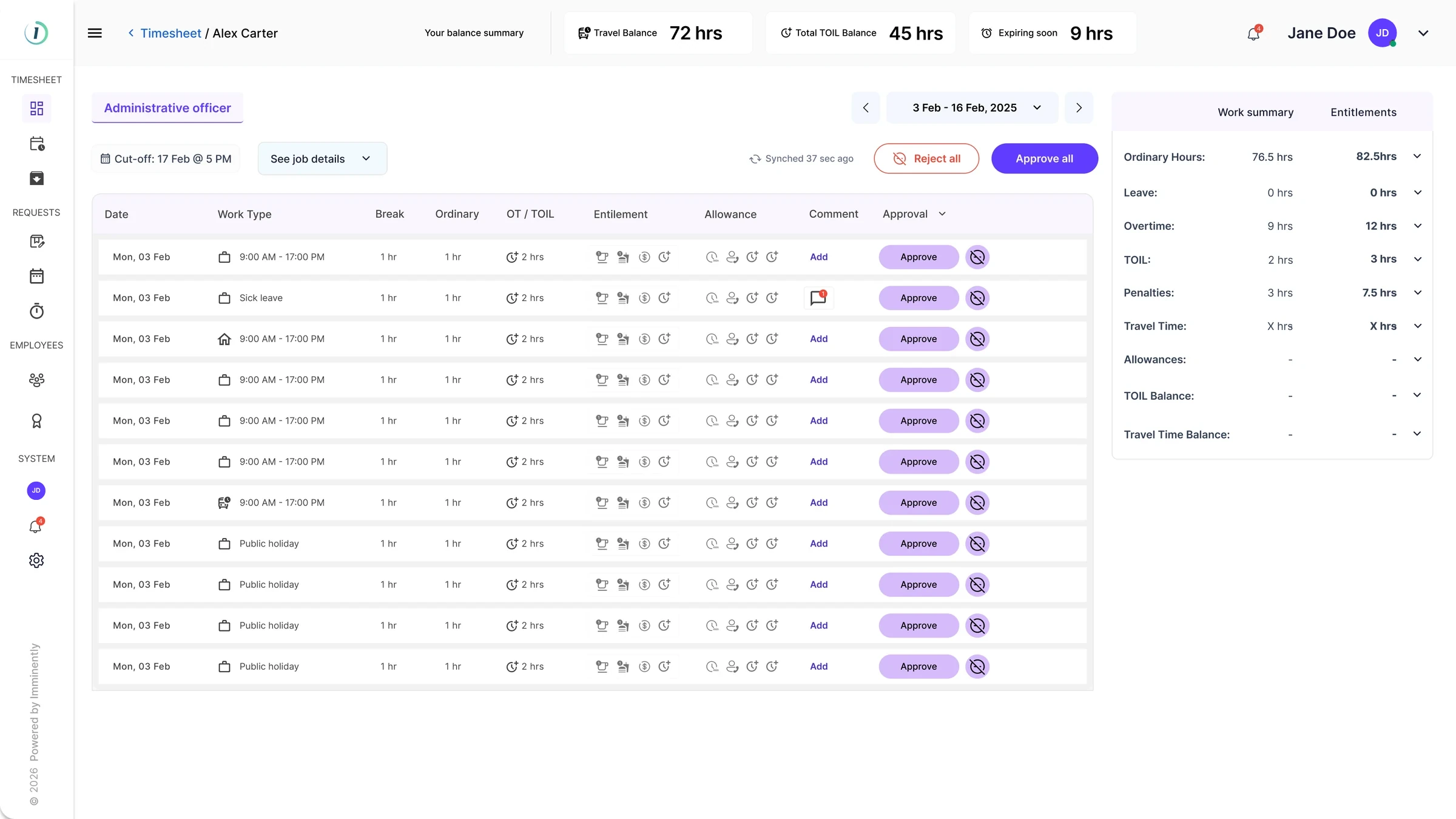
The manager approves line by line, with each entry’s break, ordinary hours, overtime, entitlements and allowances beside it.
People, clients, sites and amounts shown are examples.
We build common roster features once and add roster models for each care setting, with the features, rules and qualifications that setting needs.
Agree the boundaries, owners, governance and the delivery plan.
Map your awards, agreements and settings, and the credentials each requires.
Configure roster models, coverage rules, pay codes and approvals.
Day, evening, night, sleepover and broken-shift scenarios, user acceptance and a parallel pay run.
Go live site by site or setting by setting, on the same tenancy.
Award and agreement changes applied and tested as part of the service.
Our timesheets, with Awards, run at Queensland University of Technology (QUT) for more than 7,000 professional, casual and sessional staff under two enterprise agreements.
Processed with real-time determinations, on Microsoft Azure with horizontal and vertical scaling.
Data processed and stored in Australian data centres, each customer in its own tenancy with separate environments.
We provide, digitise and maintain the in-scope awards and agreements as part of the software outcome.
No. Care records, client billing and funding stay in their own systems. Our product covers who is rostered, what they worked and how they are paid.
Coverage rules hold the requirement for each site and time, count only people whose registration or qualification qualifies, and are configured in the deployment to warn, to require approval or to flag an assignment as invalid before the roster is published.
The sleepover and any work during it are recorded separately, and the award’s allowance and payment for the work are applied.
Yes. The Imminently app on their phone covers rosters, clock in and out, swaps, leave and time entries.
No. Emergency Management is our separate emergency department solution.
Bring a roster with sleepovers and broken shifts and your award. We will show them in our product.