A clearer path to the pay run.
Receive approved, interpreted pay components with the evidence and status needed to reconcile them.
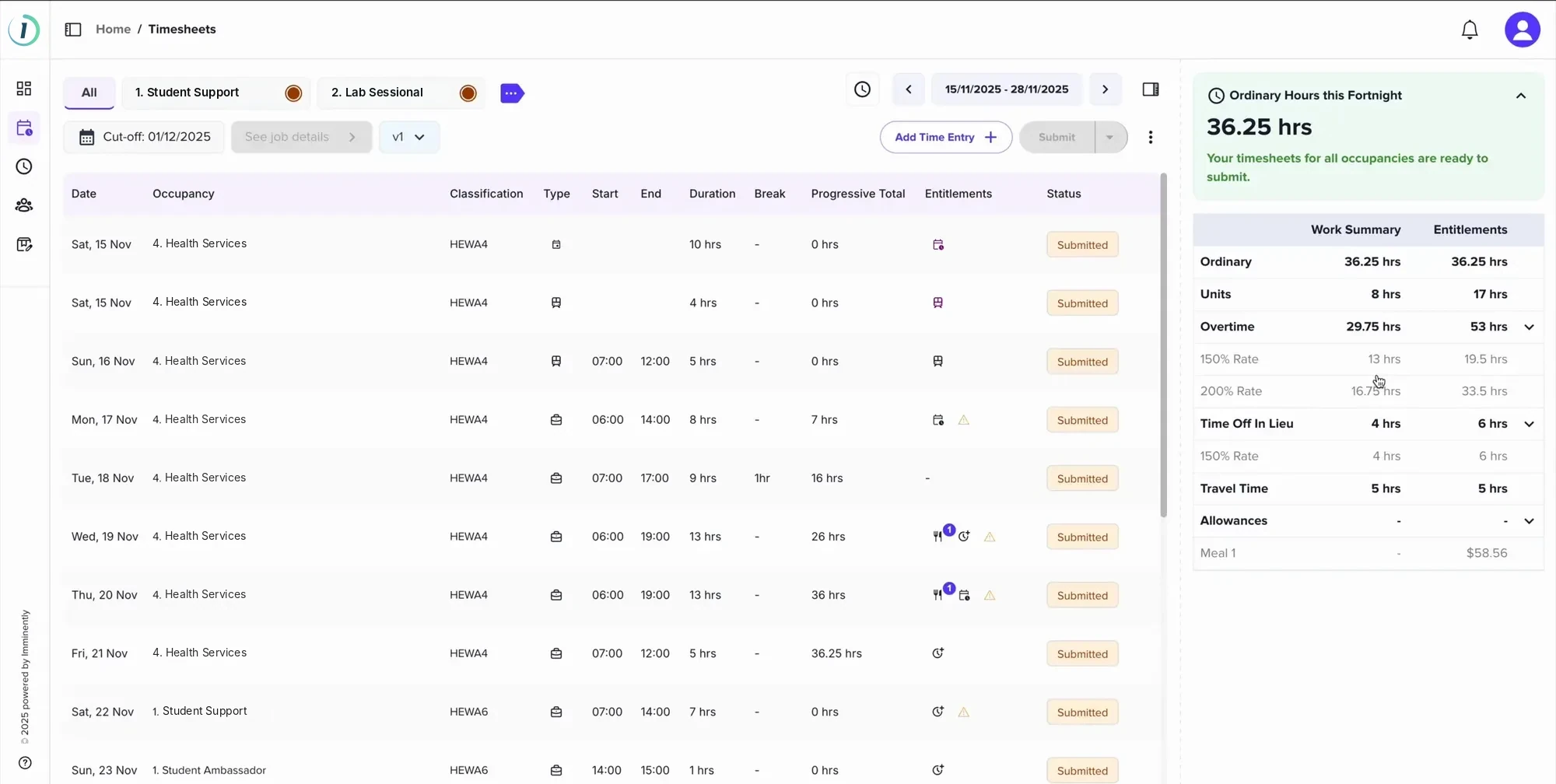
Approve the work, then check every timesheet.
Managers approve line by line with the entitlements beside each entry. Staff are told what was accepted. Payroll sees every timesheet’s status for the period before the pay run.
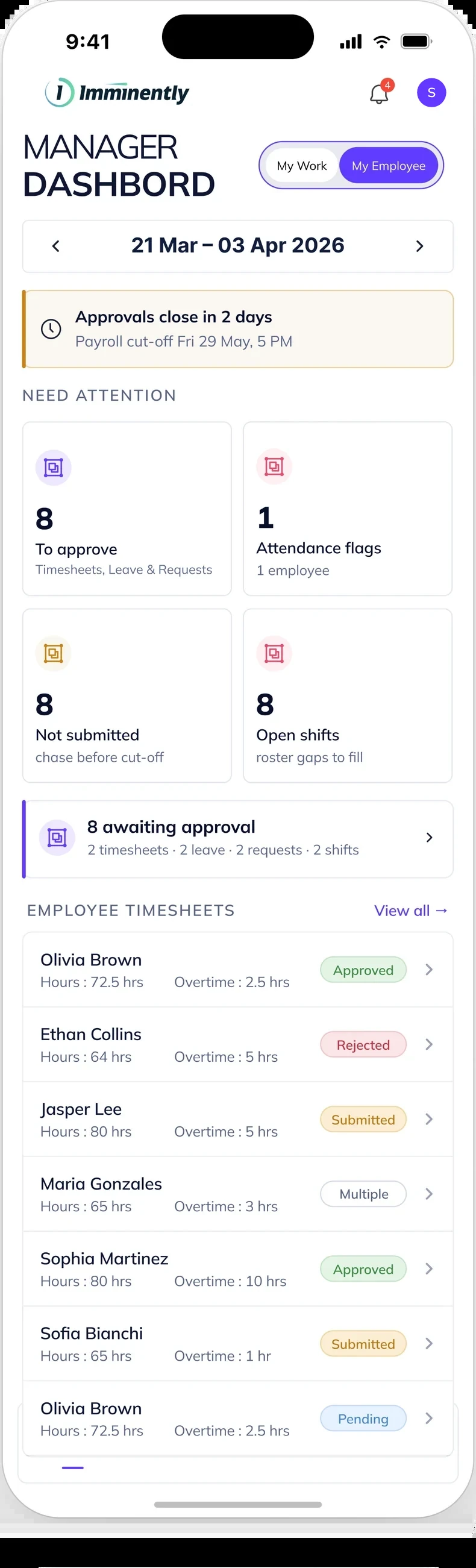
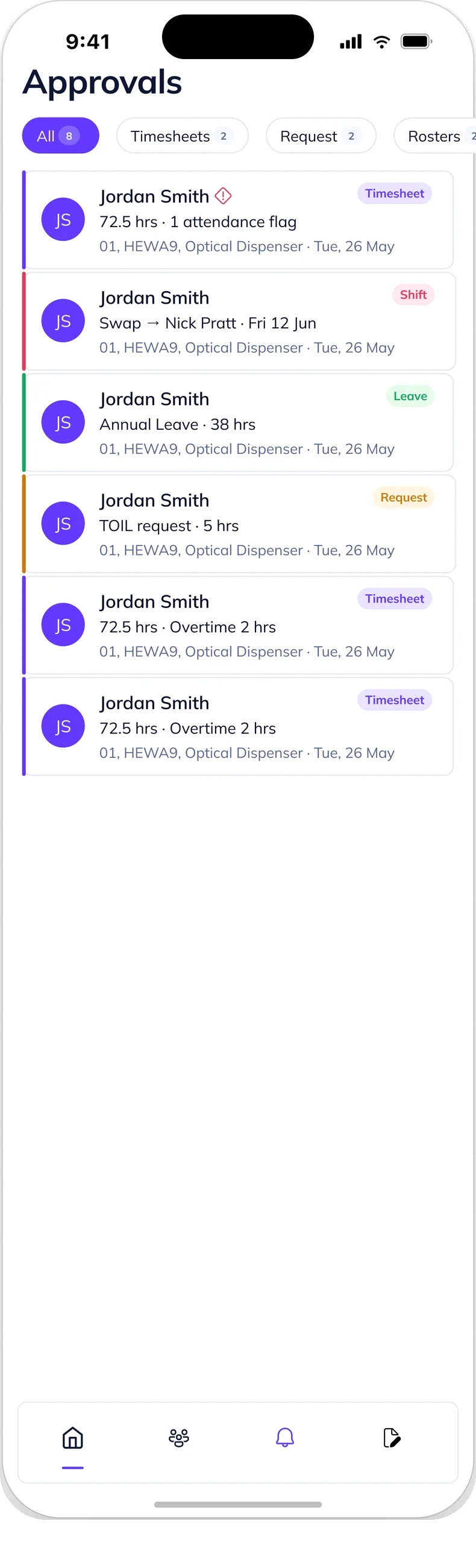
What needs a decision, wherever the manager is.
The manager’s dashboard shows what closes soon, what to approve and attendance flags. One inbox holds timesheets, requests, roster changes and leave.
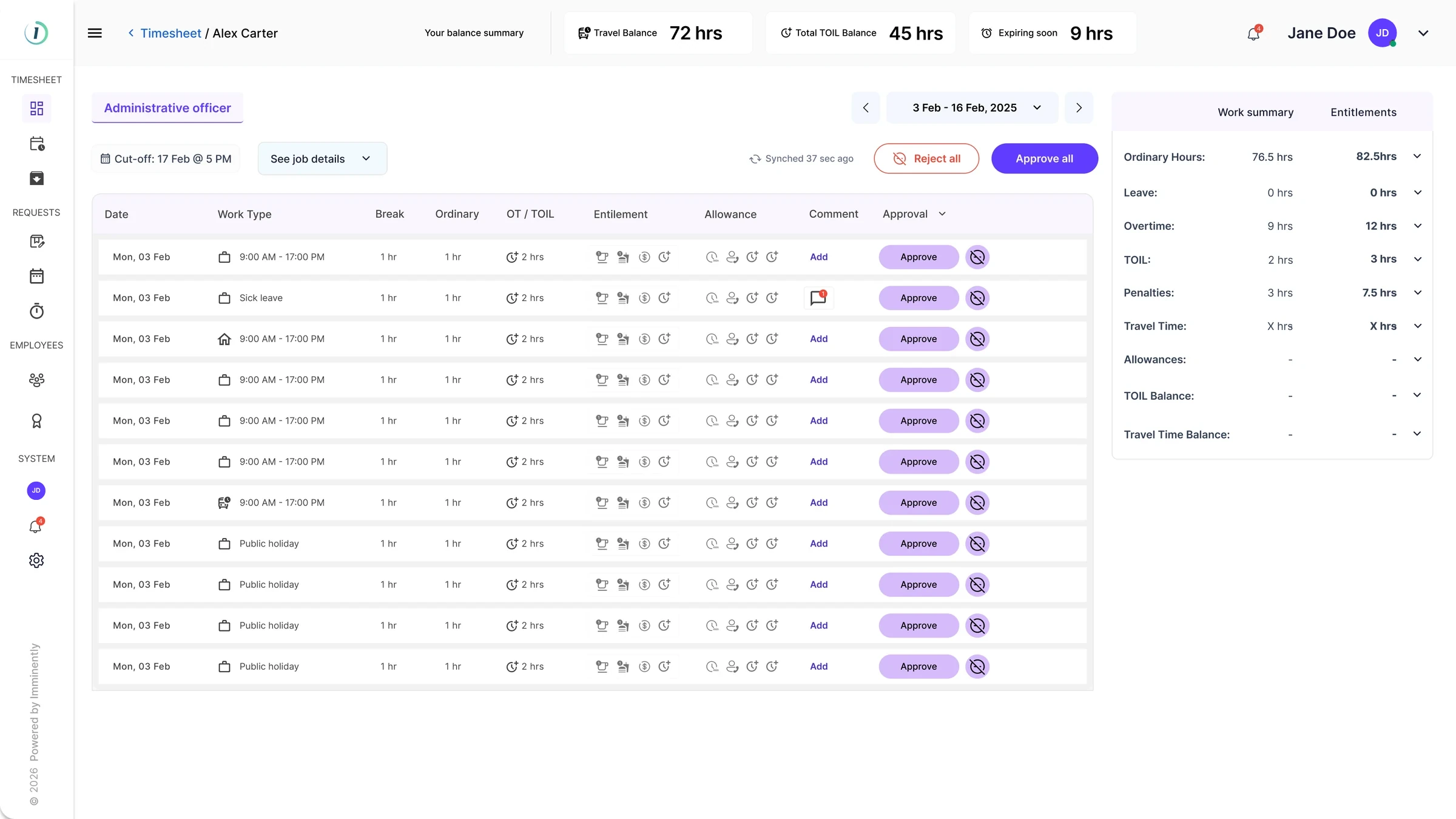
Approve line by line, or all at once.
Each entry shows its work type, break, ordinary hours, overtime or time off in lieu, entitlements and allowances. The work summary and entitlement balances sit beside it.
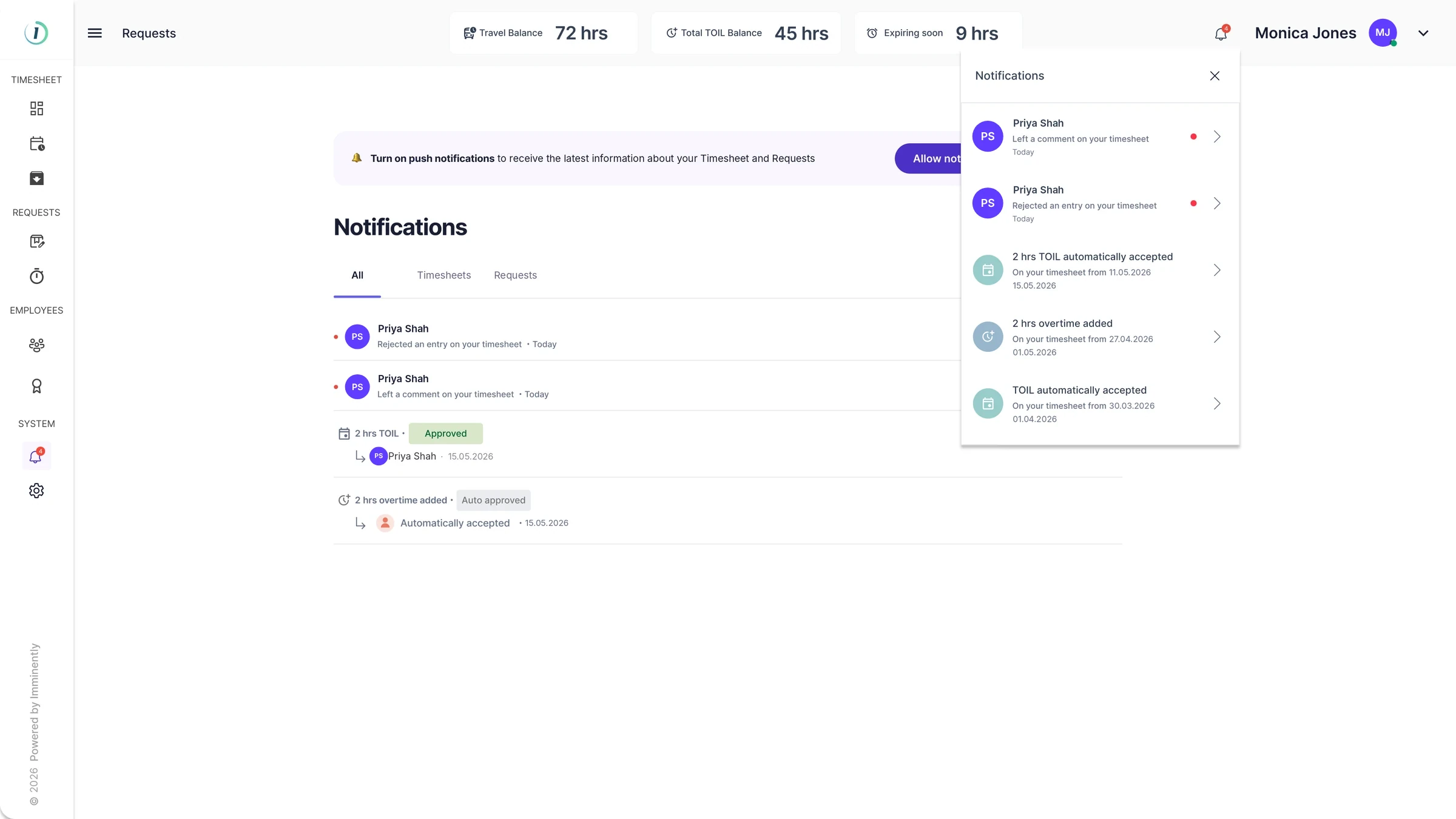
Staff are told what happened.
Notifications tell the employee when time off in lieu or overtime was accepted automatically, or when a manager commented on an entry.
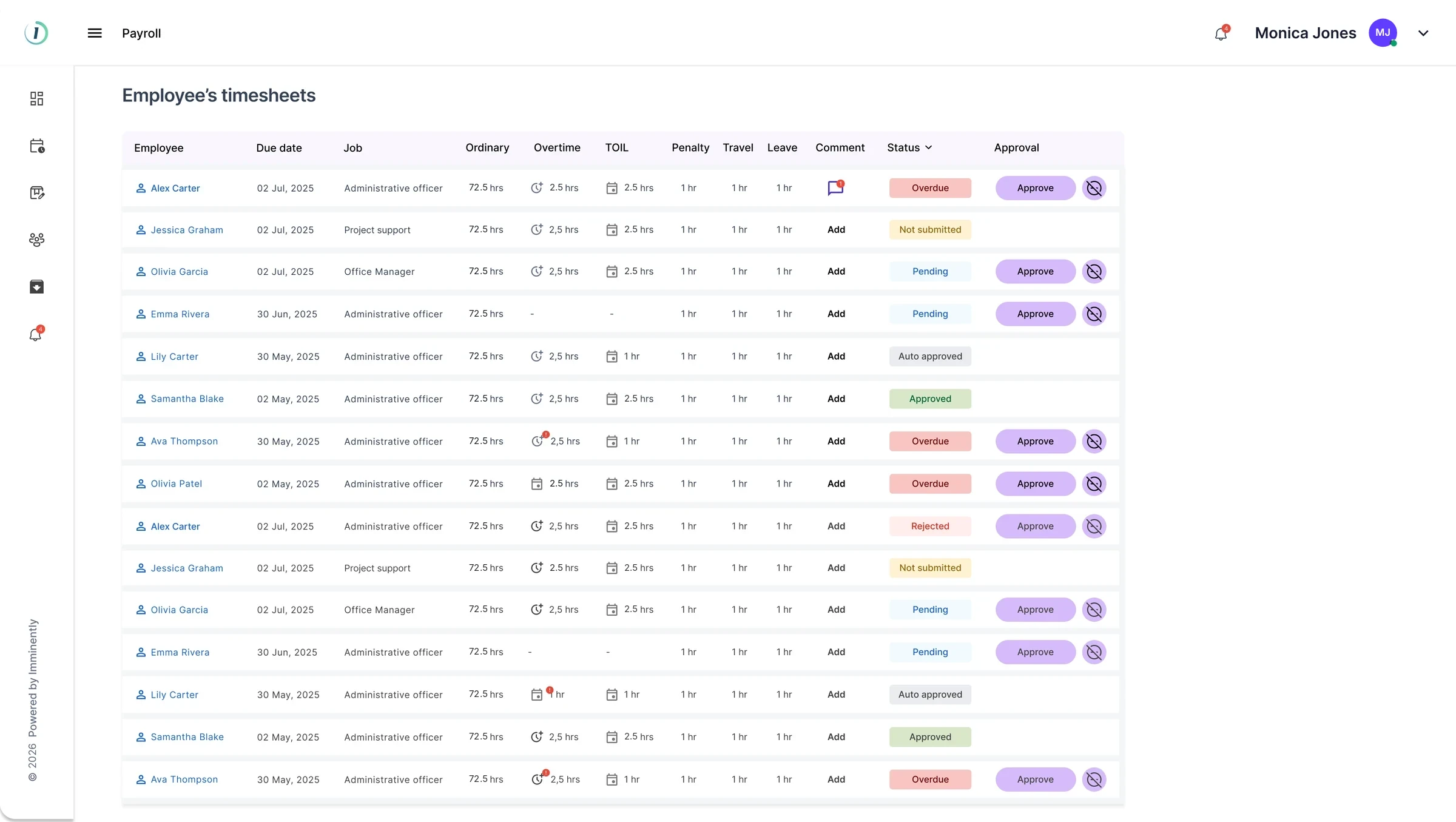
Every timesheet, checked before the pay run.
Payroll sees each employee’s ordinary, overtime, time off in lieu, penalty, travel and leave hours with the status of the timesheet: overdue, not submitted, pending, auto approved, approved or rejected.
People, hours and amounts shown are examples.
Inspect the reasoning behind the result.
- The clause is the starting point.
- Make the path to overtime visible.
- Answer “why this outcome?”
- Maintain the reasoning as the source changes.
A connected process,
with your responsibilities in view.
Map the outcome
Validate pay codes, hours, units, positions and cost allocations before go-live.
Respect auto-pay
Send additional items for auto-paid staff or the agreed full pay lines for arrears-based arrangements.
Watch the hand-off
Monitor approved timesheets, integration processing and exceptions before cut-off.
Handle corrections
Use versioned, line-by-line differences for later adjustments, with historical rules retained.
Go deeper into the product.
Rosters
Plan work with eligibility, coverage and hours in view.
ExploreTimesheets
Capture the facts, surface entitlements and approve the exceptions.
ExploreAwards
Interpret awards, agreements and policies with a clause-linked reasoning trail.
ExploreIntegration
Connect your HR and payroll systems: TechnologyOne through the certified adapter, other systems through open integration.
ExploreYour part of the workflow.
The whole outcome in view.
Each team works with the same record, with access and actions aligned to its responsibilities.
One interpretation across the working week.
Select a stage to see what it contributes.
01 / InputInstruments and effective dates
Awards, agreements and configured policies define the rules that apply to the work.
02 / InputPeople and actual work
HR context, appointments, rosters, leave and recorded time supply the relevant facts.
Plan. Capture. Interpret.
Connect the planned week and the actual work to the applicable instruments.
Source-linked · date-effective03 / OutcomeApproved pay components
Return approved hours, units, allowances and costs to the payroll and finance process.
04 / OutcomeAn explainable record
Retain the facts, approval history and reasoning behind the entitlement.
Instruments, interfaces and approval responsibilities are agreed for each implementation.
Bring your most complex working week.
See how your instruments, work patterns and payroll fit together in Imminently.