The context to make the call.
Bring service coverage, staffing eligibility and attendance exceptions into the decisions you make.
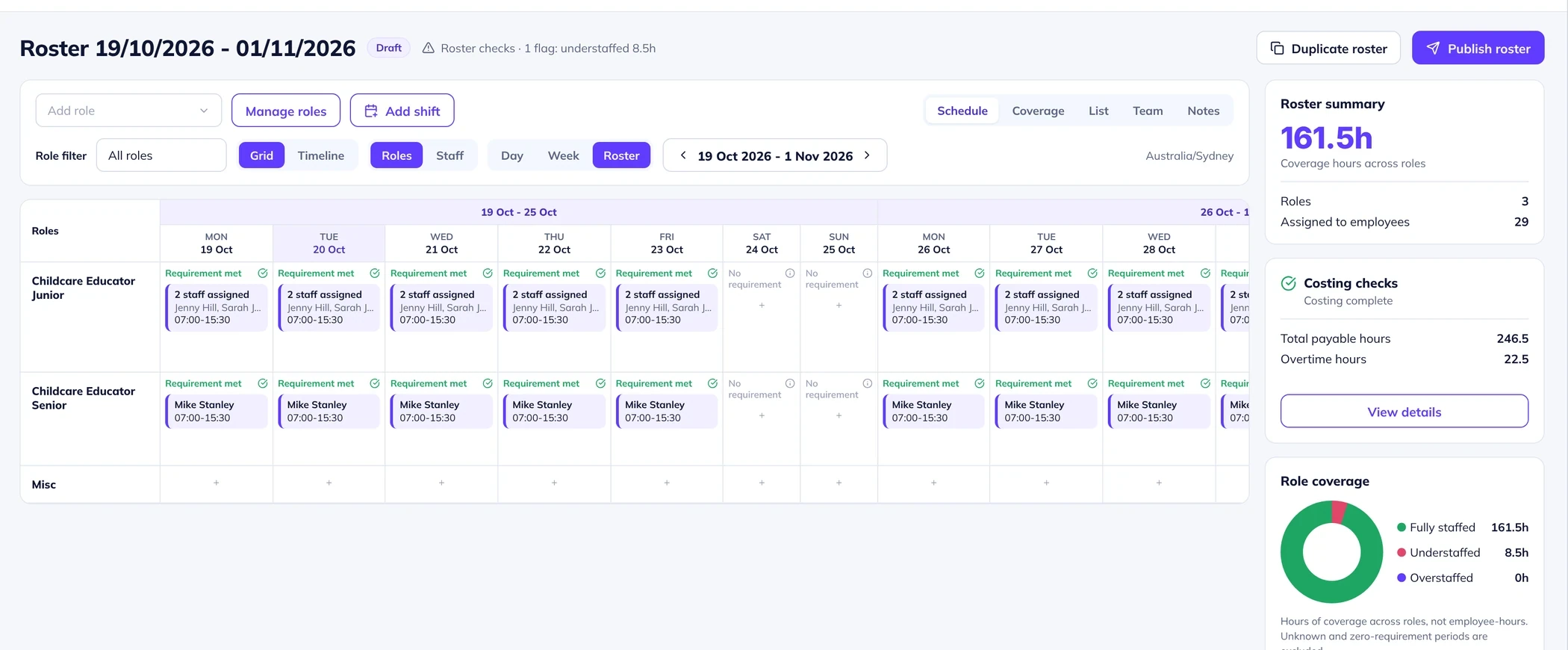
Fill a short shift, with only qualified staff.
A two-week draft roster by role. Coverage is checked against the staff each role requires and the capabilities they must hold, so an unqualified assignment is flagged as invalid before the shift is saved.
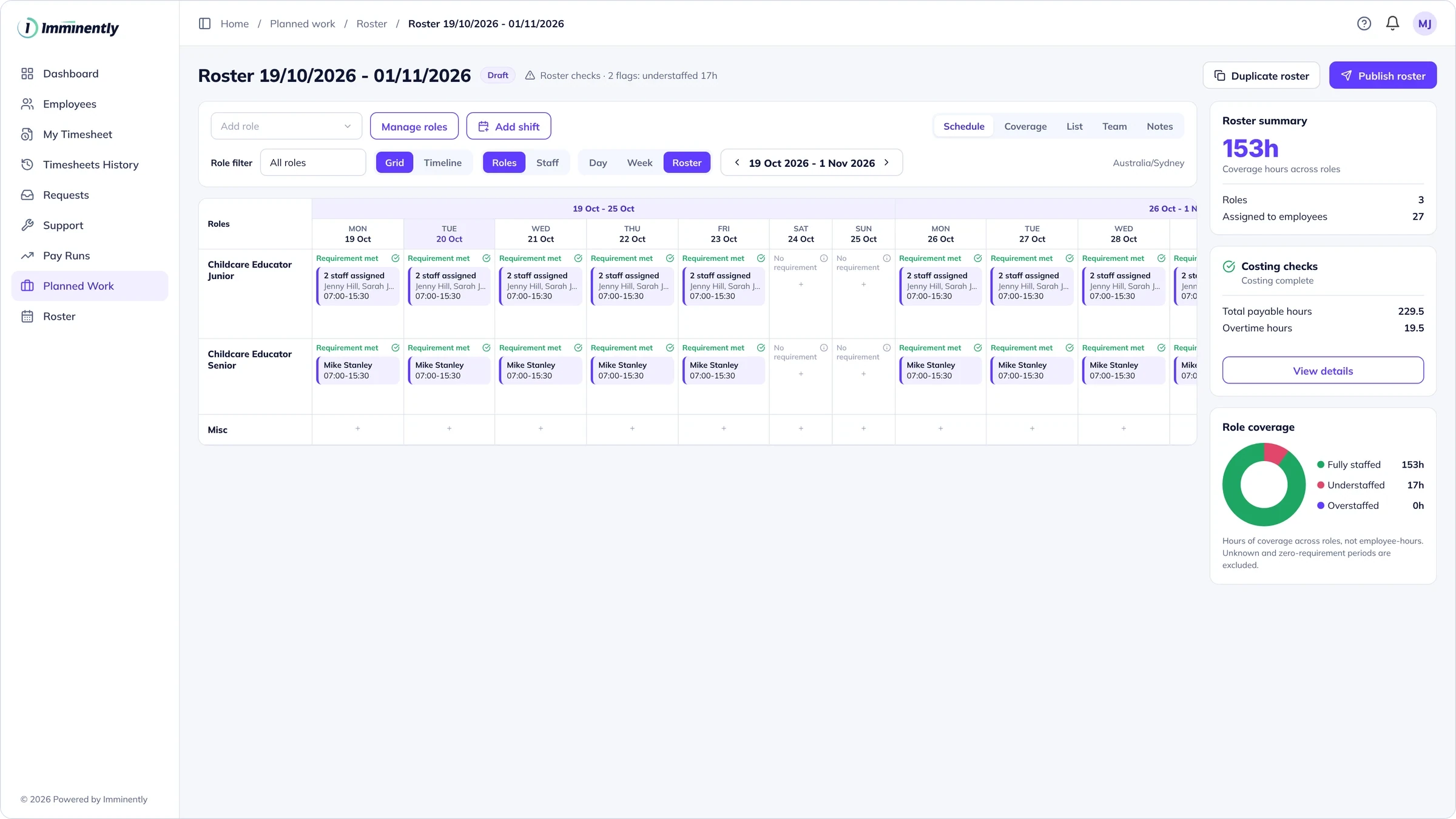
Each day shows whether the requirement is met.
A two-week draft roster by role. Friday 30 October is understaffed. The summary shows shift hours, payable hours, overtime and role coverage.
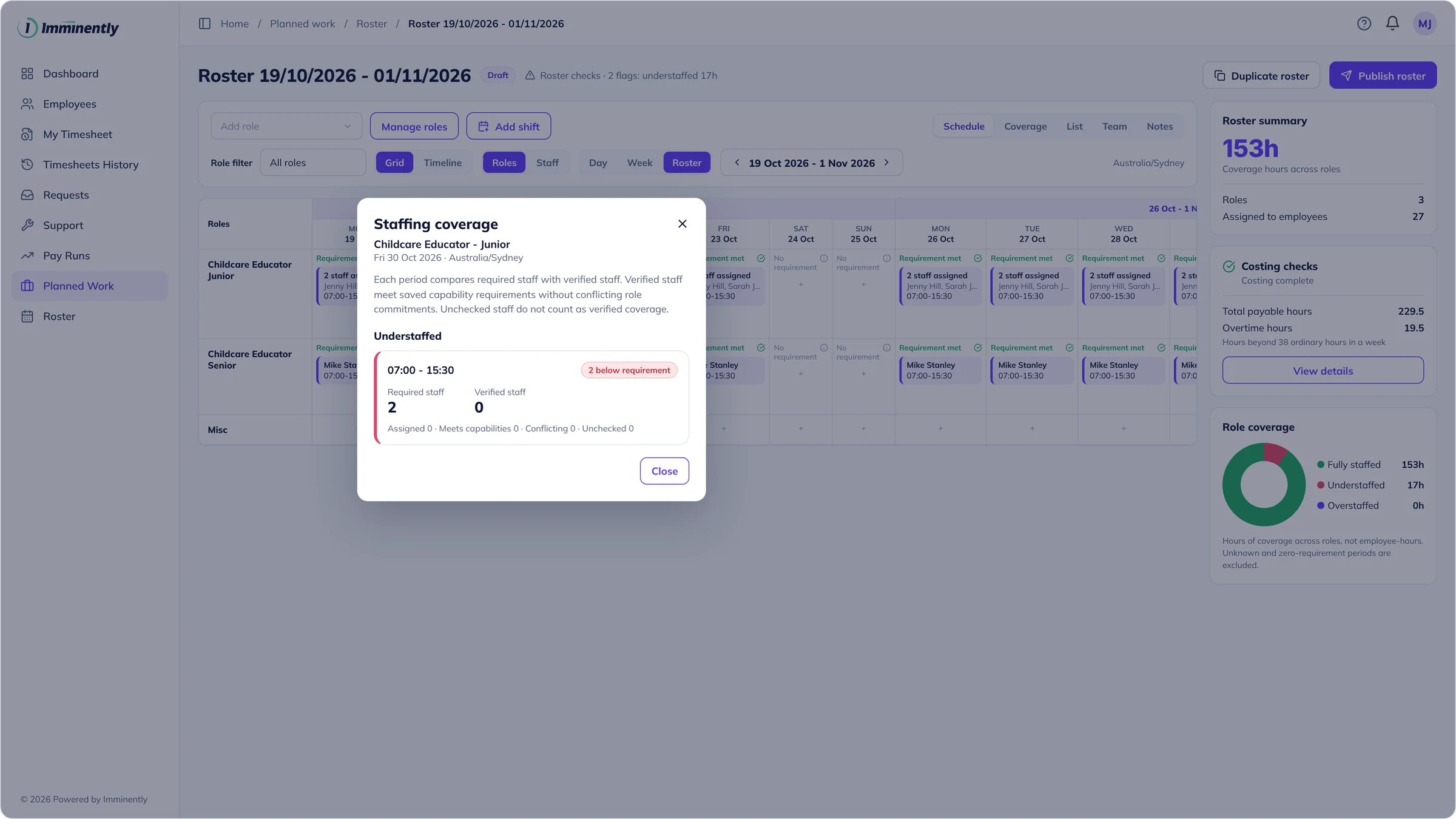
Open the day to see why.
Two staff are required for the junior role from 07:00 to 15:30, and none is verified.
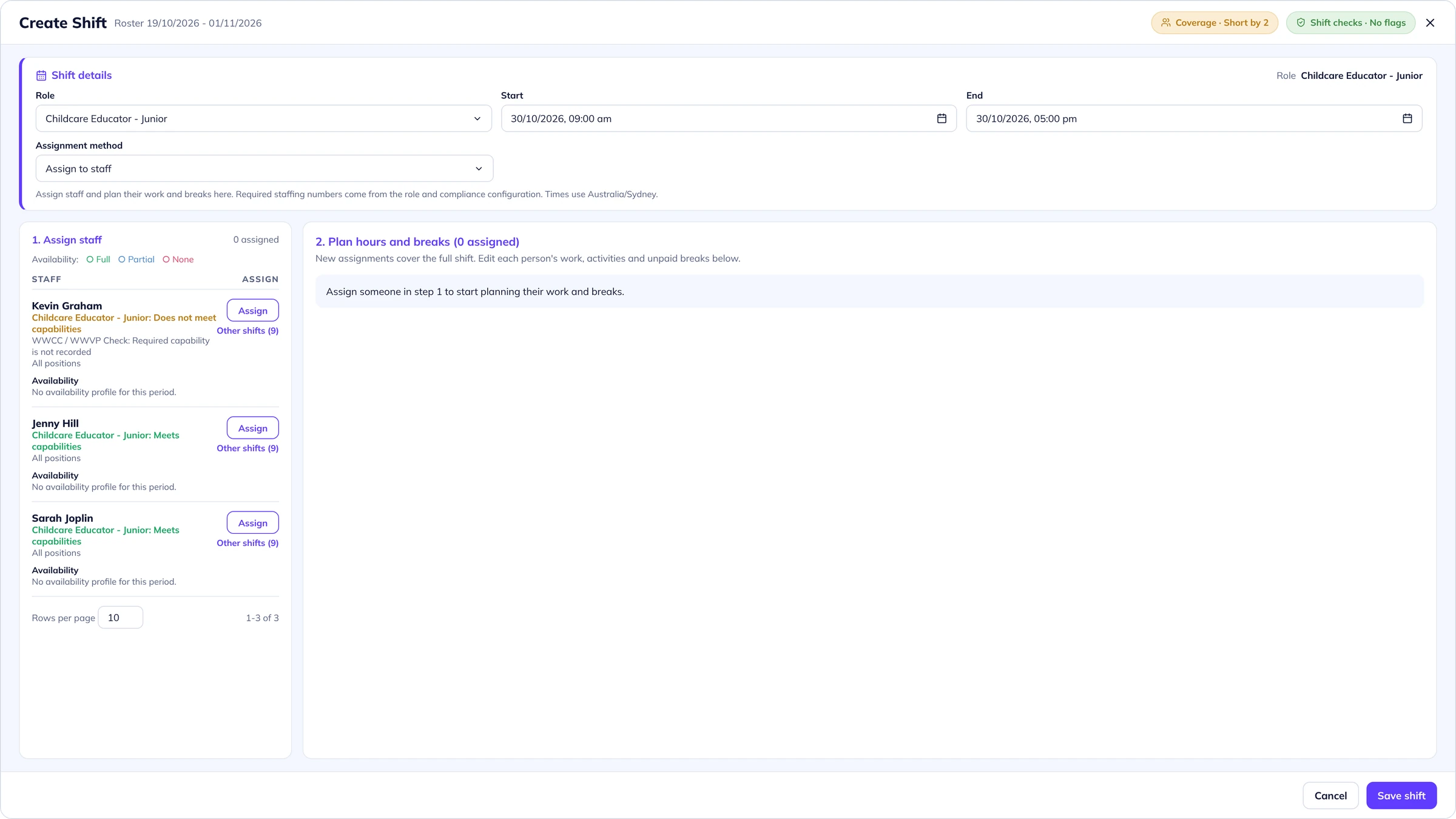
Each person is checked as they are assigned.
Create Shift for the role. Every person is checked against the role’s required capabilities as they are assigned.
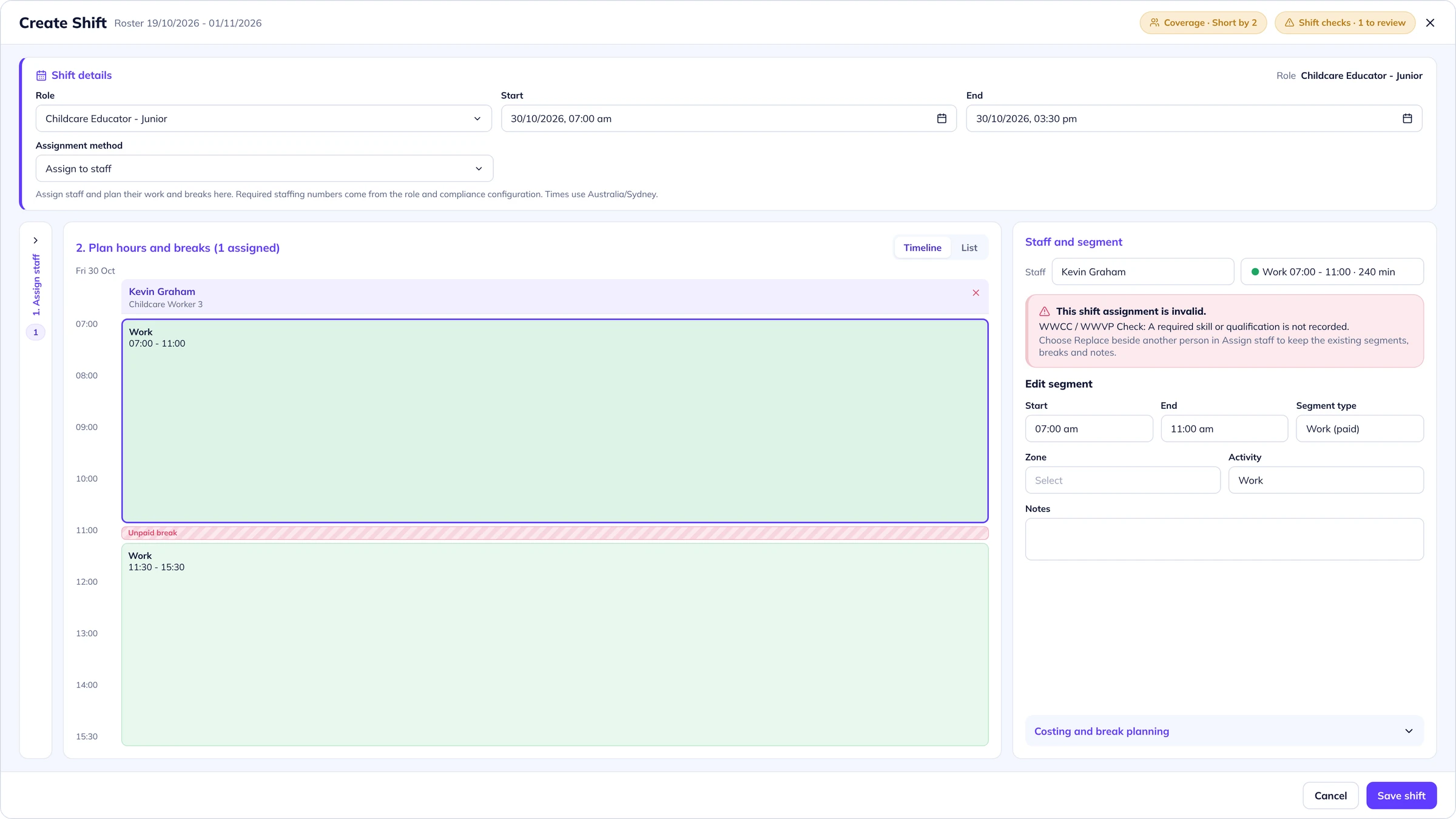
An unqualified assignment is flagged as invalid.
Assigning someone without a recorded Working with Children Check is flagged as invalid before the shift is saved, with the way to fix it.
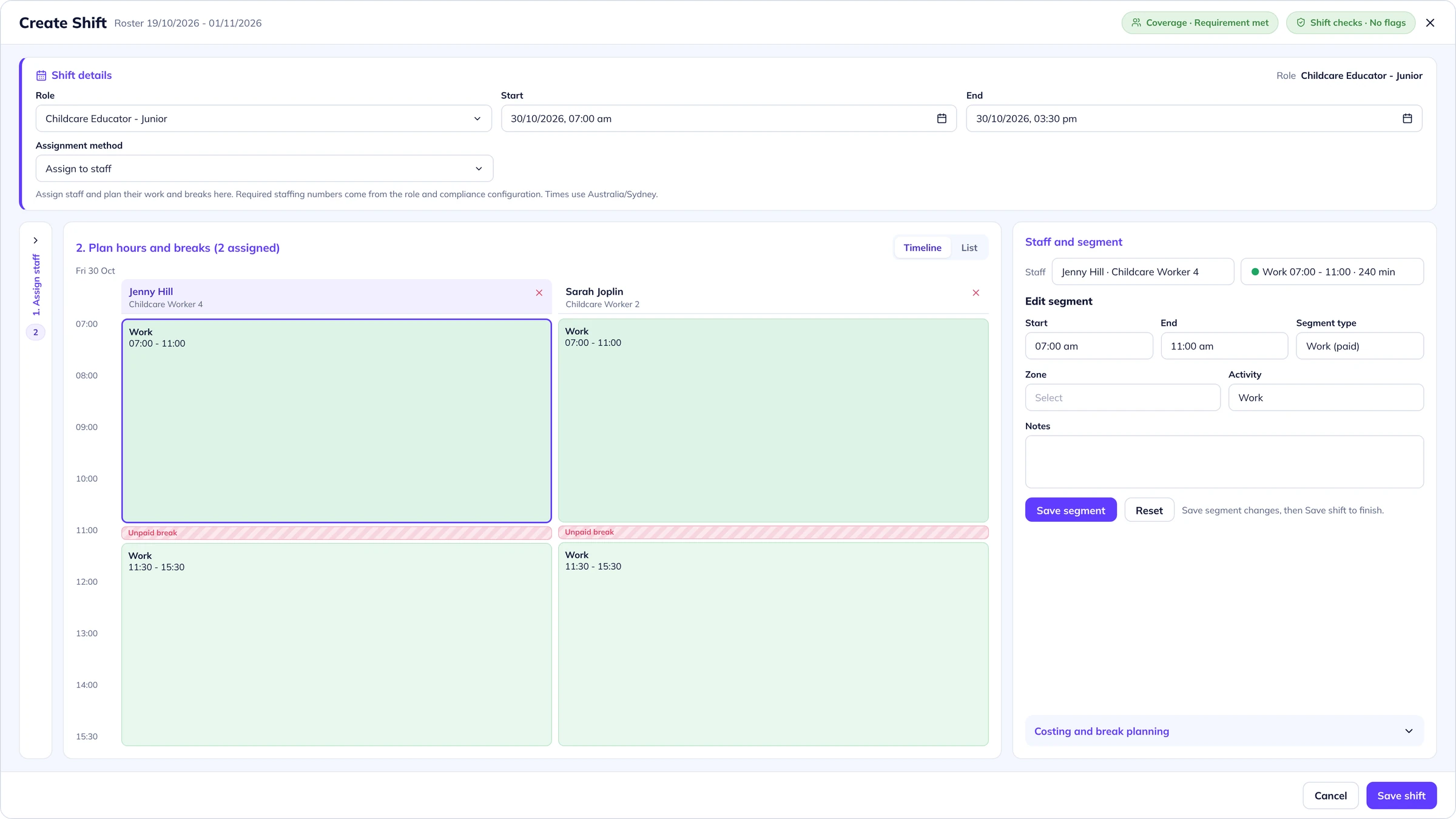
Plan the work and the break.
Two qualified staff are assigned. Work segments and the unpaid break are planned on a timeline, and coverage now shows the requirement met.
Our product’s roster. People and roles shown are examples.
Publish with the warnings answered. Approve swaps in context.
Publishing a roster with gaps or issues asks for a reason, kept with the warnings in the publish history. A swap reaches the manager only after the colleague accepts, with what the manager needs to decide.
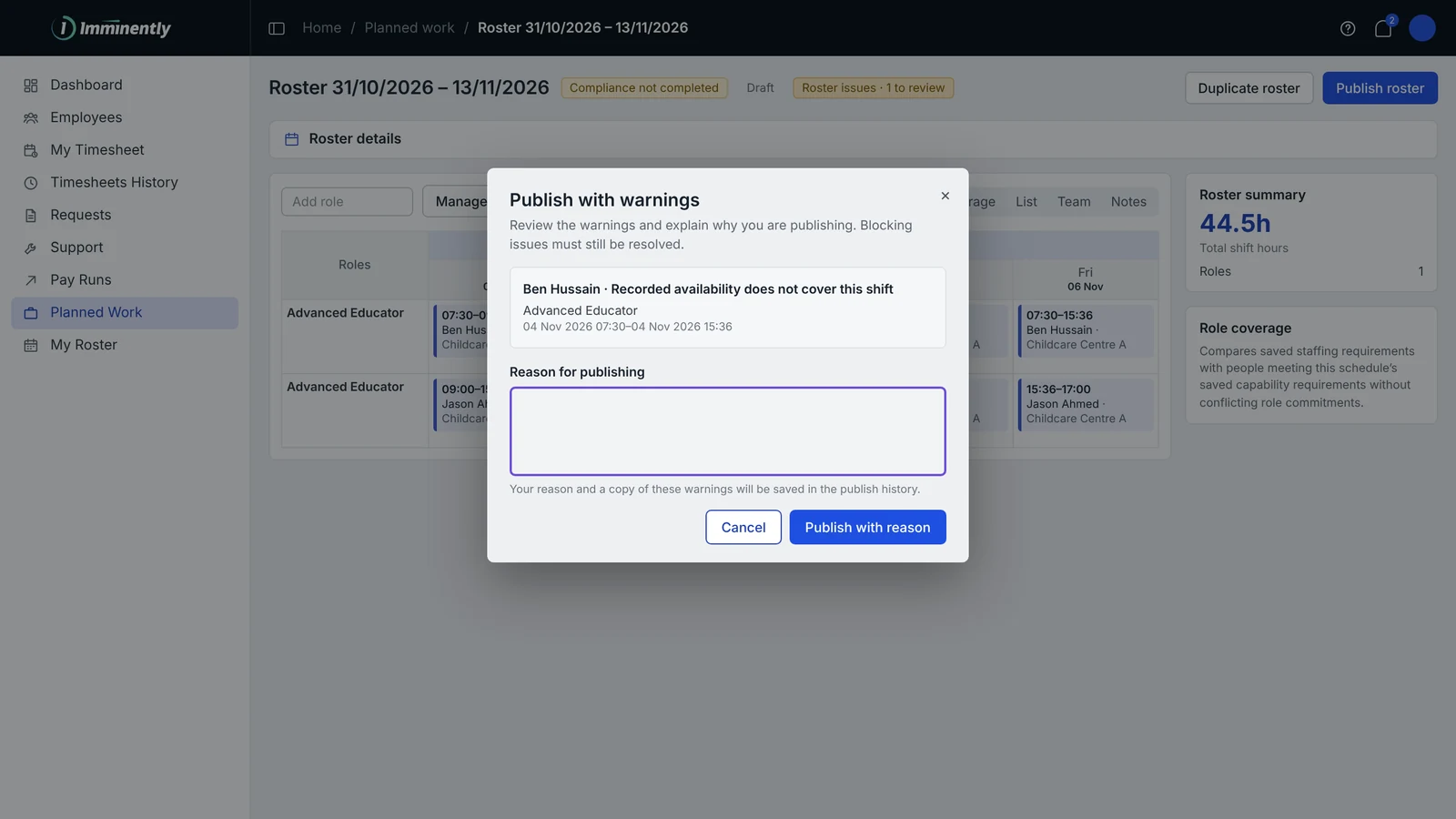
Publish, with any warning answered.
Before the roster goes out, the manager sees what is still to review. Here Ben’s recorded availability does not cover Wednesday’s shift, so publishing asks for a reason. The reason and a copy of the warning are saved in the publish history, and blocking issues must still be resolved.
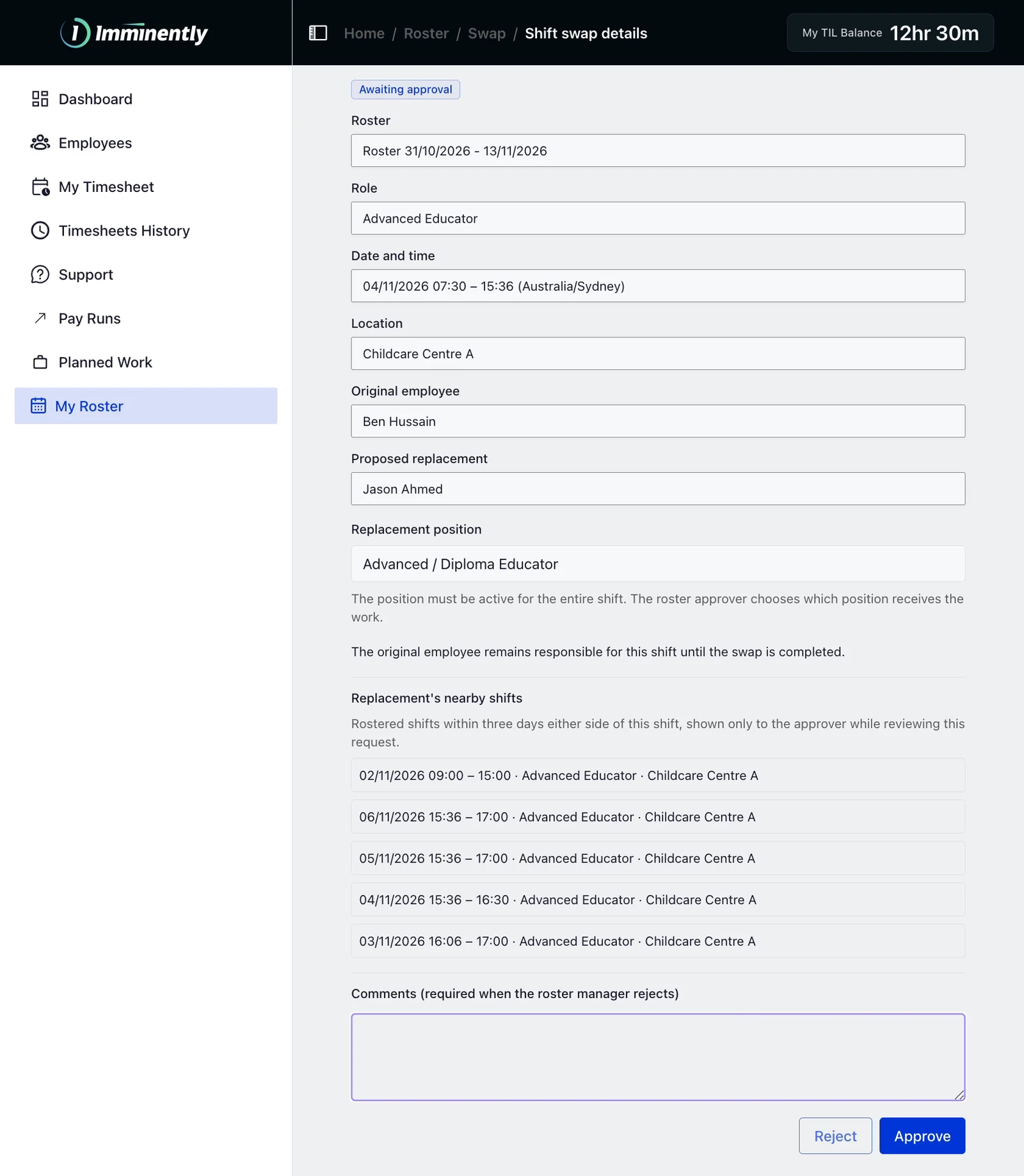
Nothing changes until the manager approves.
The manager sees the swap with the position Jason would work it in, which must be active for the whole shift, and Jason’s rostered shifts within three days either side, shown only to the approver. The manager approves or rejects it, and a comment is required to reject.
Our product’s roster. People, shifts and locations shown are examples.
From the queue to the decision.
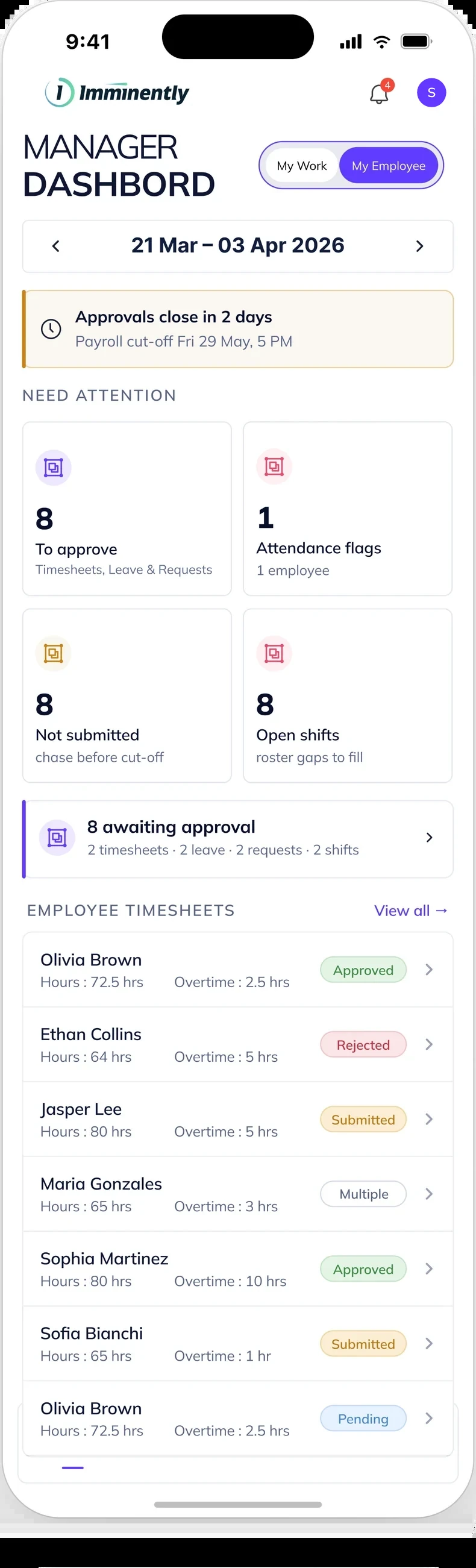
See what needs attention.
The manager’s dashboard shows the approvals closing soon, items to approve, attendance flags, timesheets not yet submitted and open shifts.
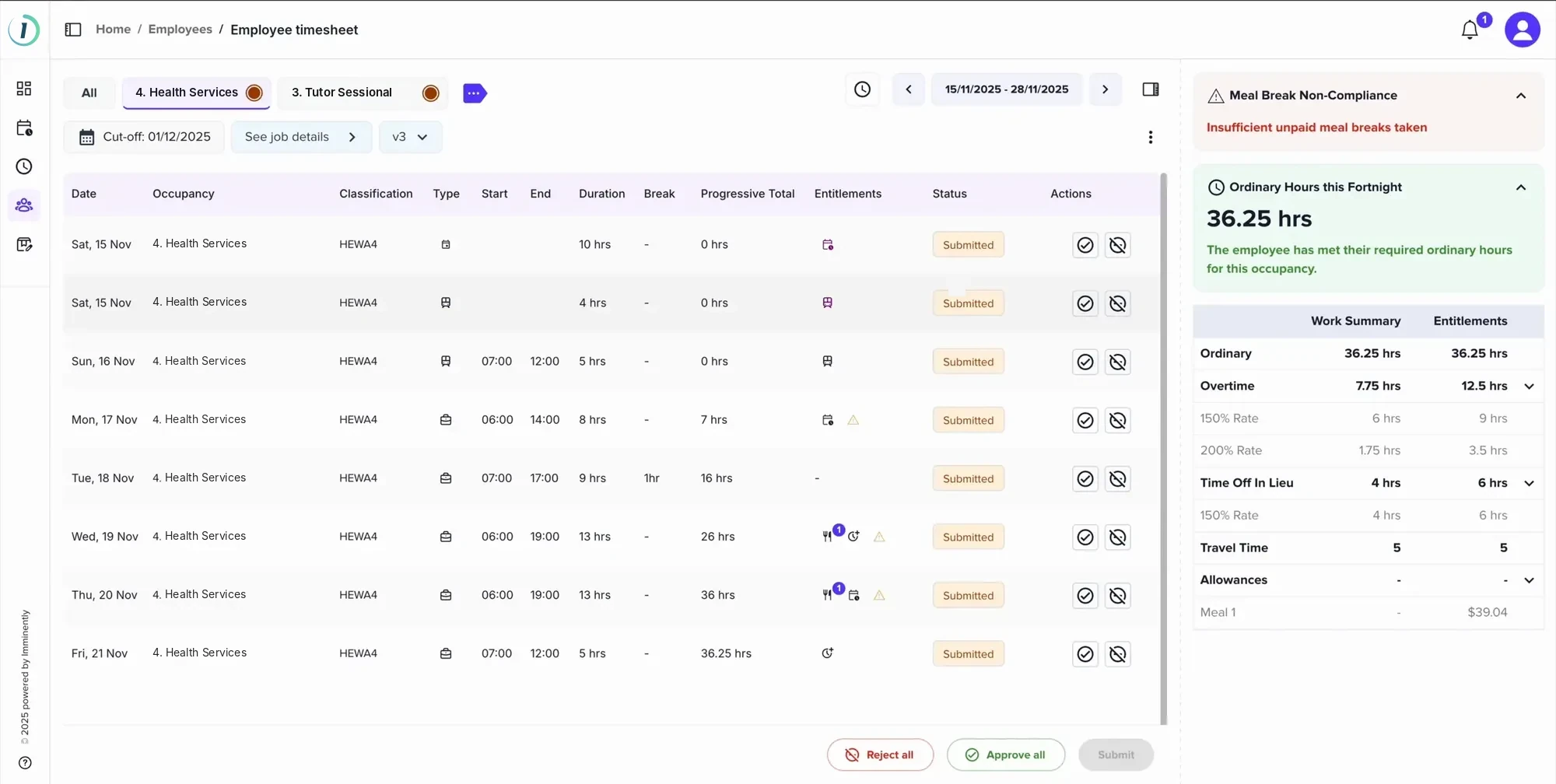
Review time with its interpreted outcome.
The manager inspects the working record and the entitlement summary before acting.
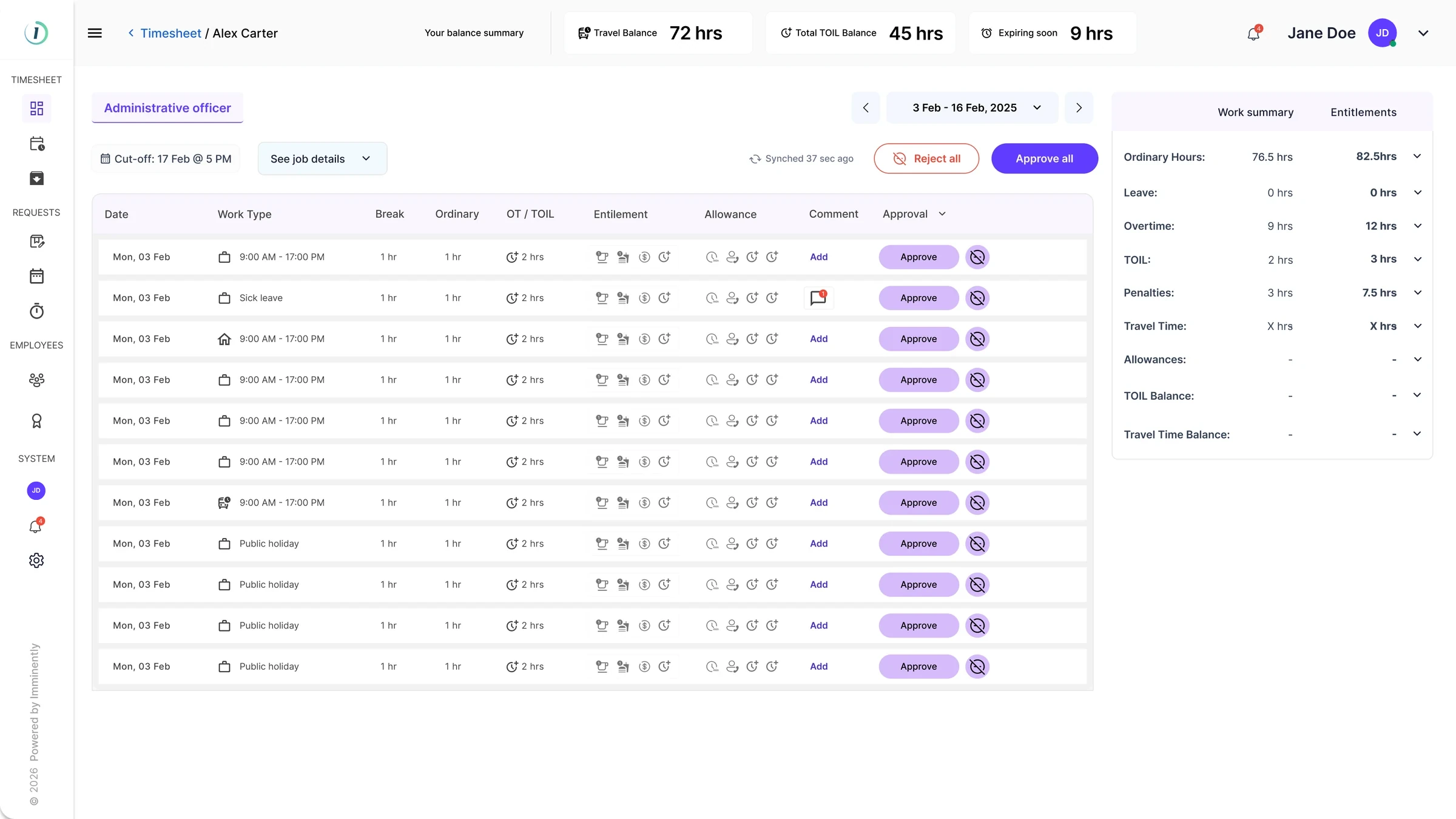
Keep the decision with the record.
Approve each entry, approve all, or reject an entry that needs correction with a comment. Each approval creates a new timesheet version.
Approval routing, delegation and available actions depend on the agreed configuration.
A connected process,
with your responsibilities in view.
Plan the service
Use role requirements, coverage and each person’s qualifications and availability to build a workable roster.
Manage change
Review availability, leave and variations, with notice and approval controls.
Approve in context
Compare actual and planned work, including pay impact and required justifications.
Maintain accountability
Use delegated permissions, escalation and versioned approvals.
Go deeper into the product.
Rosters
Plan work with eligibility, coverage and hours in view.
ExploreTimesheets
Capture the facts, surface entitlements and approve the exceptions.
ExploreAwards
Interpret awards, agreements and policies with a clause-linked reasoning trail.
ExploreIntegration
Connect your HR and payroll systems: TechnologyOne through the certified adapter, other systems through open integration.
ExploreYour part of the workflow.
The whole outcome in view.
Each team works with the same record, with access and actions aligned to its responsibilities.
One interpretation across the working week.
Select a stage to see what it contributes.
01 / InputInstruments and effective dates
Awards, agreements and configured policies define the rules that apply to the work.
02 / InputPeople and actual work
HR context, appointments, rosters, leave and recorded time supply the relevant facts.
Plan. Capture. Interpret.
Connect the planned week and the actual work to the applicable instruments.
Source-linked · date-effective03 / OutcomeApproved pay components
Return approved hours, units, allowances and costs to the payroll and finance process.
04 / OutcomeAn explainable record
Retain the facts, approval history and reasoning behind the entitlement.
Instruments, interfaces and approval responsibilities are agreed for each implementation.
Bring your most complex working week.
See how your instruments, work patterns and payroll fit together in Imminently.