Understand your working week.
Know your shifts and confirm them, clock in on your own phone, iOS or Android, swap or drop a shift, request leave and see your entitlements in context.
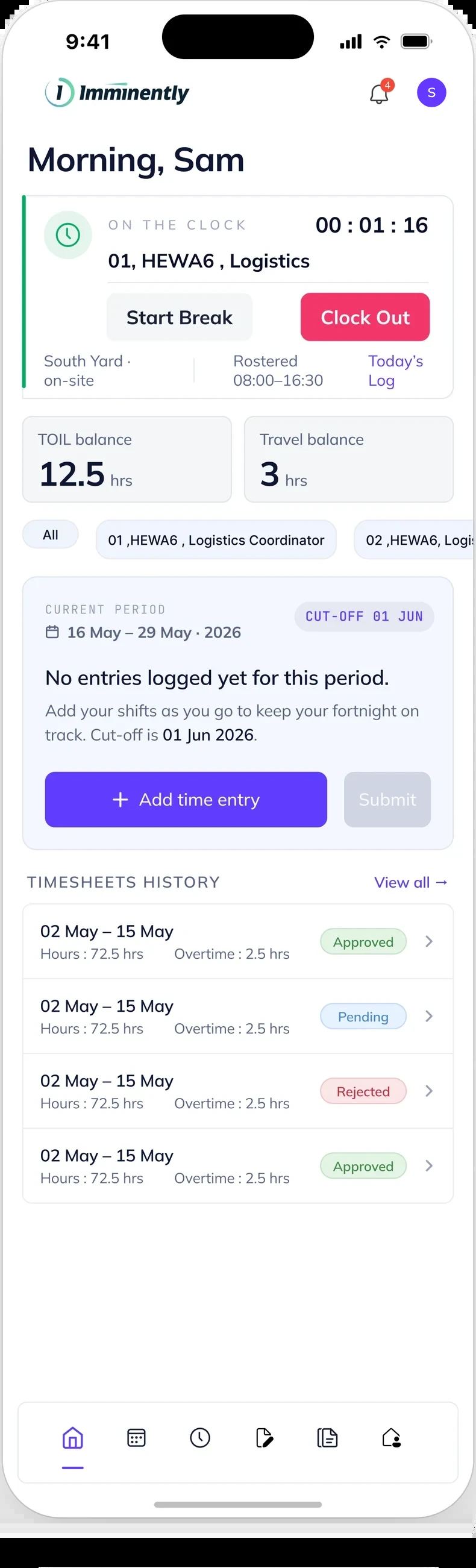
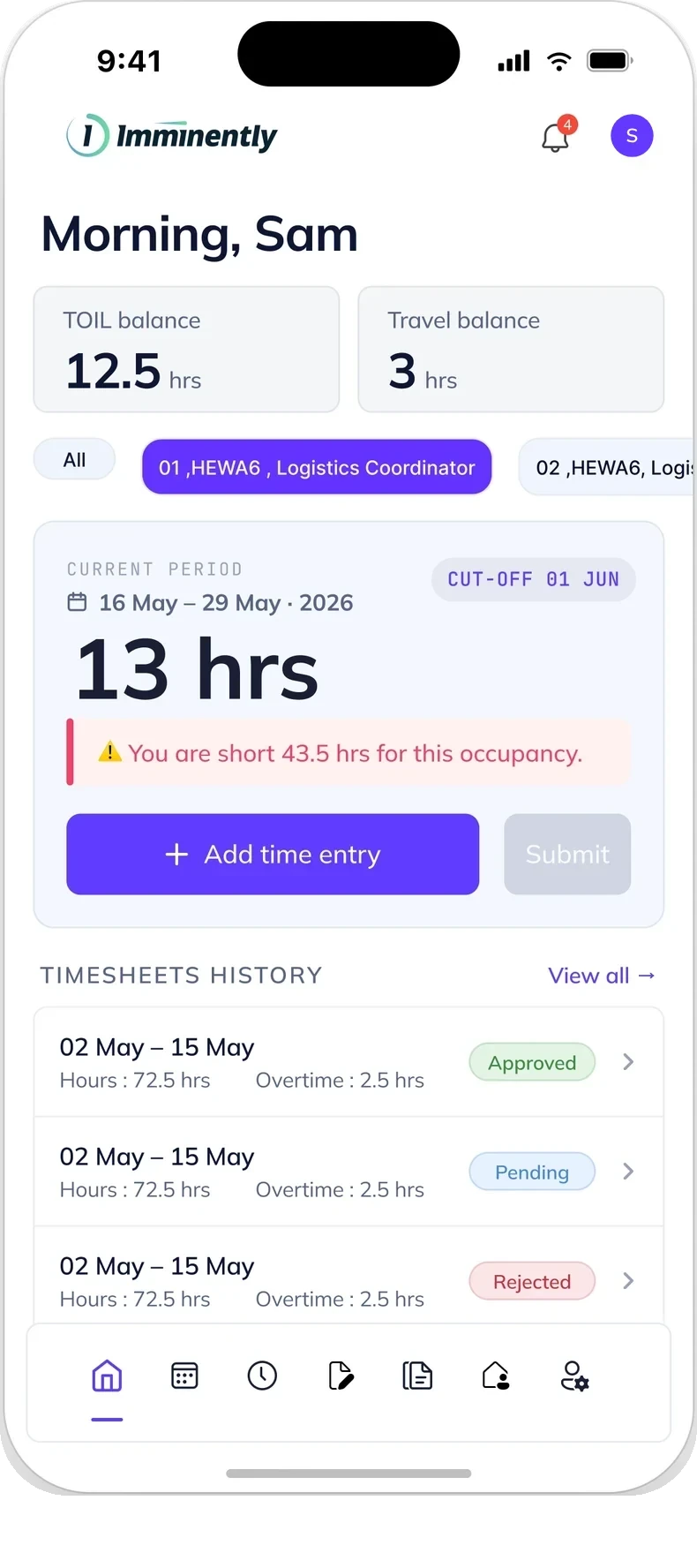
Clock in and out on the phone.
Your rostered shift is waiting when you open the Imminently app, on iOS or Android. Clock in by the method your site allows, and start and end breaks as they happen.
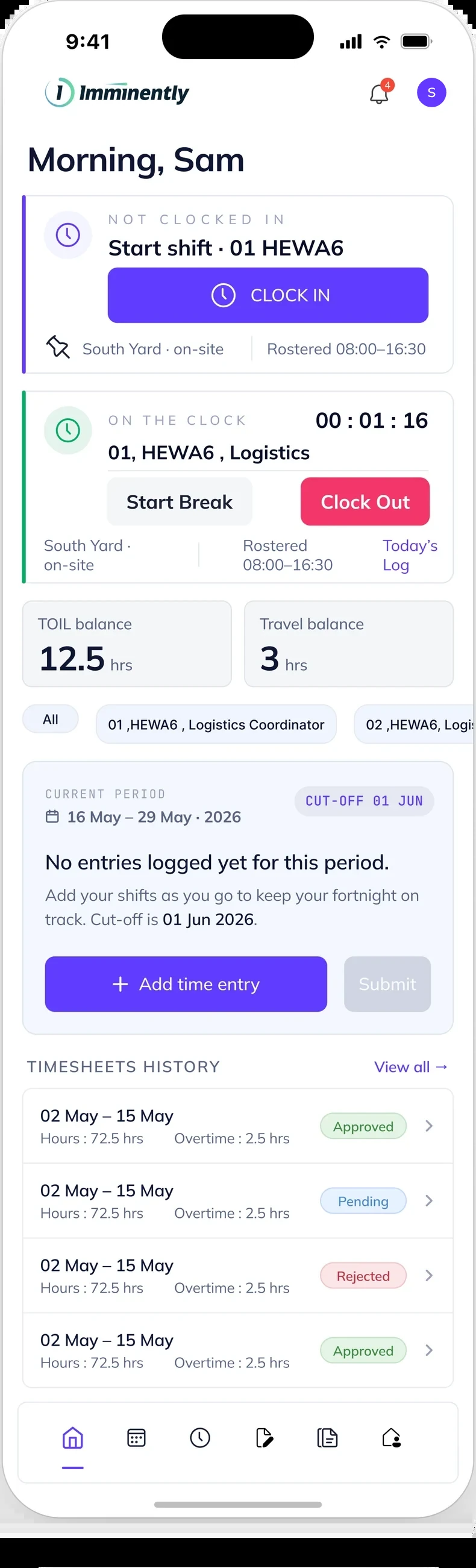
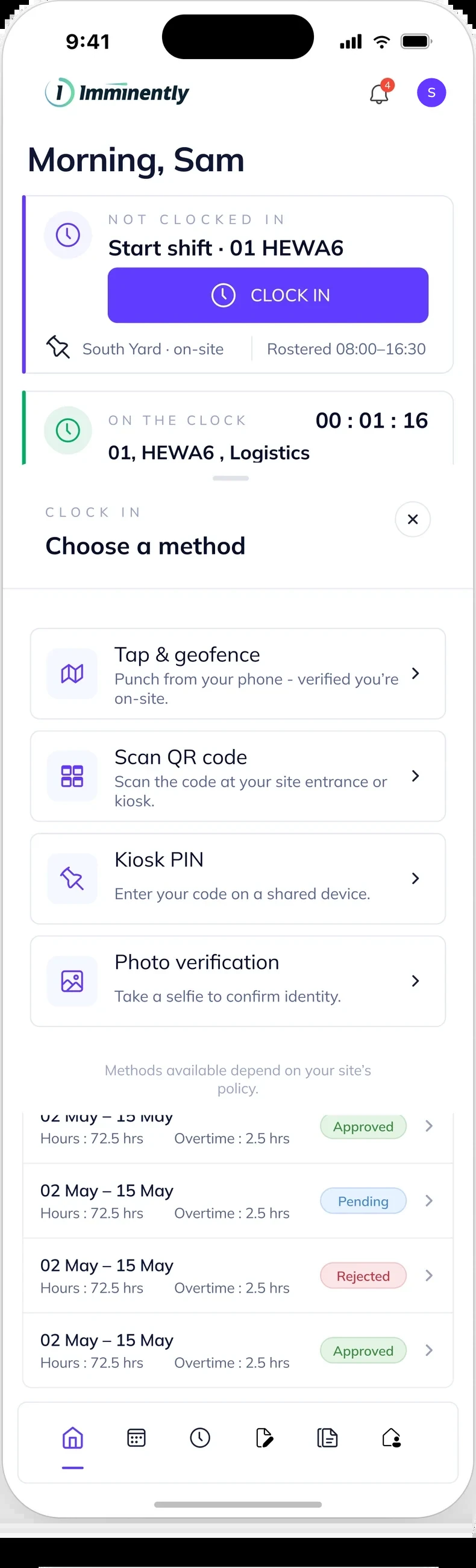
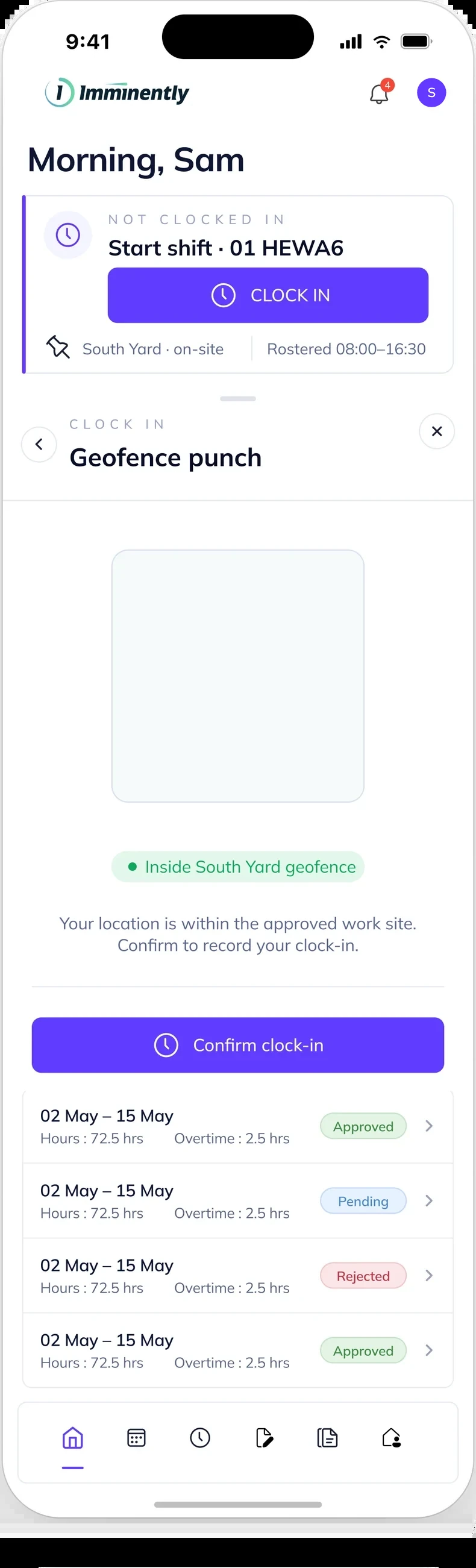
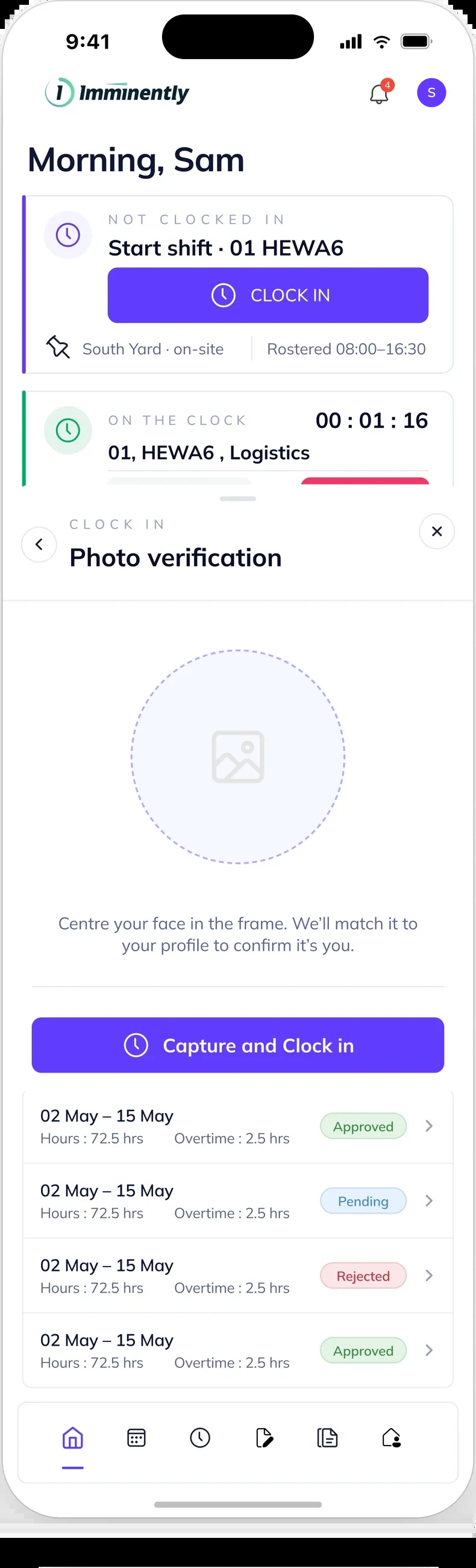
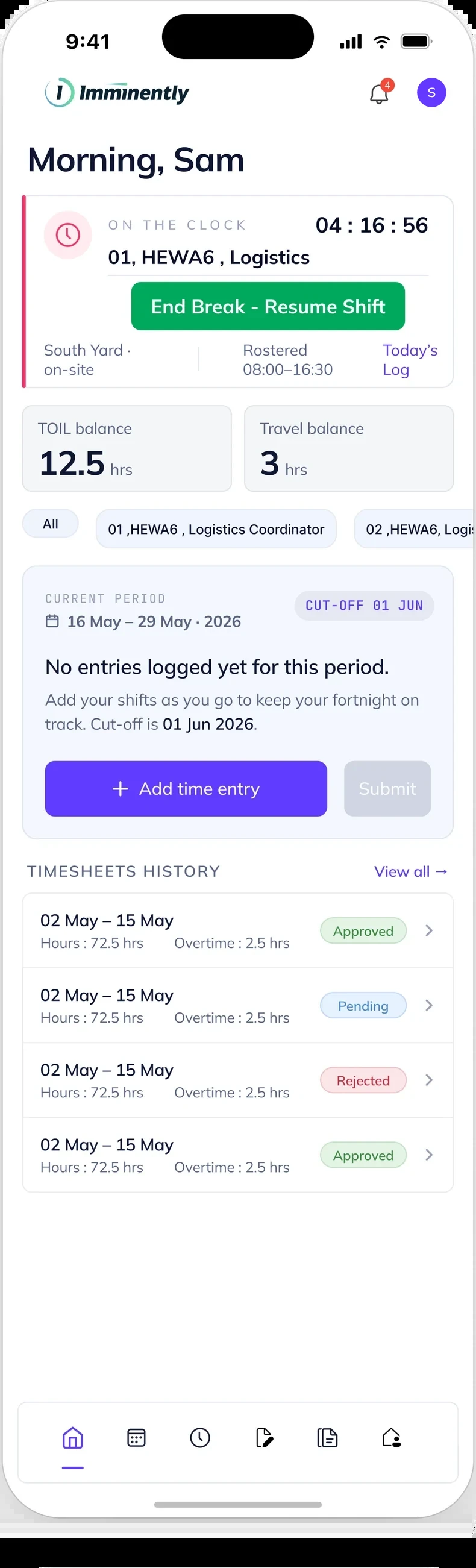
People and sites shown are examples.
Claim and drop, with the manager in the loop.
Each person sees their own shifts and can confirm an assigned shift, or accept or decline it. They claim open shifts they are eligible for or release a shift with a reason, and the manager sees a short day and its open shift. A swap follows below, step by step, on our product’s current screens.
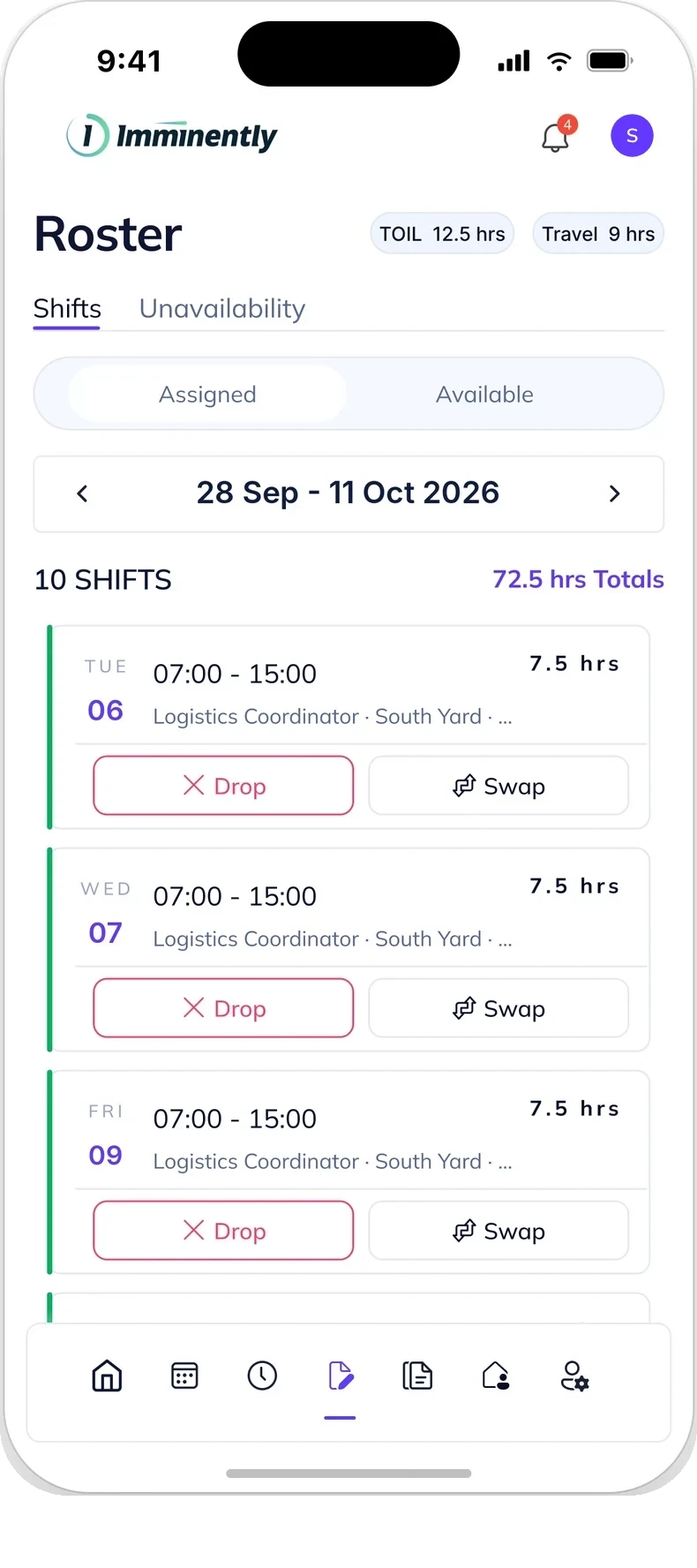
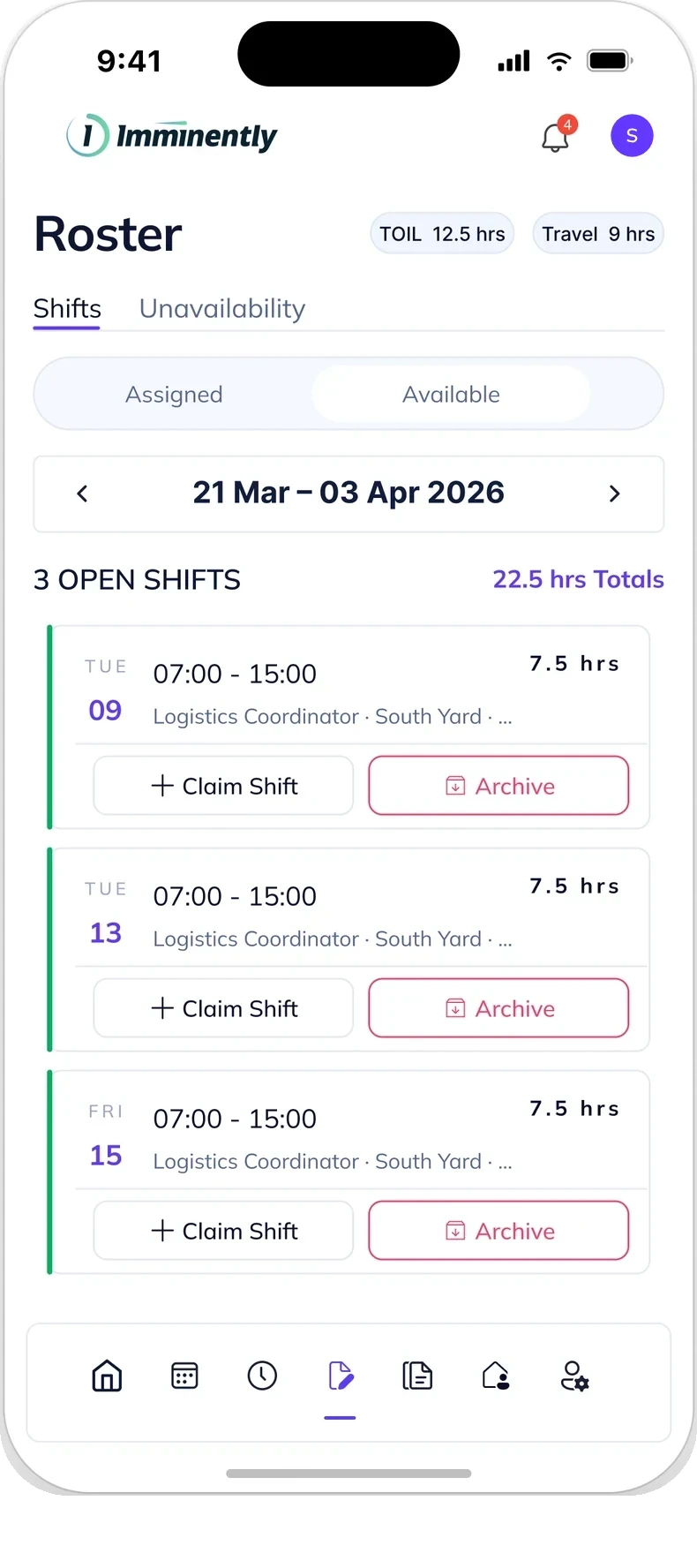
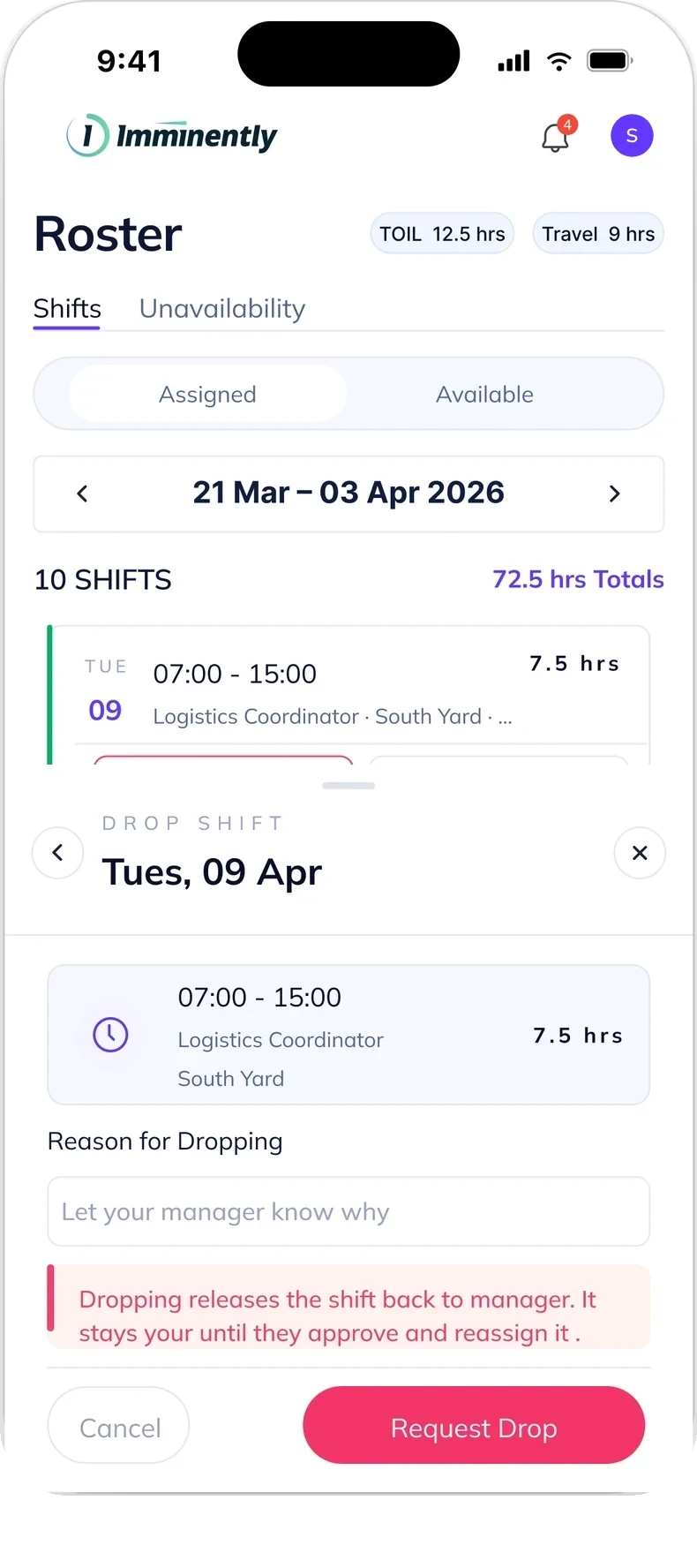
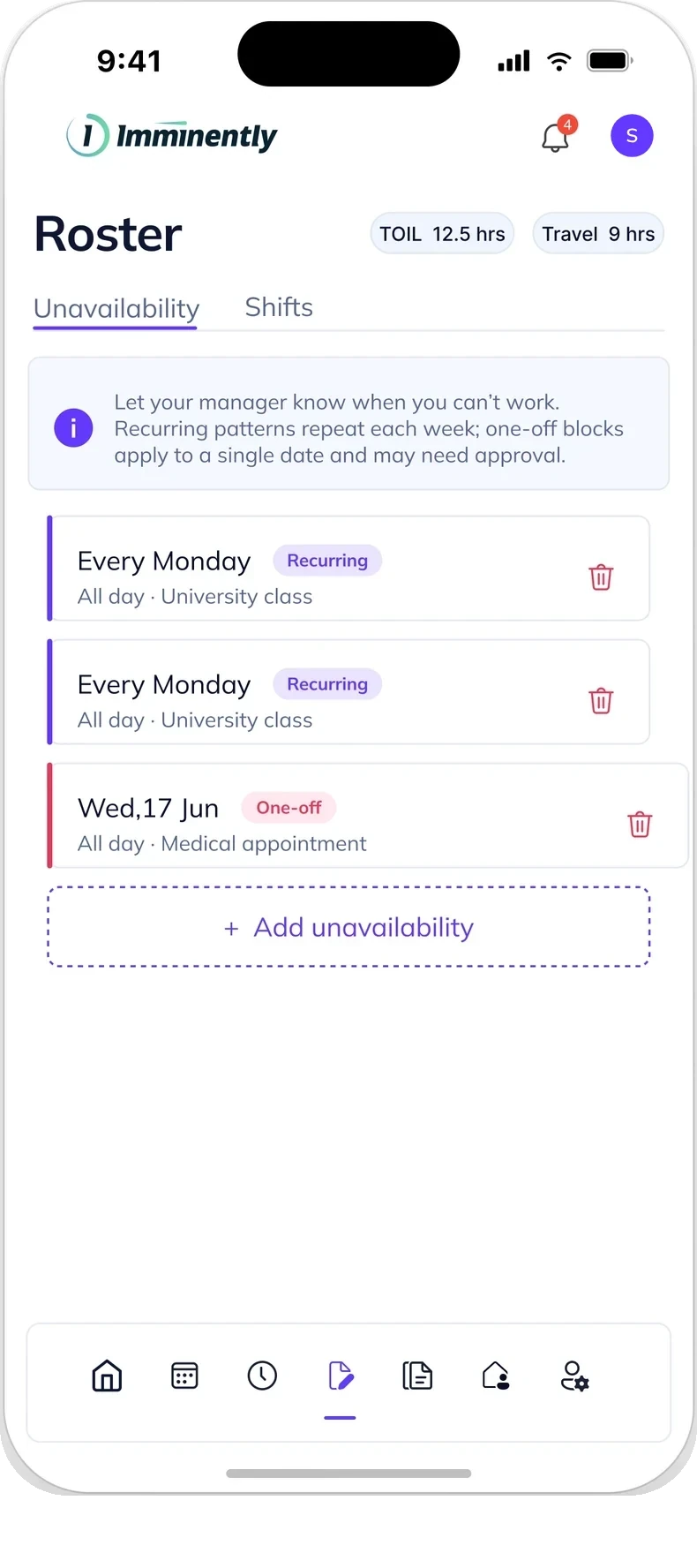
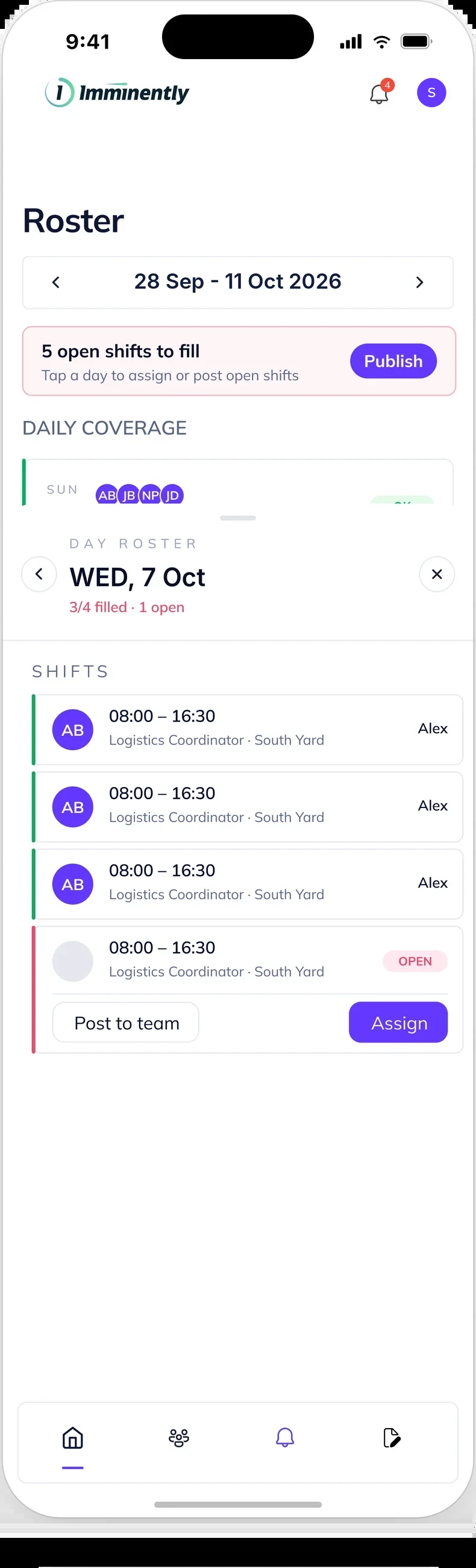
People, shifts and locations shown are examples.
A swap, from the request to the decision.
Each person sees the swap on their own screen: the employee who asks, the colleague who is asked, and the manager who approves. The original employee stays responsible for the shift until the swap is completed.
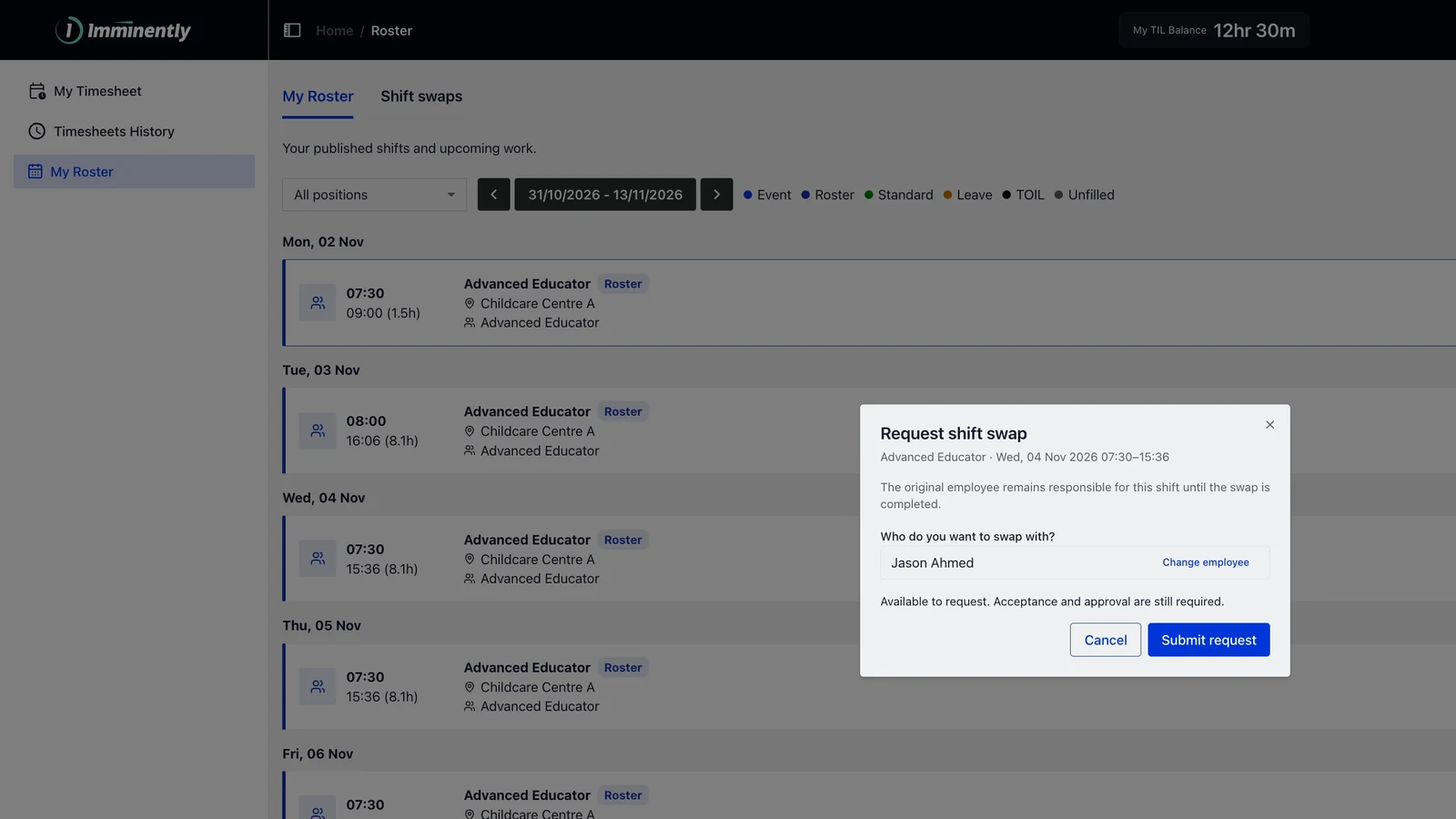
Ask a colleague to take the shift.
From his own roster, Ben asks Jason to take Wednesday’s shift. The request says plainly that Ben stays responsible for the shift until the swap is completed, and that acceptance and approval are still required.
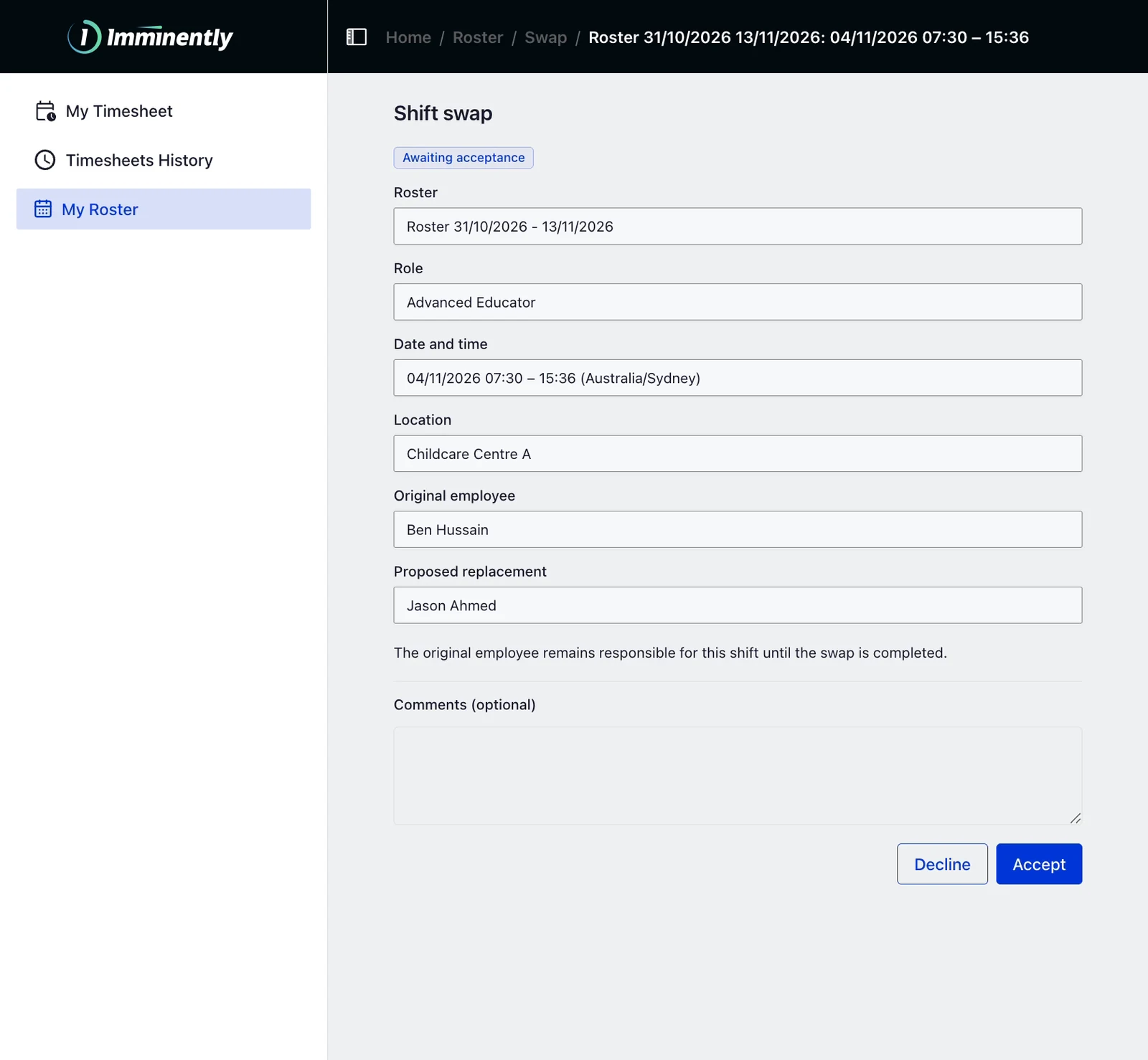
The colleague accepts or declines.
Jason sees the request on his own screen, with the shift, the location and who asked, and accepts or declines it, with an optional comment. Until the swap is complete, the shift stays Ben’s.
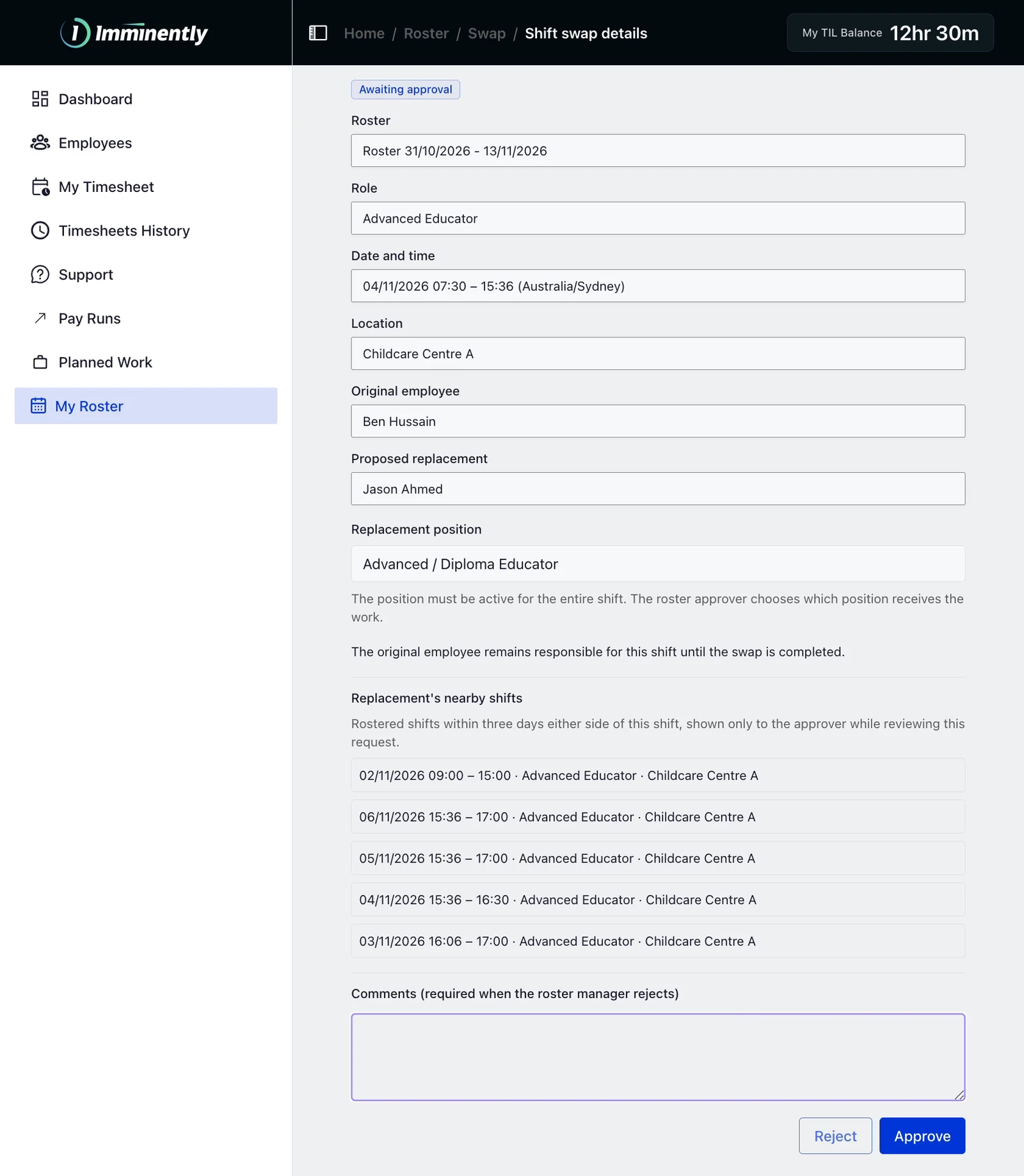
Nothing changes until the manager approves.
The manager sees the swap with the position Jason would work it in, which must be active for the whole shift, and Jason’s rostered shifts within three days either side, shown only to the approver. The manager approves or rejects it, and a comment is required to reject.
Our product’s roster. People, shifts and locations shown are examples.
Leave and requests, with the evidence attached.
Balances, leave, claims and time off in lieu in one place, on the phone or at a desk. The approver sees the request with its attachment and must give a reason to reject.
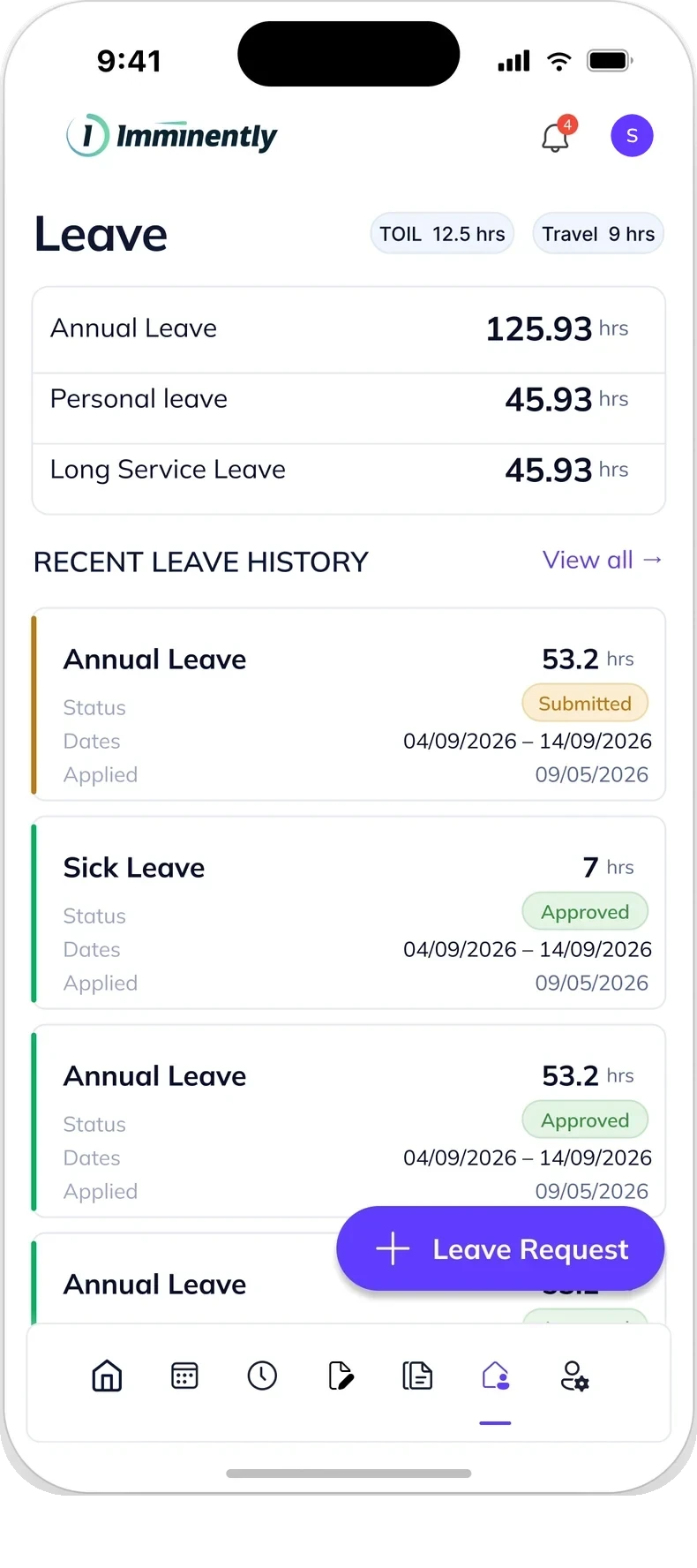
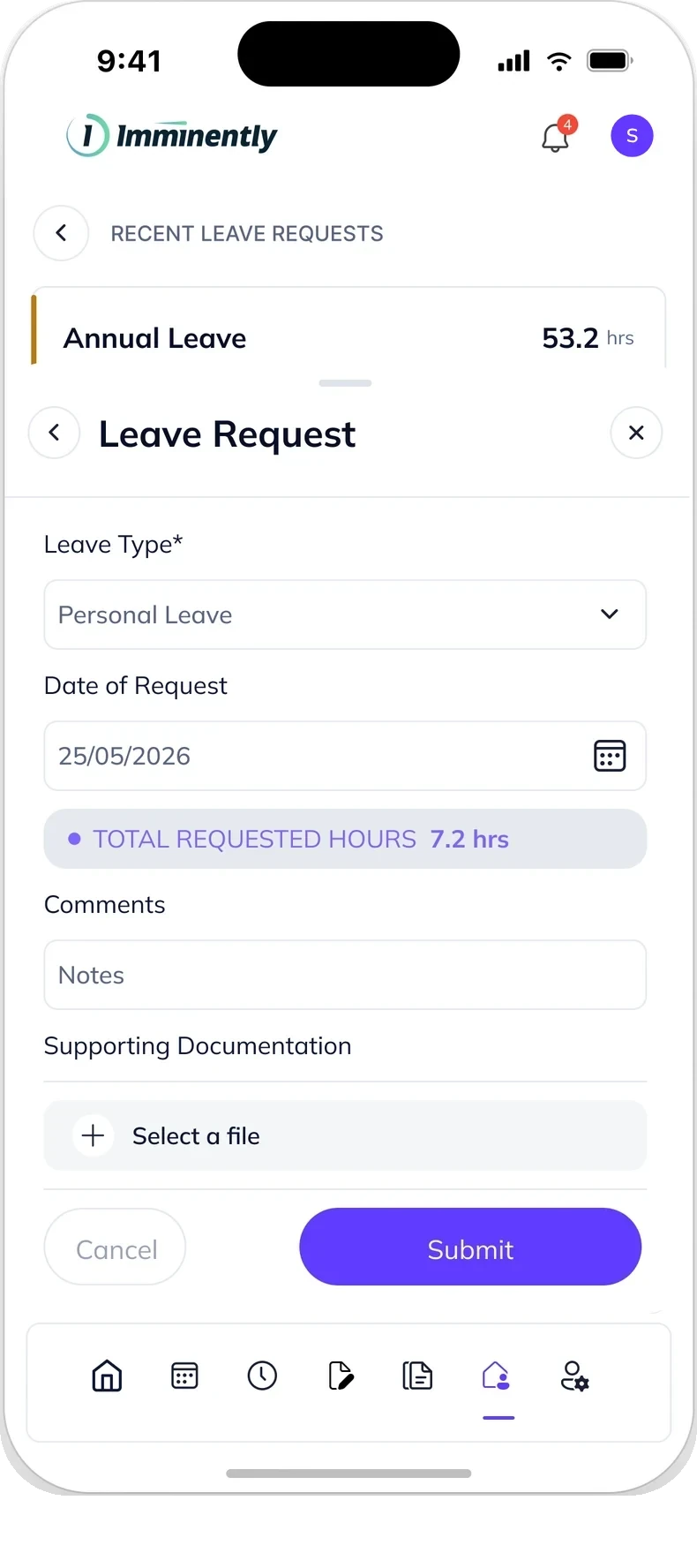
Know the balance, then ask.
Leave balances and recent history, then a request with its type, dates, hours, comments and supporting documents.
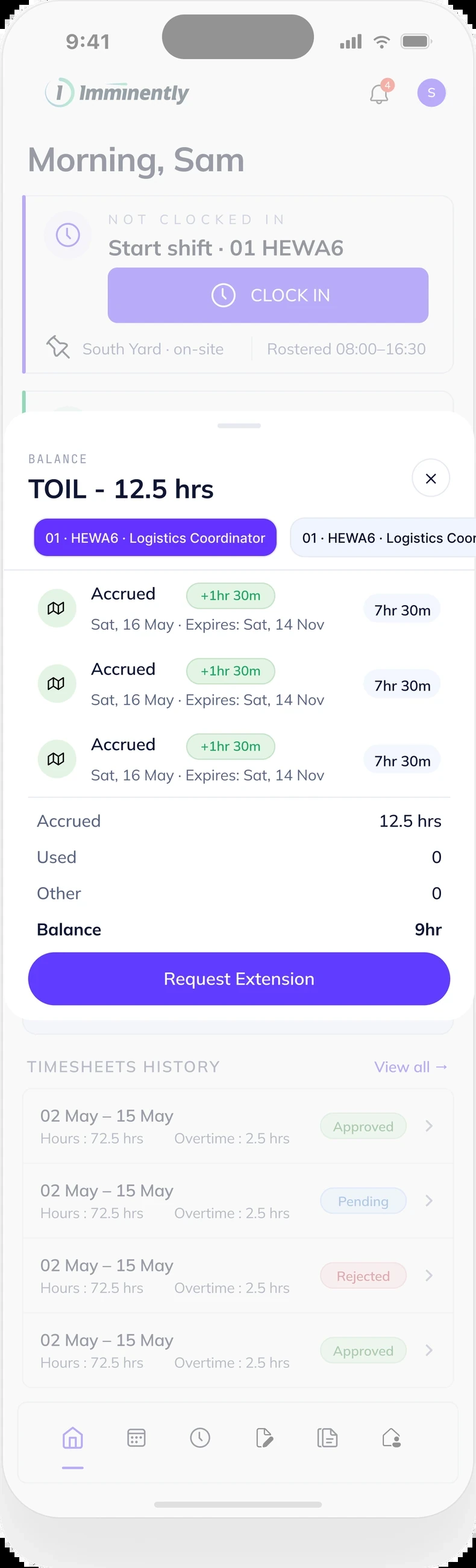
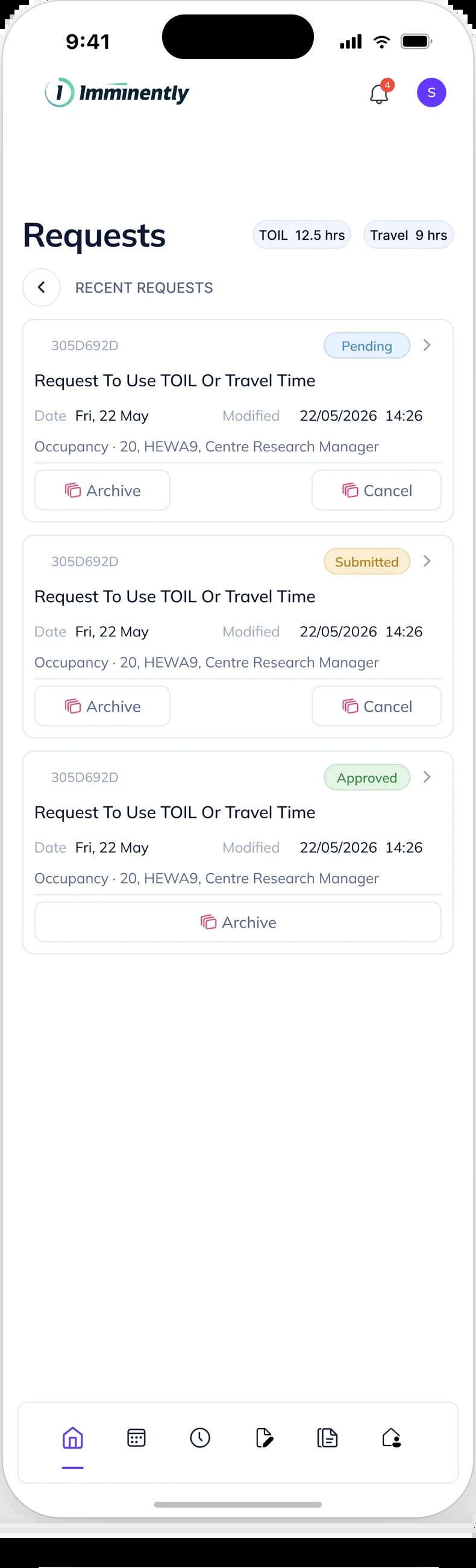
Time off in lieu and travel time.
The time off in lieu balance with accrued, used, expiry and balance, and requests to use it or travel time, with their status.
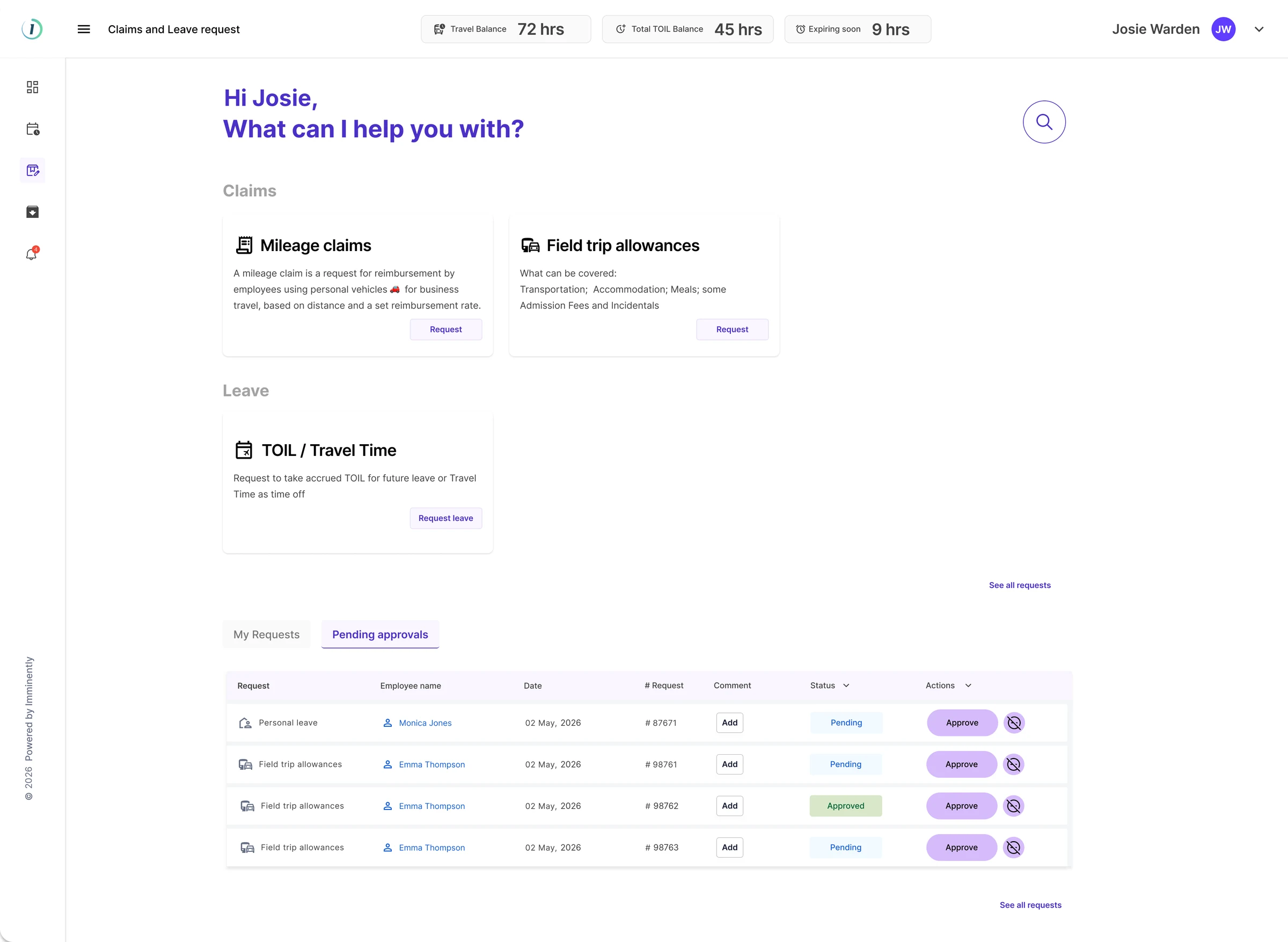
Claims and leave in one place.
Mileage claims, field trip allowances, time off in lieu and travel time requests start from one page, with pending approvals beneath.
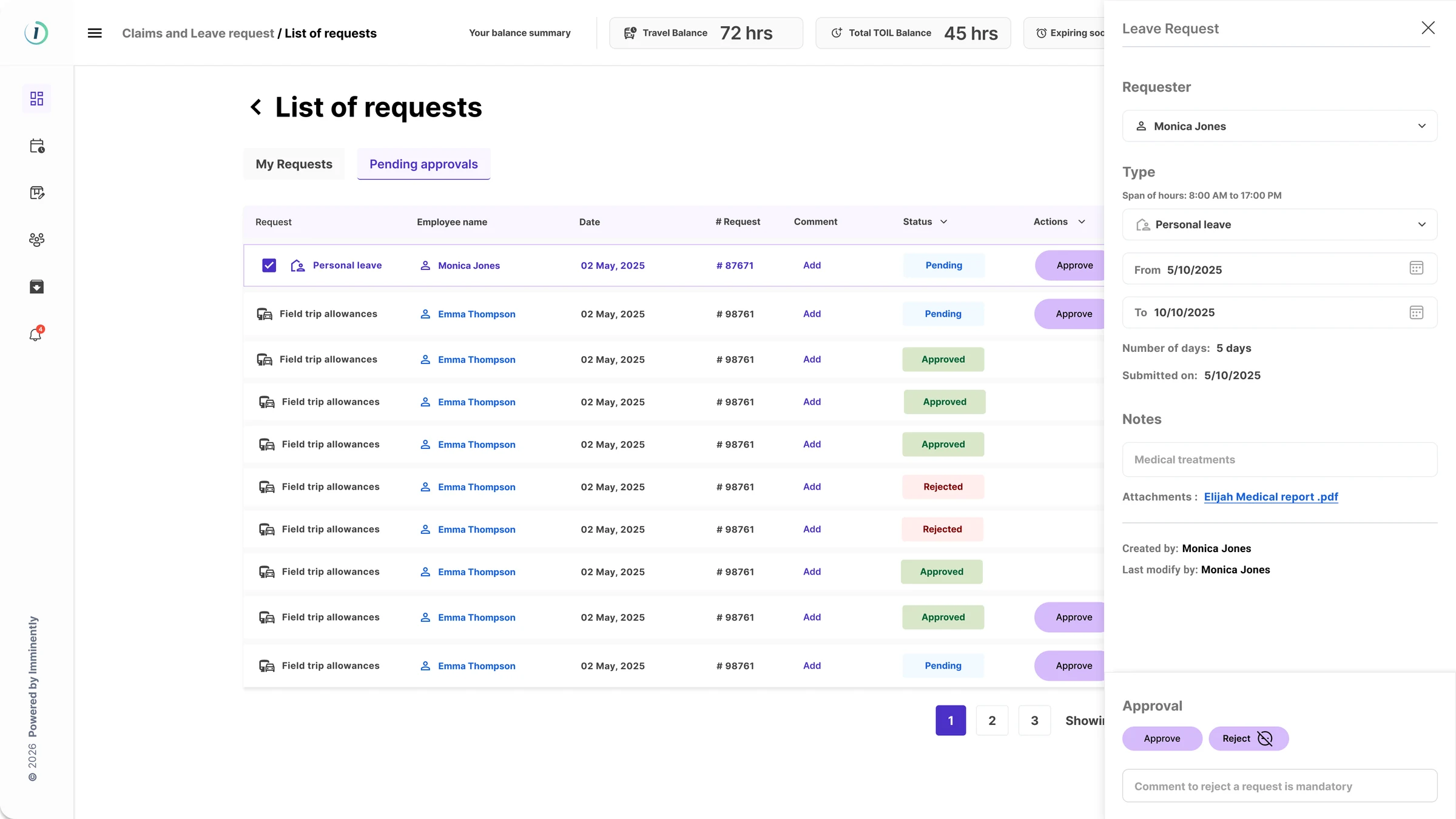
The approver sees the evidence.
The leave request opens beside the list with its dates, notes and attachment. The approver approves it, or rejects it with a comment.
People, balances and requests shown are examples.
A clearer way to request a change.
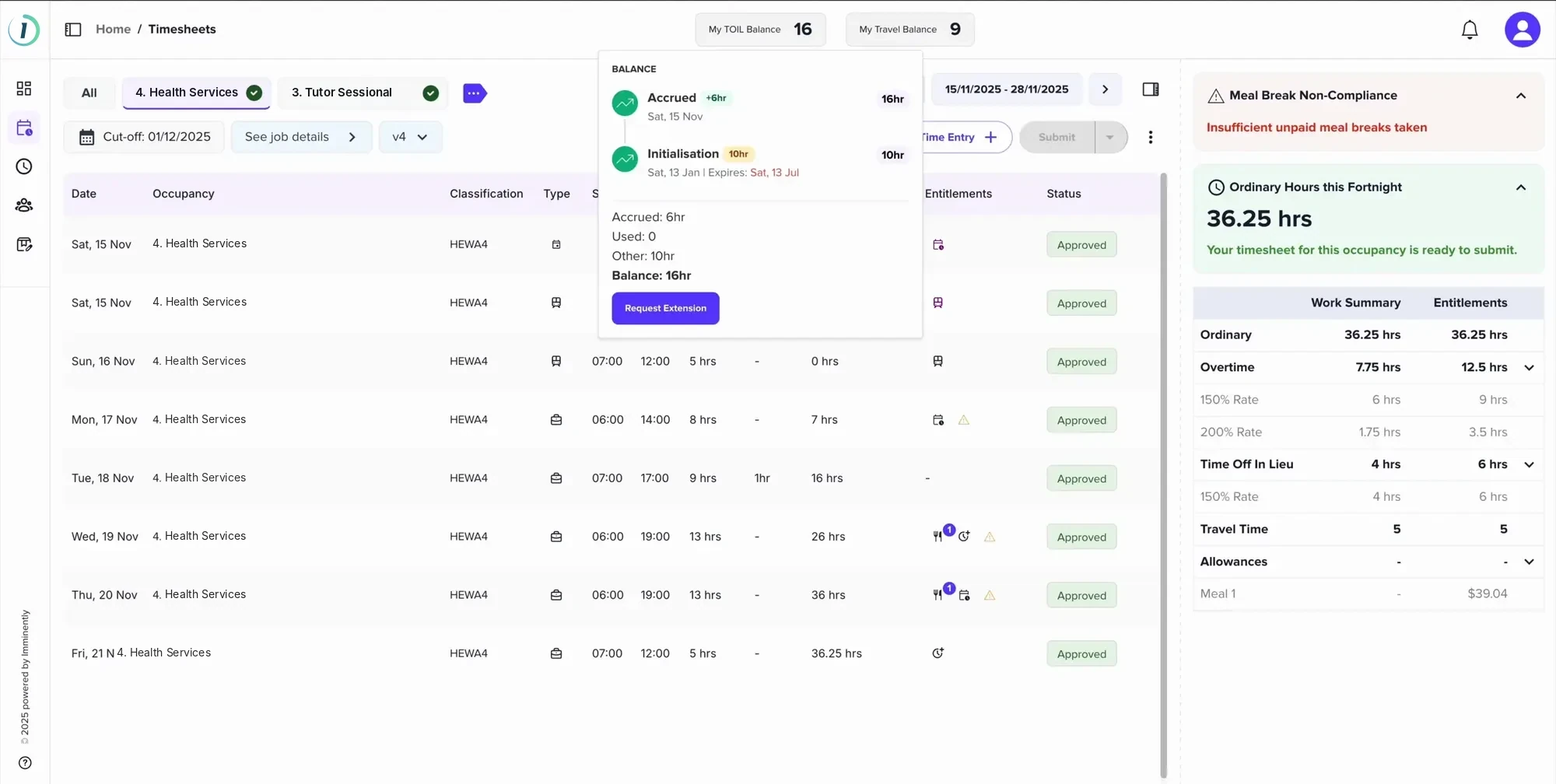
Know what has been earned.
Configured ledgers for time off in lieu, flexitime and travel time show accrual, use and the balance alongside the working record.
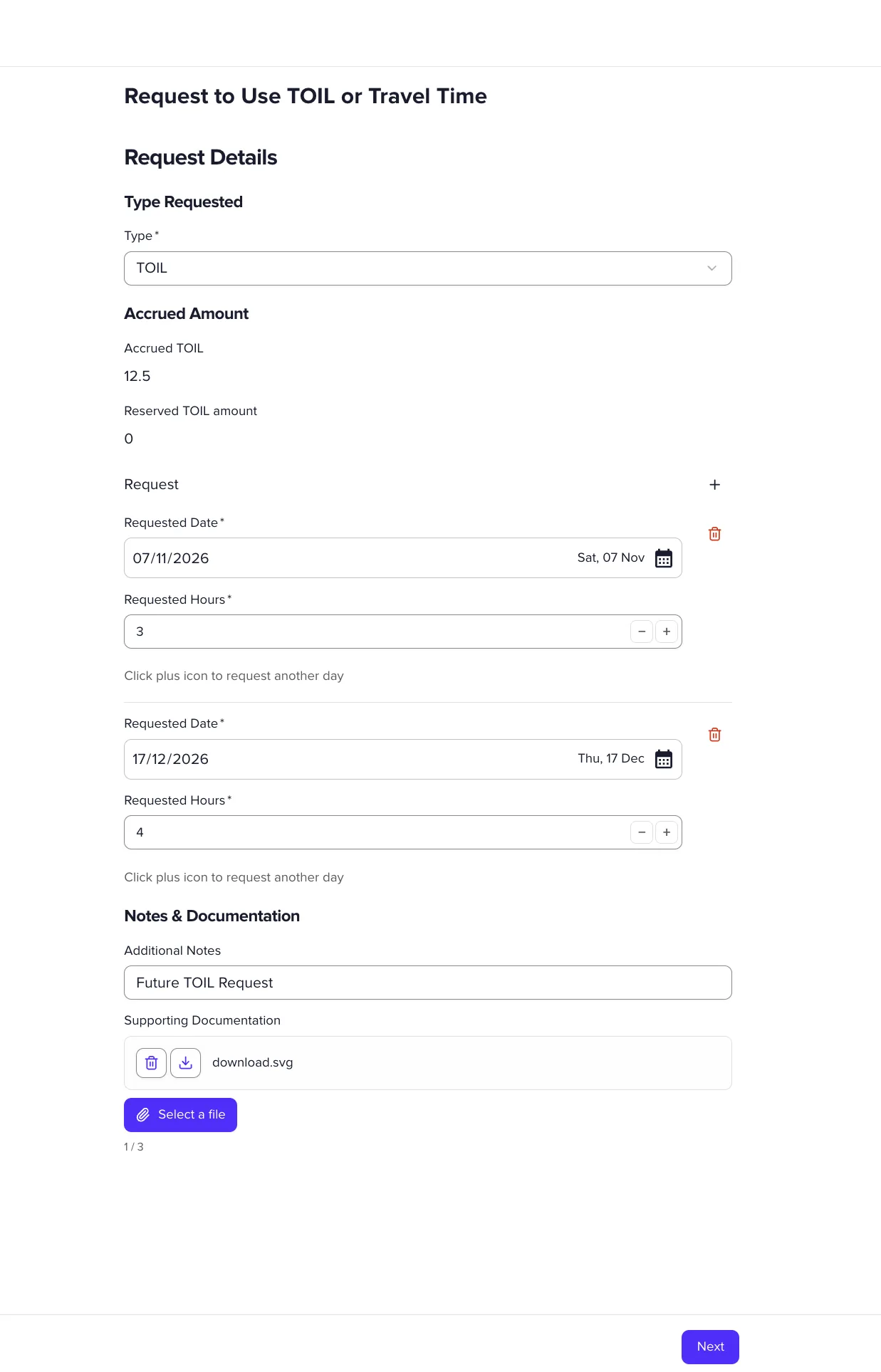
Request time against the balance.
Employees request the use of time off in lieu or travel time, over one or more days, with notes and supporting documents.
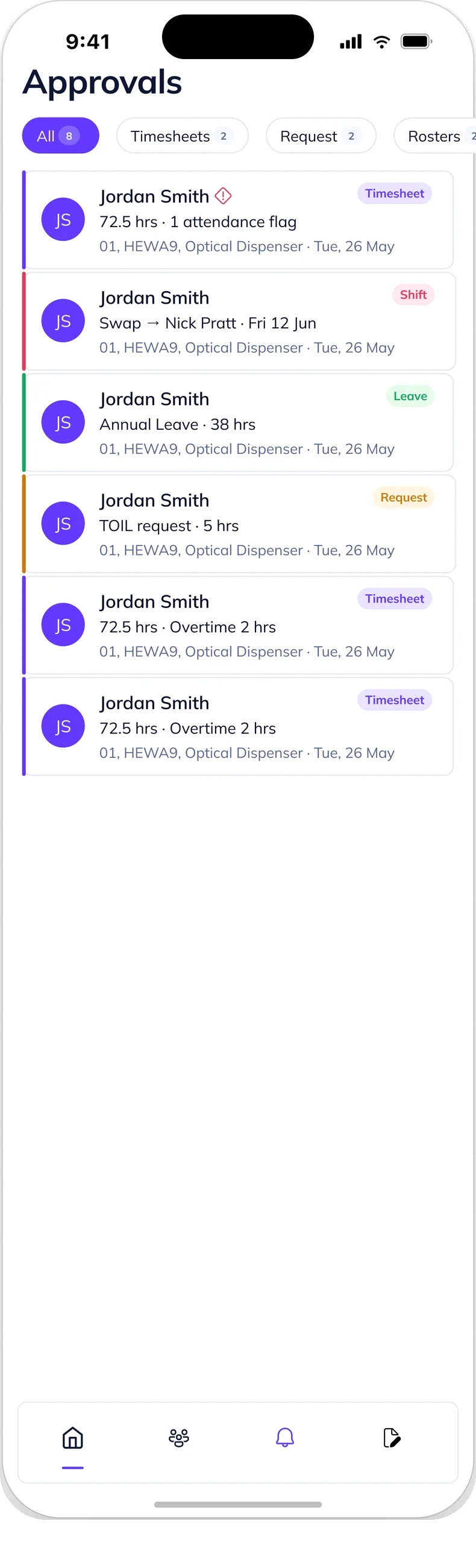
Review requests beside the work.
Requests reach the responsible manager in one approvals inbox, beside timesheets, roster changes and leave, with attendance flags and the context to decide.
The decision flows into the record.
Approved requests and balances update only on approval, and stay connected to the timesheet that supplied the facts.
Available requests, balances and approvals depend on the instrument and configuration.
A connected process,
with your responsibilities in view.
Before work
See published shifts, set unavailability and claim open shifts you are eligible for.
During the period
Confirm actual work, enter claims and respond to contextual prompts.
Before submission
Review entitlement feedback and resolve overlapping claims.
After approval
See configured balances and retain visibility into approved work.
Go deeper into the product.
Rosters
Plan work with eligibility, coverage and hours in view.
ExploreTimesheets
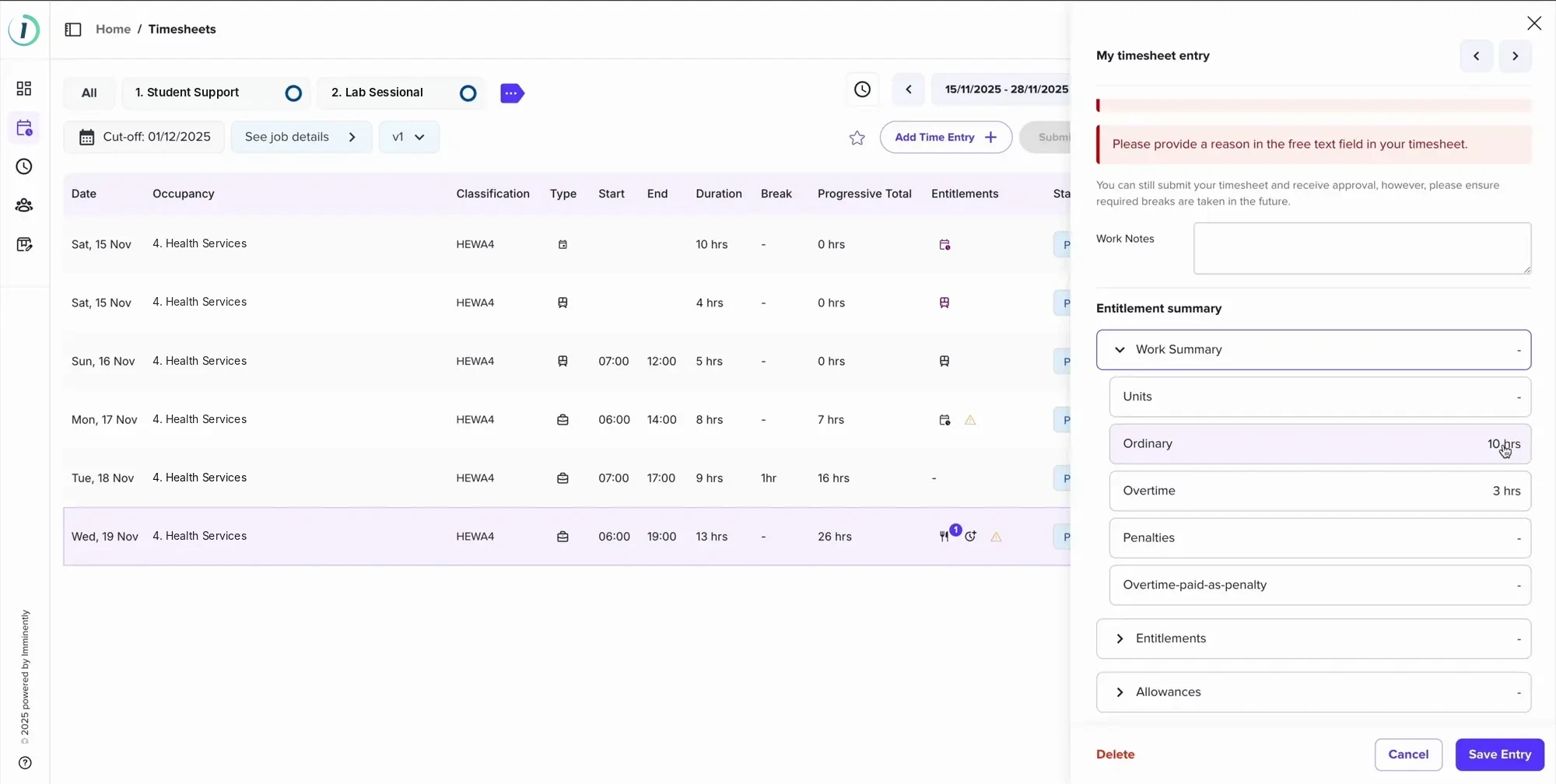
Capture the facts, surface entitlements and approve the exceptions.
ExploreAwards
Interpret awards, agreements and policies with a clause-linked reasoning trail.
ExploreIntegration
Connect your HR and payroll systems: TechnologyOne through the certified adapter, other systems through open integration.
ExploreYour part of the workflow.
The whole outcome in view.
Each team works with the same record, with access and actions aligned to its responsibilities.
One interpretation across the working week.
Select a stage to see what it contributes.
01 / InputInstruments and effective dates
Awards, agreements and configured policies define the rules that apply to the work.
02 / InputPeople and actual work
HR context, appointments, rosters, leave and recorded time supply the relevant facts.
Plan. Capture. Interpret.
Connect the planned week and the actual work to the applicable instruments.
Source-linked · date-effective03 / OutcomeApproved pay components
Return approved hours, units, allowances and costs to the payroll and finance process.
04 / OutcomeAn explainable record
Retain the facts, approval history and reasoning behind the entitlement.
Instruments, interfaces and approval responsibilities are agreed for each implementation.
Bring your most complex working week.
See how your instruments, work patterns and payroll fit together in Imminently.