Safety before registration
Life or limb threatening emergencies and red flag symptoms first, with a yes sent straight to the triage nurse.
A digital front door to the emergency department. Patients register on their own phone from the waiting room, screened for safety and infection first, and stay informed while they wait. Clinicians see the whole department live, with distress and observation alerts, and a full patient record before a bed is free.
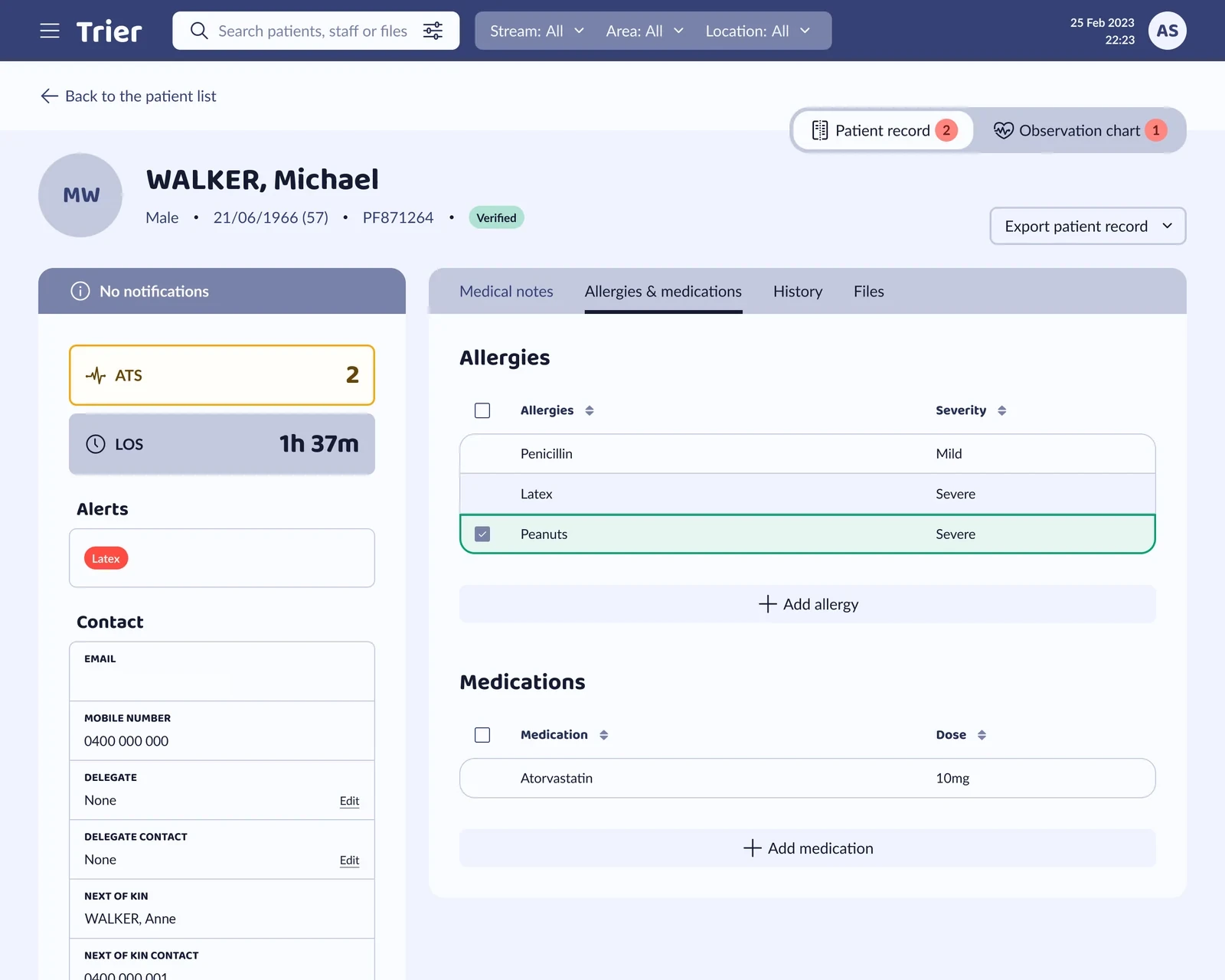
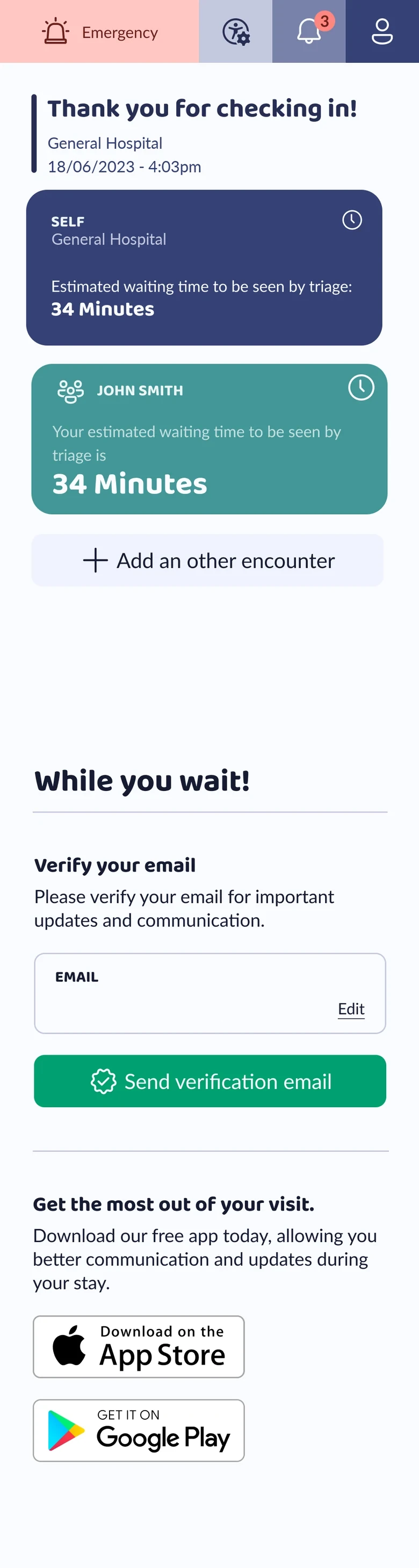
The patient app runs on the patient’s own phone, from a code in the waiting room. The clinician portal runs at the nurses’ station. Everything the patient says reaches the clinician’s record as it is said.
A code in the waiting room opens the patient app. Before any personal details, it checks for a life or limb threatening emergency and for infection. Then the patient registers, in their own words, with the scores the triage nurse needs.
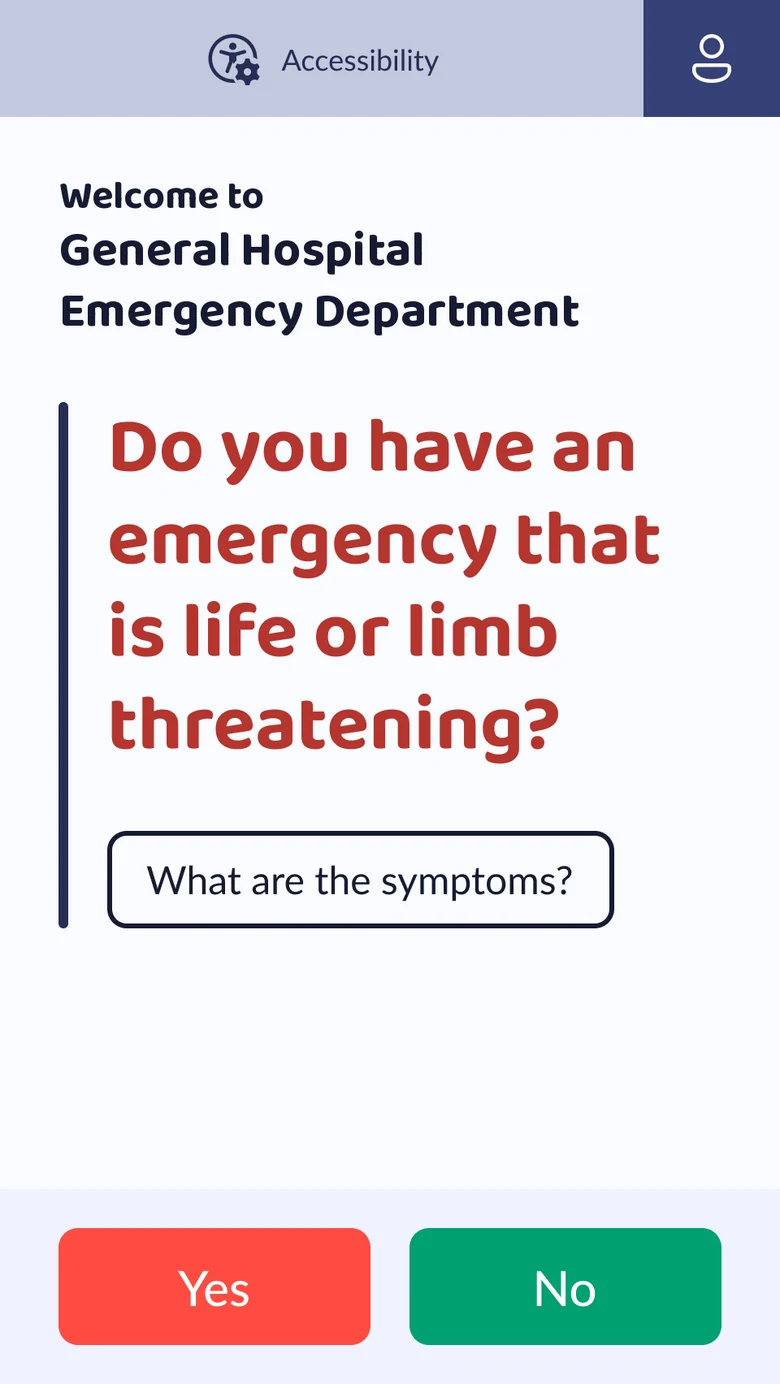
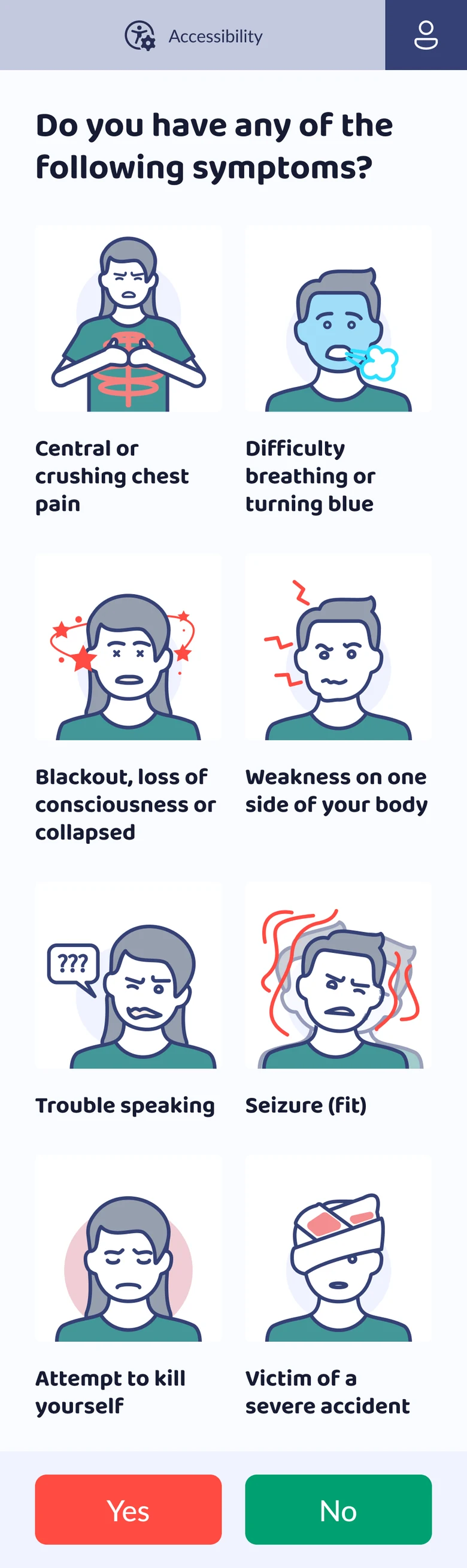
The first question, before anything else. Red flag symptoms are shown with illustrations so the patient can recognise them.
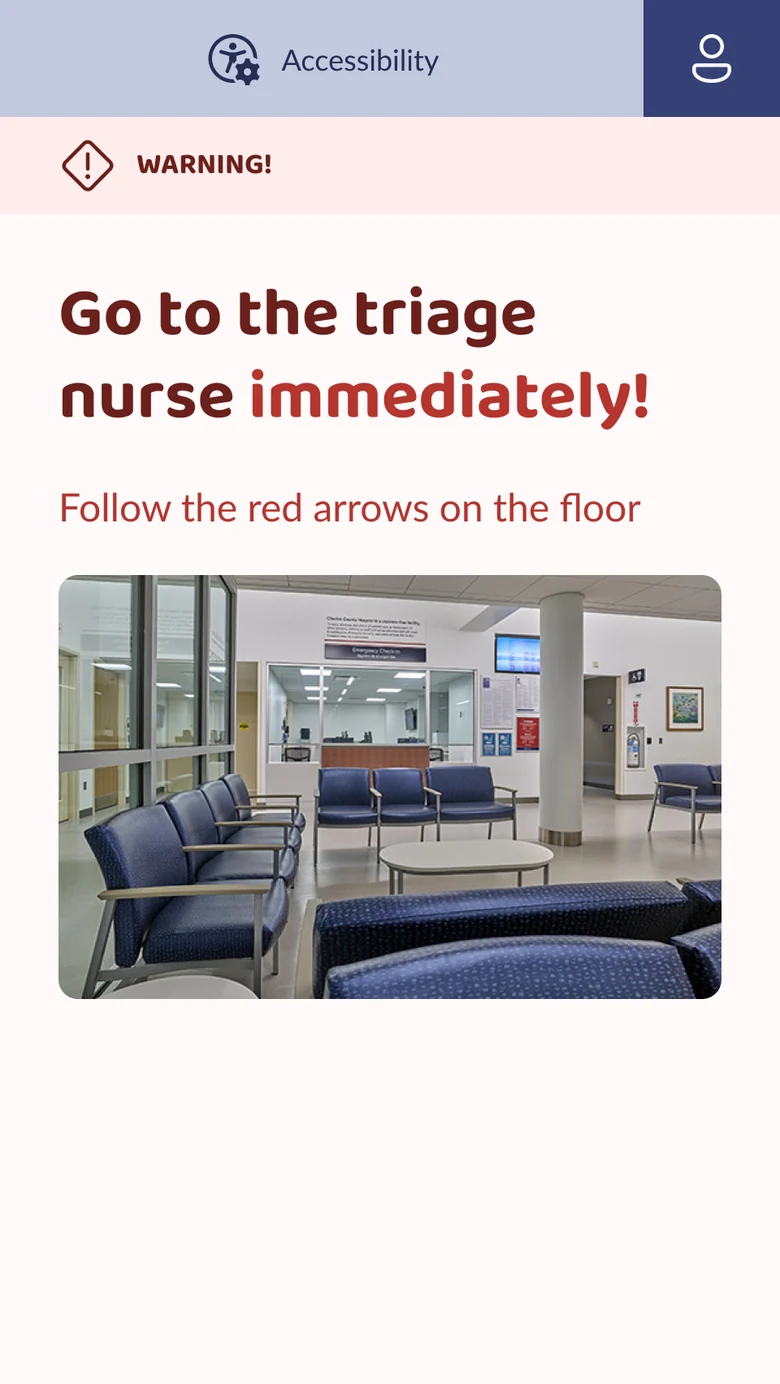
No registration, no waiting: the app tells the patient to go to the triage nurse now and to follow the red arrows on the floor.
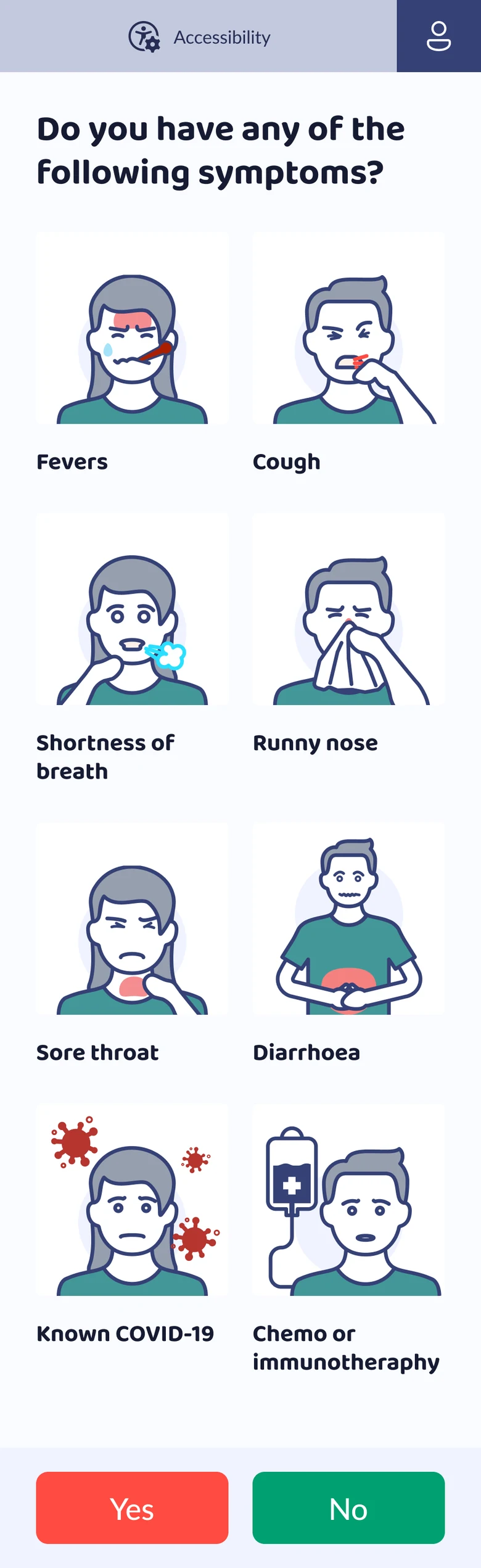
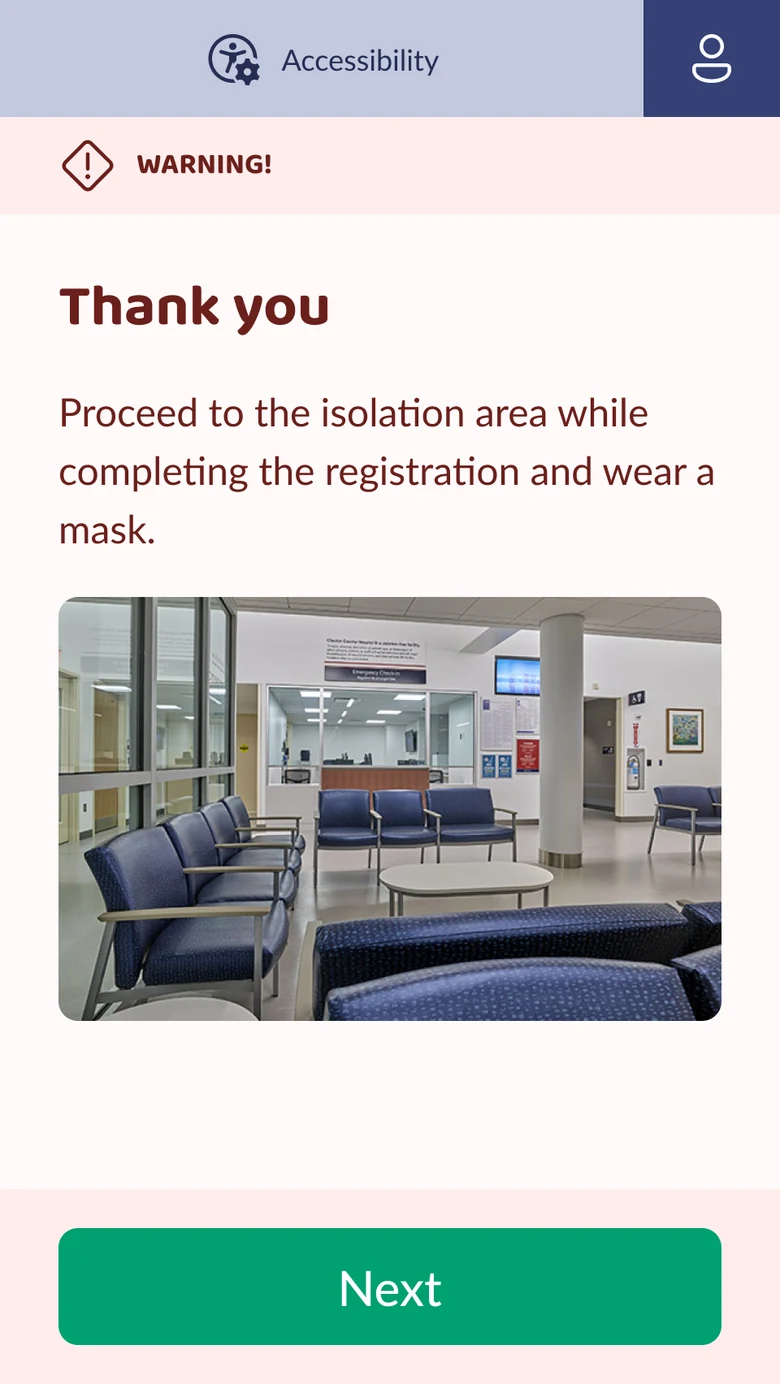
Fever, cough, shortness of breath, a known infection, or chemotherapy and immunotherapy. A patient at risk is sent to the isolation area with a mask, and registers from there.
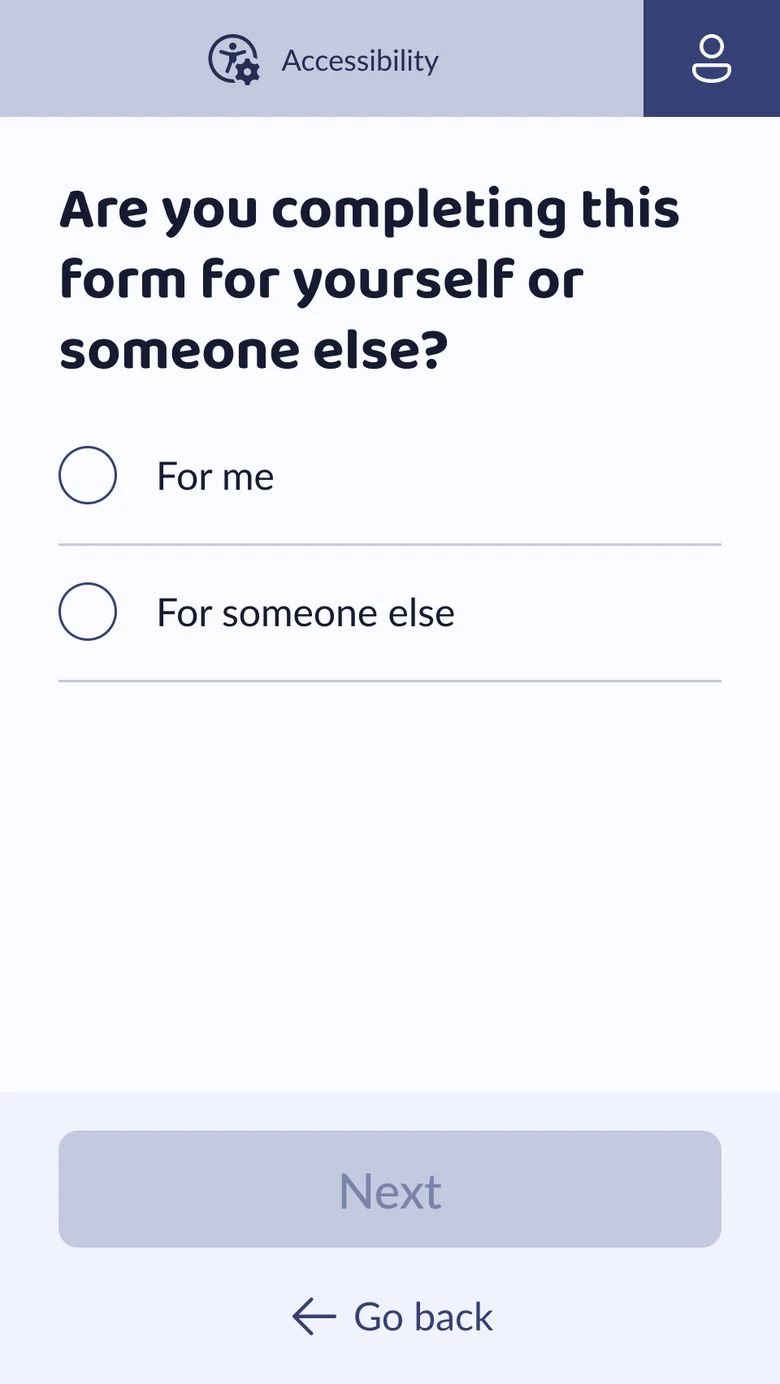
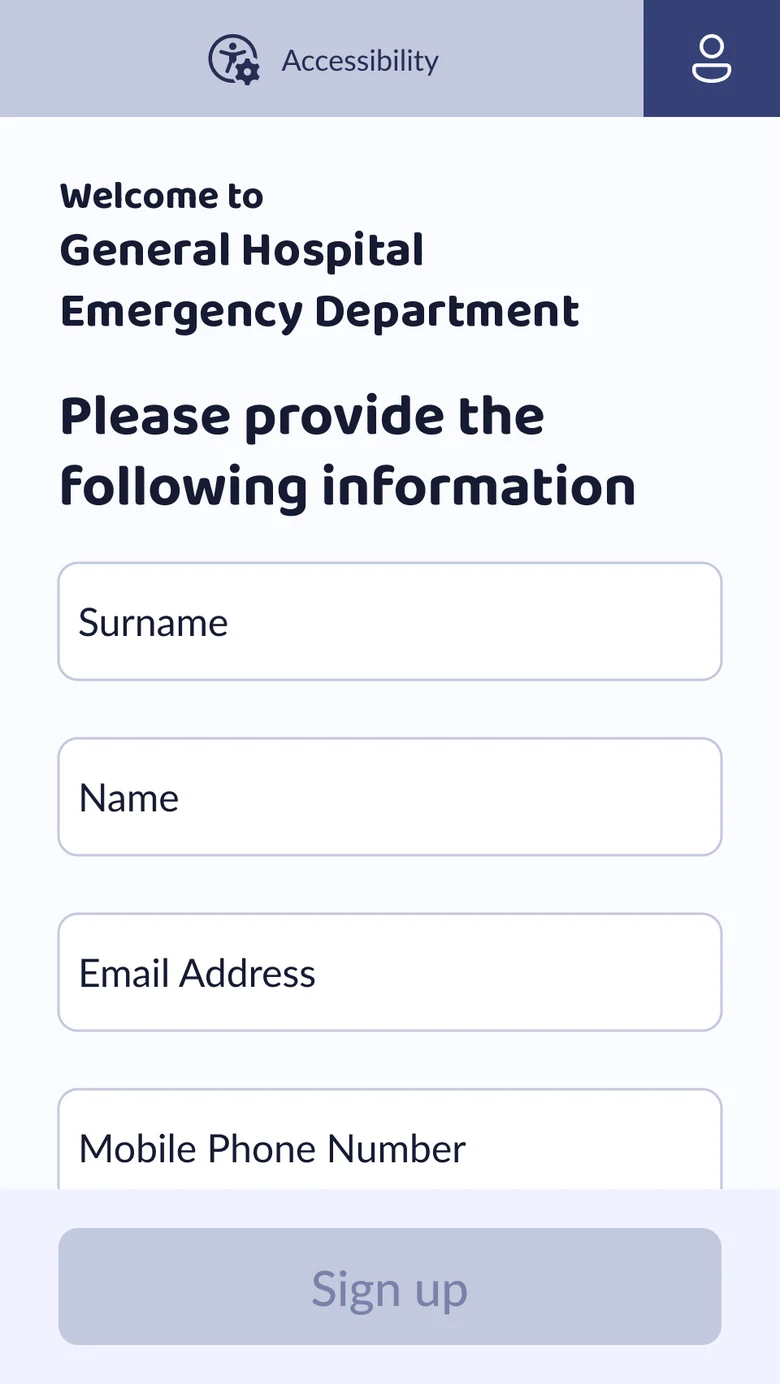
A parent, carer or partner can register the patient. Surname, name, email and mobile come next.
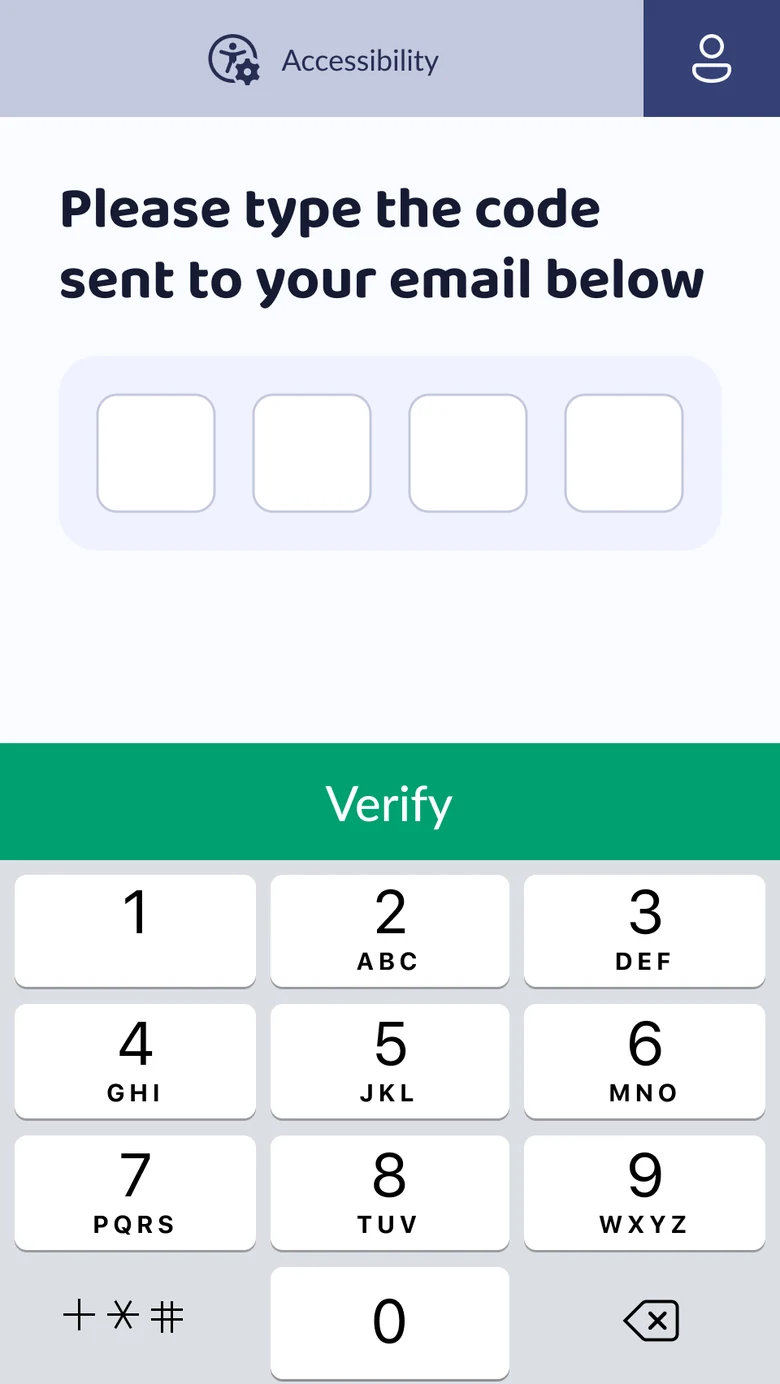
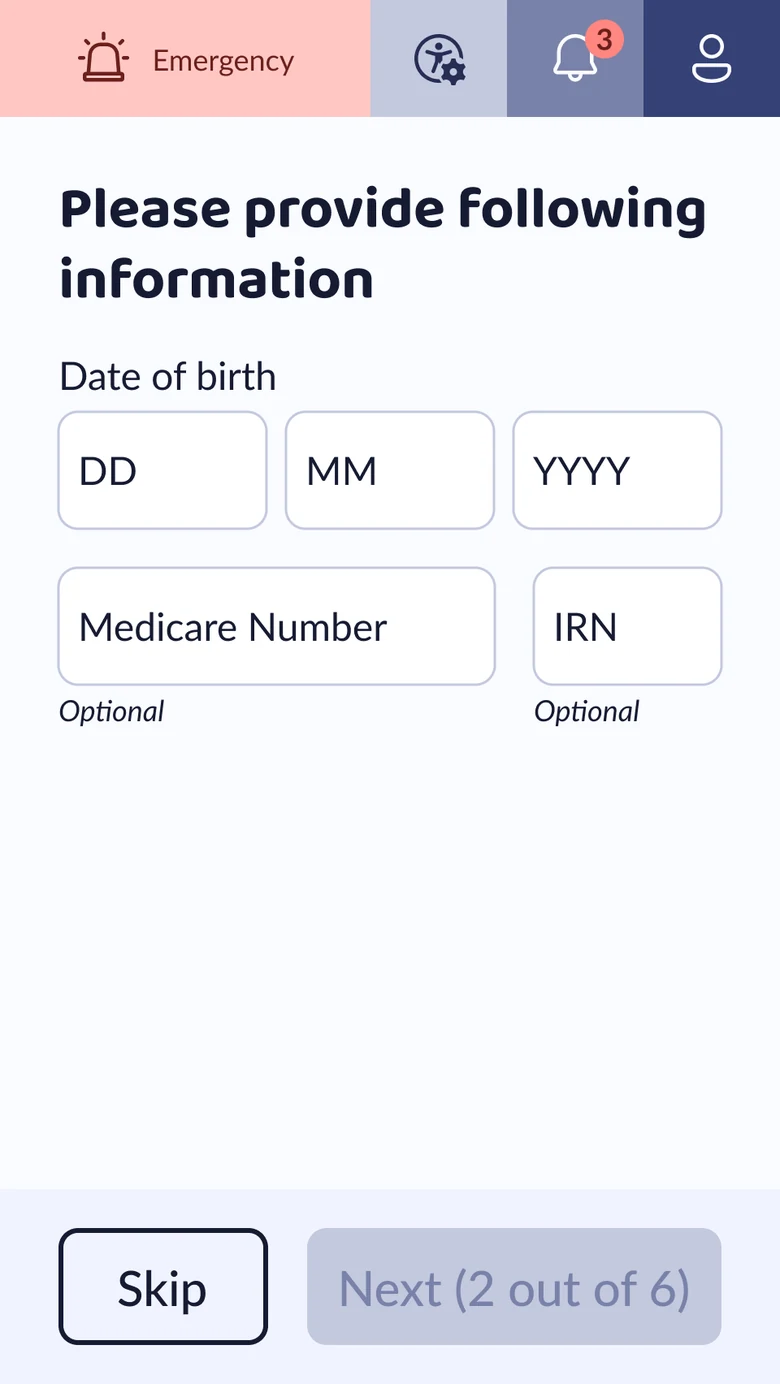
A four-digit code sent by email confirms the contact details. Date of birth follows, with the Medicare number optional.
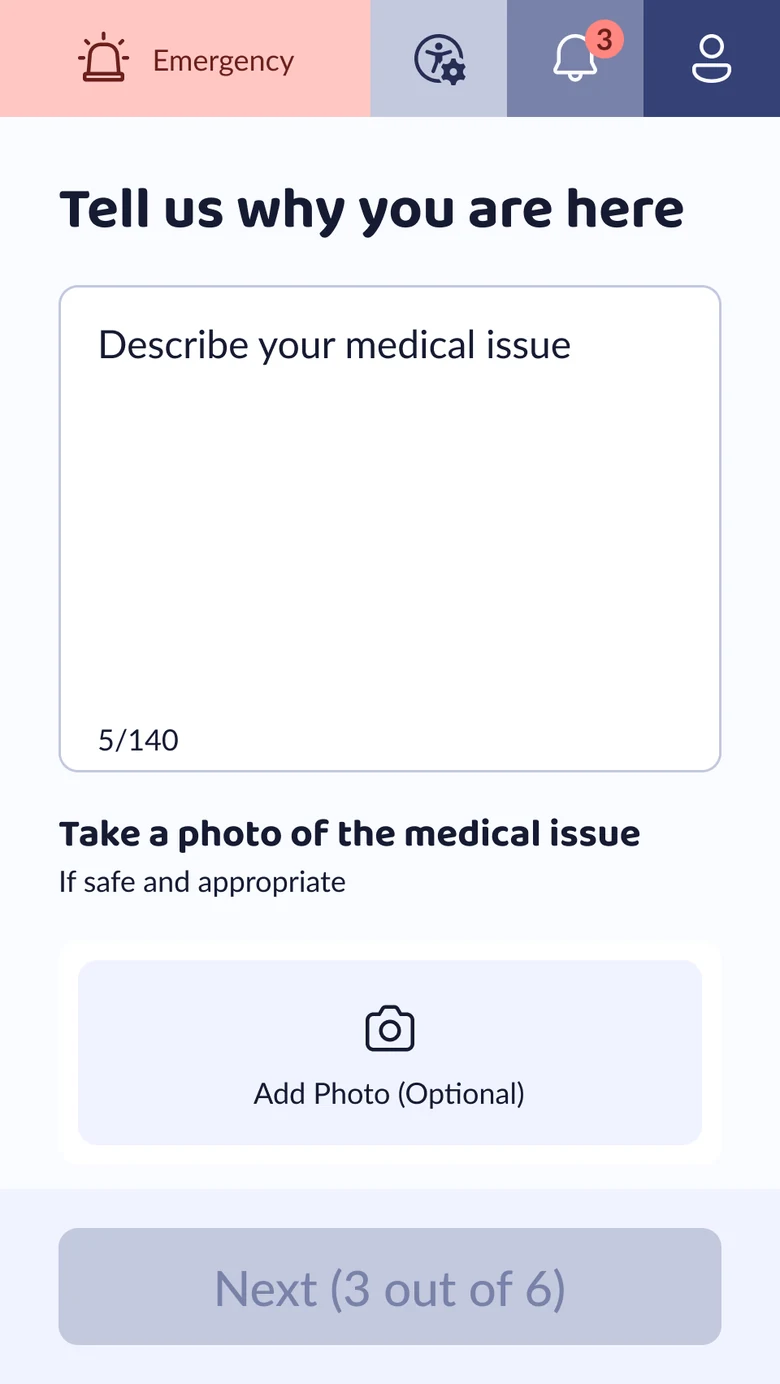
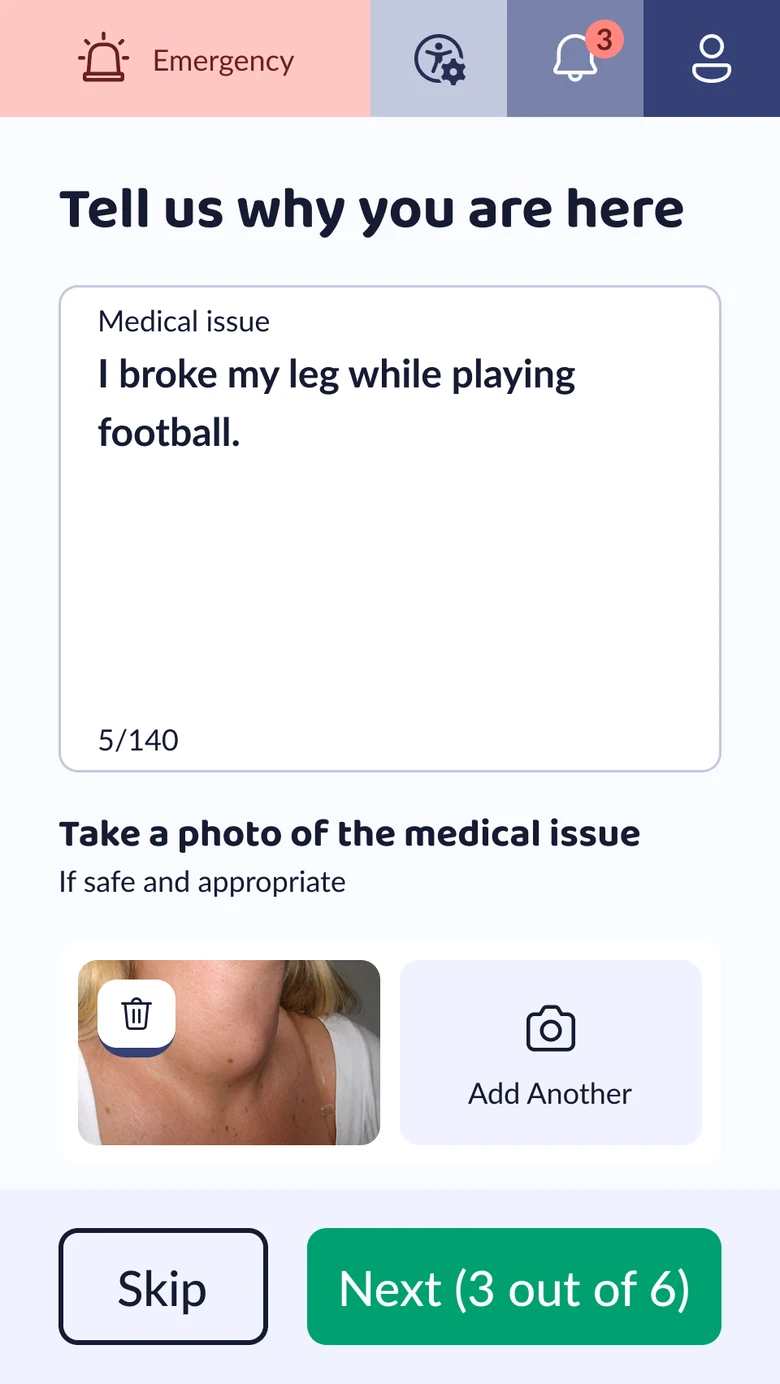
Up to 140 characters on the problem, and a photo of it if safe and appropriate. Both reach the clinician’s record as the patient’s own account.
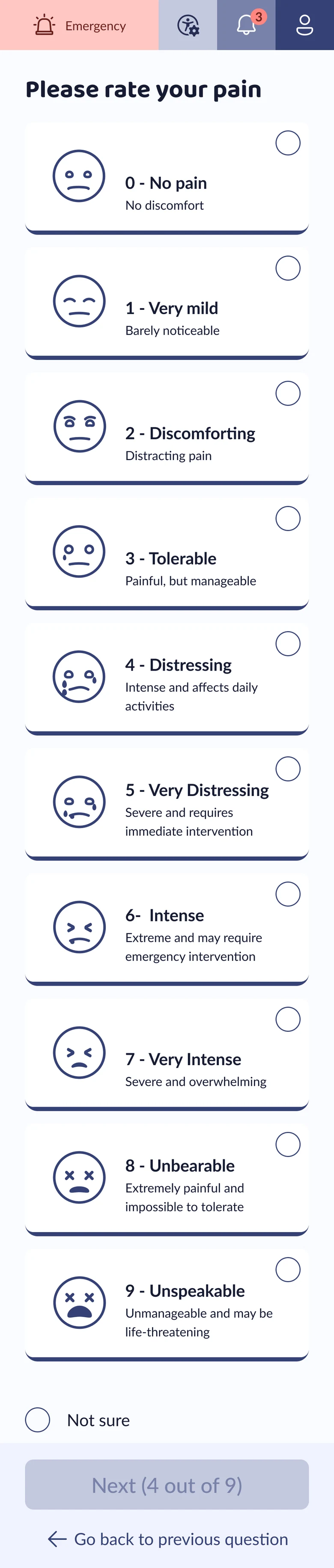
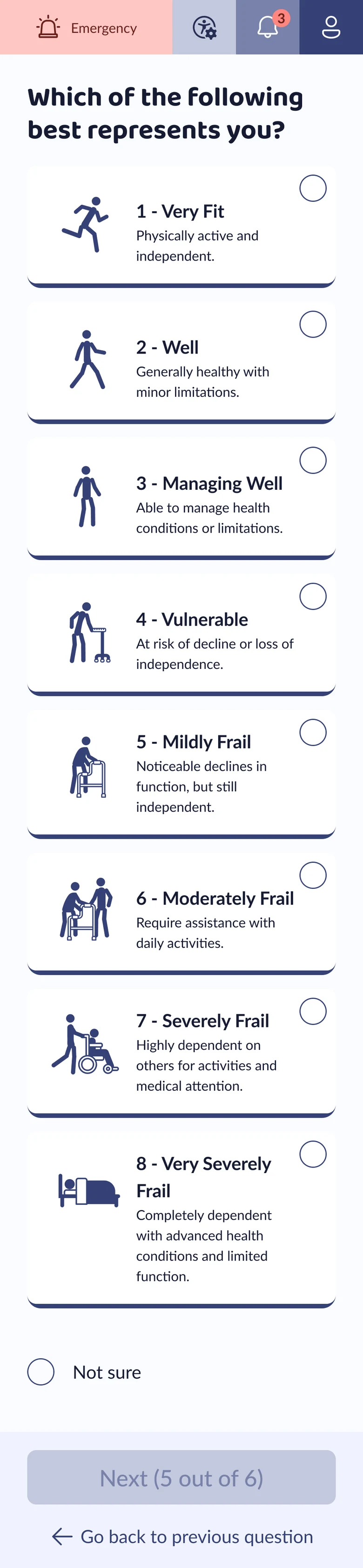
A 0 to 9 pain scale with faces and a 1 to 8 frailty scale with figures, chosen on the phone rather than asked again at the desk.
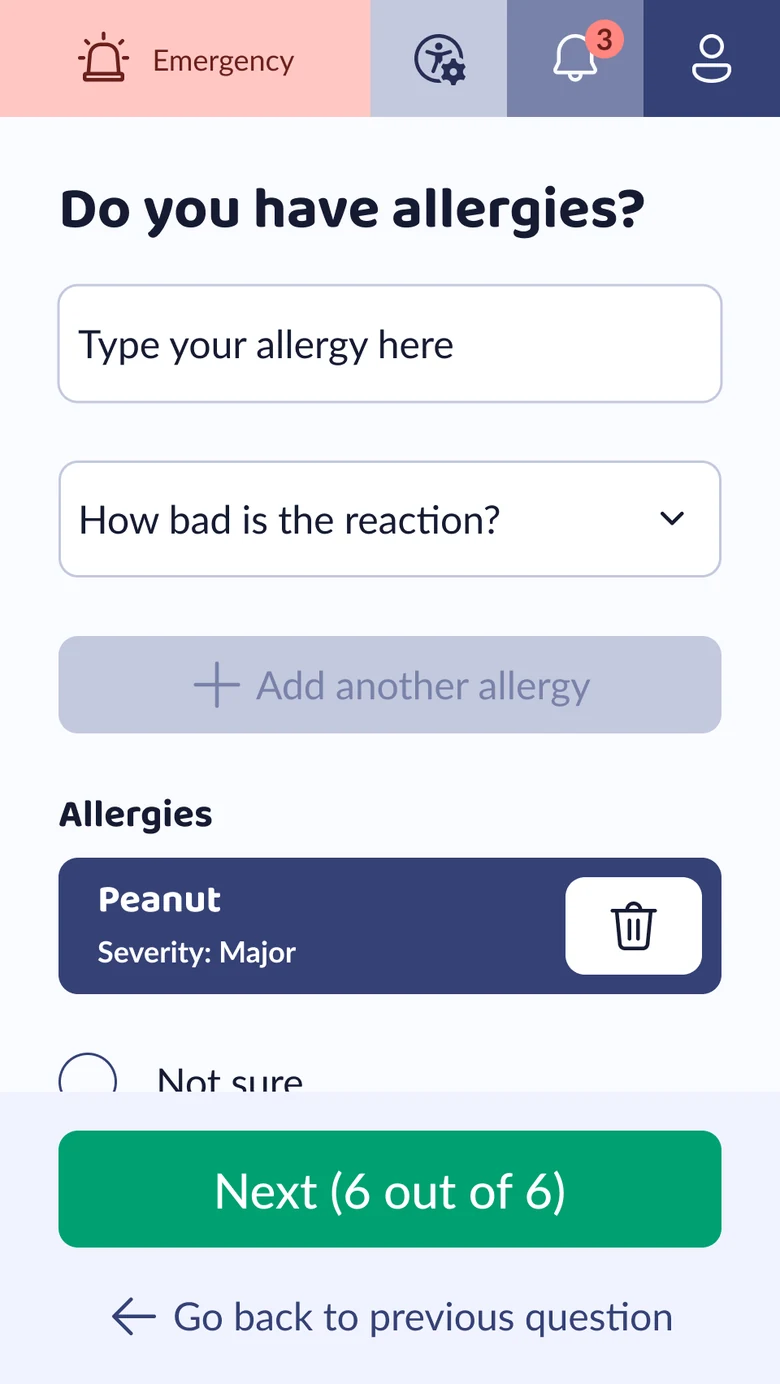
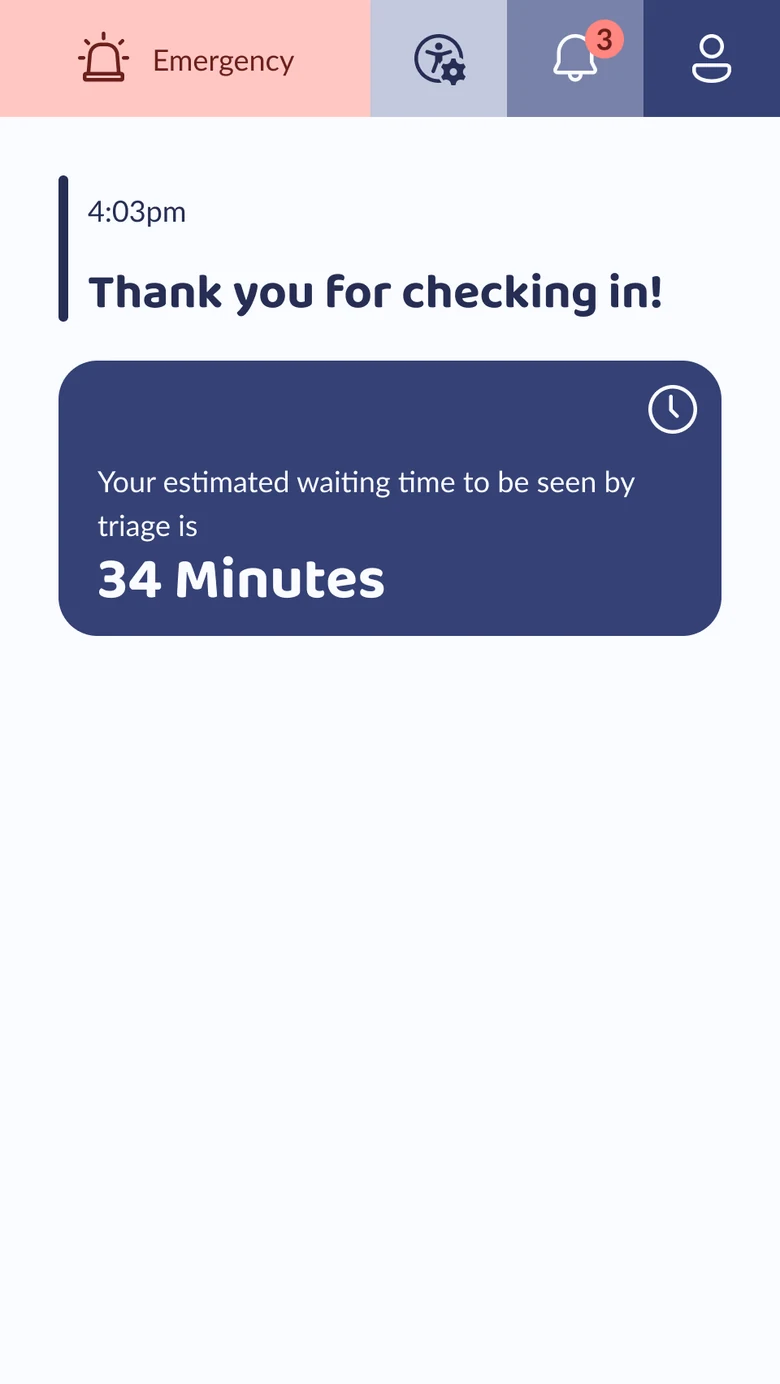
Allergies are added with their severity. On completion the patient sees the time they checked in and an estimate of the wait to be seen by triage.
Patients, staff and clinical details shown are examples.
After triage the estimate changes to the wait to see a doctor. The app checks on the patient’s pain, gathers the history the bedside would otherwise ask for, and lets staff send an instruction.
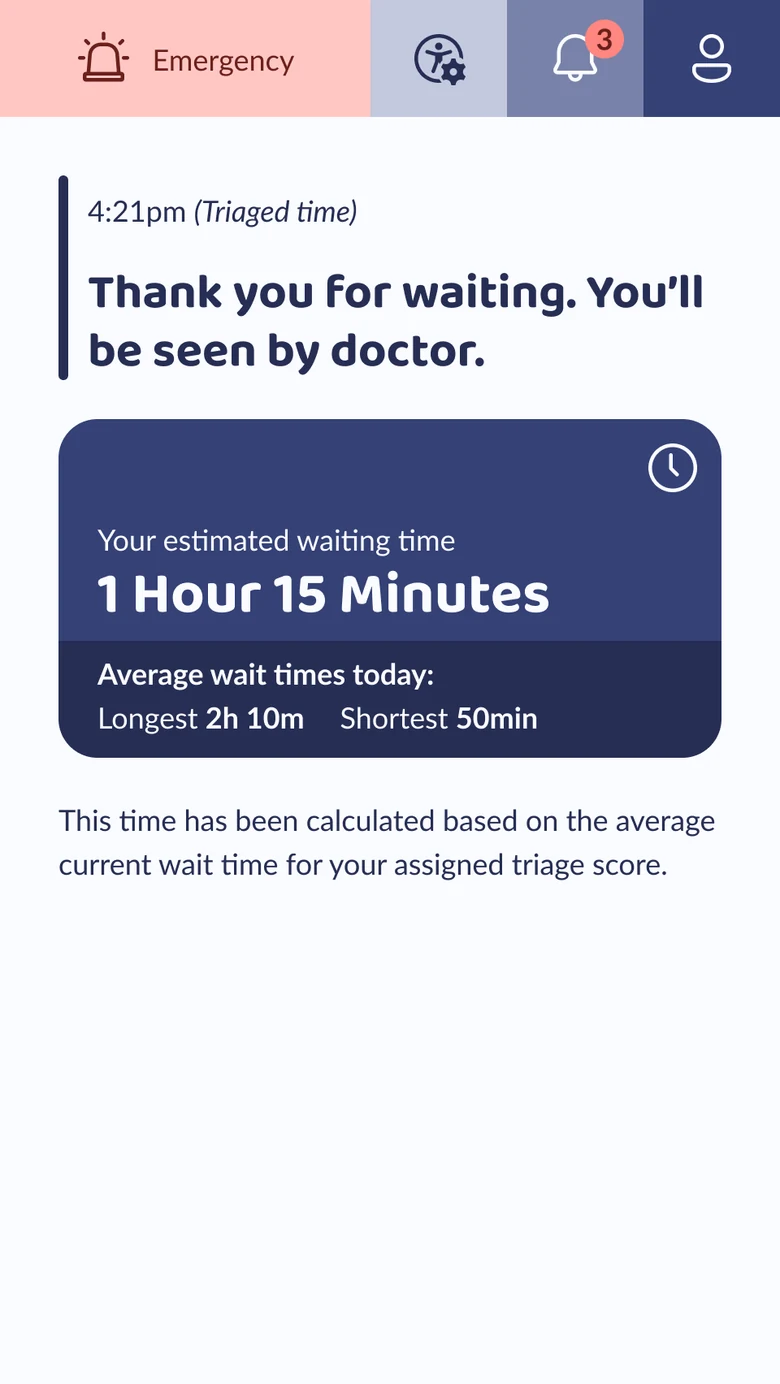
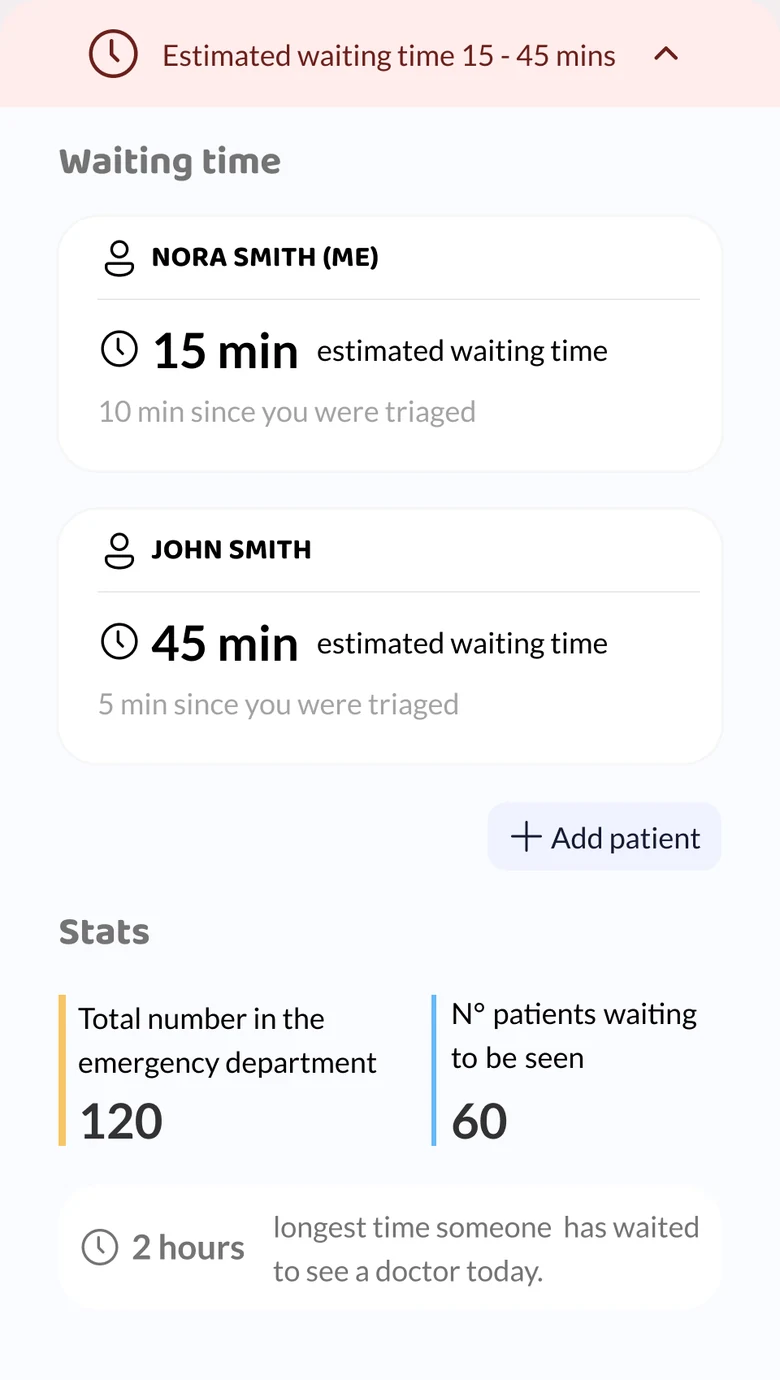
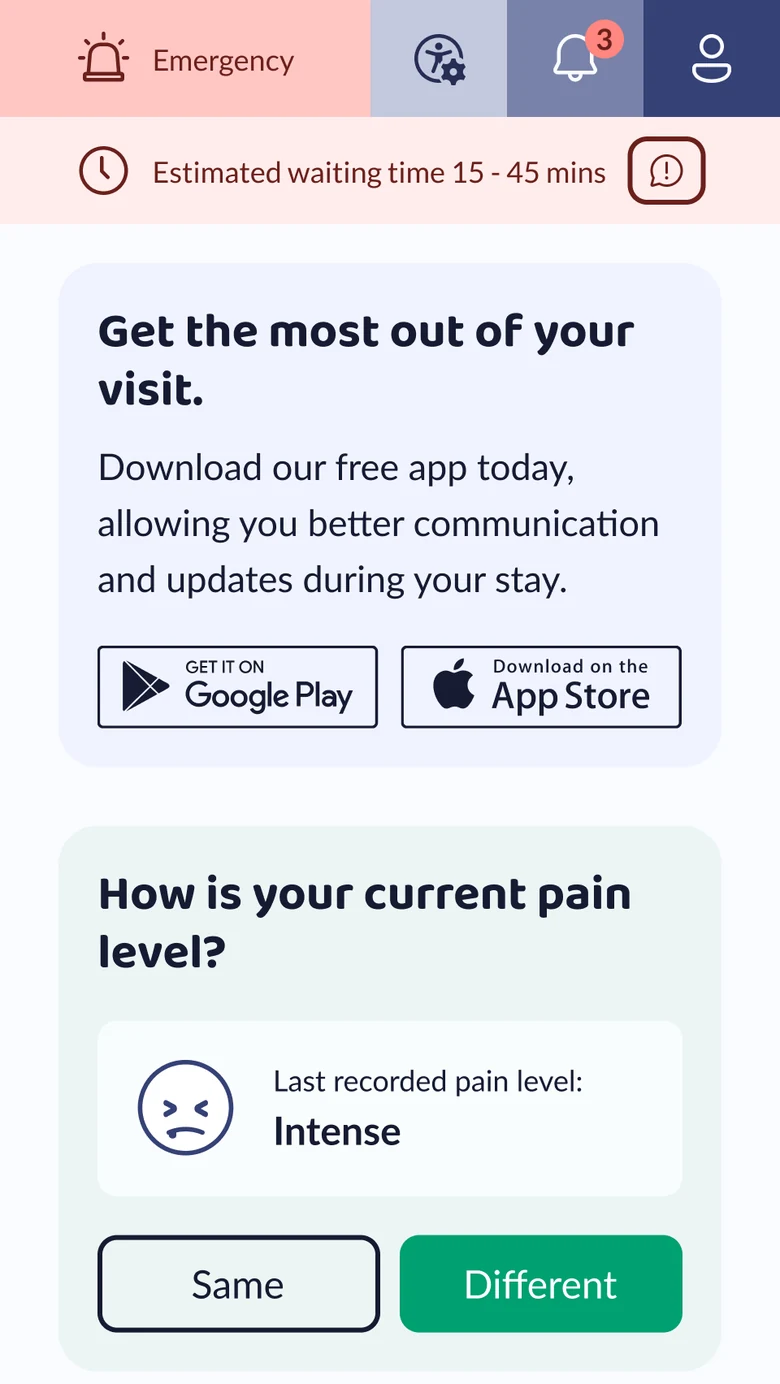
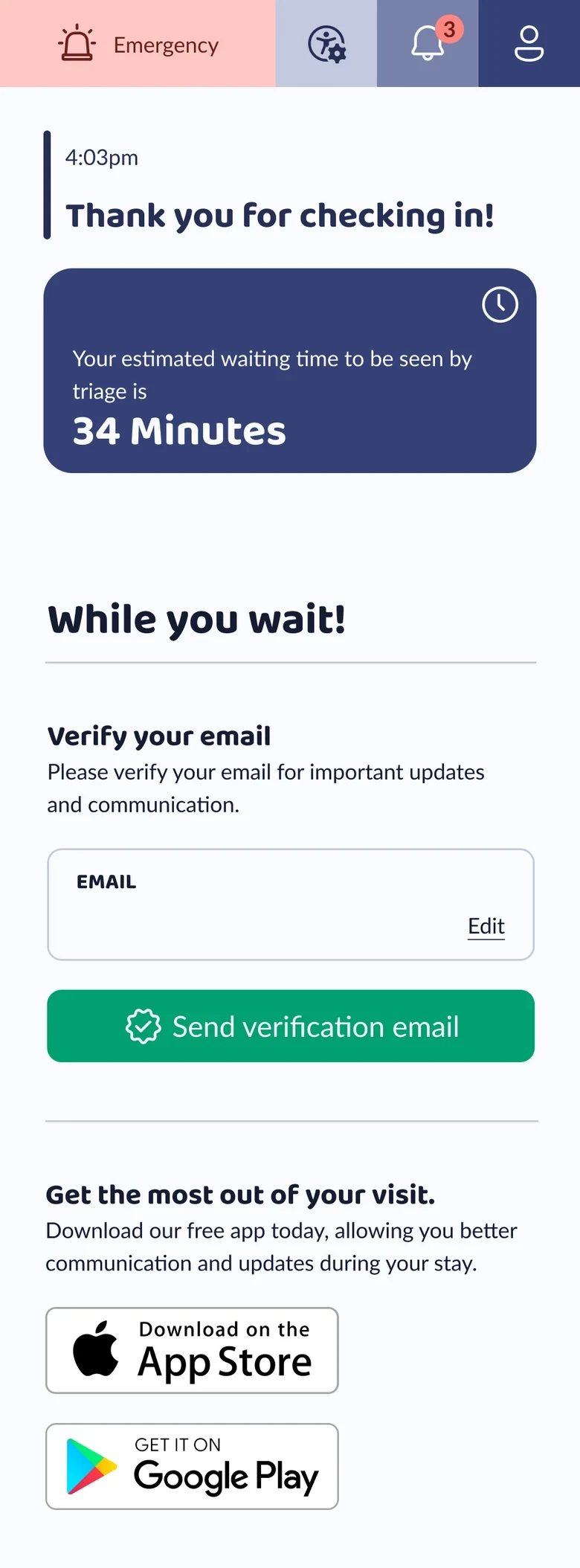
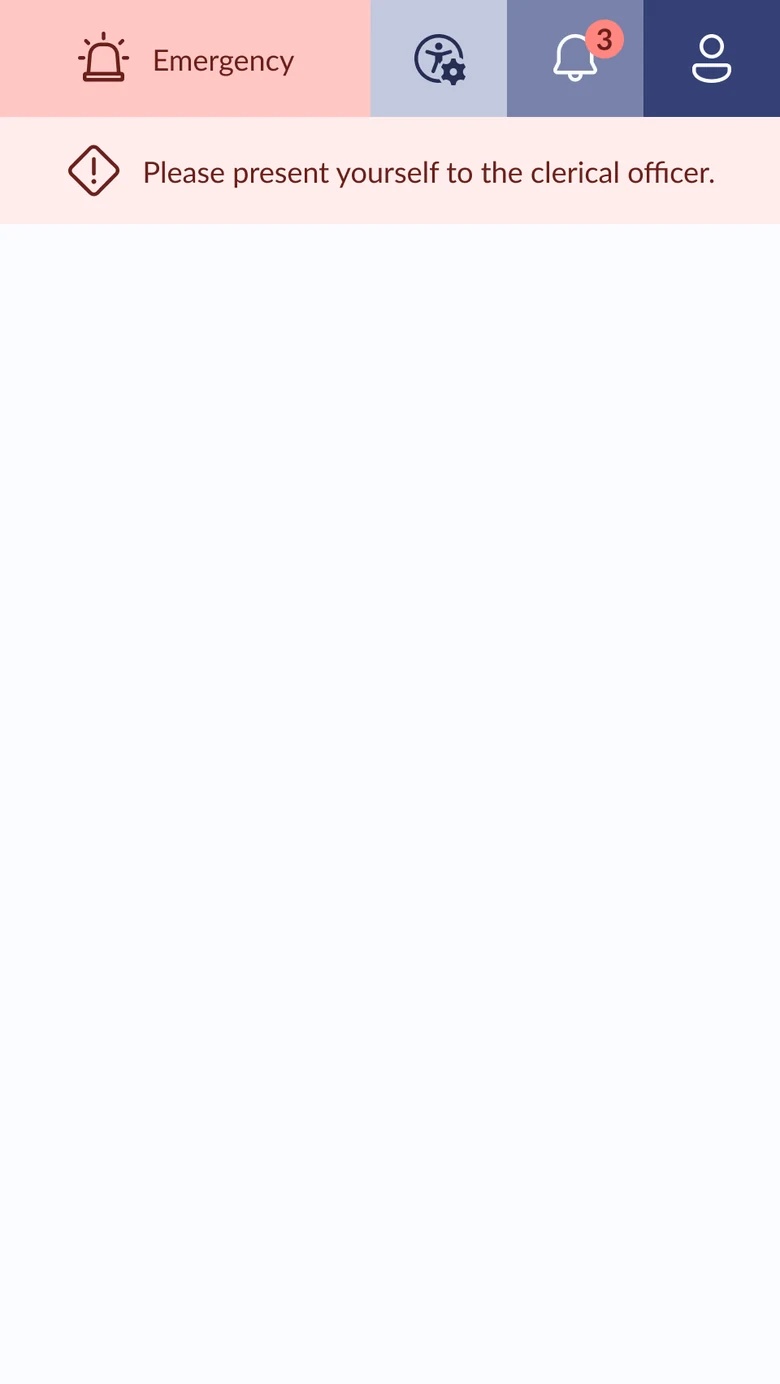
Patients, staff and clinical details shown are examples.
Every patient in the department in one sticky table, above the numbers that matter right now. Distress and observations due arrive as alerts that cannot be lost.
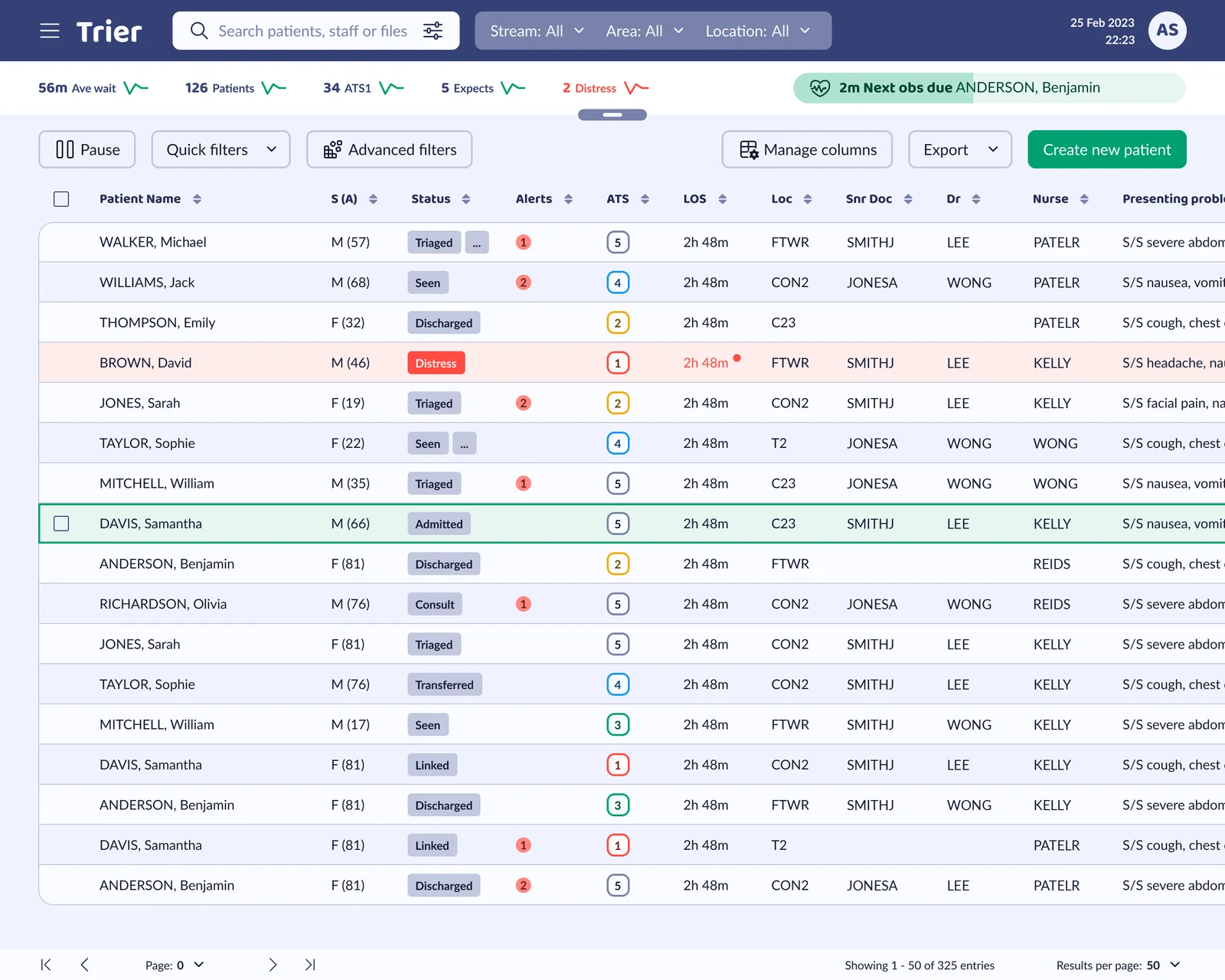
Average wait, patients, ATS 1, expected arrivals, distress and the next observation due sit above a table of every patient: status, alerts, triage category, length of stay, location, senior doctor, doctor, nurse and presenting problem.
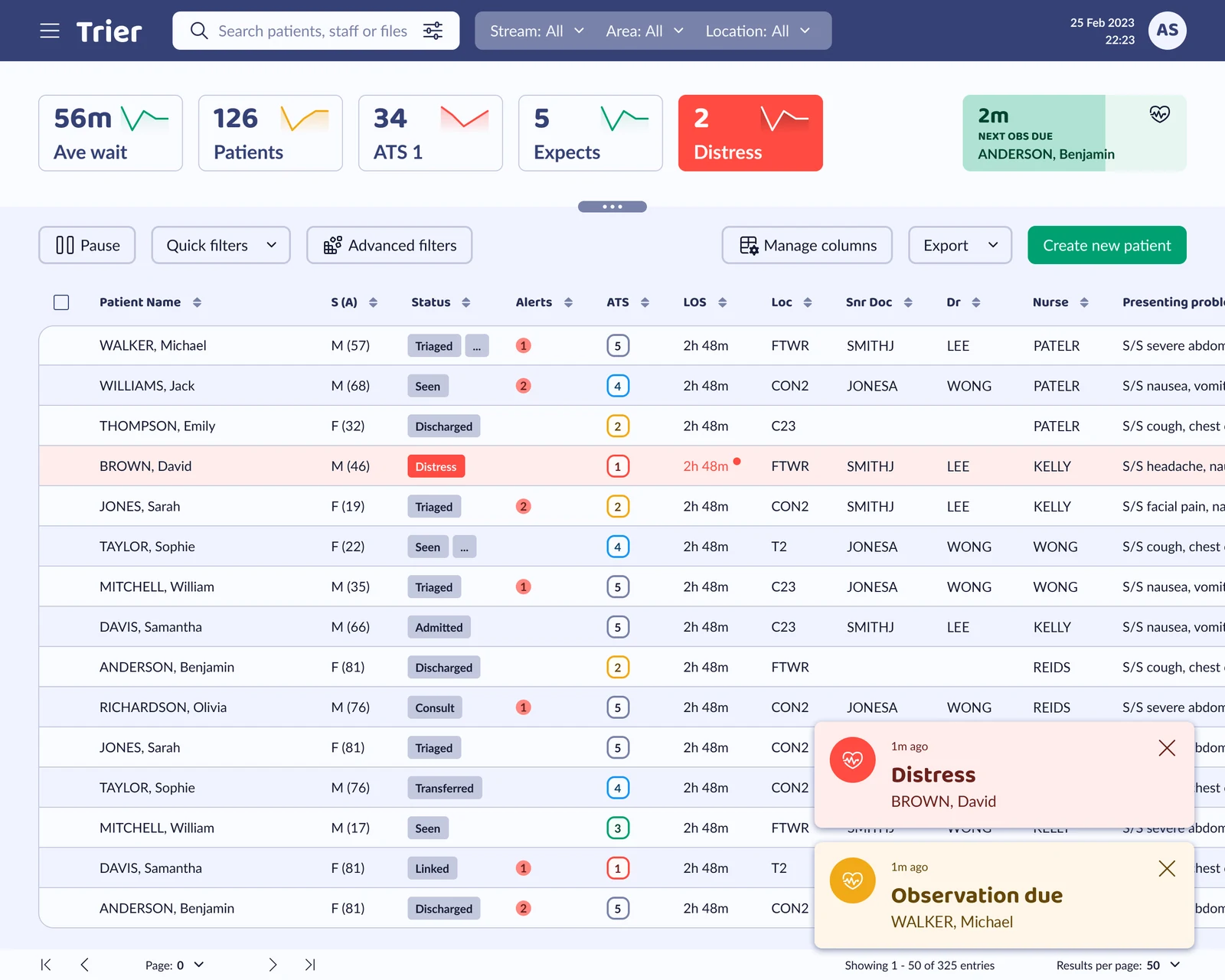
When a patient presses distress in the app, their row turns red with a Distress status and a notification appears. It can only be dismissed by adding notes. Observations due arrive the same way.
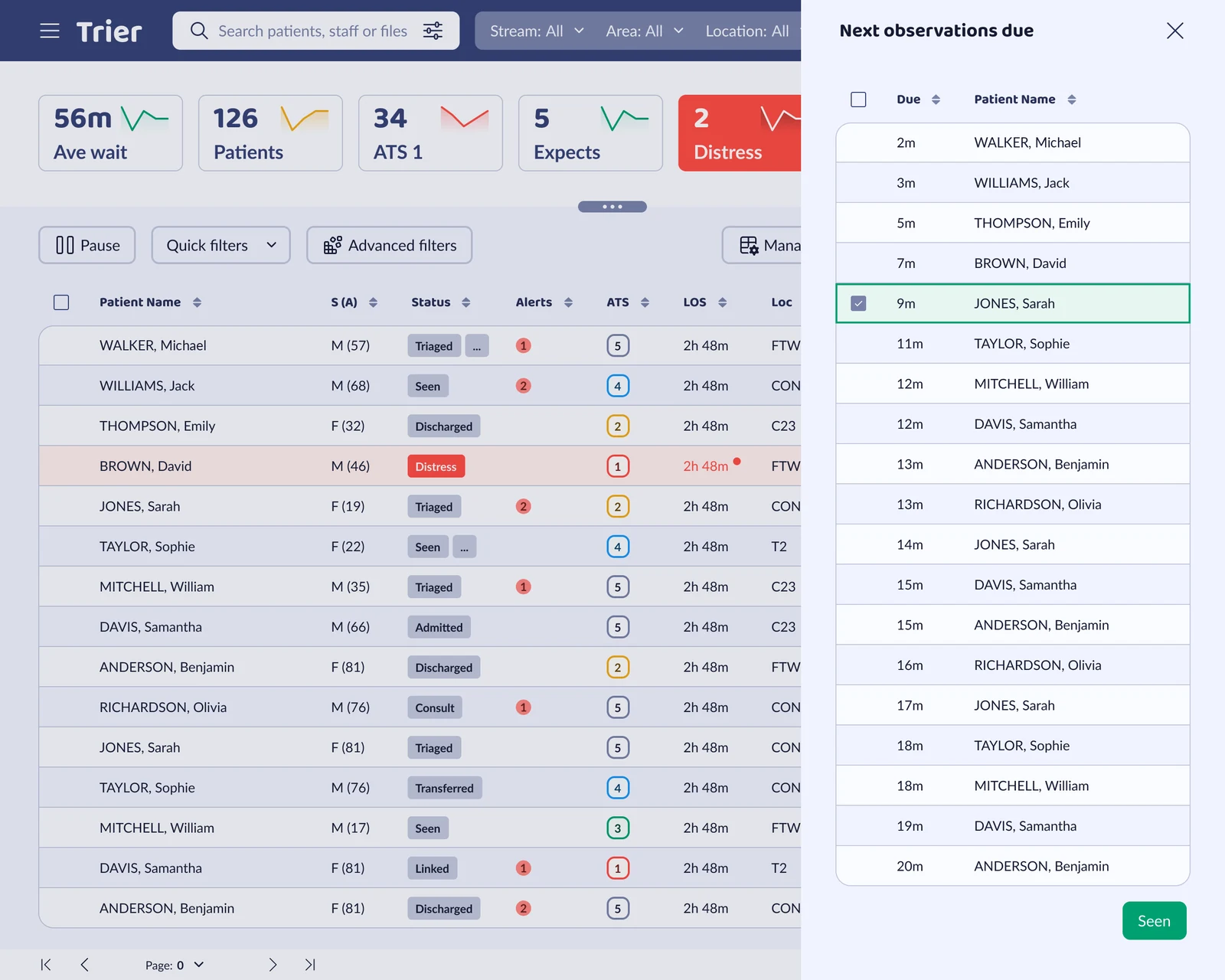
The Next observations due panel lists every patient by when their observations fall due, so the round can be planned rather than remembered.
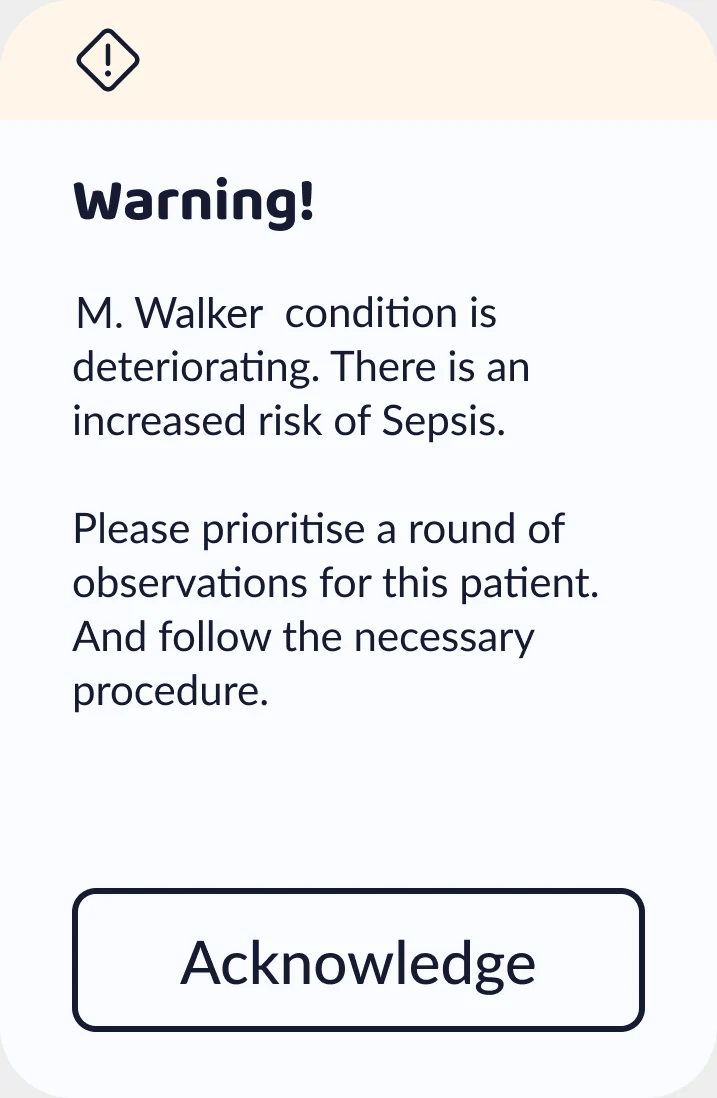
A deterioration warning names the patient, flags an increased risk of sepsis and asks staff to prioritise a round of observations and follow the procedure, with Acknowledge.
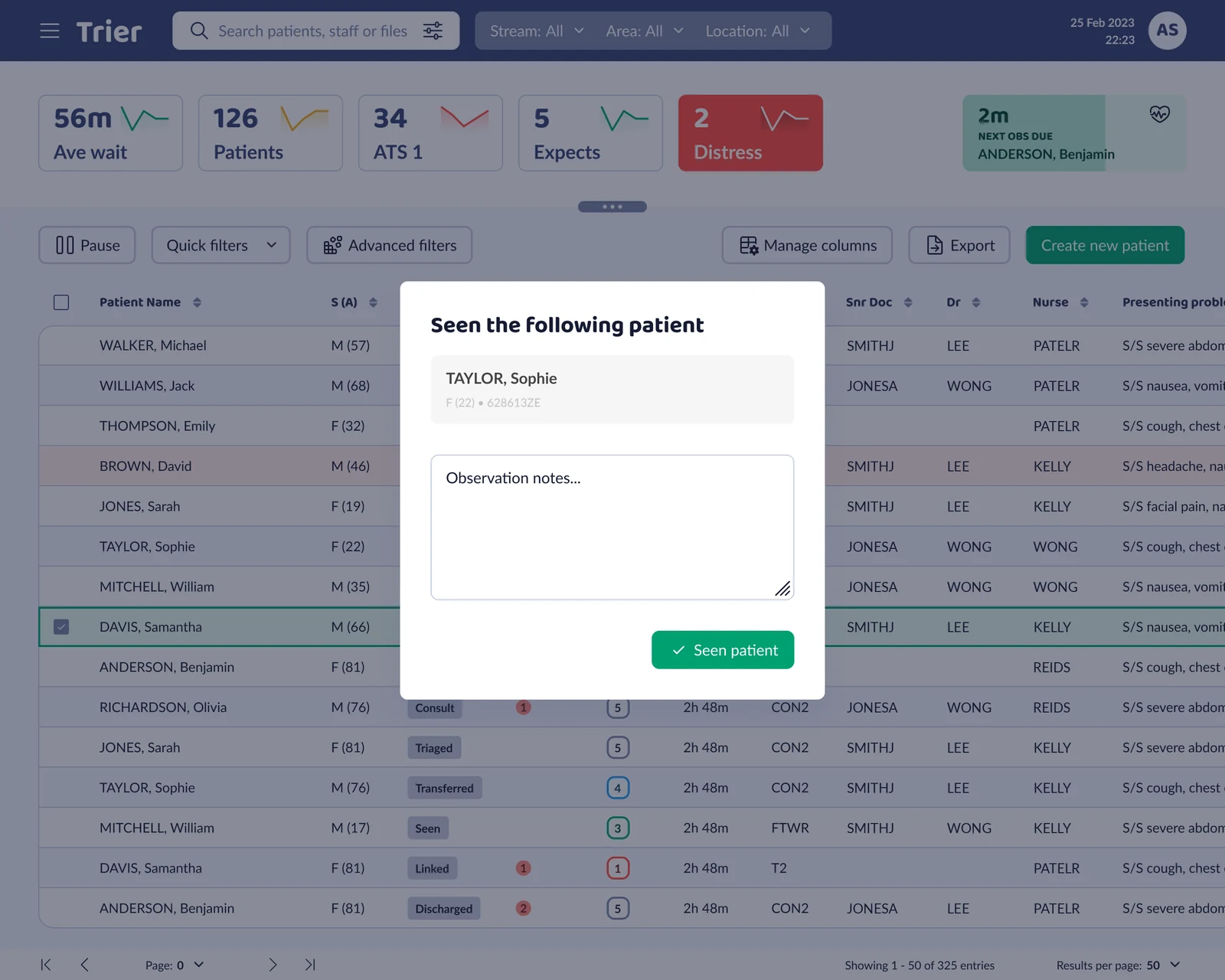
By checkbox or right click: mark a patient seen with a note, hand over, or dismiss a distress call. The list can be exported or printed, and live updates paused while data is entered.
Patients, staff and clinical details shown are examples.
A persistent left panel keeps the triage category, length of stay, alerts and contacts in view. The rest of the screen changes by tab: notes and tasks, allergies and medications, history, files and the observation chart.
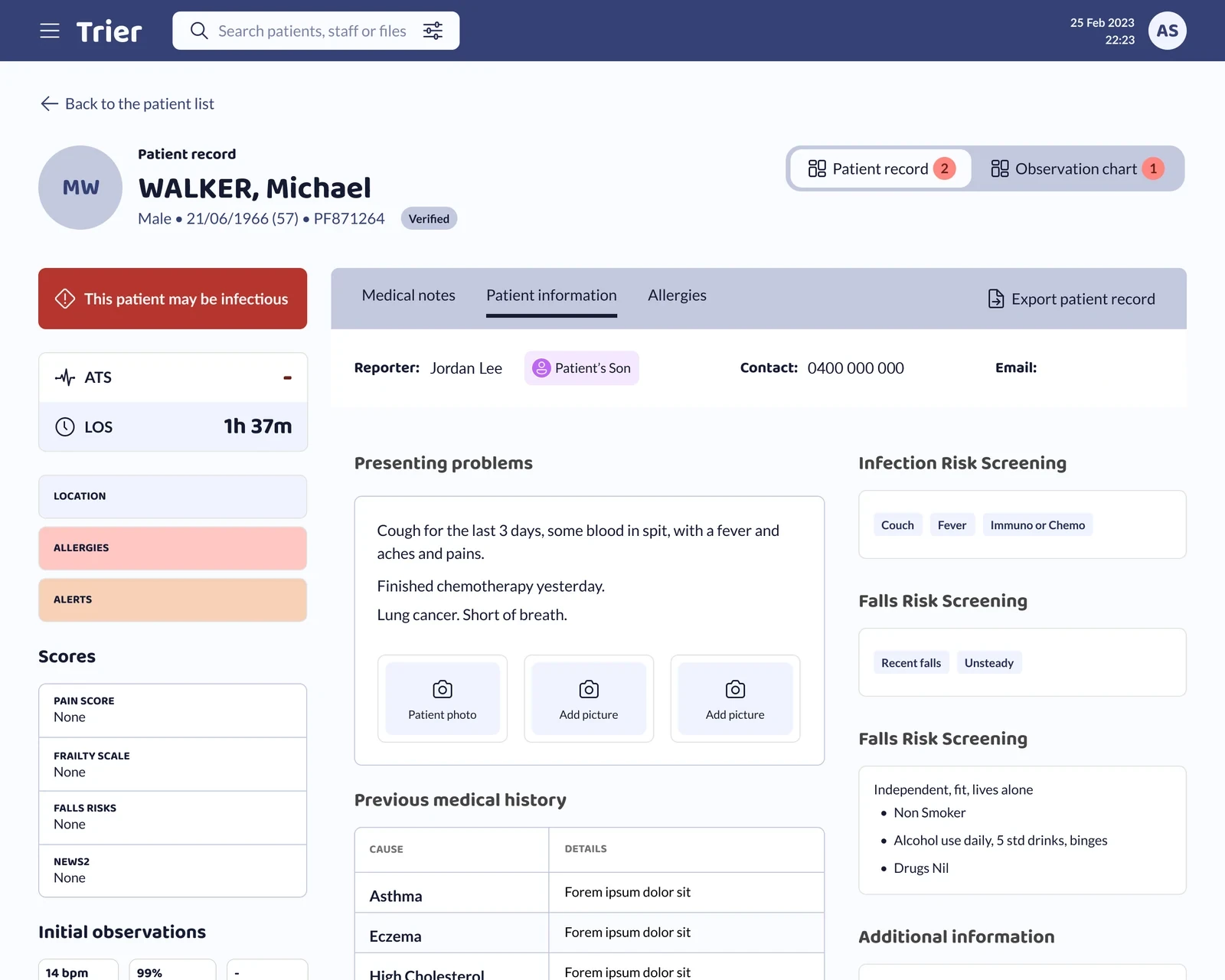
The presenting problems, photos, infection and falls risk screening, previous medical and surgical history, and the initial observations, with the scores from the app in the left panel.
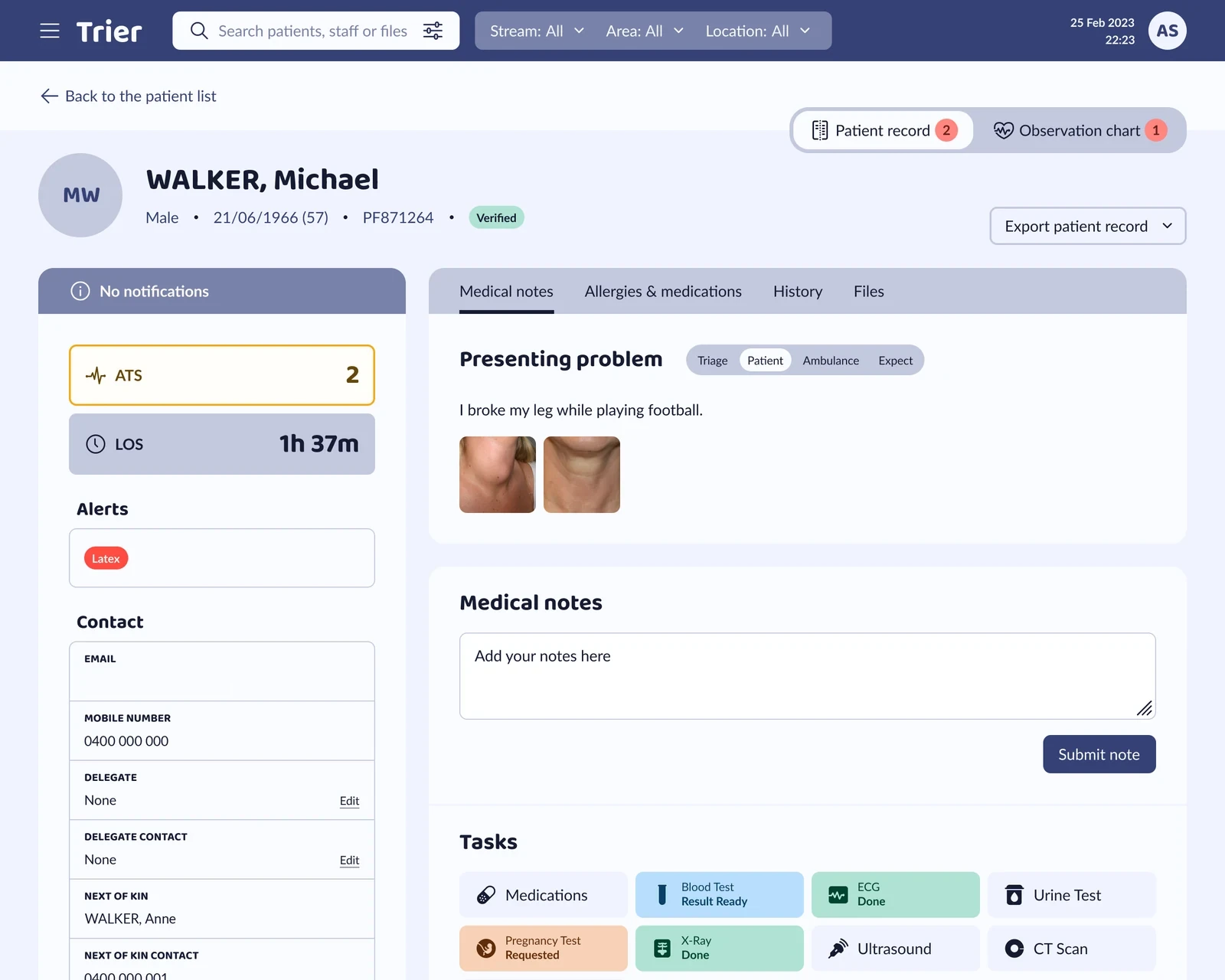
Triage, the patient’s own words and photos from the app, the ambulance record and the expected-patient record. Each appears as a toggle only when it has data, and triage takes priority.
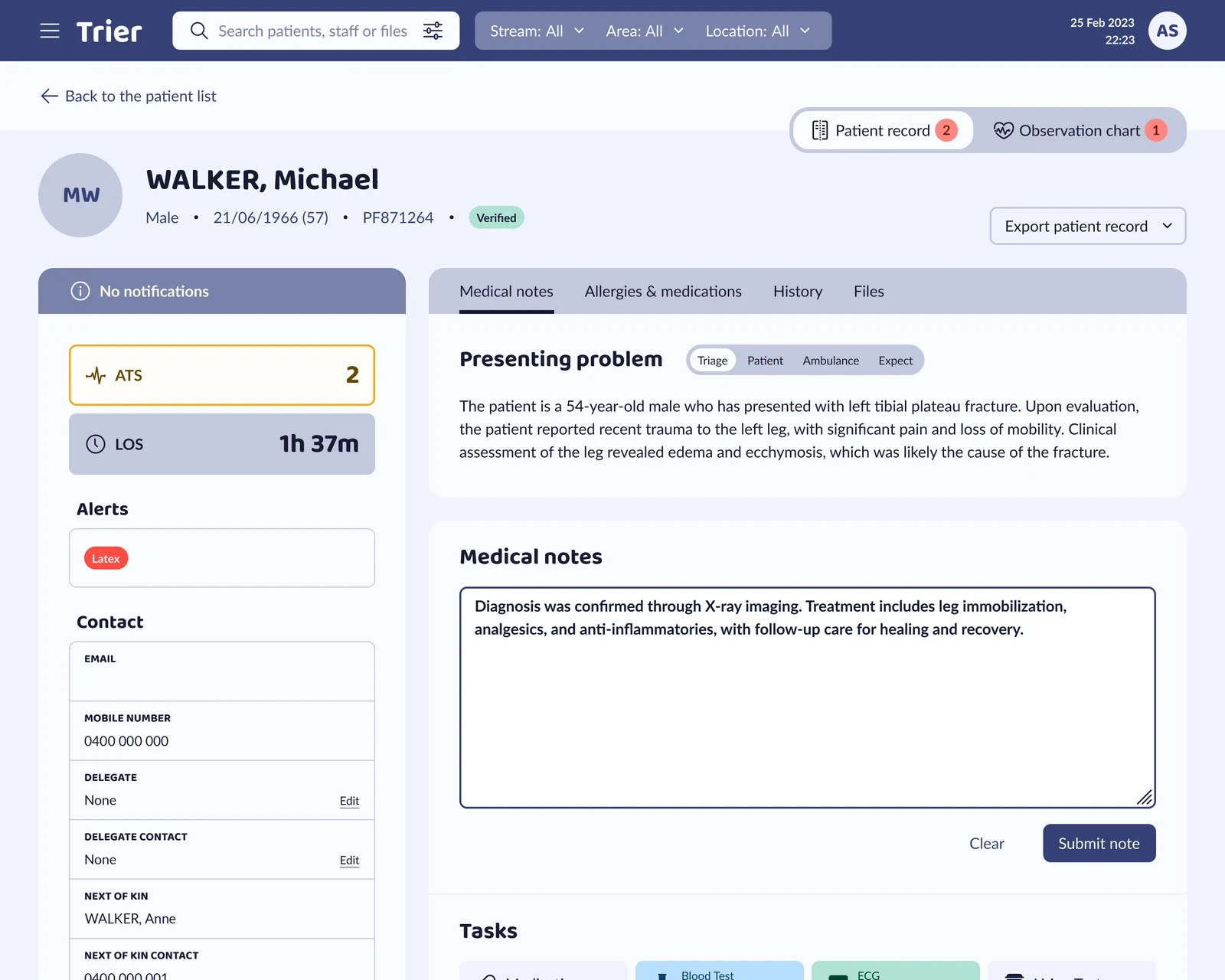
Medical notes; tasks whose status is set by a click (ordered, awaiting results, results ready); and an activity log of every step by clinician and role, searchable and filterable.
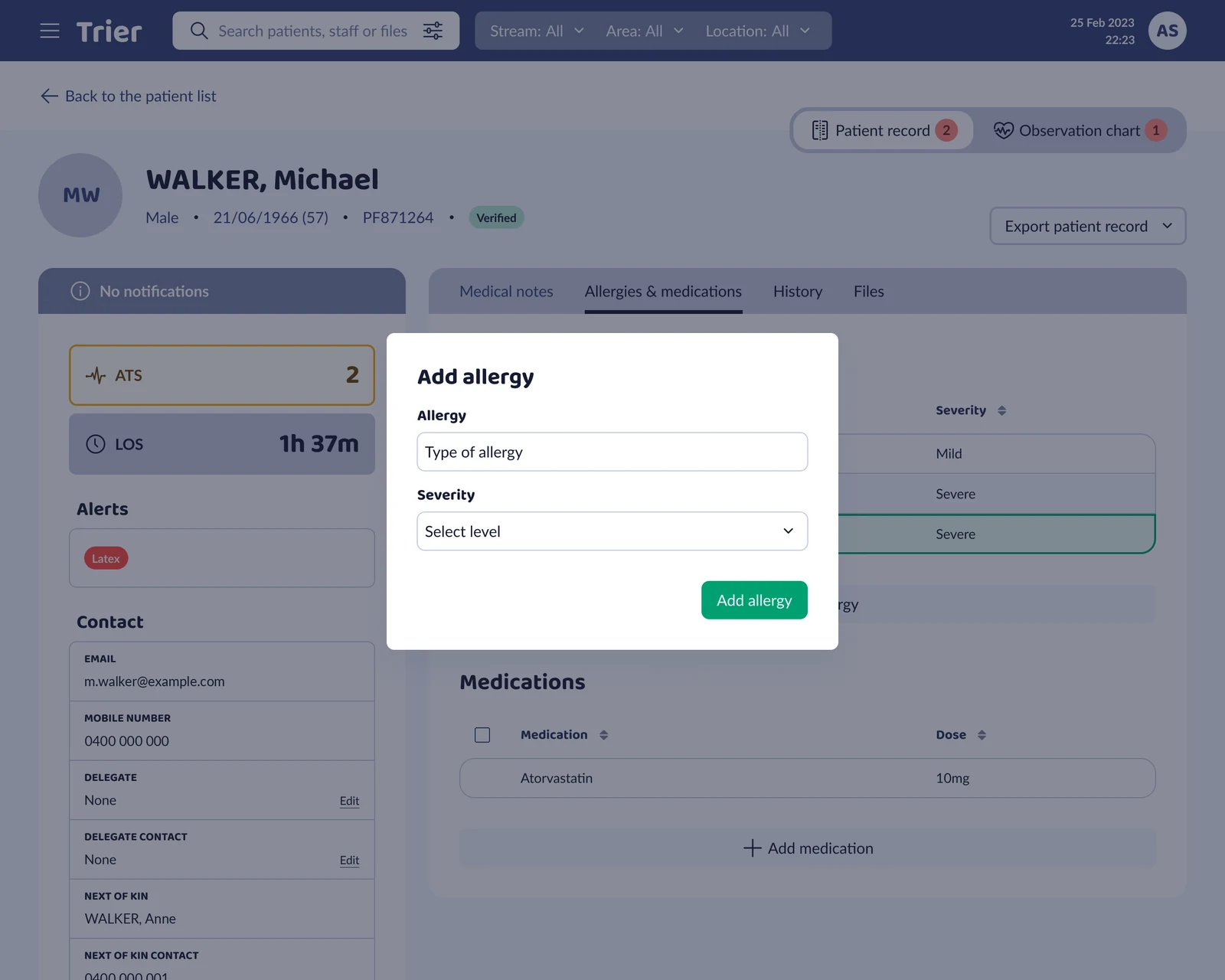
Allergies and medications in tables. A severe allergy flows into the alerts panel, so it is in view on every tab.
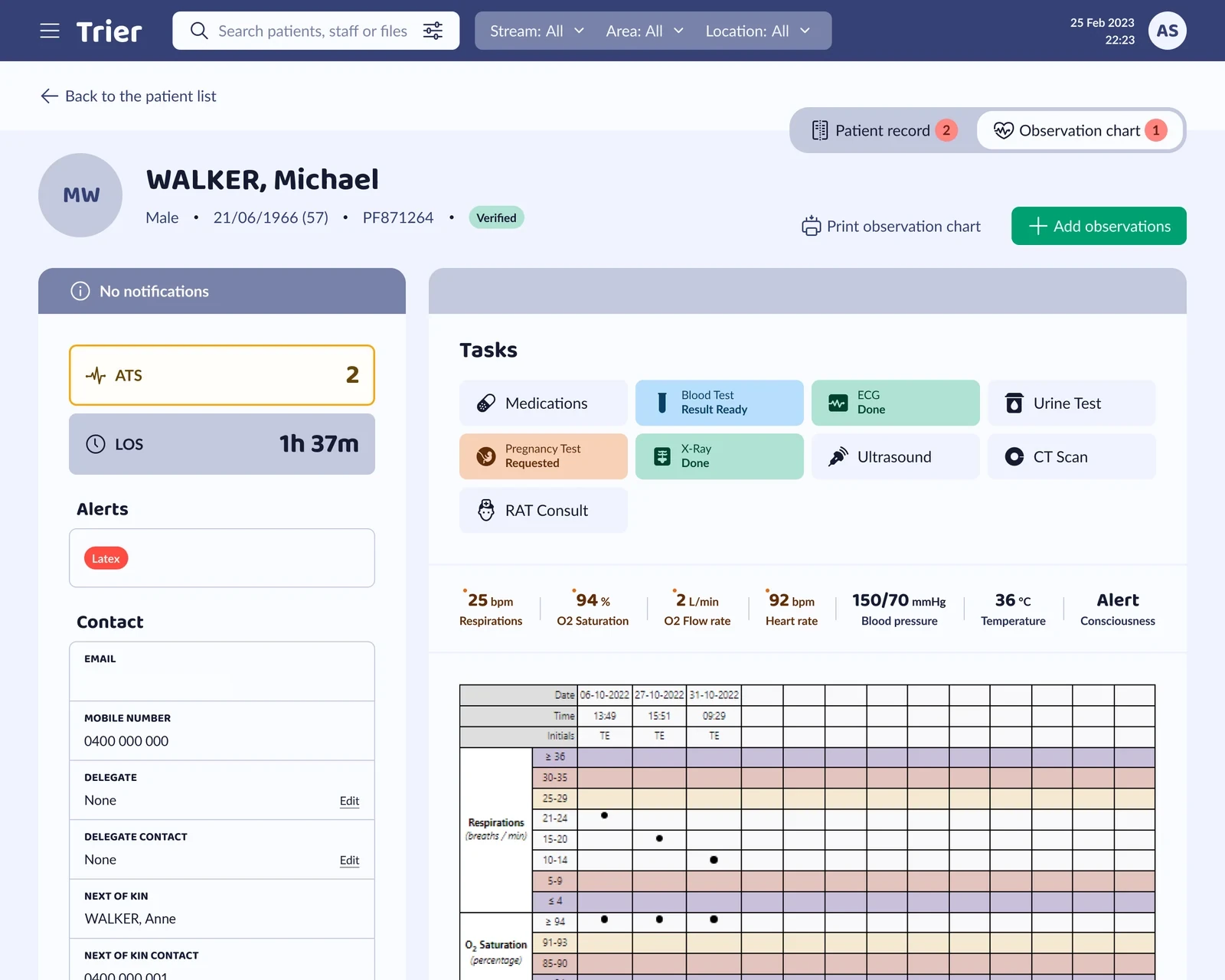
Respirations, oxygen saturation and flow, heart rate, blood pressure, temperature and consciousness at the top, above a colour-banded chart, with the observation chart ready to print.
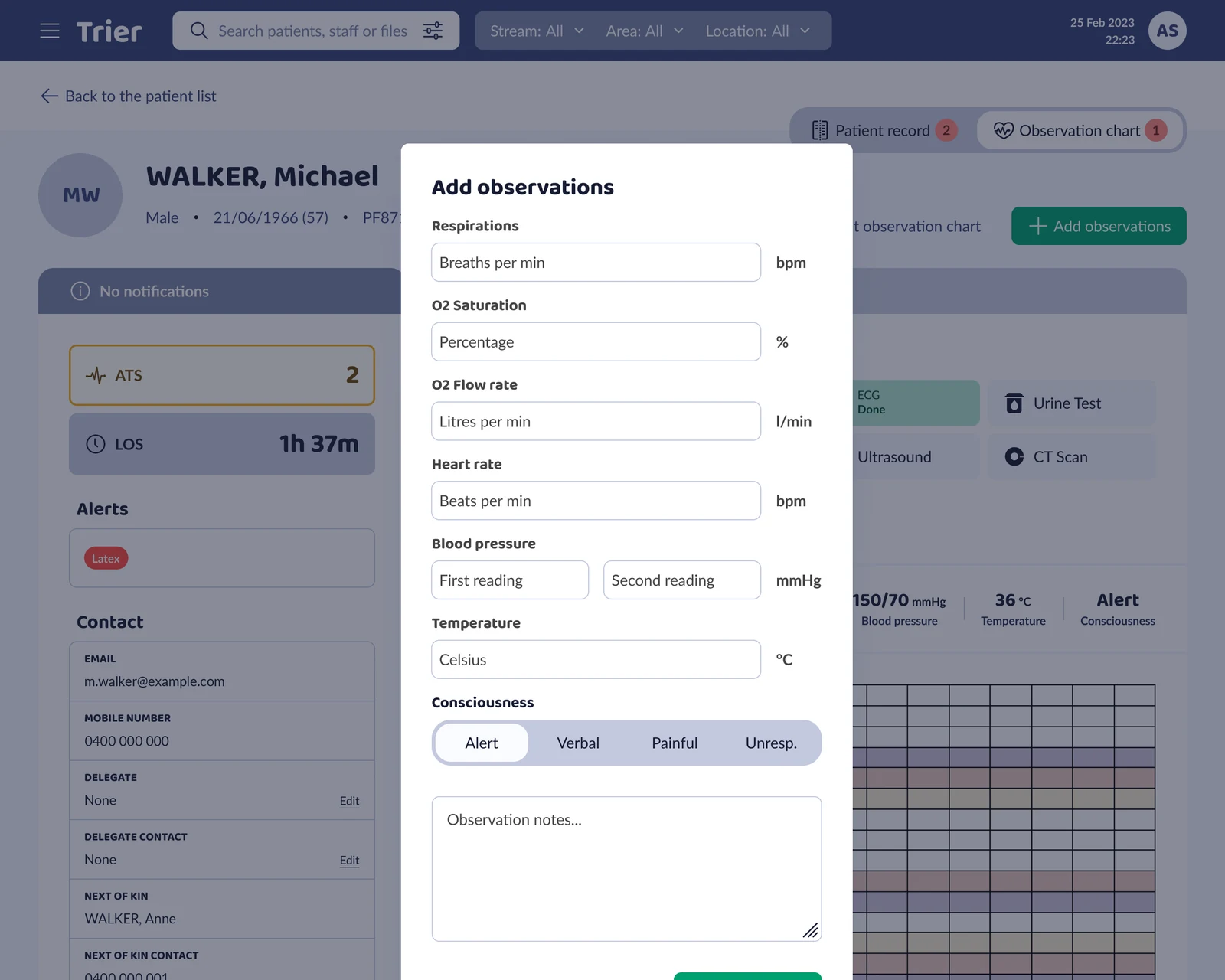
Add observations records respirations, oxygen saturation and flow, heart rate, blood pressure, temperature, consciousness and notes. No field is compulsory, so a partial set can be saved at the bedside.
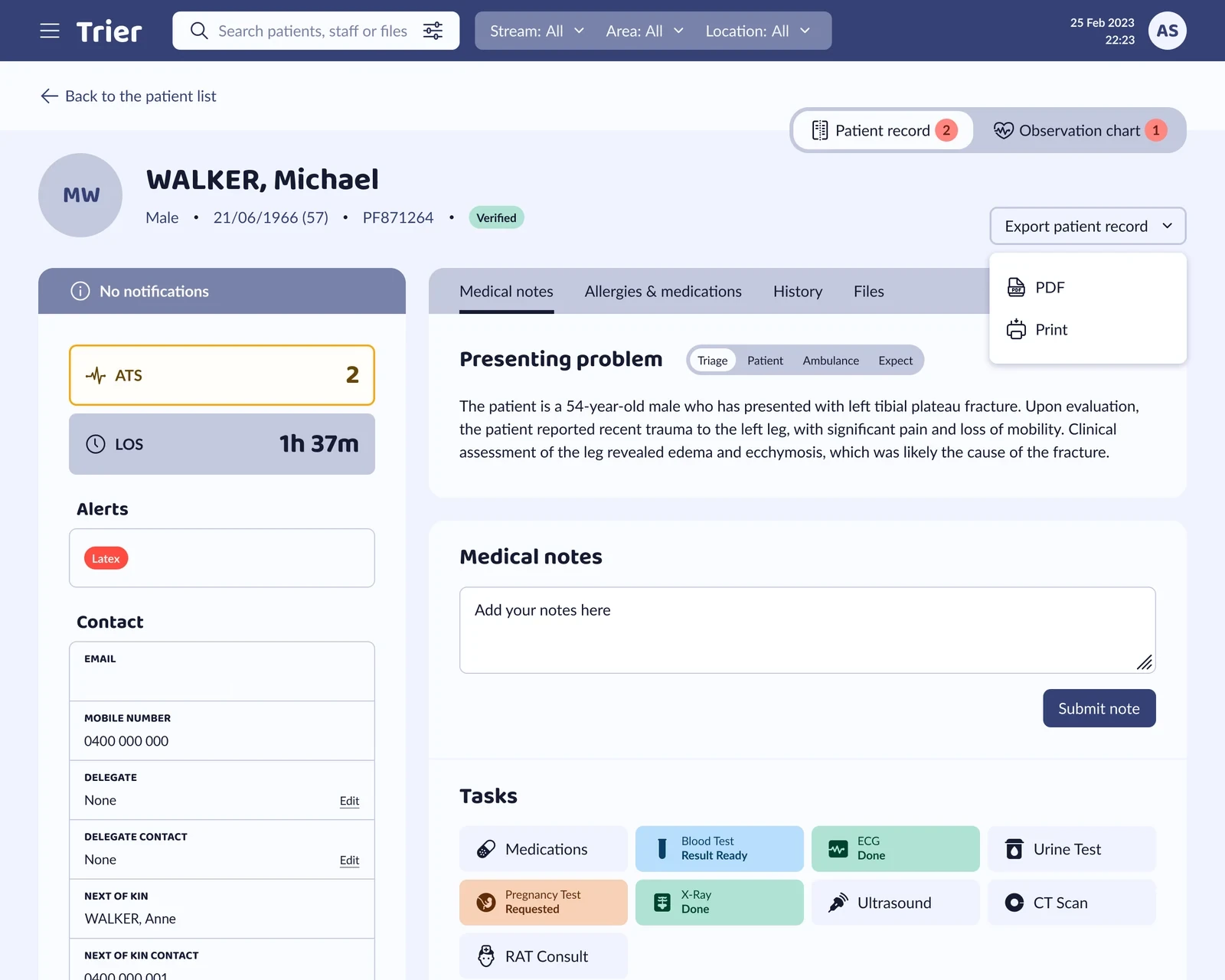
The patient record exports to PDF or prints. Archiving a record asks for a reason.
Patients, staff and clinical details shown are examples.
The emergency department keeps its triage, its clinicians and its procedures. Emergency Management gives the waiting room a voice and the clinical team the information sooner.
A code in the waiting room opens the app. Emergencies and infection risks are screened before registration; everyone else registers on their own phone.
New registrations appear in the live list as they arrive, with the patient’s own words, photos, scores and allergies.
Patients see their estimated wait and can call for help. Observations due and deterioration warnings reach the clinicians in order.
History gathered in the waiting room, notes, tasks and the observation chart are already in the record when the patient is seen.
Life or limb threatening emergencies and red flag symptoms first, with a yes sent straight to the triage nurse.
Symptoms and risk factors screened before registration, with isolation and a mask where needed.
For themselves or someone else, with a verified email, the problem in their own words and a photo if safe.
Structured scores and allergies with severity, captured before the patient reaches the bedside.
An estimate of the wait to triage, then to see a doctor, the second calculated from the current average wait for the patient’s triage score.
The patient can call for help from the app. A distress call turns their row red in the portal until a clinician adds notes.
Summary tiles, a sticky list of every patient, quick and advanced filters, and a scope of stream, area and location that persists.
Reminders as stacked notifications and in a panel in due order, with deterioration warnings to acknowledge.
A persistent panel of category, length of stay and alerts, with notes, tasks, allergies, medications, history and files.
The latest vital signs above a colour-banded chart, with observations added in a few fields and printed when needed.
An activity log by clinician and role, searchable and filterable, and a record that exports to PDF.
Normal, unknown and anonymous patients, with demographics verified against the hospital’s patient administration system.
The product was founded by emergency department professionals. Imminently upgraded the technical approach, led the service design, redesigned the user experience, rebuilt the application, ran user testing and deployed it into a hospital with 24x7 support operations.
It was developed with a metropolitan health service and a state health department, and deployed for the health service after quality and security testing.
Interoperability work including FHIR, and HL7 integration tailored to the health service.
A dual tenancy on Microsoft Azure, designed for scale and supported 24x7.
Self-registration and digital observation charts with real-time alerts first, then deeper integration, then more sites and paediatrics.
Run with 24x7 support operations, established by Imminently as part of the deployment.
Imminently mapped the visit by observing the emergency department at work, with the triage nurses and the triage process: what the patient does, what the clinical team does and what the systems hold at each stage. Emergency Management gives the waiting room a voice where information was being lost.
The patientCalls for an ambulance or makes their own way in.
The clinical teamThe ambulance record and the expected-patient details arrive ahead of the patient.
Emergency ManagementBoth records become sources for the presenting problem.
The patientScans the code in the waiting room. A life or limb threatening emergency goes straight to the triage nurse.
The clinical teamEmergencies reach the triage nurse at once; infection risks are known before registration.
Emergency ManagementSafety and infection screening before registration.
The patientRegisters on their own phone, in their own words, with pain, frailty and allergies.
The clinical teamNew registrations appear in the live list as they arrive.
Emergency ManagementRegistration in the patient’s words, with photos and scores.
The patientIs triaged by the nurse, who already has their information.
The clinical teamTriage stays with the triage nurse, with the information in hand.
Emergency ManagementThe presenting problem from four sources, triage first.
The patientSees the estimated wait and can call for help.
The clinical teamObservations due and deterioration warnings reach clinicians in order; a distress call turns the patient’s row red.
Emergency ManagementLive waiting times, observations and alerts.
The patientIs seen with their history already in the record.
The clinical teamHistory, notes, tasks and the observation chart are at the bedside; prescribing and discharge stay in the hospital’s systems.
Emergency ManagementA full record before a bed is free.
Emergency Management supports the people delivering care: it collects information, routes it to the right clinician and keeps the patient informed. Under the hood, Imminently’s legal reasoning applies the hospital’s and the state’s central policies and requirements, configured as part of the deployment, so the procedures and protocols a department must follow are applied the same way every time.
Emergency Management is not a diagnostic or autonomous triage tool.
No. Triage stays with the triage nurse. The app screens for emergencies and infection risk so those patients go straight to a nurse, and gives the nurse the patient’s information when they arrive.
Their own phone. A code in the waiting room opens the app; a carer or parent can register on the patient’s behalf.
Through the hospital’s systems, with HL7 integration tailored to the health service and interoperability work including FHIR. Demographics are verified against the patient administration system.
On Microsoft Azure as a dual tenancy, designed for scale, supported 24x7.
We deploy the patient app and the clinician portal set up for your department: its safety and infection screening, observation schedules and escalation procedures, with legal reasoning under the hood applying the hospital’s and the state’s central policies and requirements, configured as part of the deployment. When a protocol or a policy changes, the change is made, tested and released as part of the service. Clinical judgement stays with your clinicians, and triage with the triage nurse.
Explore the patient journey, the triage workflow, your local procedures and hospital integration.