Operational view
Compare planned work, recorded time and the exceptions that require action.
Capture actual work against the right job on the web or on mobile, see the entitlements as time is entered, approve by delegation and validate the pay before it is paid.
Imminently Timesheets includes Imminently Awards. With Imminently Rosters it is Imminently Attendance Management.
Every entry interpreted against your awards, agreements and policies, with the clause behind each outcome.
Explore AwardsCaptureCapture actual work against the right job, with entitlements determined as time is entered.
See howRequests and IFAsIndividual flexibility arrangements, time off in lieu, travel time and claims, with balances and the approver’s review.
See howThe Imminently appClock in and out, enter time, see balances and approve, on the phone.
See howPayrollPayroll sees what has been approved, what has reached payroll and what has changed, before the pay run.
See howReportingApprovals, payroll status, hours and cost, with audit trails and determination reports.
See howThe published roster pre-fills the timesheet. Staff confirm what actually happened, the engine determines the entitlements and payroll receives approved, interpreted pay lines.
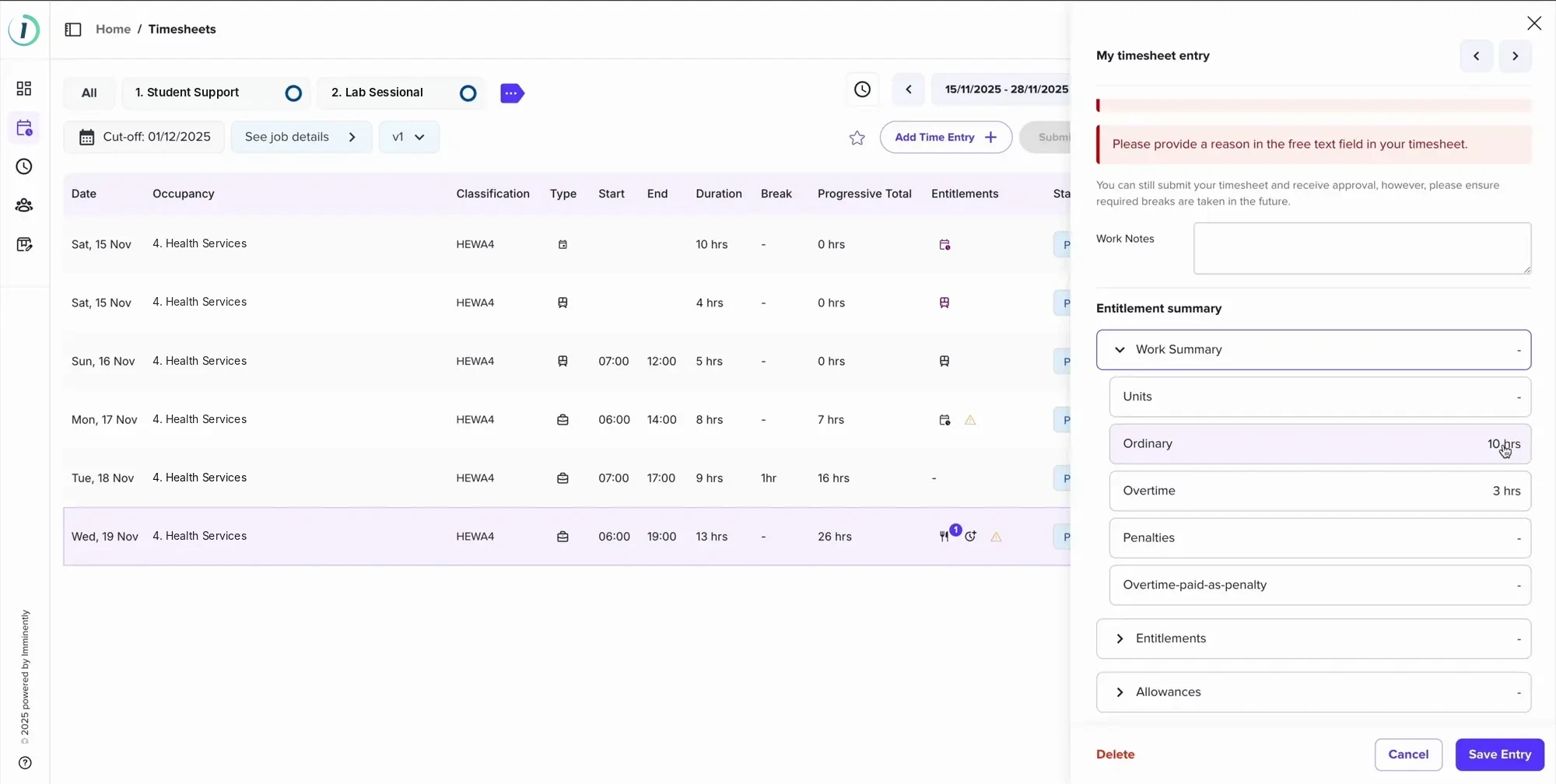
Timesheets are pre-filled from the published roster, work patterns and scheduled assignments. Pending leave appears as tentative and approved leave as confirmed.
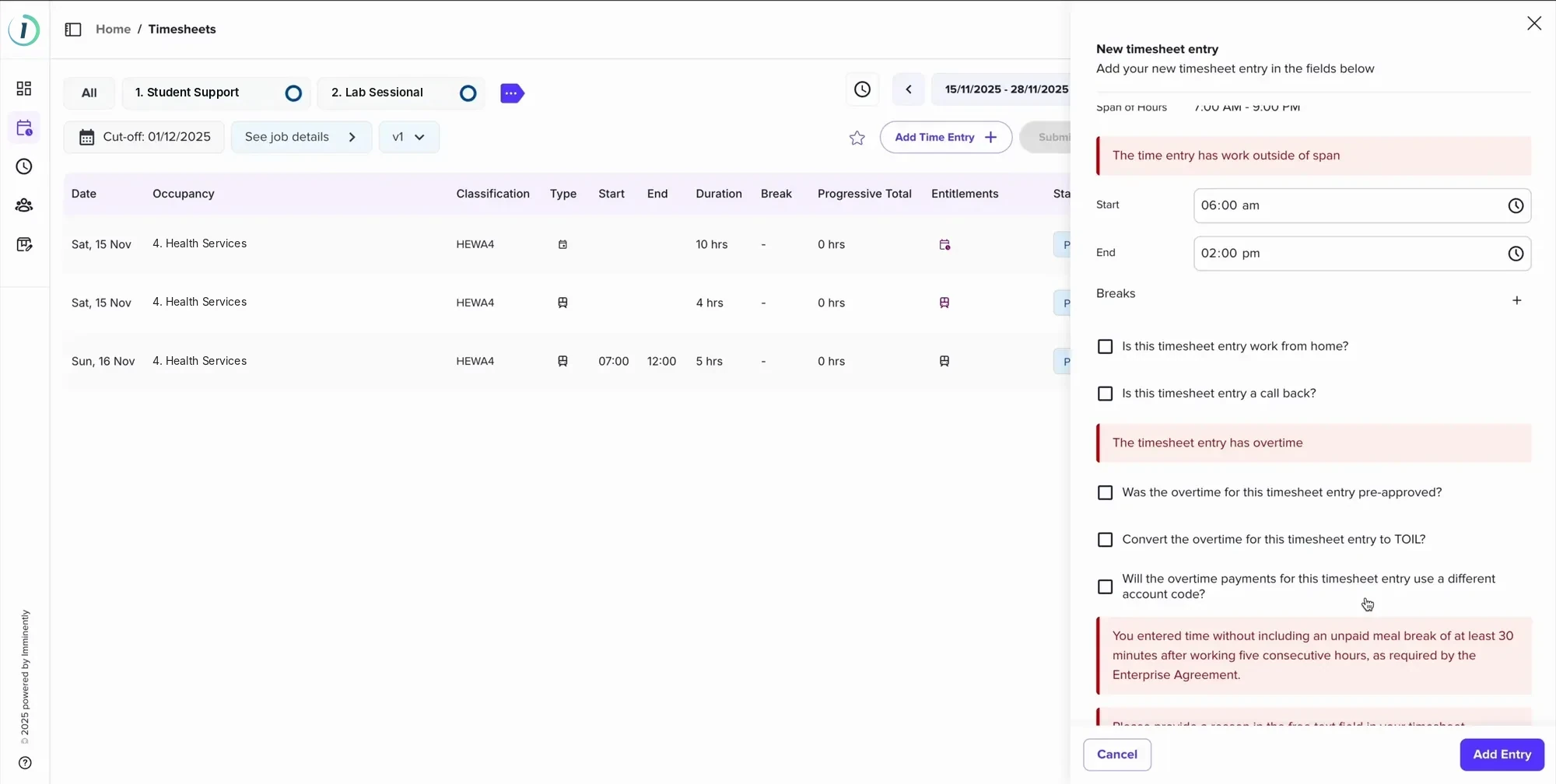
Staff confirm or amend the actual work and answer only the questions the instrument needs: outside the span, overtime pre-approval, breaks, time in lieu.
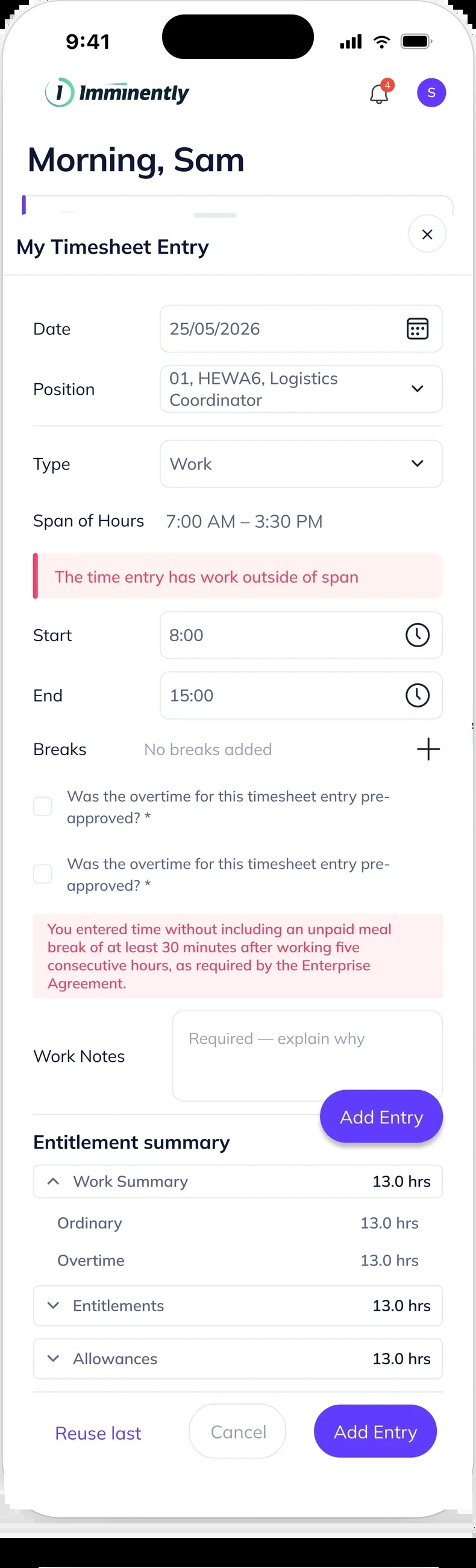
On the app, each entry shows the warning when work falls outside the span of hours, and its entitlement summary, the same checks as the web.
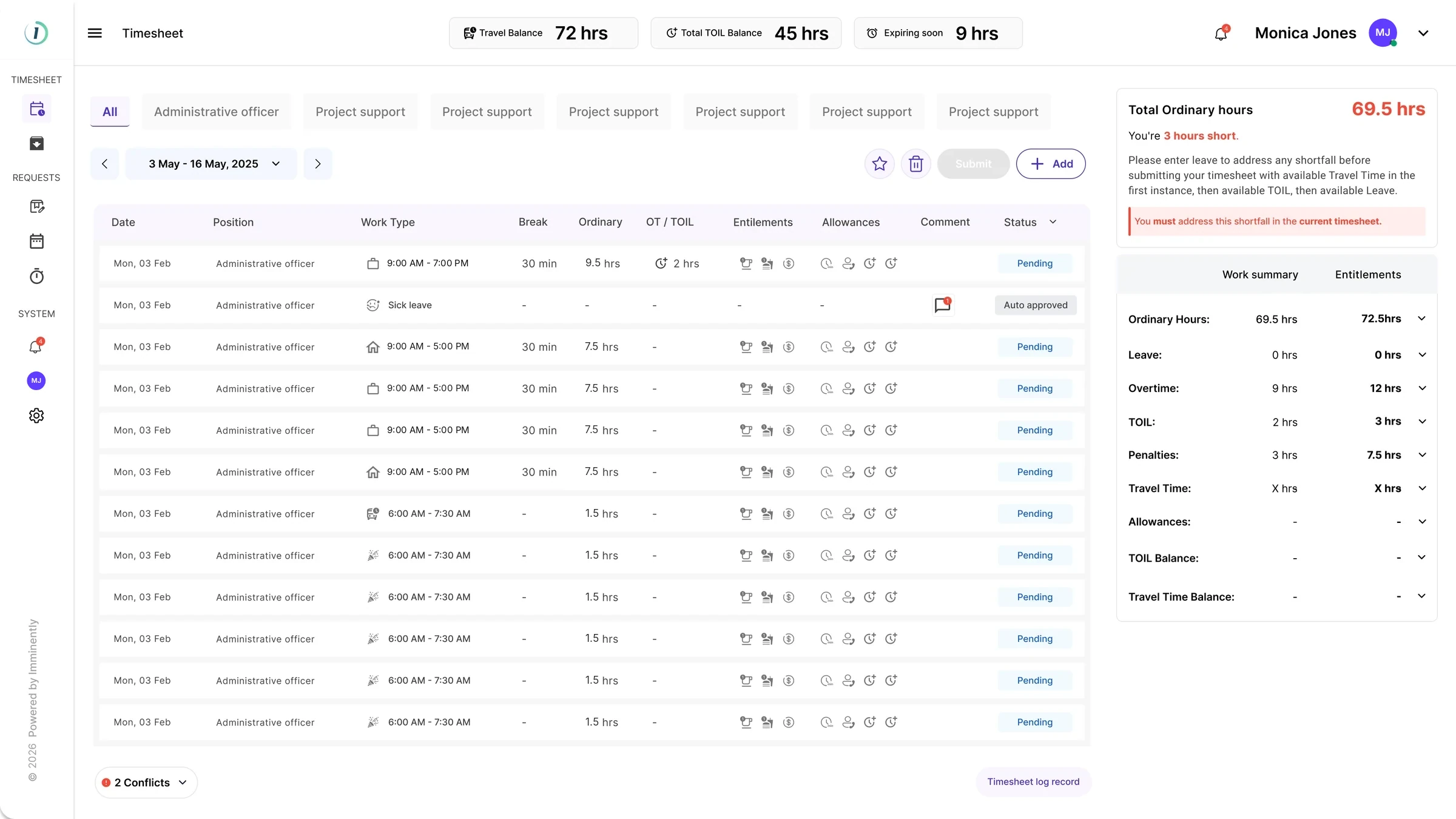
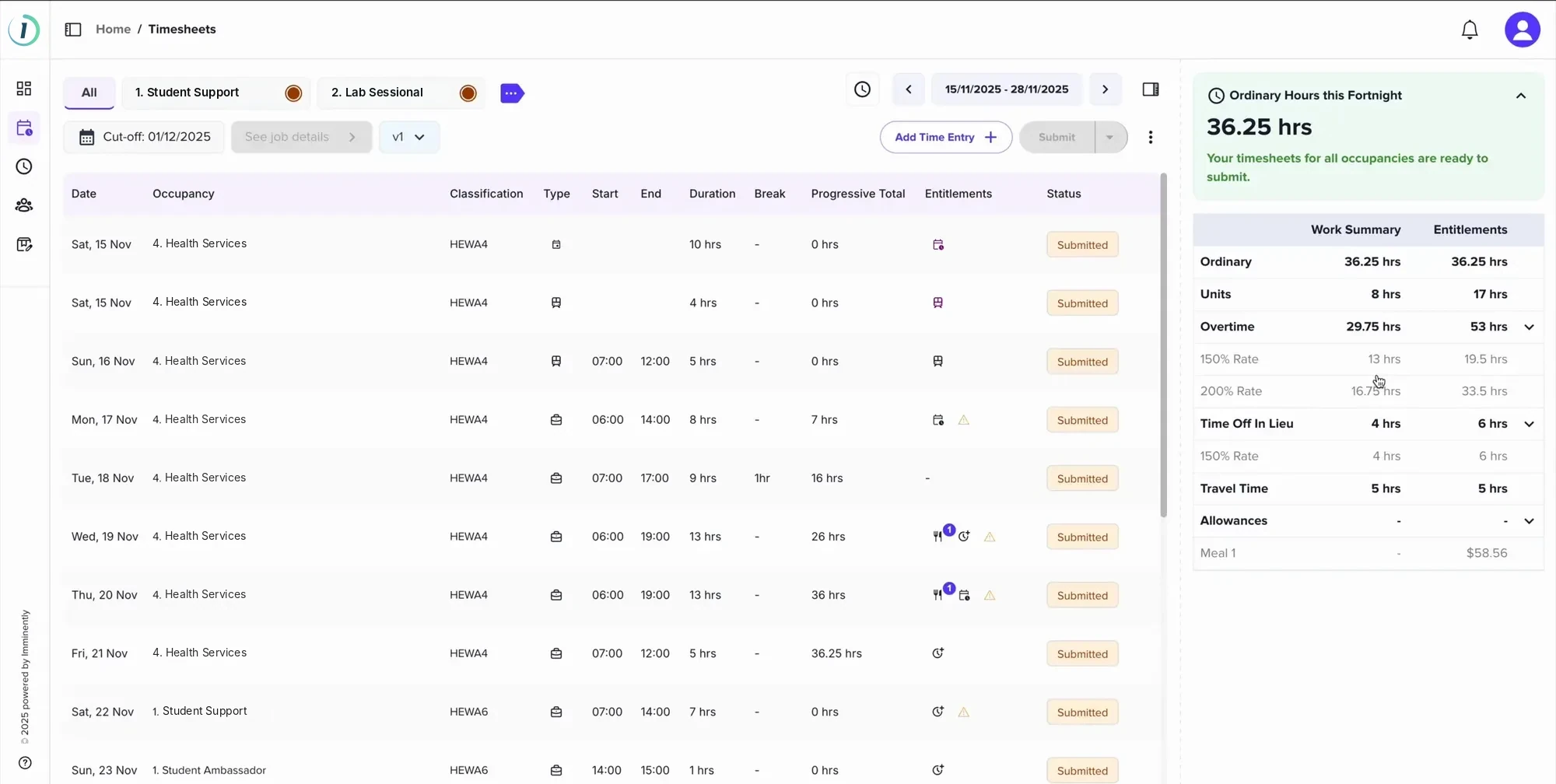
Each entry shows its break, ordinary hours, overtime or time off in lieu, entitlements and allowances. The panel sets the work summary beside the entitlements, and a shortfall is shown before submission with what to use to cover it.
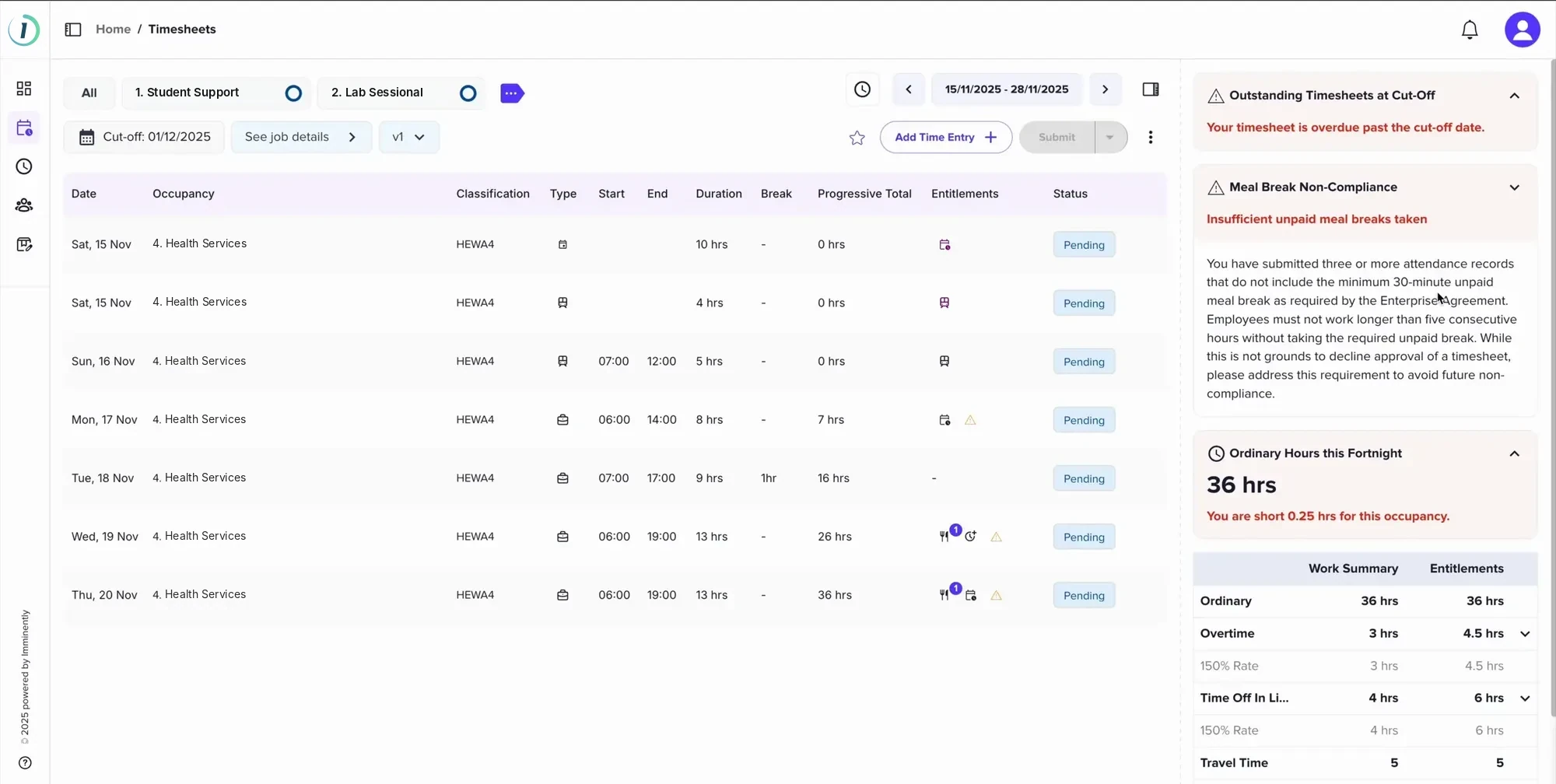
Configurable rules detect entries that are not in accordance with the instrument, such as a missed unpaid meal break, and ask for justification or evidence.
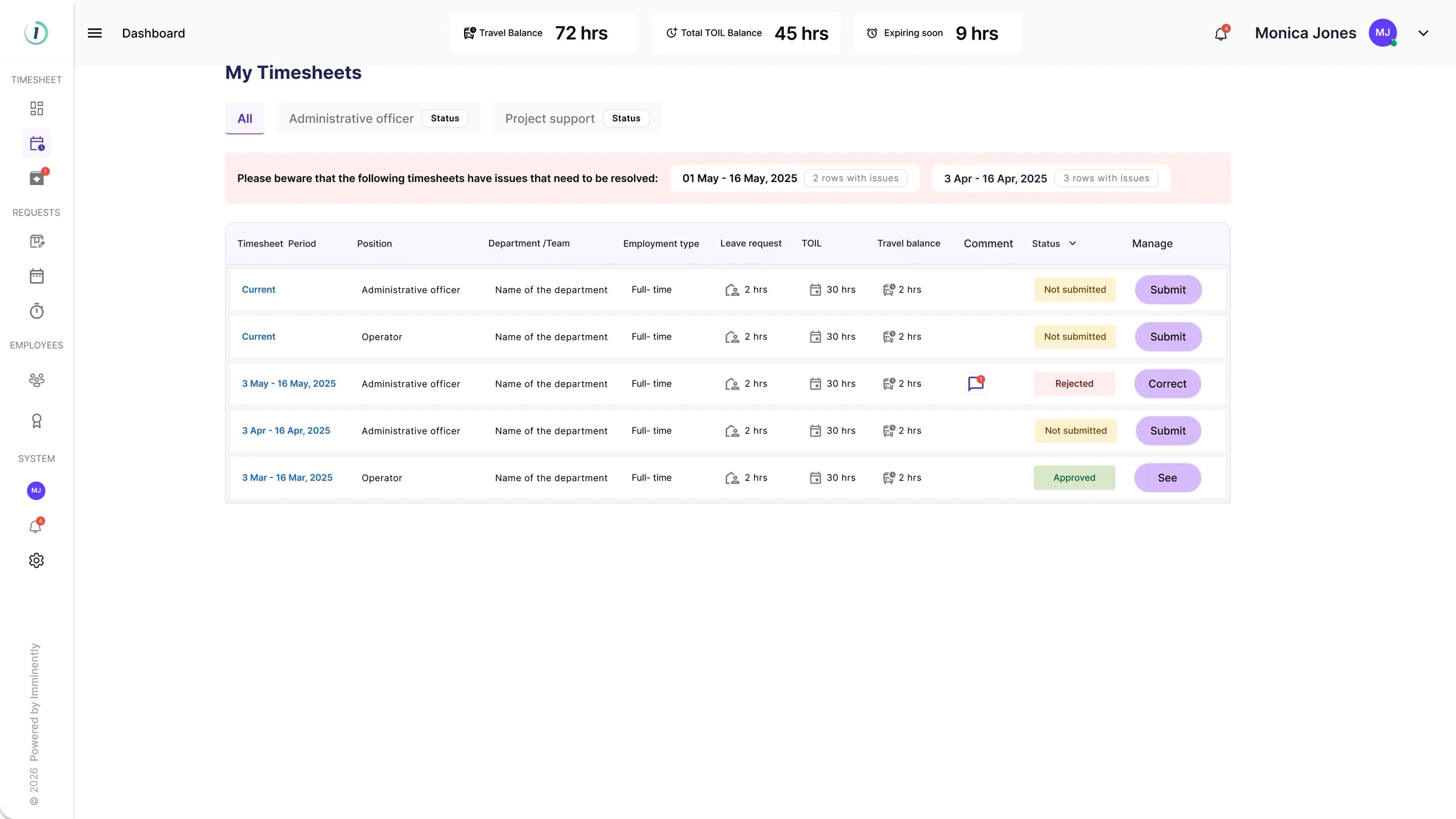
Earlier periods with issues are listed until they are resolved, and each period shows its status: not submitted, rejected or approved, with the action to submit, correct or review it.
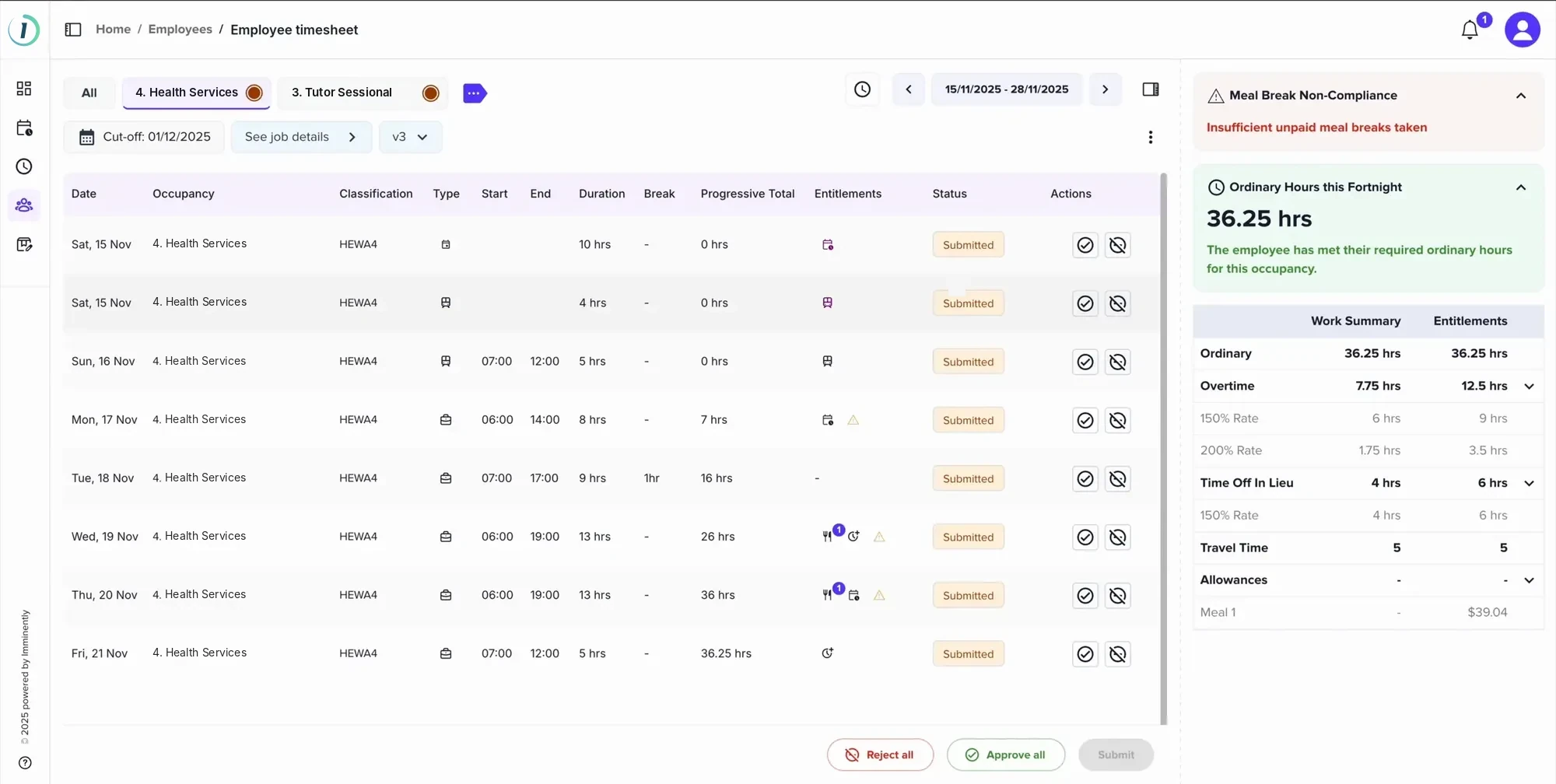
Multi-level approval by job and delegation, on web or mobile, with escalation after a configurable period. Each approval creates a new timesheet version.
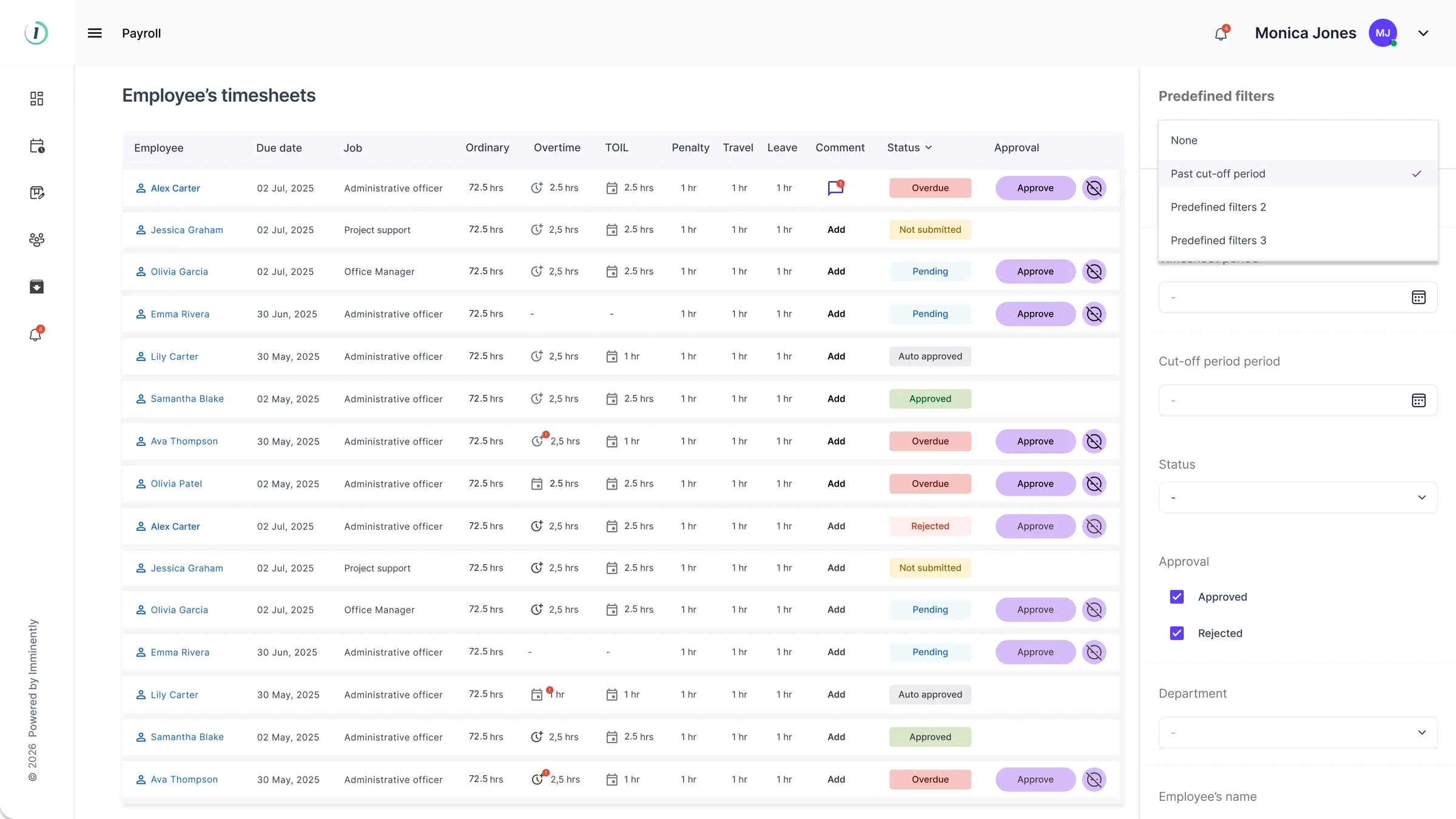
Payroll sees every employee’s ordinary, overtime, time off in lieu, penalty, travel and leave hours with their status: overdue, not submitted, pending, auto approved, approved or rejected. Predefined filters find what is past the cut-off.
Names and figures are examples.
Connect proposed working variations, entitlement balances and approvals to the facts used in attendance. Give people a guided way to request the change and managers the context to review it. Leave is handled lightly, for example time off in lieu and travel time. HR records and full leave management stay in your HR system.
An individual flexibility arrangement varies a person’s span of hours over a one, two or three week cycle. The hours are drawn on a calendar, totalled against the requirement and accepted under the agreement’s own conditions before the manager decides.
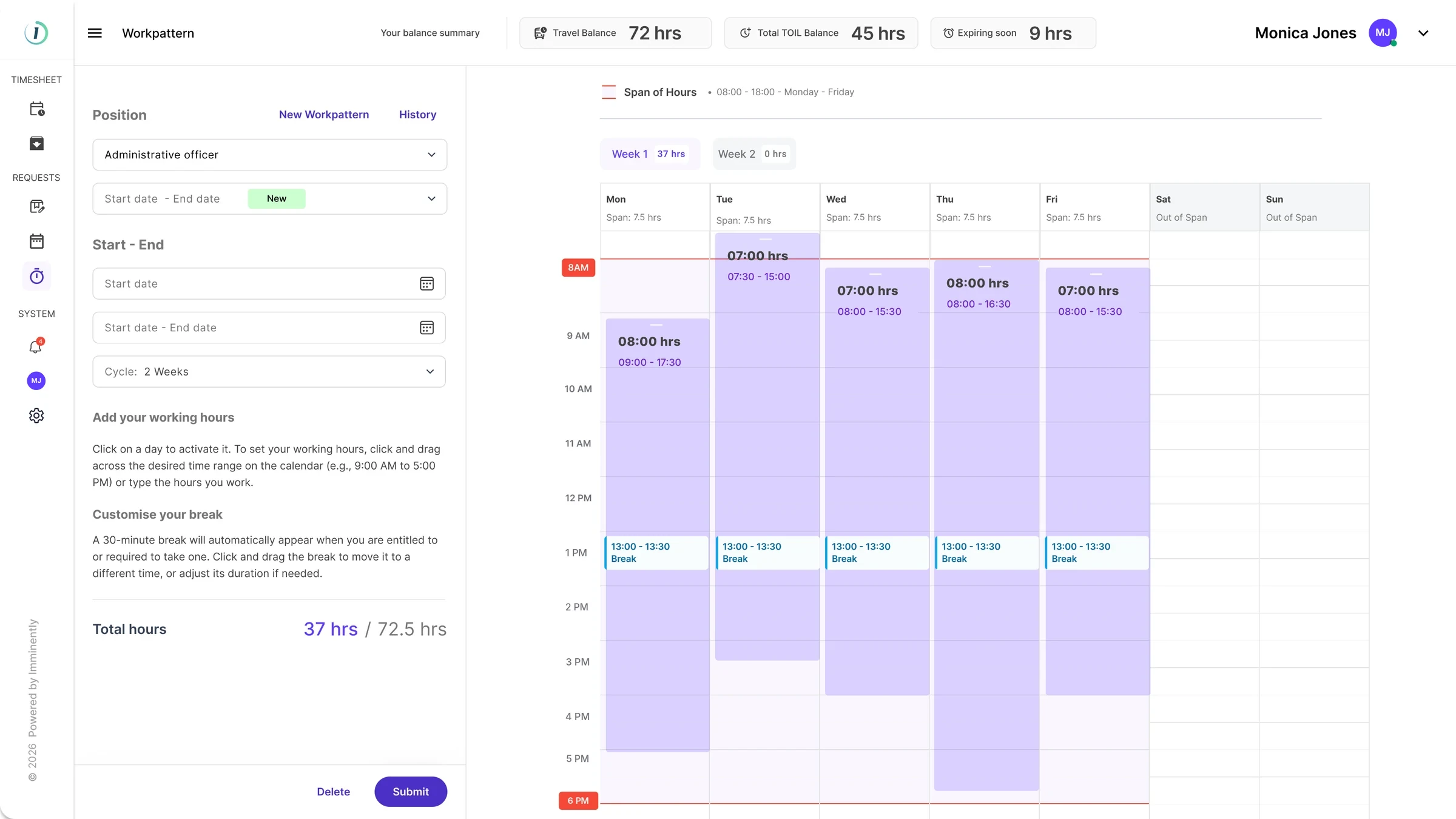
The employee sets out a varied span of hours by dragging blocks on a calendar, with breaks added automatically where the agreement requires them.
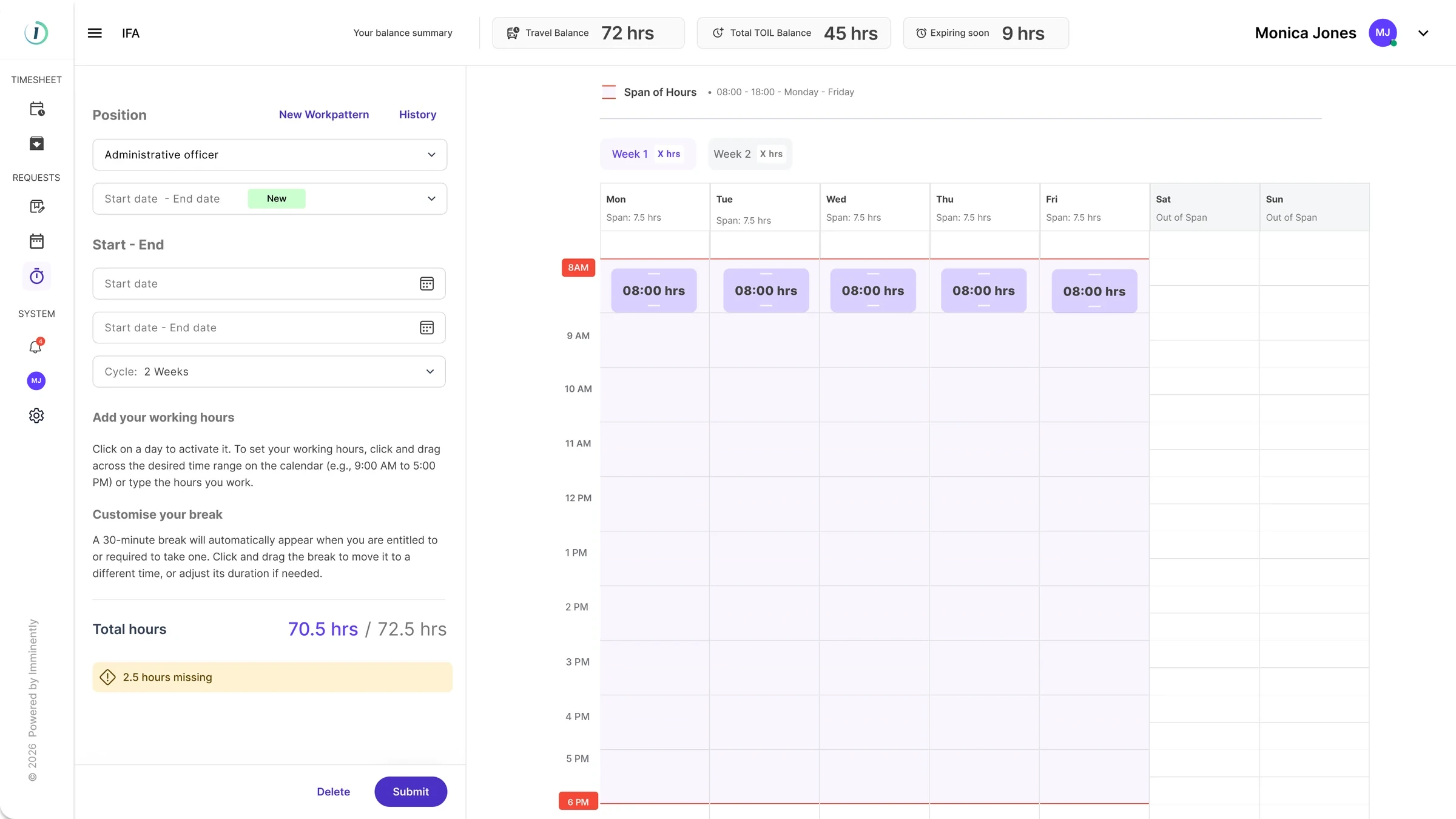
The screen totals the hours against the requirement, here 70.5 of 72.5, and warns that 2.5 hours are missing before anything is submitted.
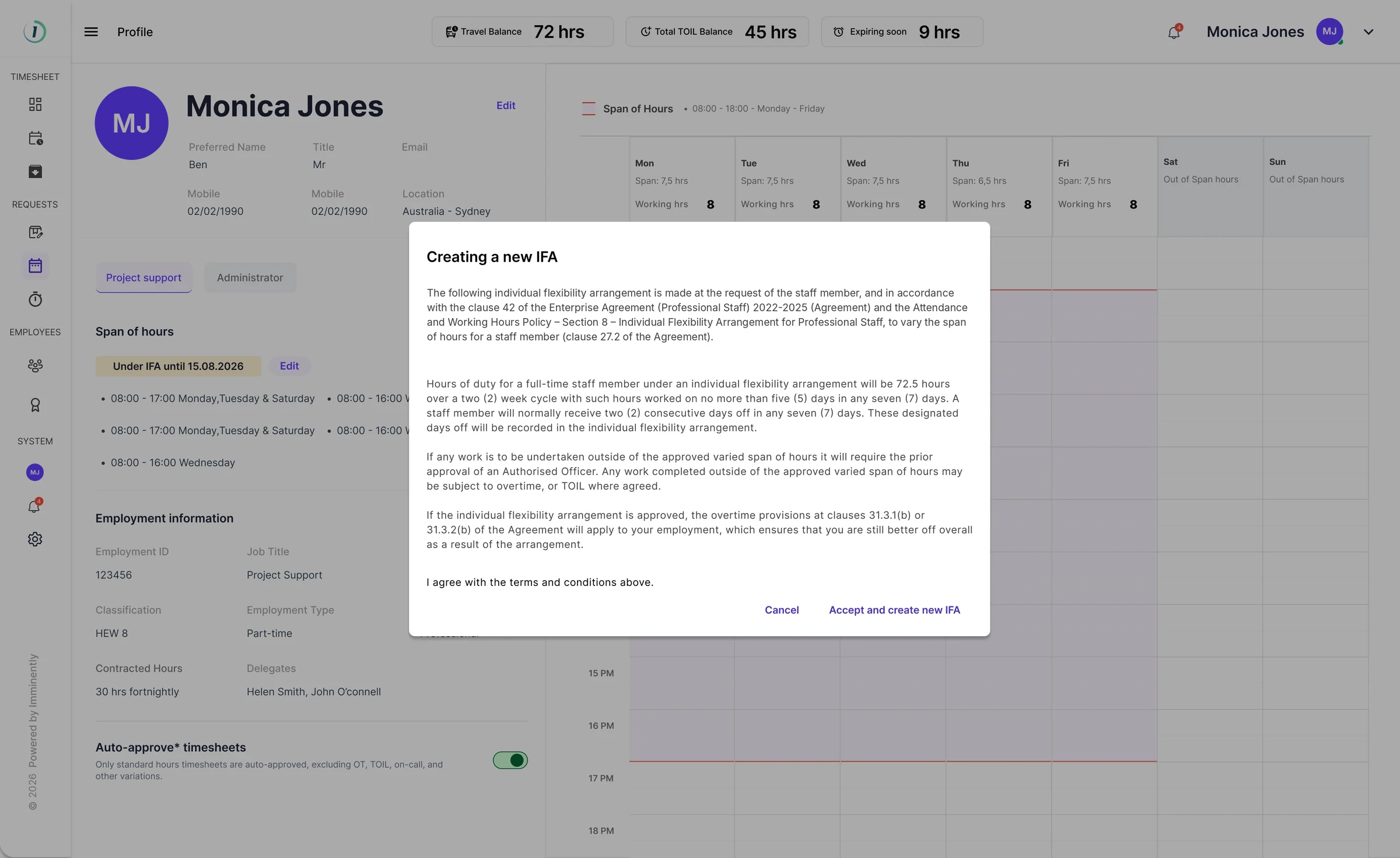
Before the arrangement is created, the employee accepts its conditions, drawn from the enterprise agreement’s clauses on flexibility, hours of duty and overtime.
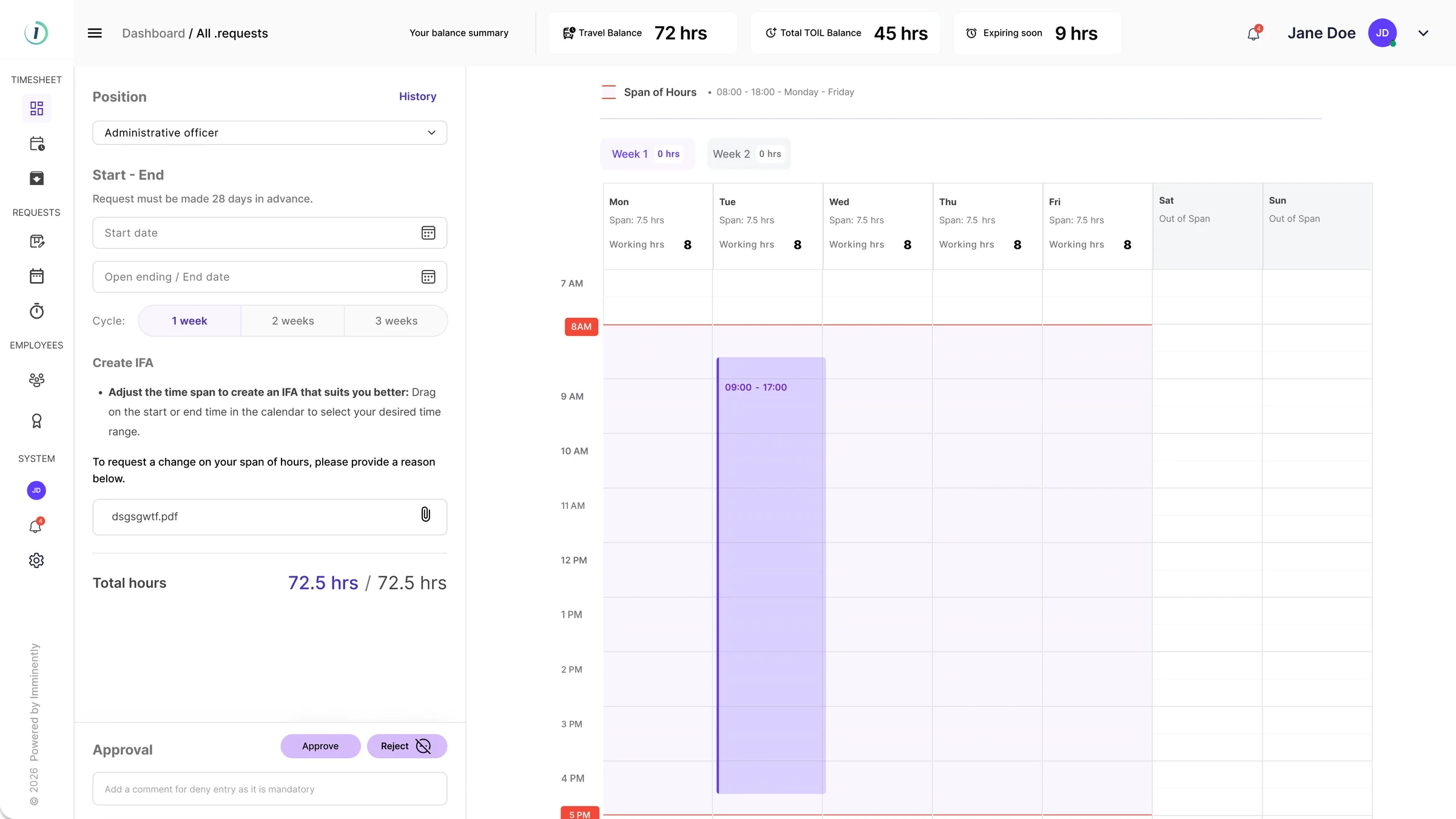
The manager sees the proposed cycle, the hours against the requirement and the reason, and approves or rejects with a comment.
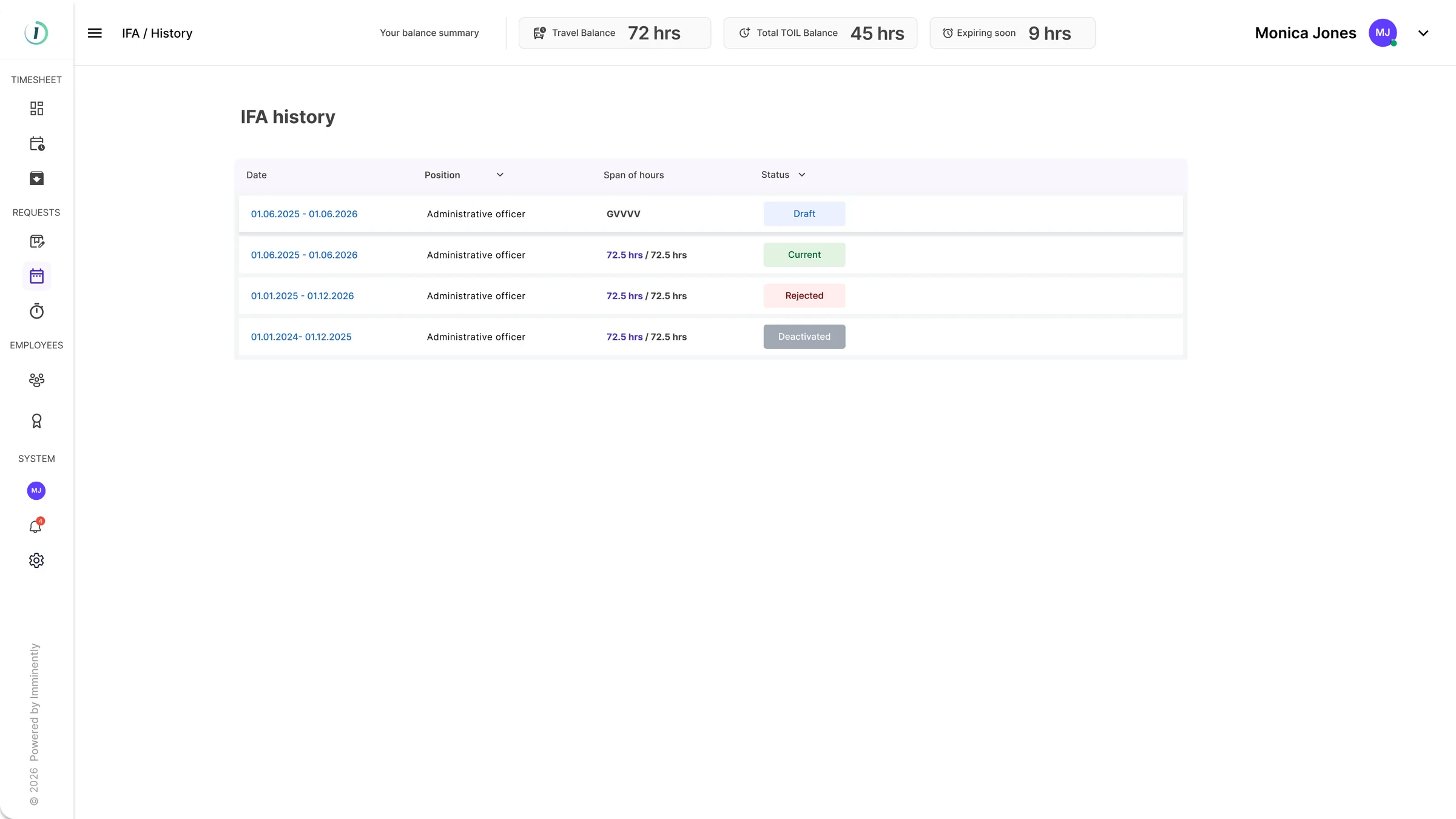
Draft, current, rejected and deactivated arrangements are kept with their dates and hours, so the span of hours that applied on any day can be shown.
People, positions and hours shown are examples.
Balances, leave, claims and time off in lieu in one place, on the phone or at a desk. The approver sees the request with its attachment and must give a reason to reject.
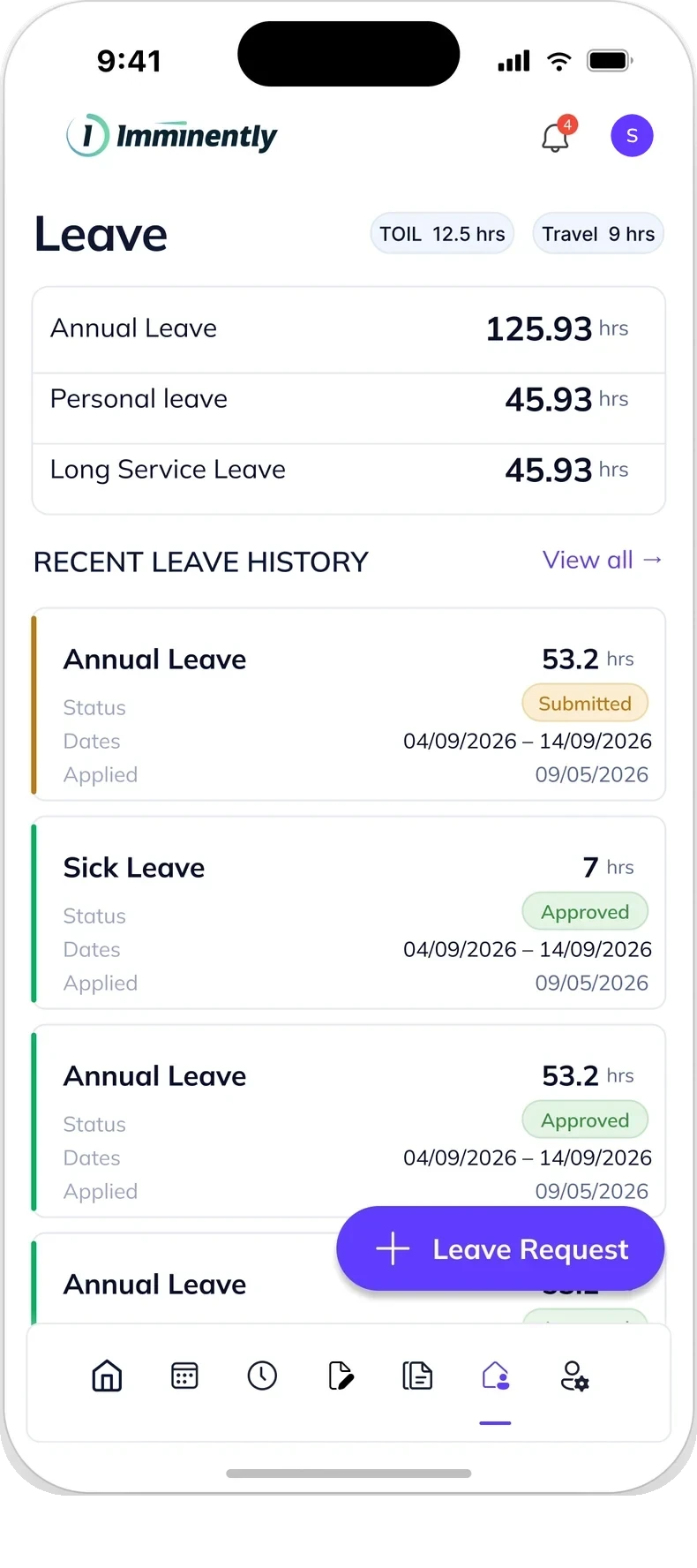
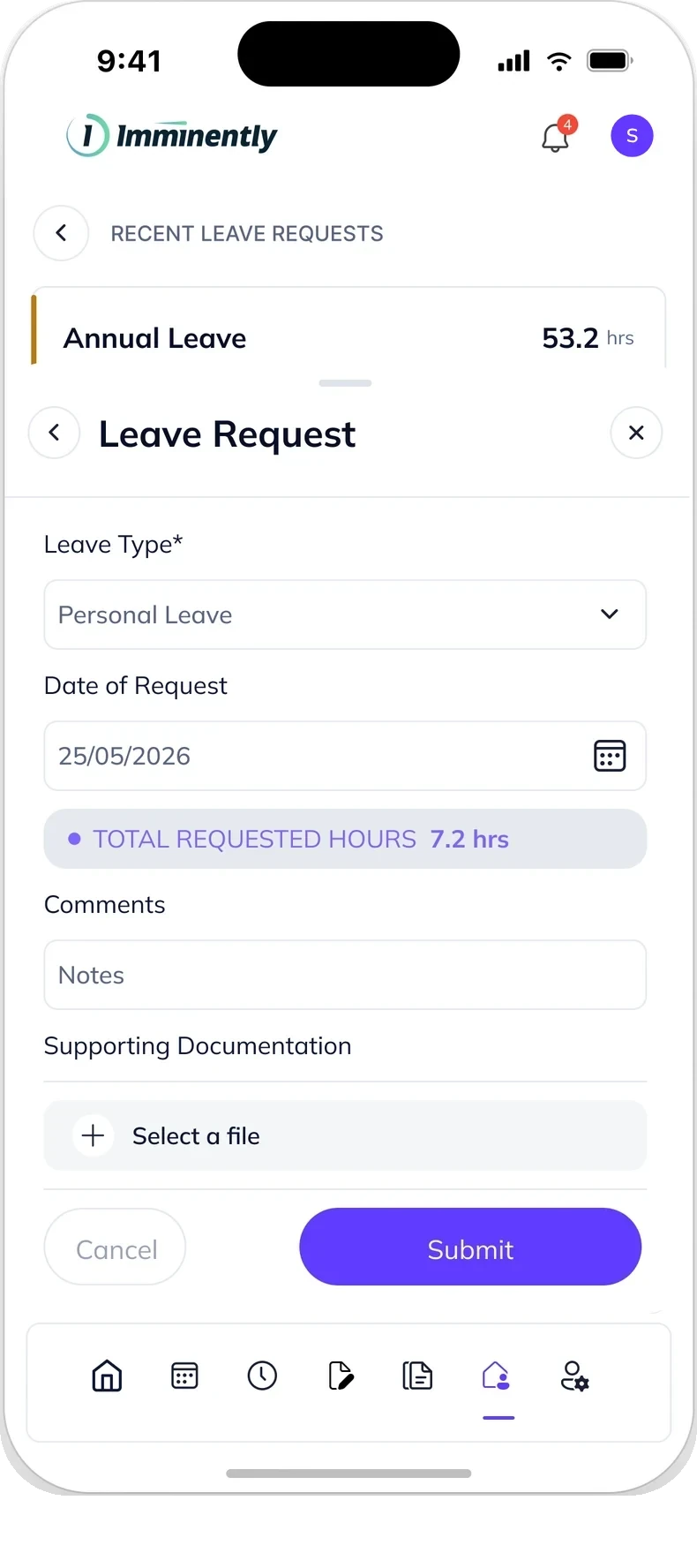
Leave balances and recent history, then a request with its type, dates, hours, comments and supporting documents.
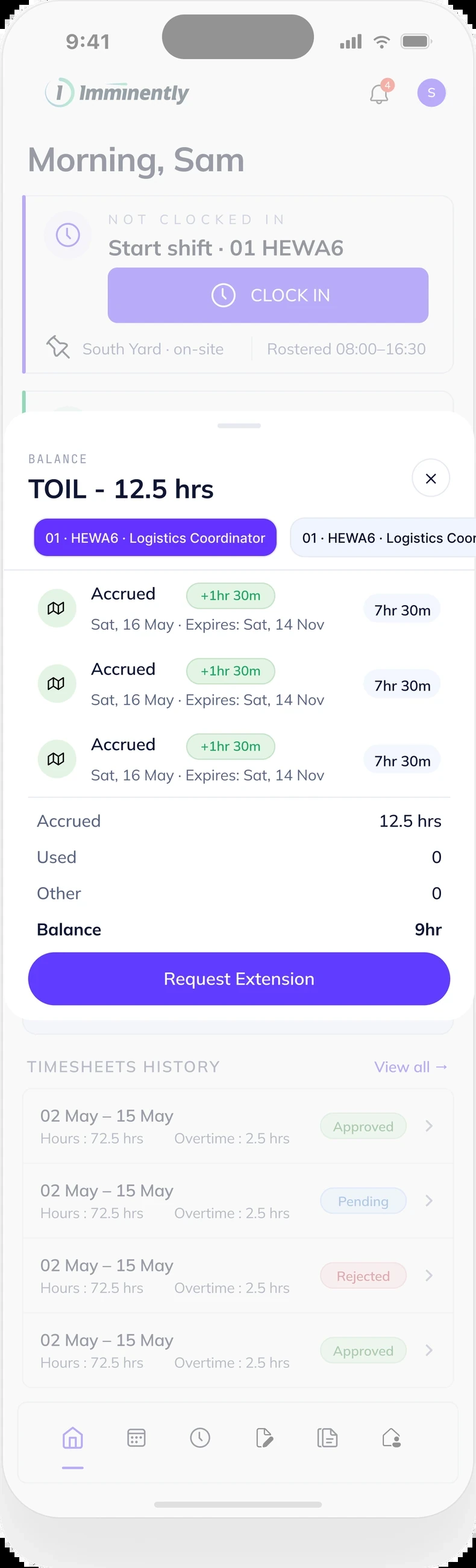
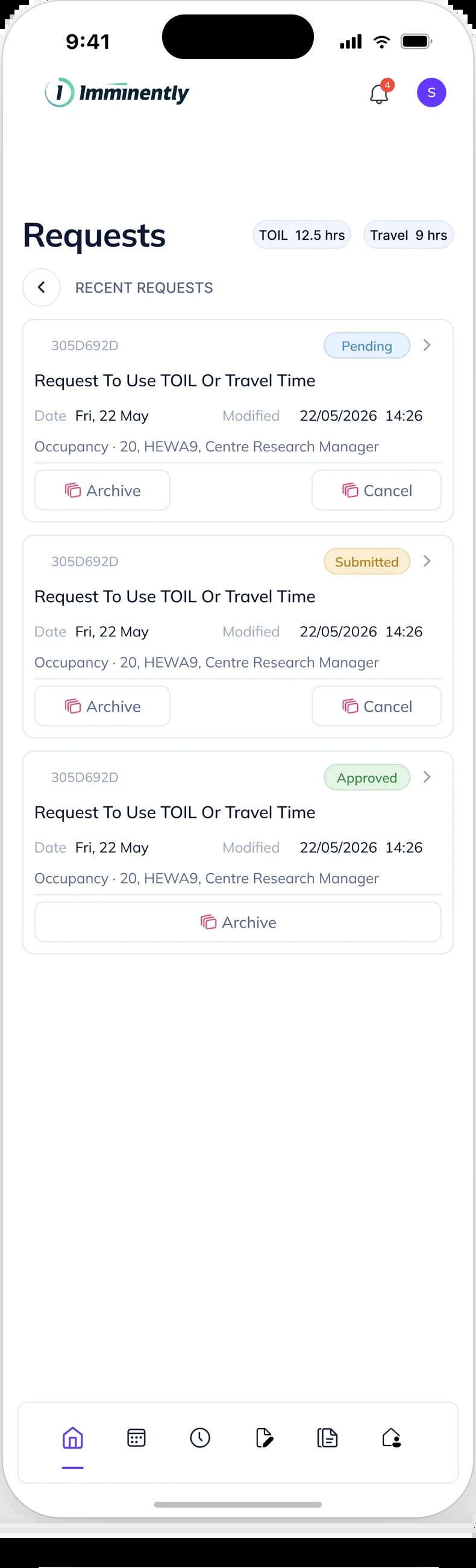
The time off in lieu balance with accrued, used, expiry and balance, and requests to use it or travel time, with their status.
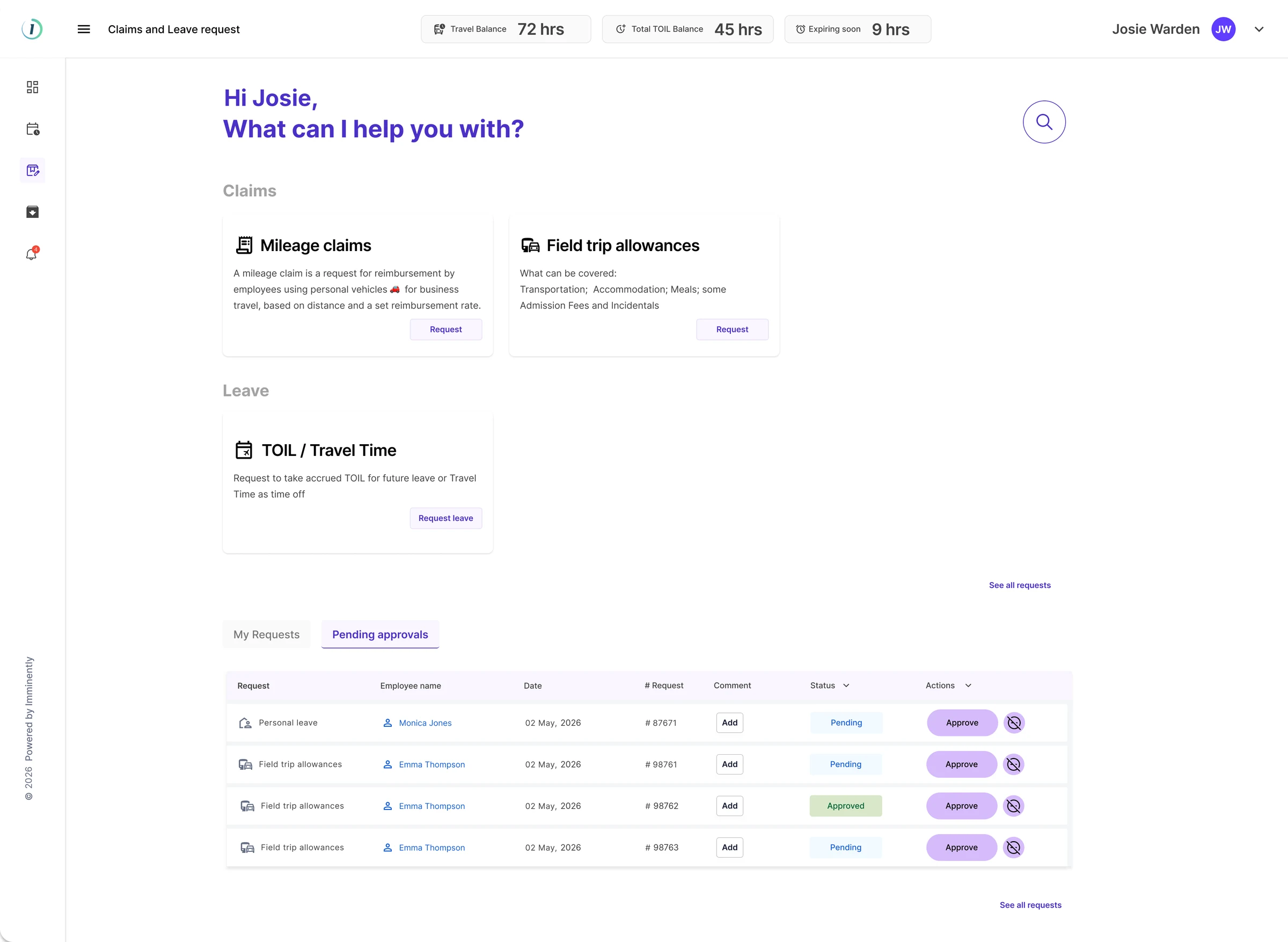
Mileage claims, field trip allowances, time off in lieu and travel time requests start from one page, with pending approvals beneath.
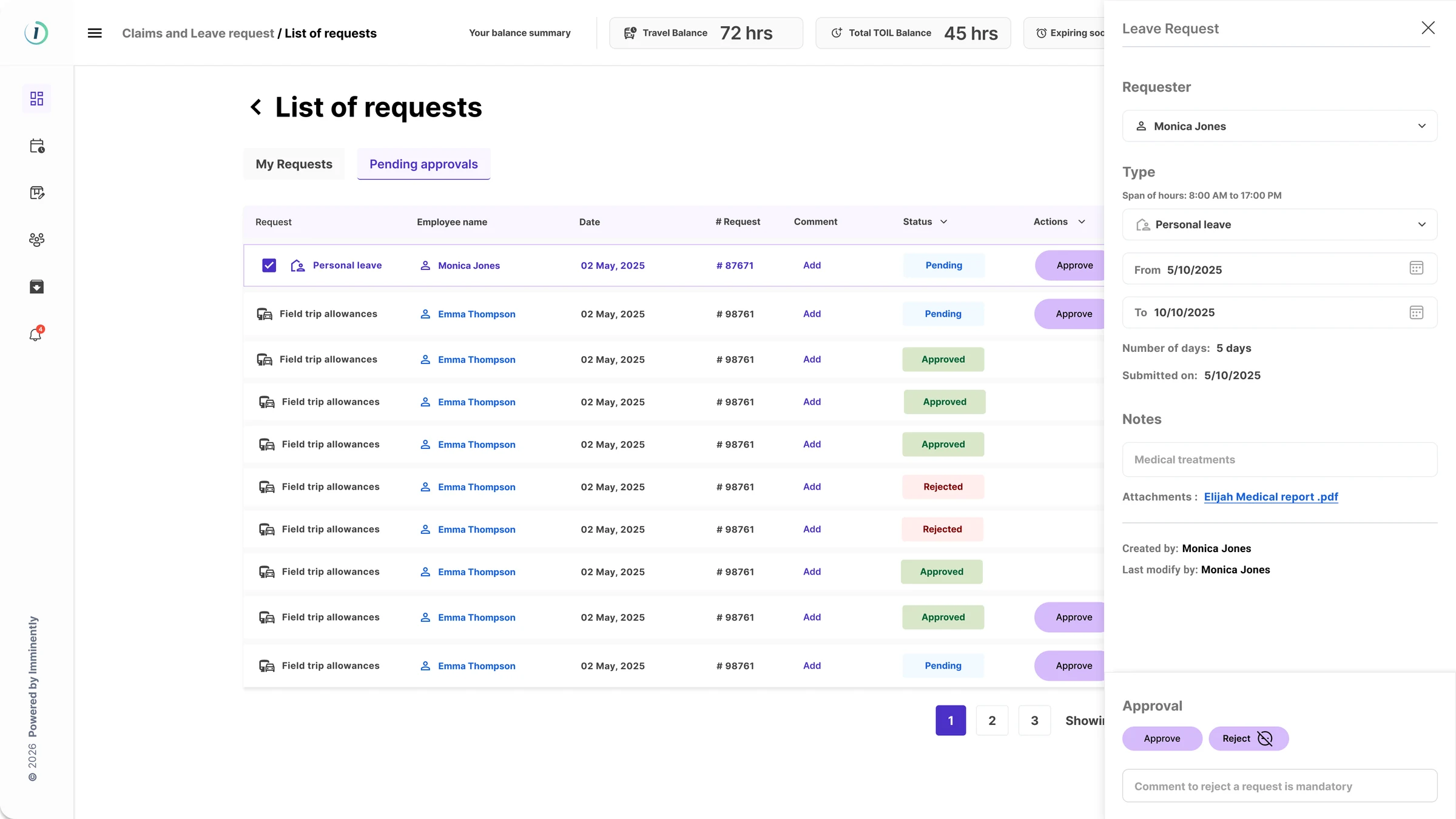
The leave request opens beside the list with its dates, notes and attachment. The approver approves it, or rejects it with a comment.
People, balances and requests shown are examples.
Live product views from a higher education configuration. Choose a step, inspect the detail or enlarge the complete screen.
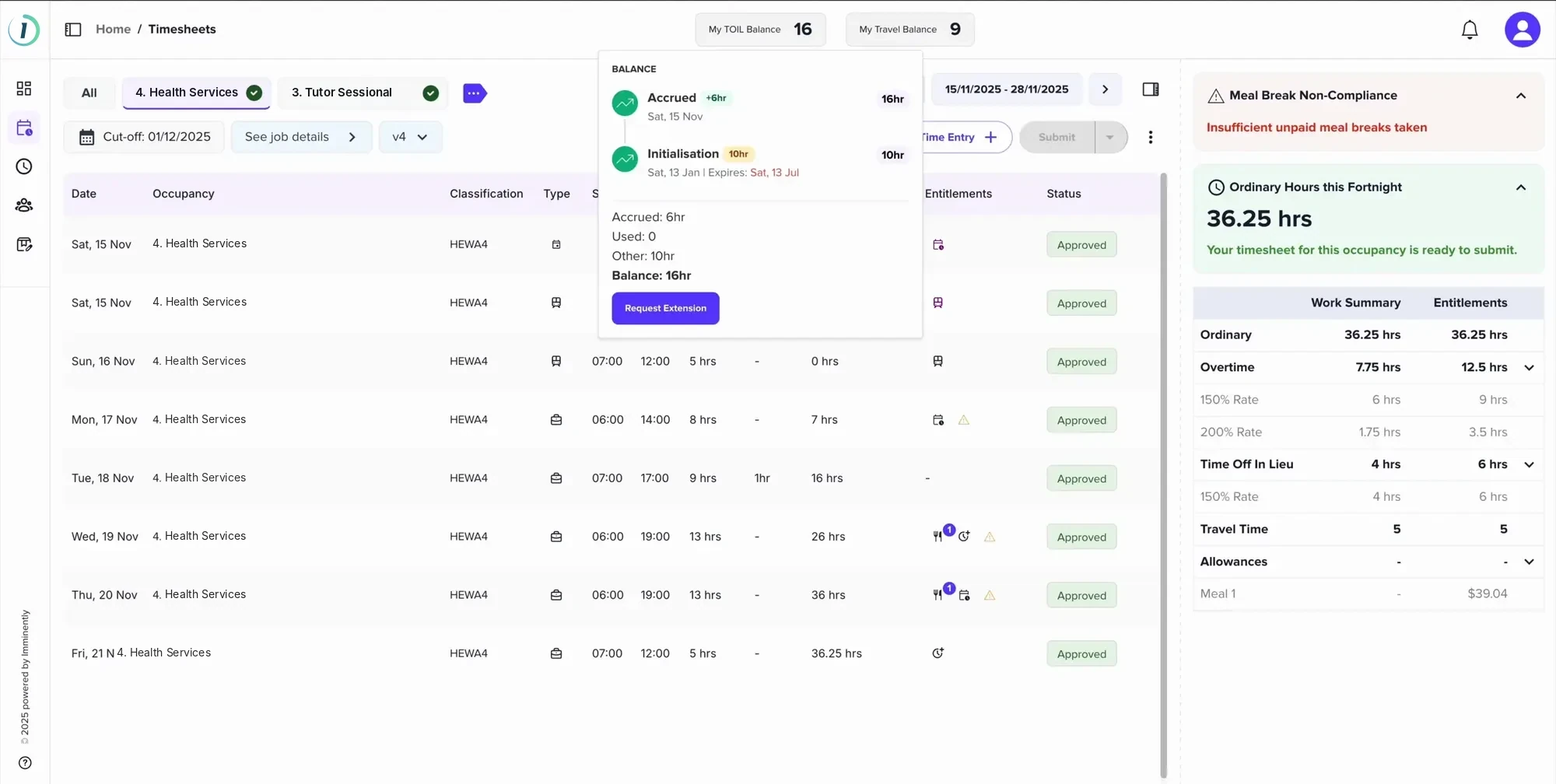
Configured ledgers for time off in lieu, flexitime and travel time show accrual, use and the balance alongside the working record.
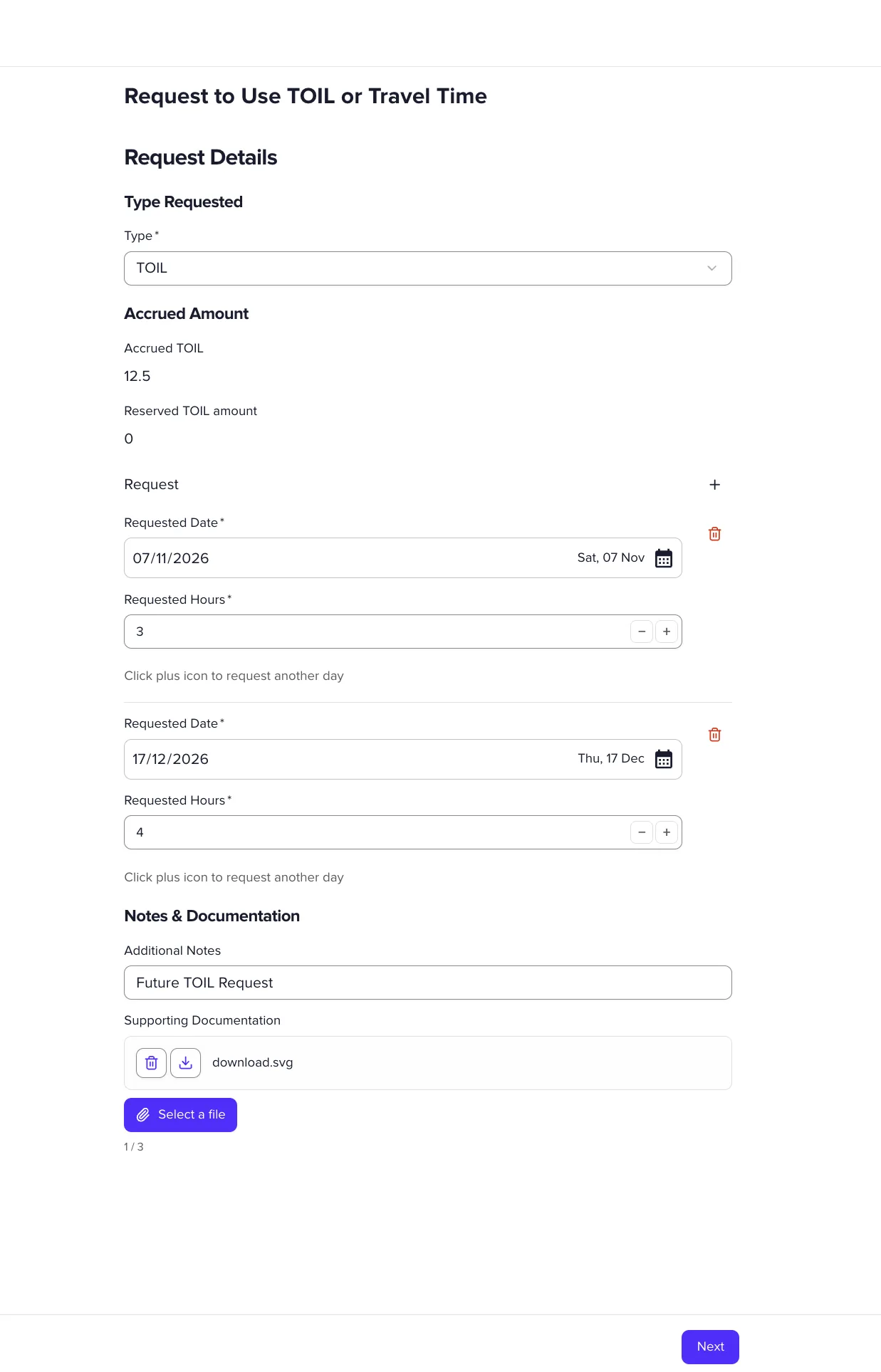
Employees request the use of time off in lieu or travel time, over one or more days, with notes and supporting documents.
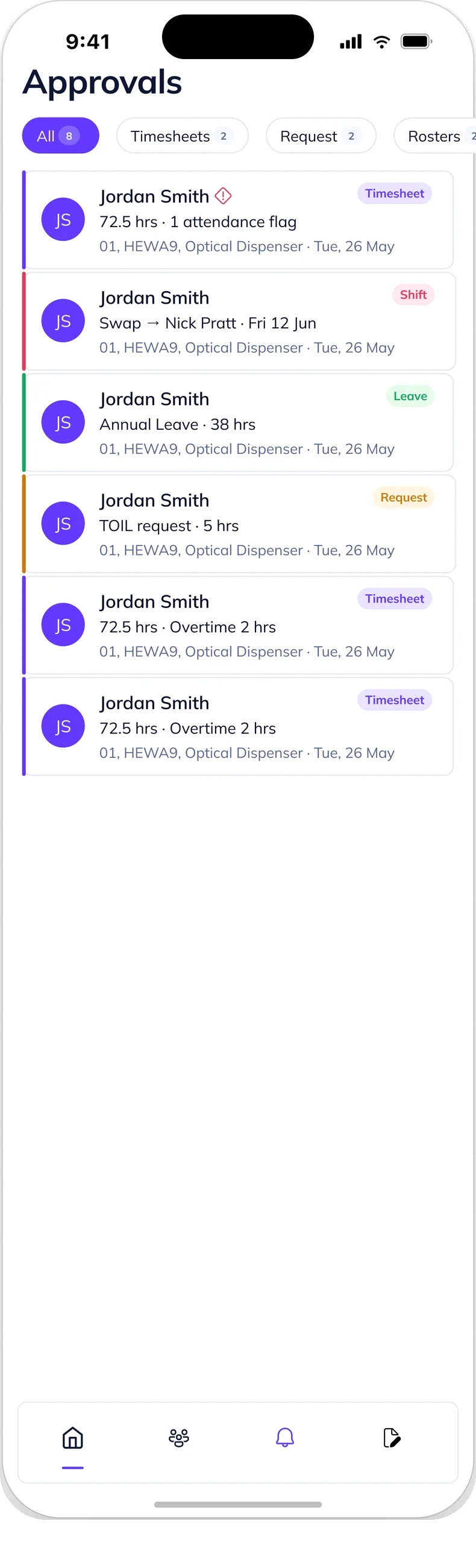
Requests reach the responsible manager in one approvals inbox, beside timesheets, roster changes and leave, with attendance flags and the context to decide.
Approved requests and balances update only on approval, and stay connected to the timesheet that supplied the facts.
Available requests, balances and approvals depend on the instrument and configuration.
Capture the requested date range and working span, together with the reason. Reviewers can see the proposed pattern rather than piecing it together from an email.
Where configured, TOIL and travel-time ledgers keep accrual and use visible alongside the working period. Eligibility and approval follow the applicable instrument.
Distinguish a proposed request from an approved arrangement. Start and end dates keep the arrangement connected to the work to which it applies.
Agree who can request, review and approve each arrangement. Capture the evidence and decision required by the organisation’s workflow.
Clock in and out by geofence, QR code or photo, as the site allows. Add entries with the instrument’s warnings and the entitlement summary in view, then submit the period. Managers approve on the move.
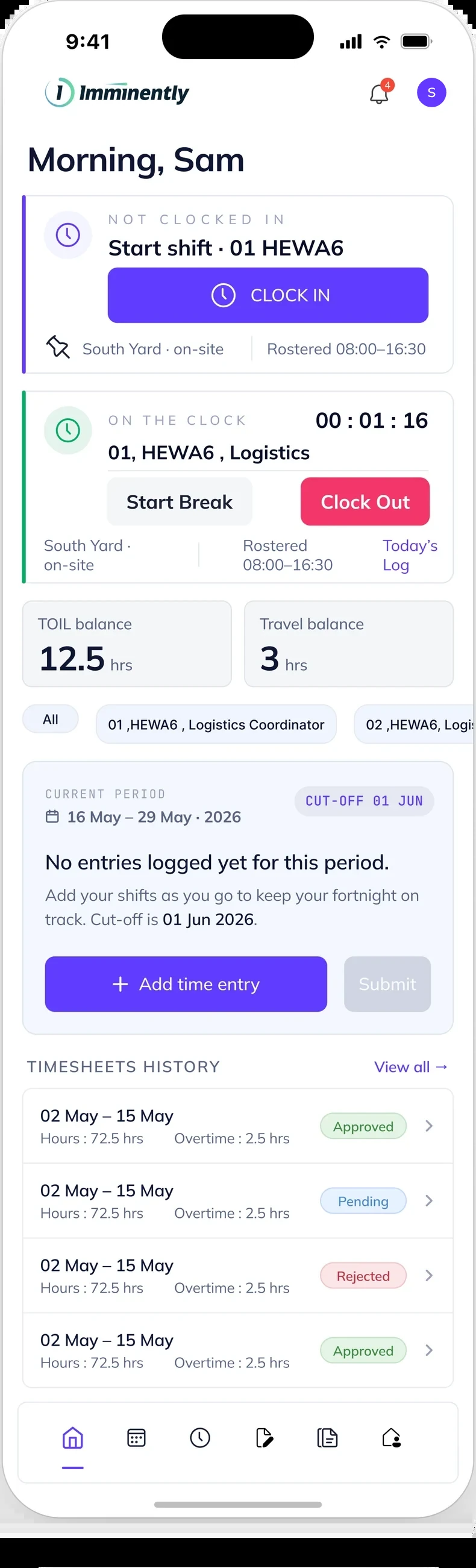
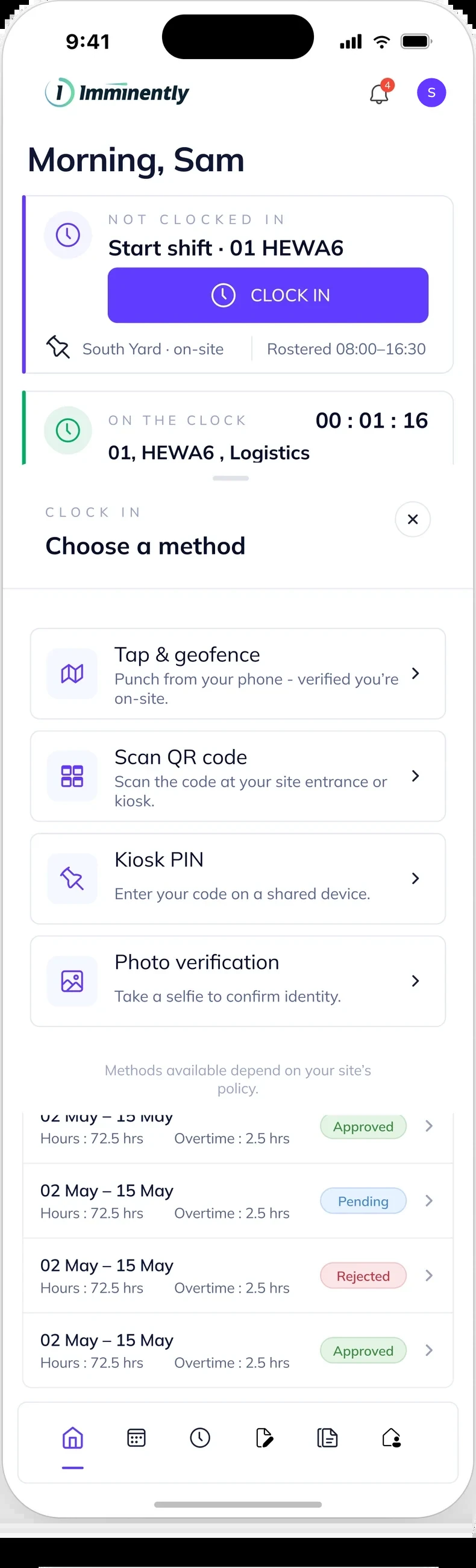
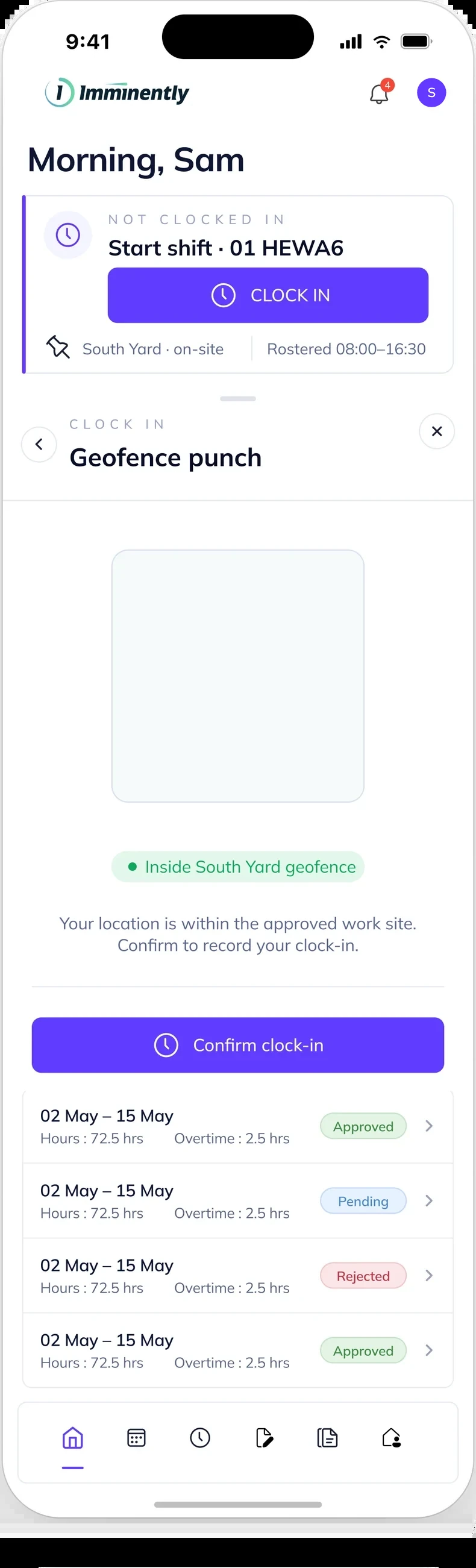
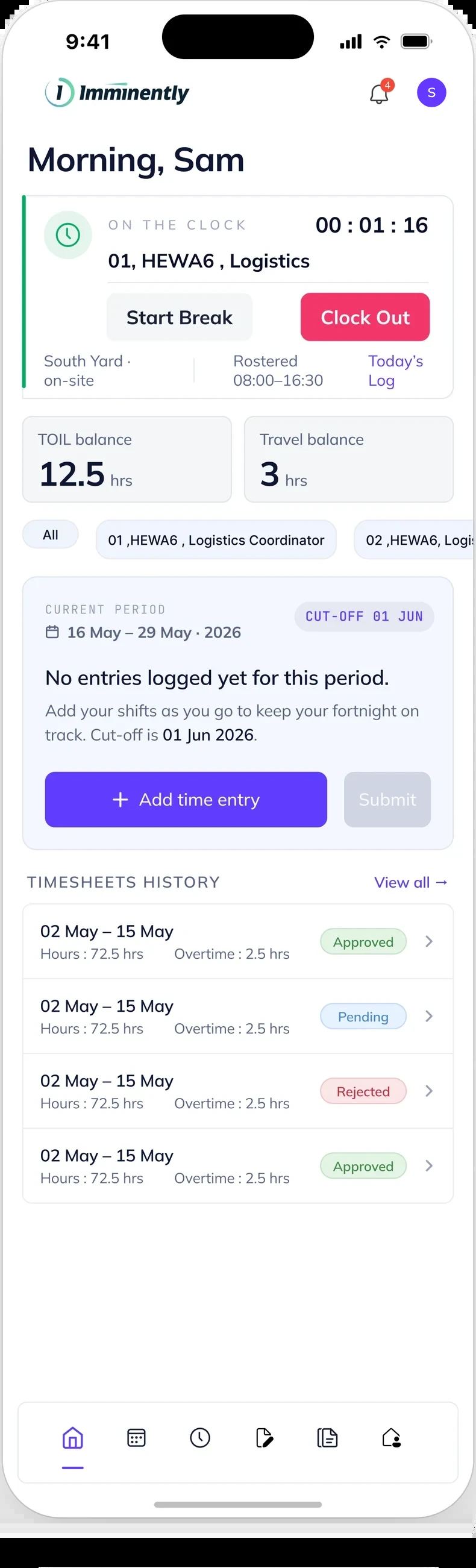
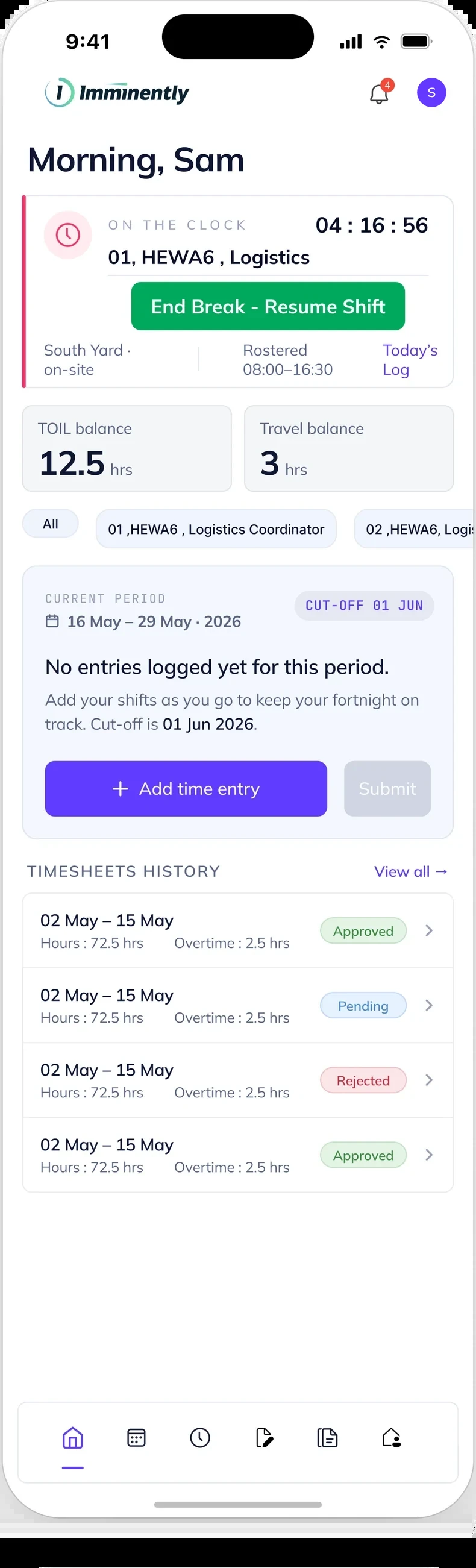
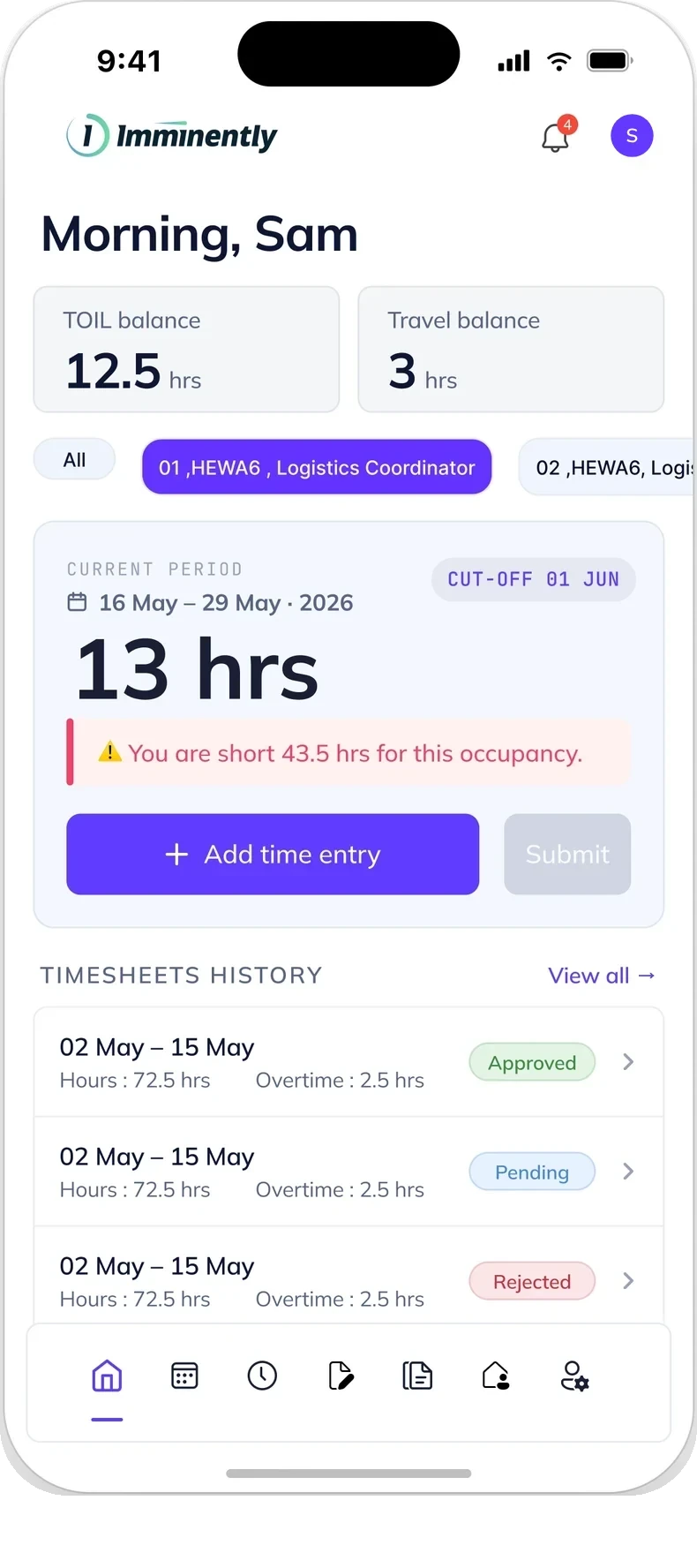
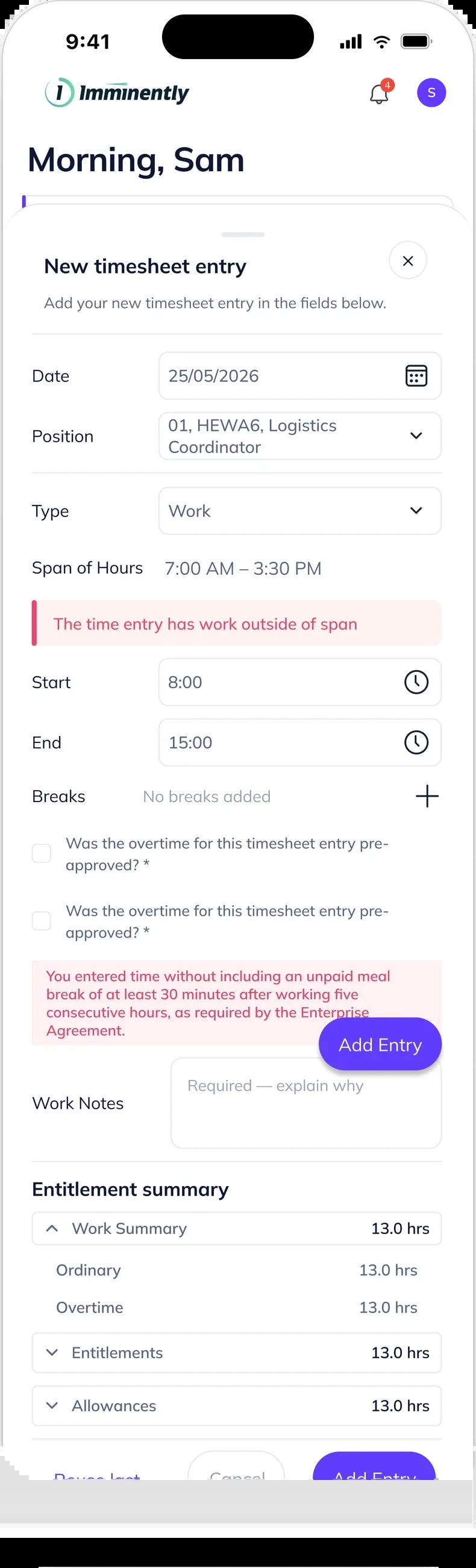
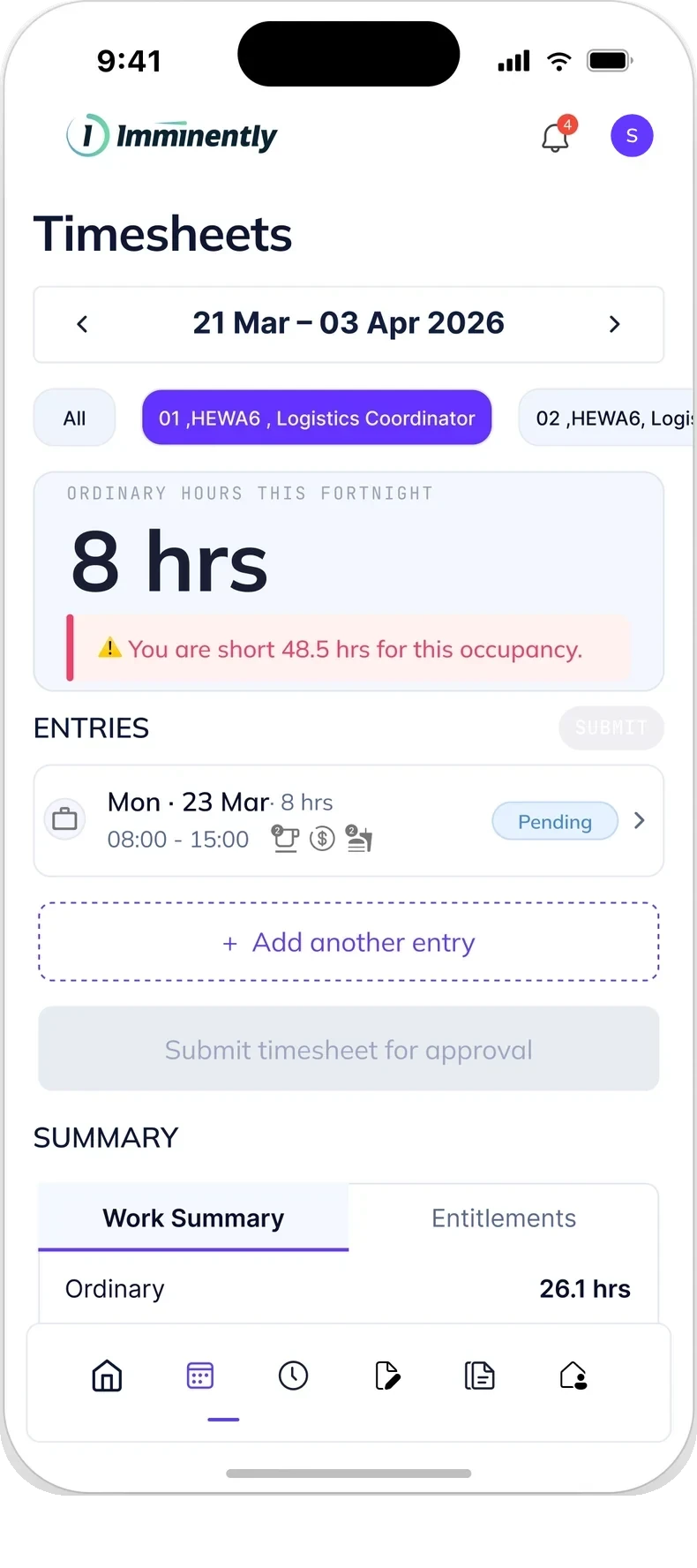
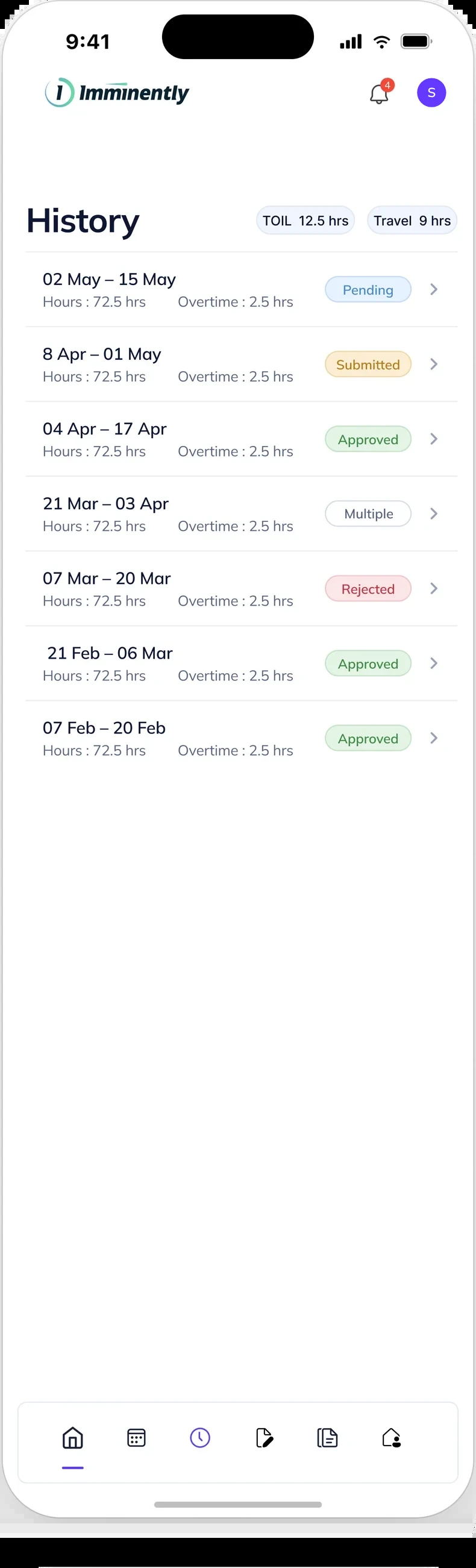
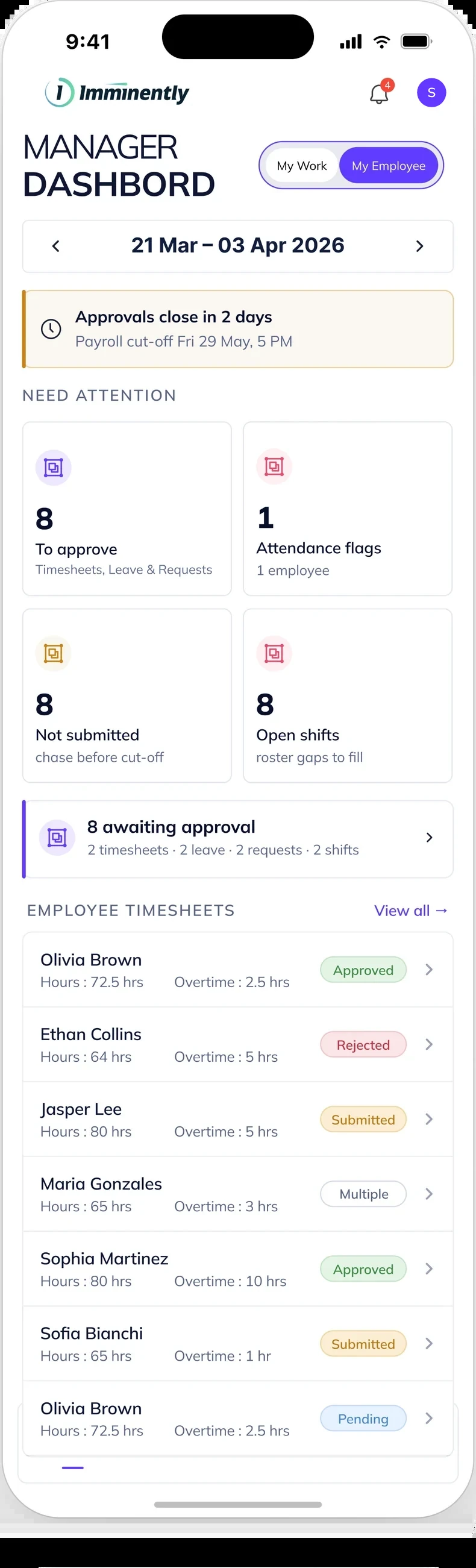
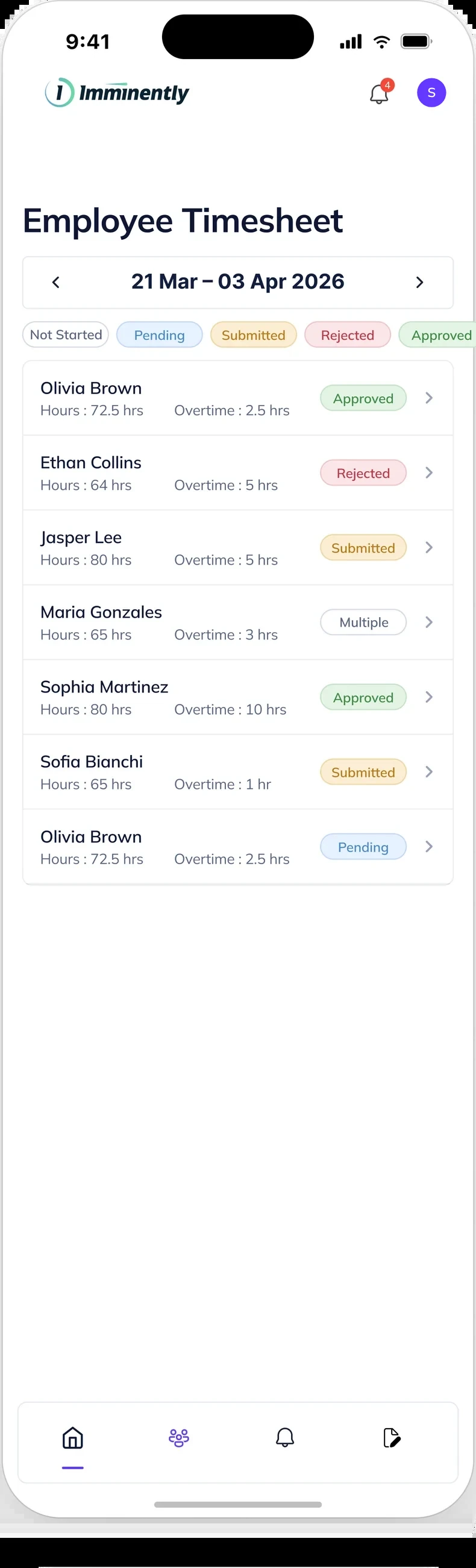
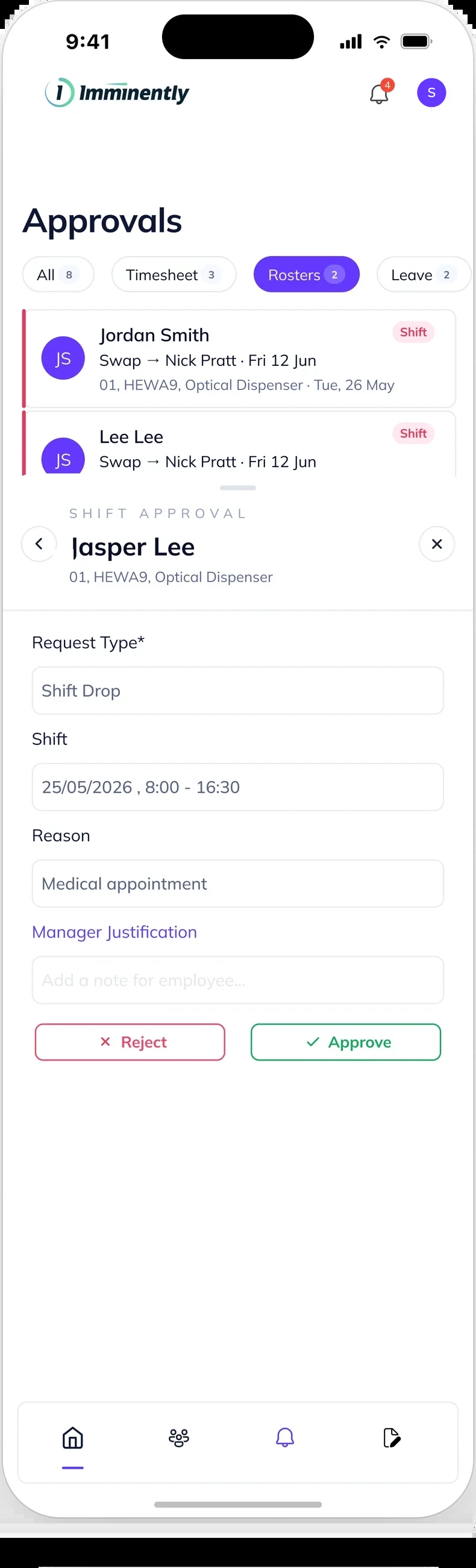
The Imminently mobile app.
The Imminently app, on iOS and Android, puts the roster, clock in and out, time entries, leave and approvals on the phone of every employee and manager. Arrangements such as a shared kiosk where people arrive together can be configured with you, site by site.
View upcoming work, confirm, accept or decline assigned shifts, maintain availability and take part in the configured shift-offer and swap process.
Record actual work and provide the context required by the applicable instrument.
See the relevant entitlement feedback and configured balance information.
Keep roster publication, changes and required acknowledgement connected to the working process.
| Working moment | Employee experience | Manager responsibility |
|---|---|---|
| Before the shift | Review published work and availability. | Resolve coverage and assignment requirements. |
| During the working period | Capture time and relevant working conditions. | Review the operational context when exceptions arise. |
| At submission | Confirm the record and any required information. | Apply the configured approval and escalation process. |
| After a change | Keep the corrected working record connected. | Review the change and its interpreted impact. |
Where a site’s policy uses photo verification, the photo is matched to the person’s profile. Biometric information is sensitive information under the Privacy Act 1988, so it is collected only with consent, and other clock-in methods remain available. Where verification is processed and how long any template is kept are agreed with each customer. See Security and assurance.
Yes. Staff and managers use the Imminently app on iOS and Android, and each person sees only what their configured role and delegations allow.
No. Staff clock in on their own phone by geofence, QR code or photo, as the site’s policy allows. Arrangements such as a shared kiosk where people arrive together can be configured with you, site by site.
By the method the site’s policy allows, such as a photo matched to the person’s profile. Stronger identity checks, for example for new starters, can be configured with you where a site needs them.
No. The app connects to the same configured attendance service and the same instrument rules as the desktop.
Agree the employee groups, the clock-in methods for each site, identity setup, the enabled workflows and the rollout approach during implementation.
Payroll staff see what has been approved, what has reached payroll and what has changed, with the interpreted pay lines and the reasons behind each.
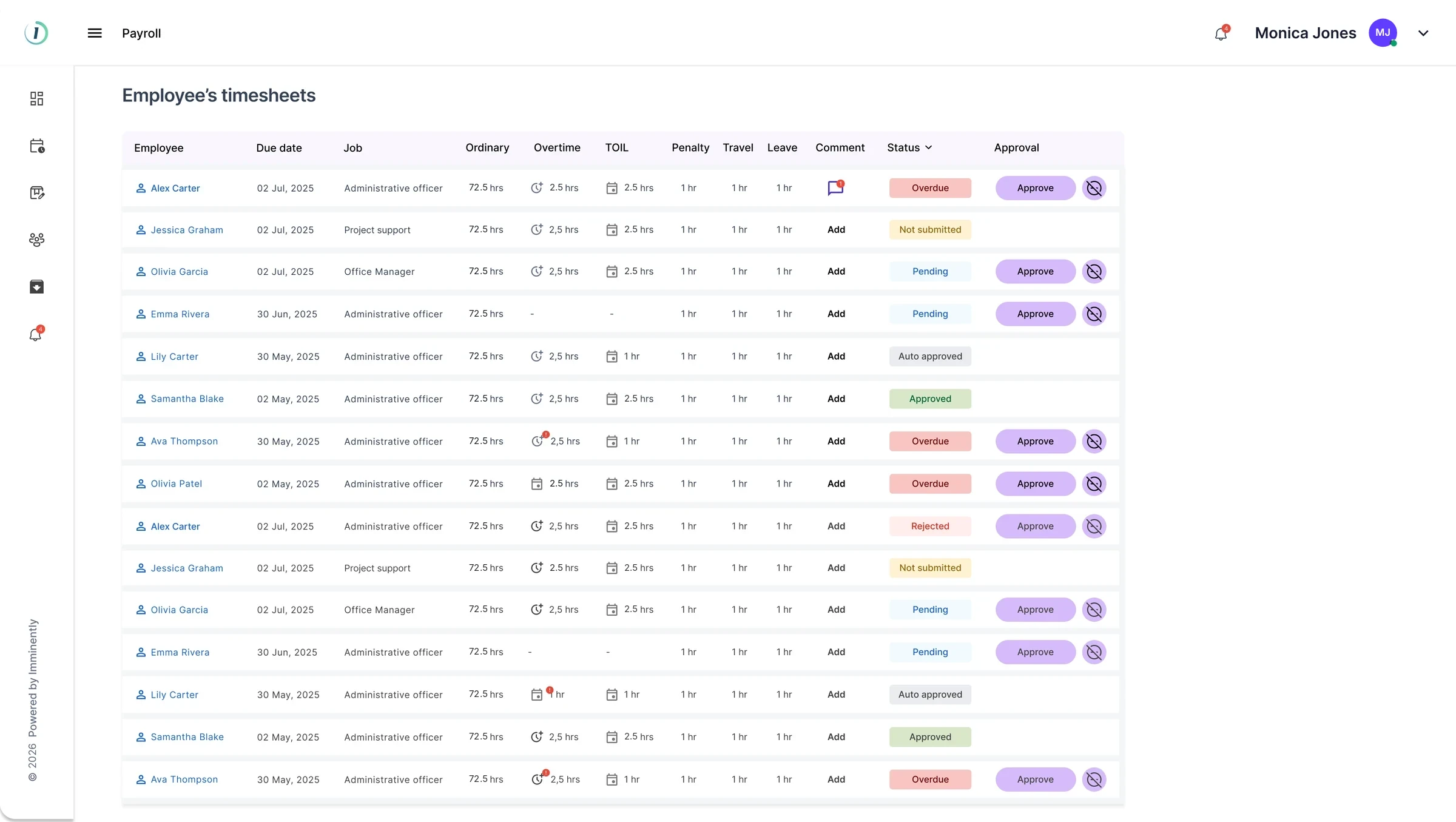
Approved timesheets that payroll has still to receive are visible, and supervisors are reminded of pending approvals.
Approved, interpreted items accumulate into a reviewable run. Items approved after review begins go to another run for the same period.
Corrections, including to earlier periods, send only the line-by-line difference to payroll, replacing manual recall.
Connect rostered, worked and paid hours with the exceptions and approvals that need attention. Roster flags and coverage appear where Imminently Rosters is used, and the report design and fields follow the agreed product and integration scope.
Pending approvals, payroll integration status, roster flags (understaffed or invalid assignments) and overrides, coverage, and exceptions requiring attention.
Rostered, worked and paid hours by employee, job, team and cost centre, with paid labour cost from payroll; allocated, scheduled, claimed and remaining hours for casual engagements.
Exportable audit trails and legal determination reports for internal audit, industrial relations matters and regulator enquiries.
Data available to enterprise data platforms and connected reporting tools, including TechnologyOne reporting where used; records and metadata exportable in formats compatible with SQL tools.
Legal determination reports and exportable audit trails support payroll review, industrial relations matters and internal assurance.
Compare planned work, recorded time and the exceptions that require action.
Follow the interpreted components and relevant working context.
Inspect the facts, source links and effective rules behind an outcome.
Each capability is configured for the organisation’s instruments and operating model.
Timesheets are pre-filled from the published roster, work patterns and scheduled assignments. Pending leave appears as tentative and approved leave as confirmed, including changes and cancellations.
Staff edit actual start and finish times, remove entries they did not attend, or confirm entries as planned. Variations from the roster are highlighted with their pay impact.
Entitlements are determined as time is entered, precise to the second. Configurable messages nudge compliance and request further information, justification or evidence where relevant.
One integrated timesheet across concurrent appointments. Overlapping claims are detected and must be resolved before submission, and each job is approved and sent to payroll independently.
Overtime can be checked against pre-approval at entry, with an information, warning or critical message and a required justification. Eligible staff can elect time in lieu, and overtime can be costed to an alternative cost centre by exception, with approval.
Configurable ledgers for TOIL, flexitime and travel time track accrual and use, show balances to staff and supervisors, support future bookings and staged notifications, and update only on approval. Payout rules, such as voluntary or automatic payout, are configurable.
Allowances, meal allowances, on-call, call-back, acting and higher duties are interpreted and itemised as pay lines with their cost codes.
Estimated or contracted hours are tracked against claimed hours for each casual engagement, with minimum engagement applied and alerts as thresholds approach.
Configurable rules detect entries that are not in accordance with the instrument, for example work beyond a set number of consecutive hours without a break, with employee justification, supervisor notification and escalation of repeat instances.
Multi-level approval by job and delegation, on web or mobile, with automatic escalation after a configurable period and “act as” for supervisors. Optional auto-approval of timesheets worked as planned, with the supervisor notified and able to reject.
Earlier approval cut-offs can be shown where public holidays fall in a period. Supervisors are reminded of pending approvals, and adjustments approved after cut-off are flagged for the next pay period.
Each approval creates a new timesheet version. Later corrections, including to earlier pay periods, send only the line-by-line difference to payroll, replacing manual recall.
Integration status on every timesheet and a payroll dashboard, so approved timesheets that payroll has still to receive are visible before cut-off.
The value comes from keeping the planned work, actual facts, instrument model and payroll hand-off connected.
Corrections follow the configured approval and re-determination process. Each approval creates a new timesheet version, and only the line-by-line difference is sent to payroll.
Estimated or contracted hours are tracked against claimed hours for each casual engagement, with minimum engagement applied and alerts as thresholds approach.
One integrated timesheet covers concurrent appointments. Overlapping claims must be resolved before submission, and each job is approved and sent to payroll independently.
Imminently Timesheets includes Imminently Awards. Requests and flexibility arrangements are part of Timesheets.
No. Available requests, eligible groups, balance rules and approvals depend on the instrument and organisational configuration. The screens show examples.
No. A request supplies facts for the relevant workflow. Approval and any resulting entitlement depend on the configured rules and authority.
Bring your instruments, a representative working period and the exceptions your teams handle today.